how can I look up GEDCOM data?

For this person's birth and death date, all I see is the reason "GEDCOM data" with no link and no sources, where do I go from here? I've checked the name in FS and Ancestry and there are several thousand possibilities.
Best Answers
-
The Reason Statement "GEDCOM data" is automatically added by the program. It is not something any user added.
That reason statement appears when someone uploaded a GEDCOM file to the Pedigree Resource File in Genealogies then the user imported that data to Family Tree. That import process does not bring any sources with it. You should be able to find the original GEDCOM file by searching for the person in the Pedigree Resource File here: https://www.familysearch.org/en/search/genealogies/collection/3 . That original upload may or may not have included any sources the user had in his or her personal database. If not, you are going to have to try to contact the user who uploaded the file and ask for sources.
Who is this person? If you want to know where to go, you need to post the person's ID. Otherwise there is not any specific advice that can be given.
3 -
@maryellenstevensbarnes1 Is this the same question/PID as your previous similar post?
1 -
@Gordon Collett and @Áine Ní Donnghaile thank you both for trying to help I've followed your directions but the person I'm working with doesn't want PID disclosure so I've told them to contact FS Support for a personal consult. Thanks again
0 -
@maryellenstevensbarnes1 since you didn't say if following my directions got you anywhere, because there is a pretty good chance the first FS Support person you friend reaches may not know how to do this, because I hate leaving topics only partially answered, and in case someone finds this who has the same question, I'm going to go through the procedure step by step.
Here is a profile I created a few years ago from a GEDCOM file. I had deleted the reason statements but put them back in this morning for the purpose of illustrating this:
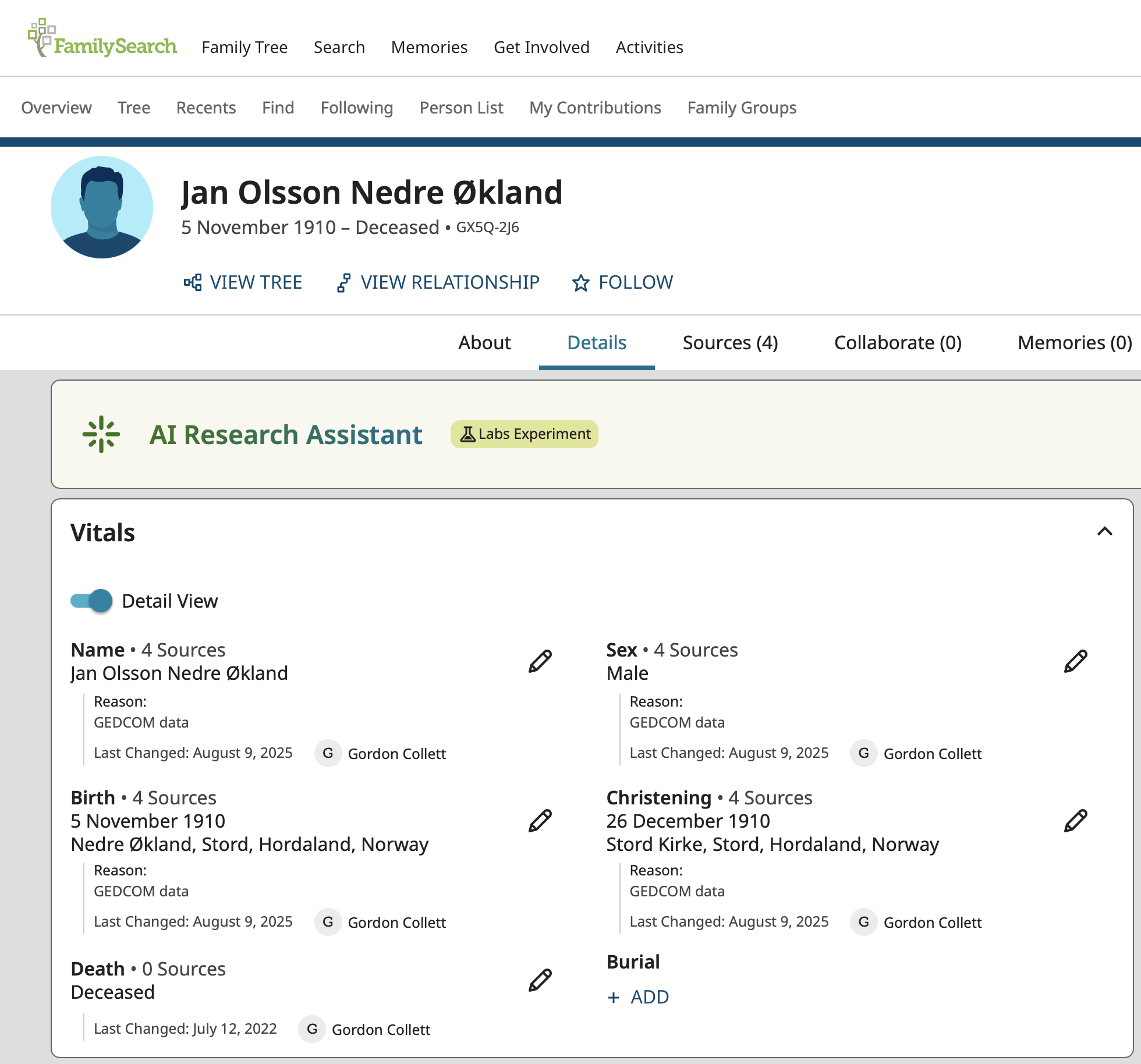
As previously stated, Reason: GEDCOM data is automatically added everywhere the user does not enter a reason statement during the import. Since this declaration means the information came from a GEDCOM file, this will be shown in the Change Log. It might have been imported to create this profile or might have been used to created a profile that was merged into this one. In either case, the next step is to go to the Change Log and look for the reason statement. This works far better in the old Change Log. The new Change Log hides the initial creation of the profile.
Here you can see all the information that came into Family Tree from the GEDCOM import. You know these are the entries you want because they all have that Reason: GEDCOM data notation:
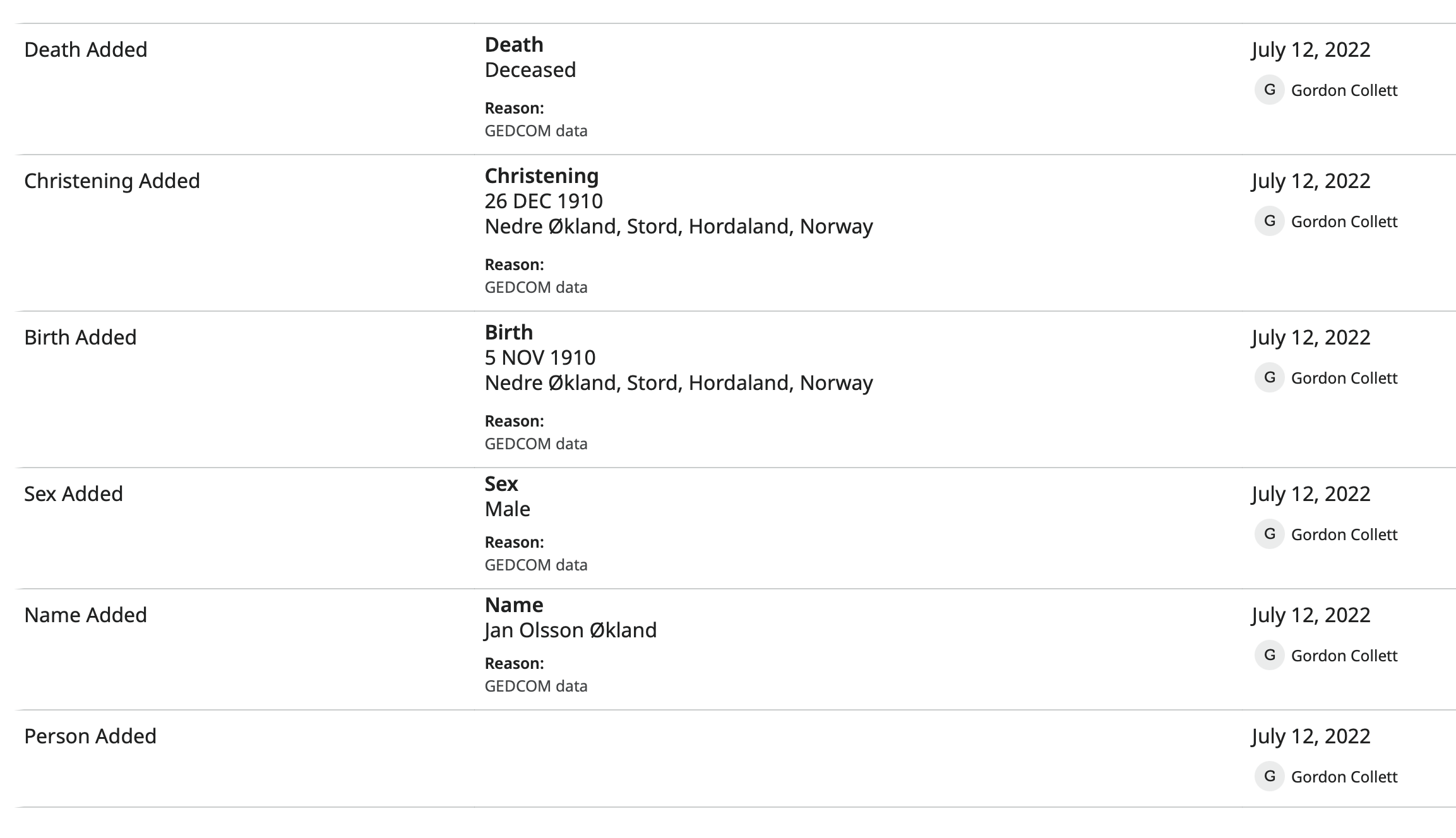
Notice that there are no notes and no sources.
Now go to Genealogies under Search:
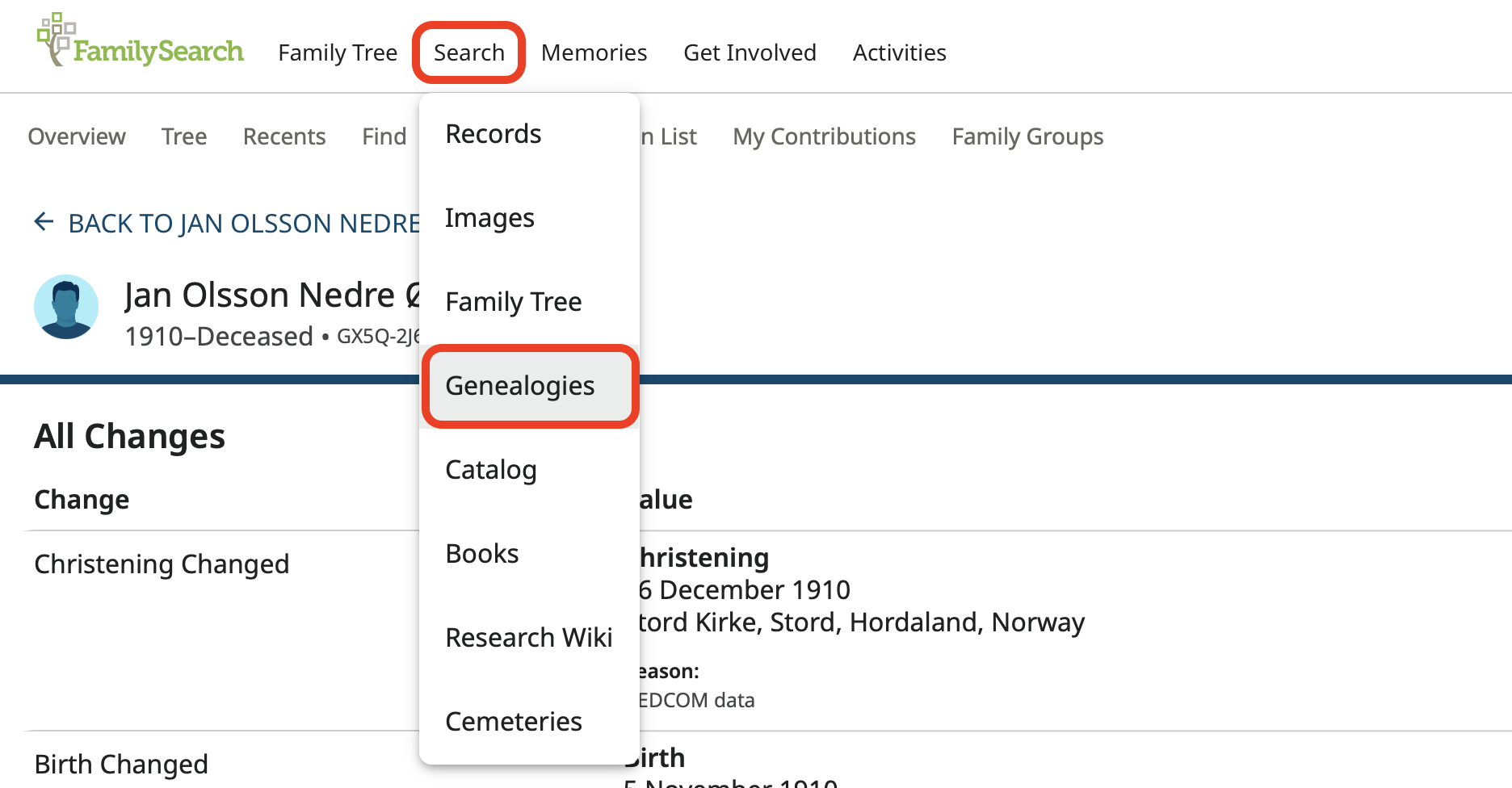
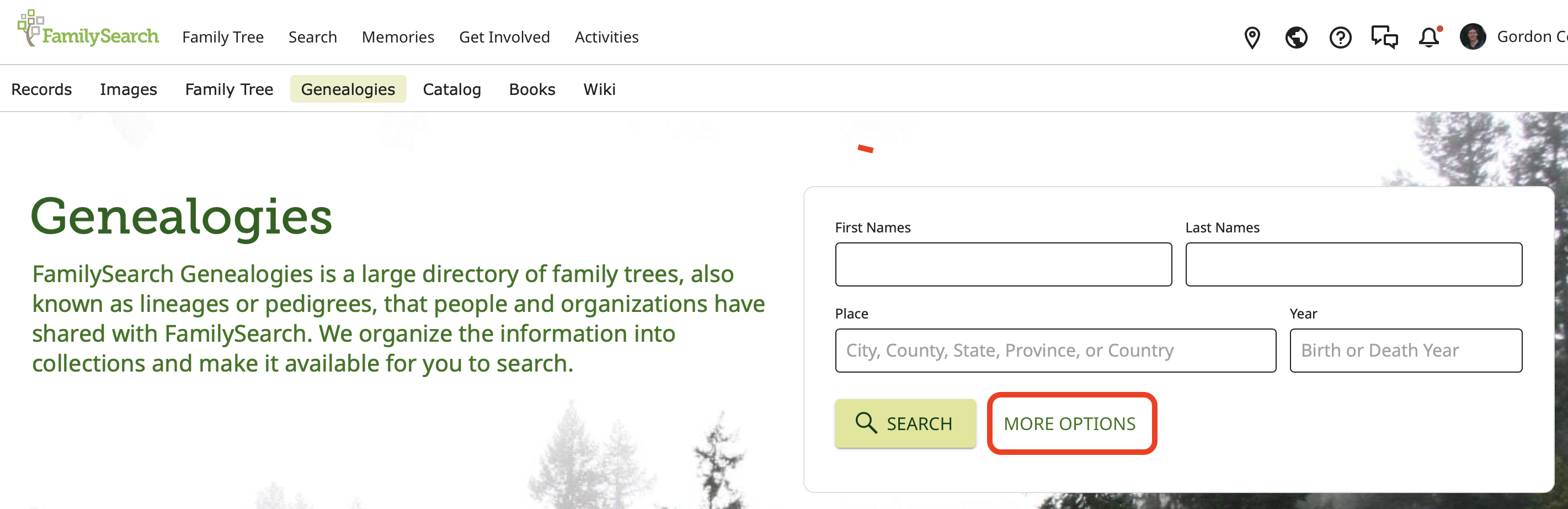
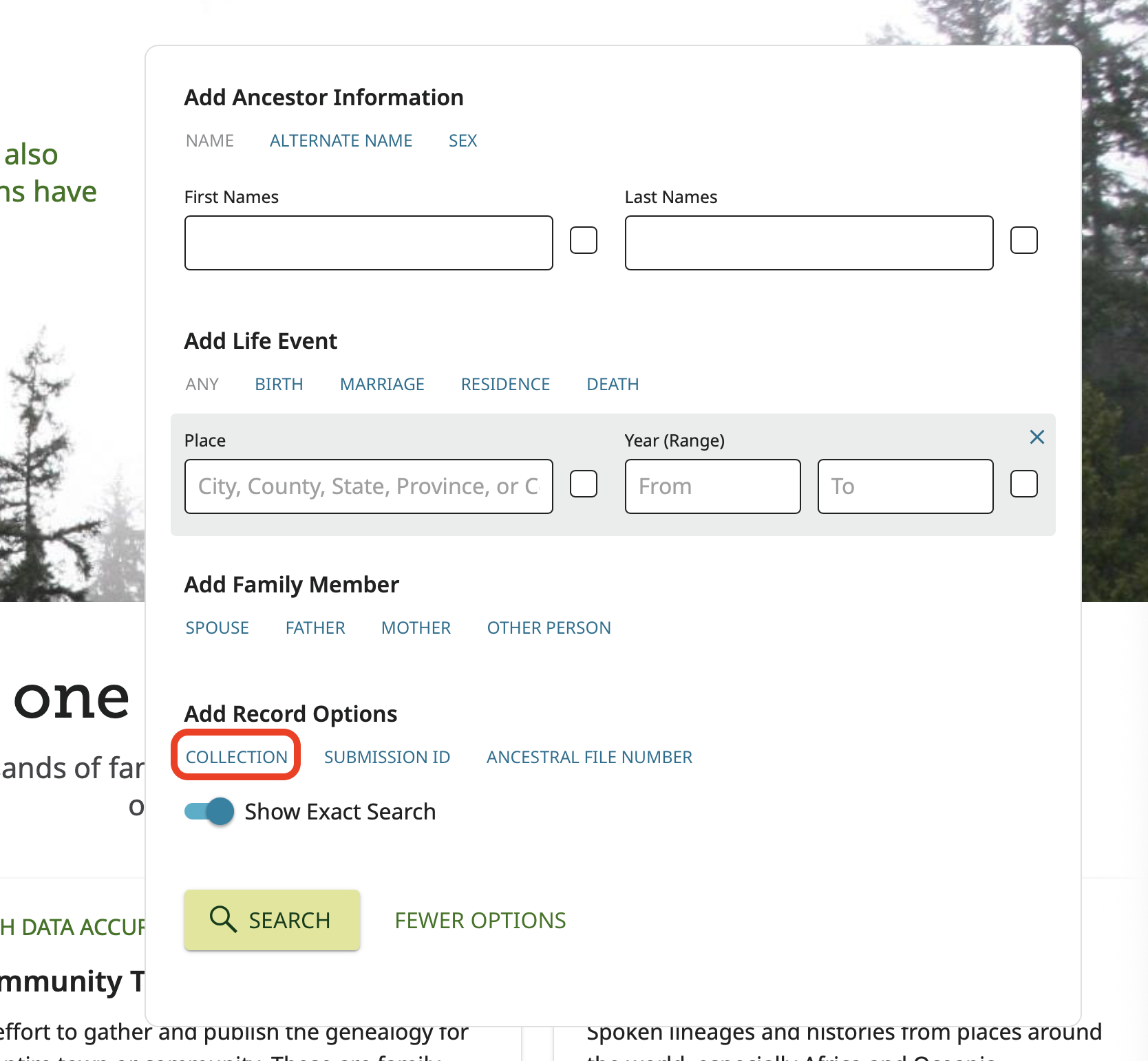
Open More Options and choose Collection:
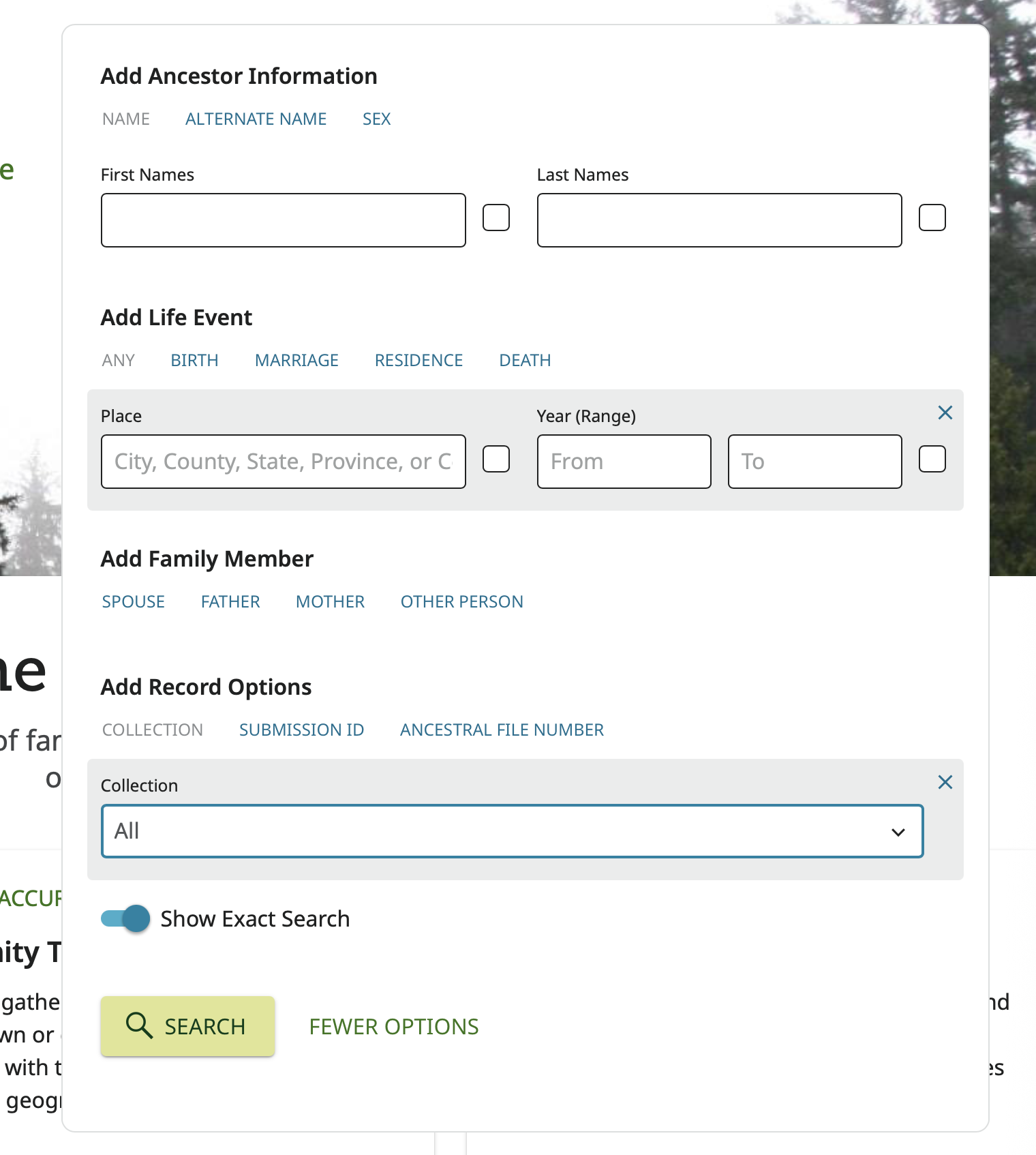
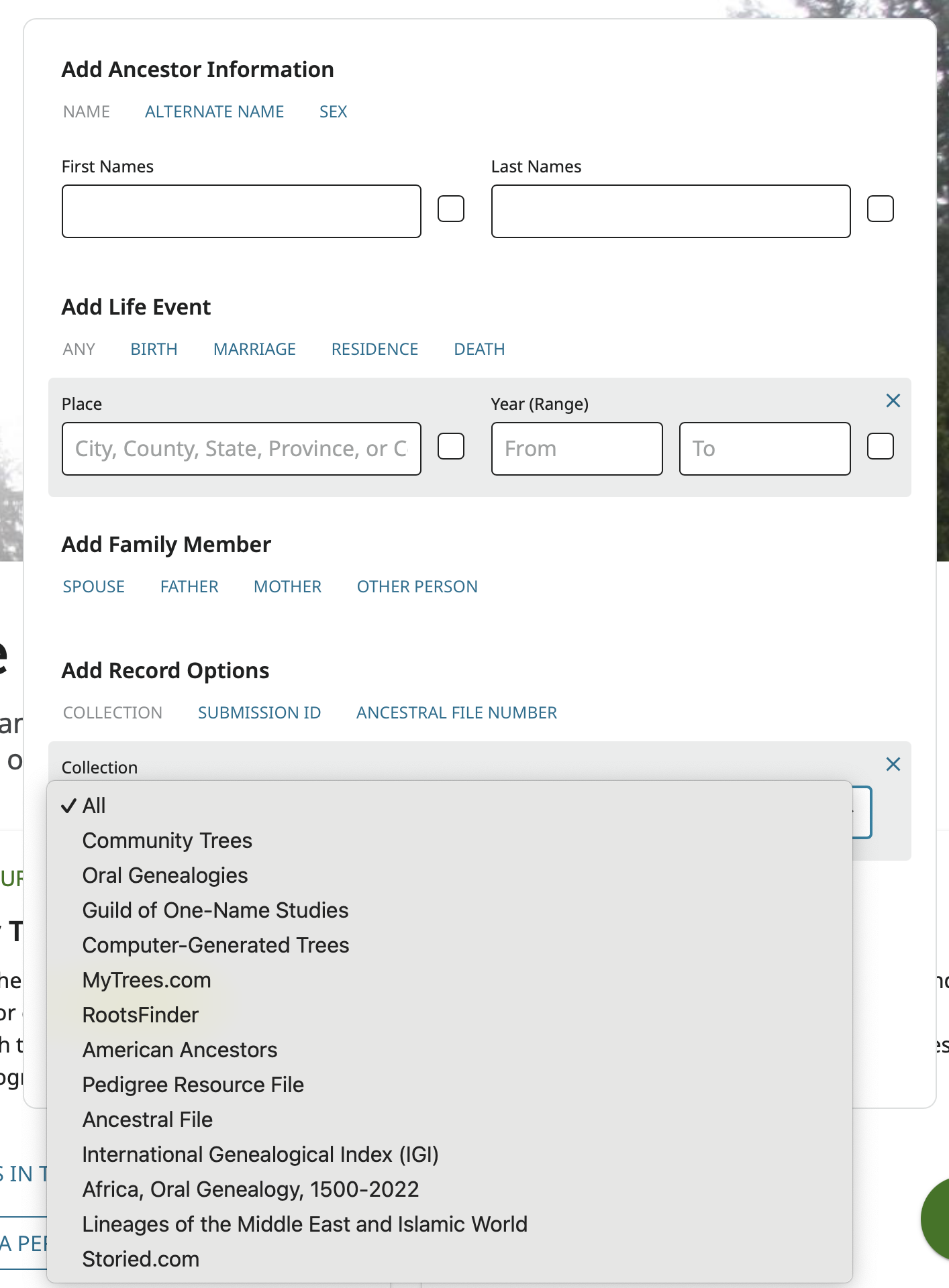
Choose Pedigree Resource File:
And then enter in the information in the Change Log with the GEDCOM data reason statement exactly as found in those lines the Change Log and not what might currently show on the profile.
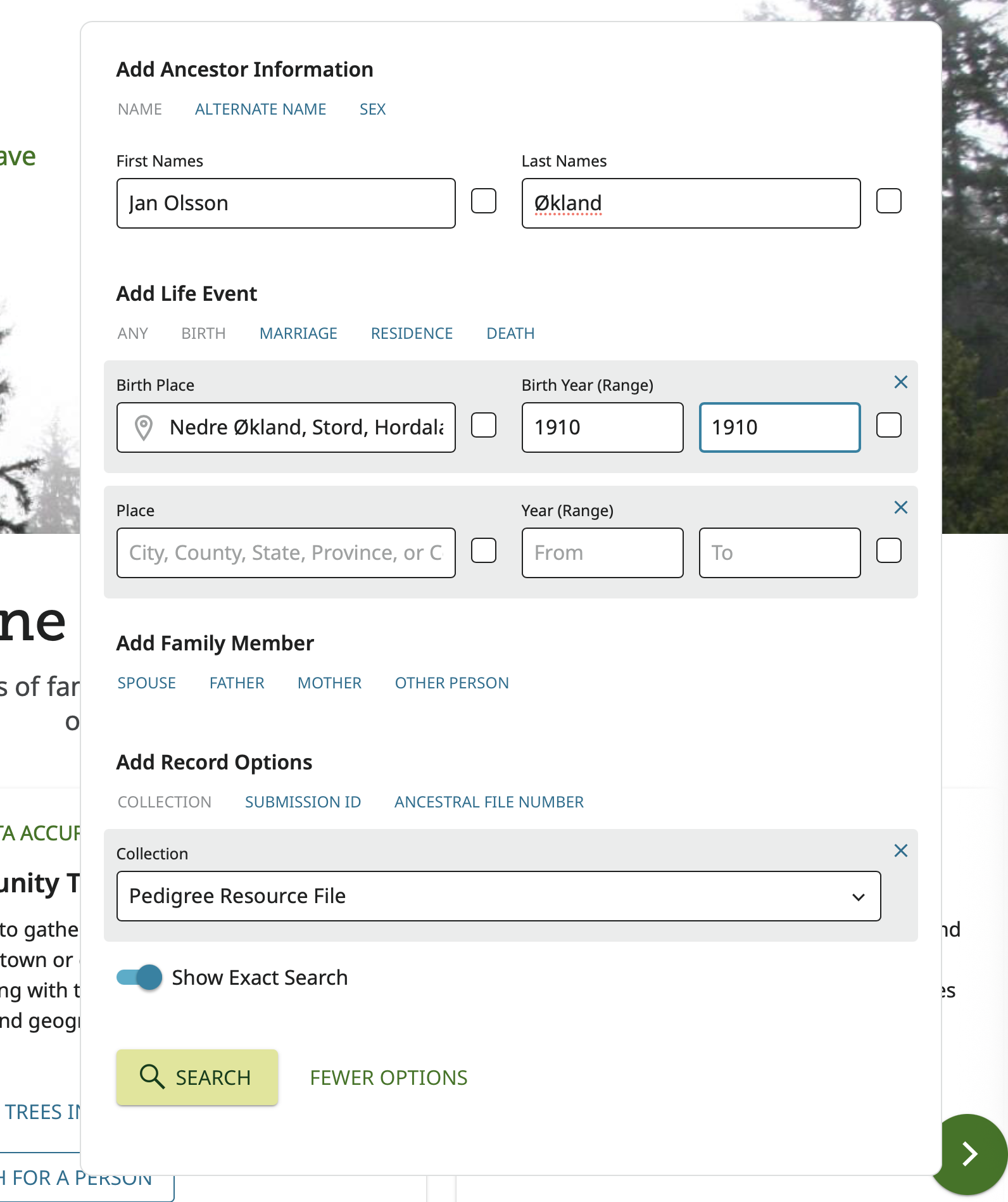
Click Search and see what you get:
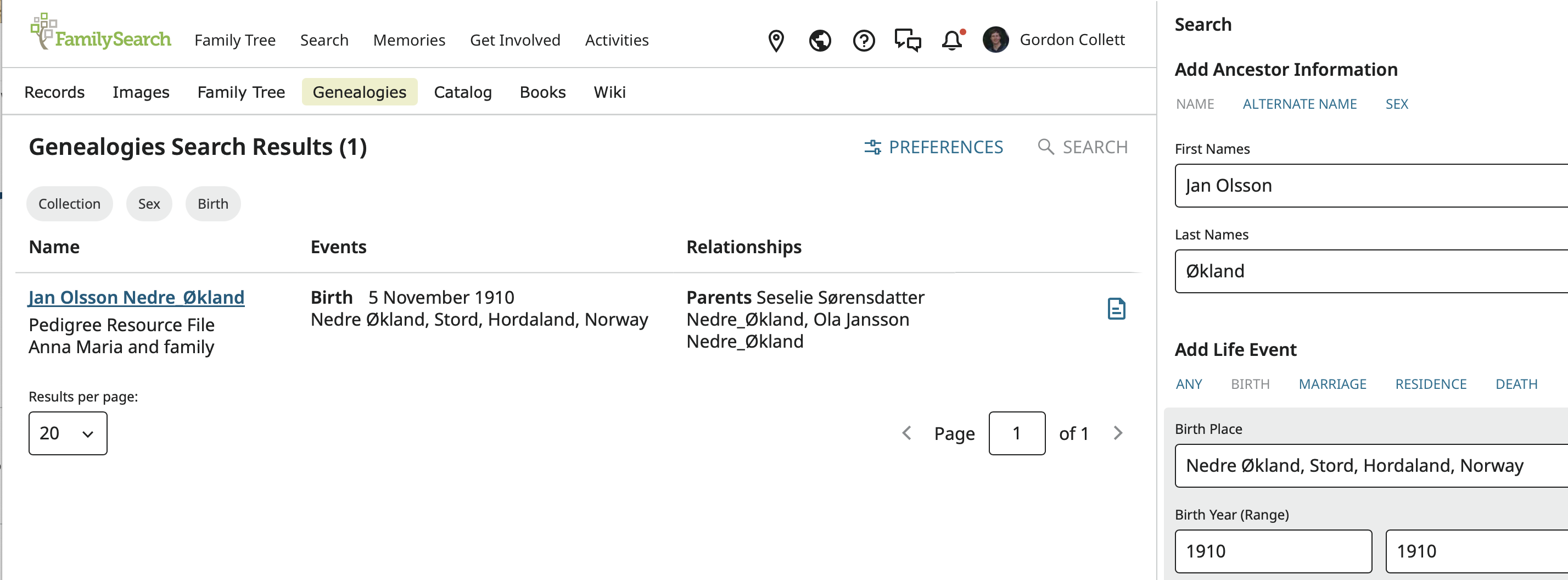
In this case it worked perfectly and there is only one result.
Click on the result to see the record:
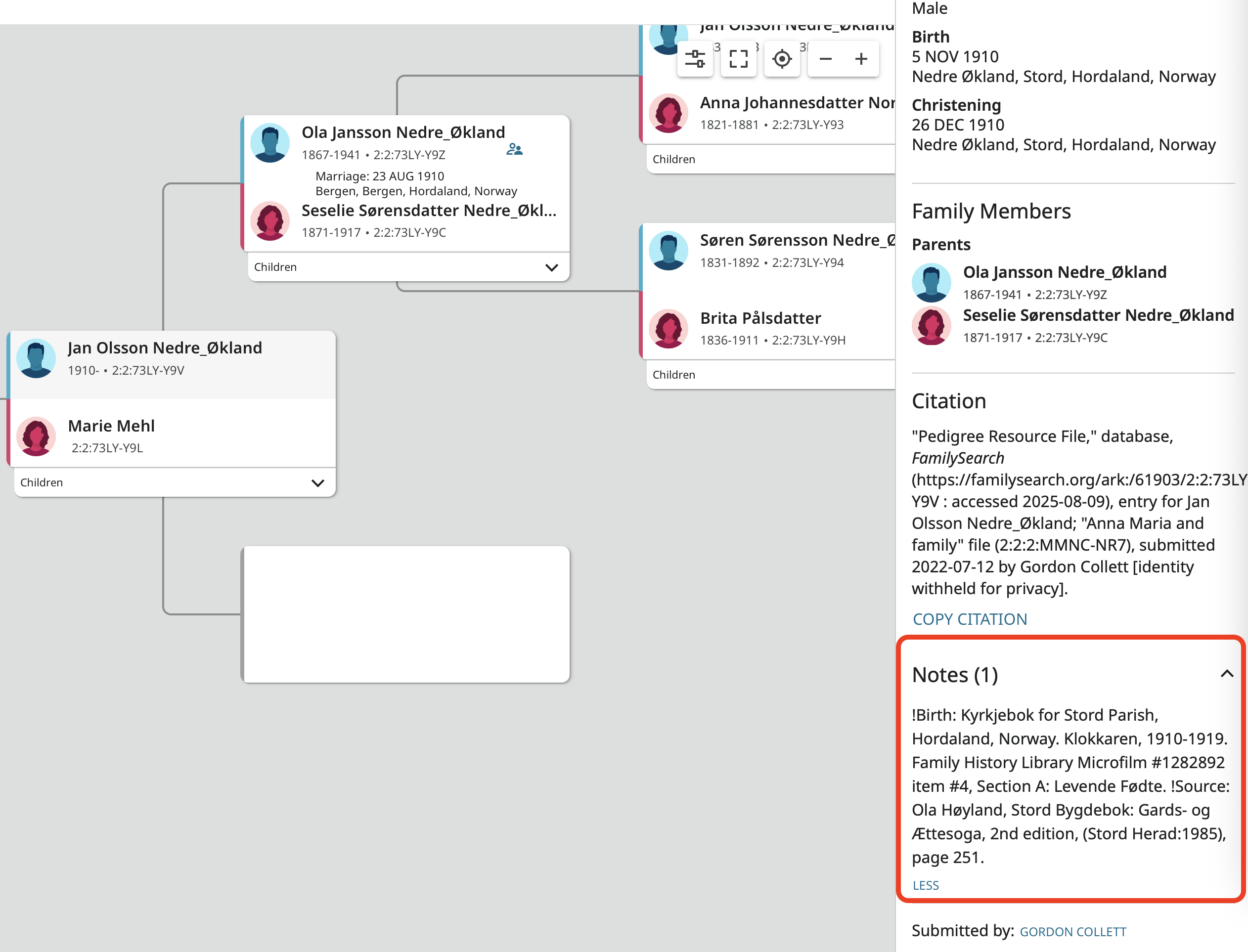
This looks like the landscape pedigree in Family Tree but it is not. There is no detail page to jump to. The side panel is permanently open and it contains everything from the imported GEDCOM file along with a generated citation. The important part here is that there was a note in the GEDCOM which contains two sources illustrating the fact that notes (and sources) are not transferred from the Pedigree Resource File created from the GEDCOM file to Family Tree when the PRF information is imported to Family Tree.
If your friend got to this point and there are no notes or source then the user who upload the file did not include any in the exported GEDCOM file and there is no more information to be had. At that point, all you friend can do is either try to use CHAT to contact the user or click on the name next to Submitted by and see if any contact information is included. Otherwise the only option is to take the information on the profile as a starting point to repeat all the primary research the contributor did and go searching for sources for the profile.
If your friend is desperate and willing, you could send me a private message with the profile ID that I will promise not to reveal and I could take a look and see if I have any specific suggestions for that profile.
3 -
That IS good news, @Gordon Collett!
1

Answers
-
Random side note. I saw when I wrote the above post that users can no longer add to the Pedigree Resource File and that CETs appear to be open to everyone.
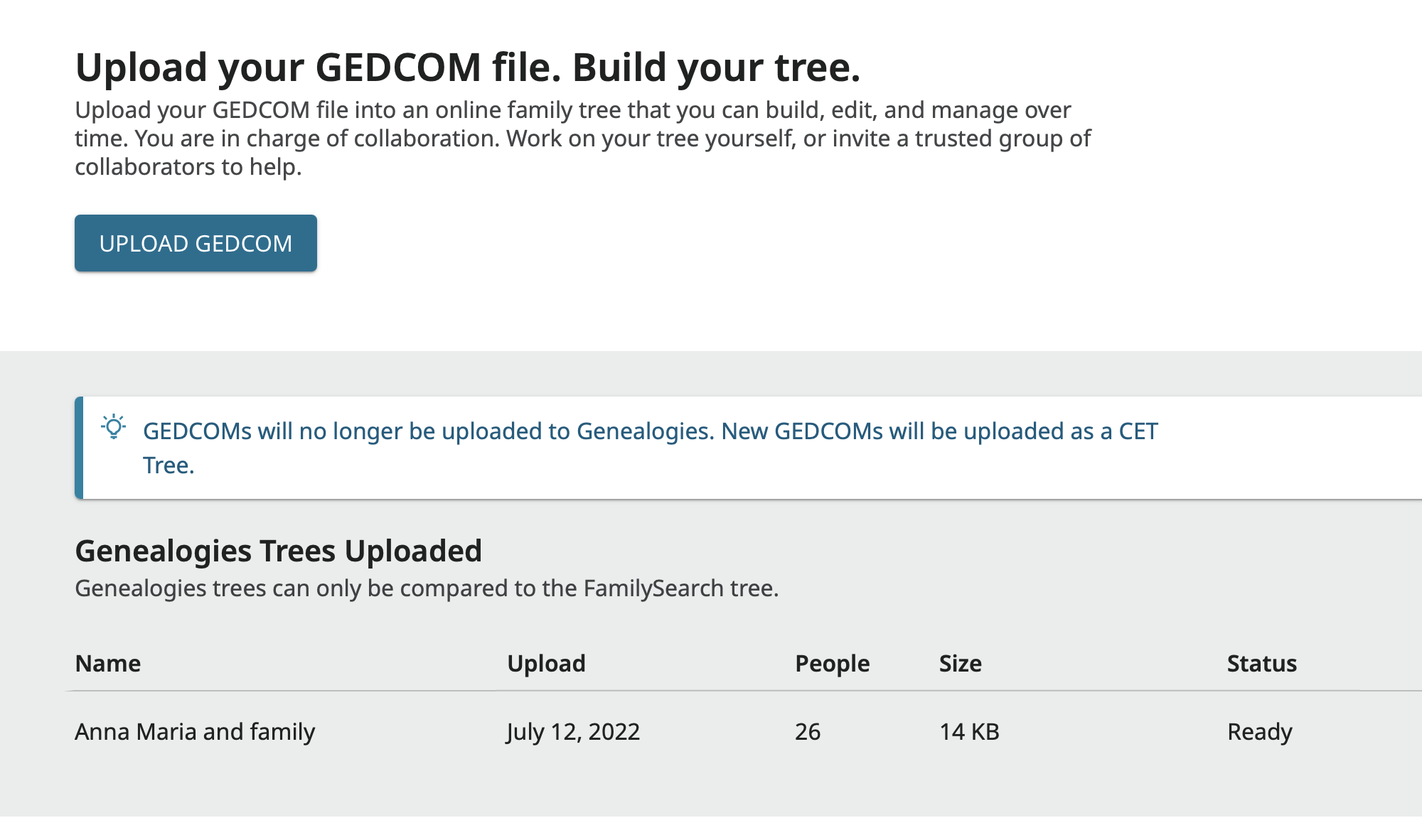
No more uploads to the PRF means no more imports from the PRF to Family Tree. The pleas of thousands have been granted!
Now we can only hope that when the process for transferring CET profiles or information to Family Tree is developed and released that it works far better than the old process did and that dumping of thousands of duplicates from a GEDCOM into FamilyTree will no longer occur.
4