Are all Standardized place names and dates in English?

For example, when working on ancestors in Italy, I'll see place names and dates in Italian, Spanish, French, English and Portuguese. This is somewhat fascinating, as you can tell where their Italian ancestor emigrated to.
However, Family Search only shows the place name and dates as standardized if they are in English. So I have been updating them to English to standardize them.
However, if my primary language was not English, I could see myself getting annoyed at everything being changed to English.
Am I doing the right thing by setting standardized places/dates in English?
Best Answer
-
@James84179 For working in Family Tree, it is very important to understand the term "standardized" as it is used in the website.
All dates and places in Family Tree are entered and stored twice. These two pieces of data are the Display value and the Standard value. In this explanation, I'll stick with places although the same applies to dates. This dual entry system is a very powerful feature of Family Tree that allows both precision and accuracy of place names while recognizing that the computer routines need a simple value to use for computation.
The Display value is what you see on the profile page. It is entered by the user and is never changed by the program. It can contain more, less, or the same information as the Standard value.
For the computer processes of Family Tree to best provide hints, possible duplicates, data quality checking, etc, a Display value needs to be linked to an appropriate Standard value so that the computer program knows what the text of the Display value means.
The Standard value is the text version of a a place name with a unique ID number in the Places database. That ID number is assigned to a location identified by latitude, longitude, and time period. Standard values have display names in anywhere from one to dozens of languages. These display names along with all the variant names for that location that have been entered into the database can be viewed in the database at: https://www.familysearch.org/en/research/places/ The computer is probably actually working with only the ID number and none of the text at all.
The Standard value linked to the Display value can be seen in the Data View pop up or the Edit pop up. It will alway display in the language you have set the FamilySearch website to. If you change the website's language, the Standard value will change. That is why you will always see an English Standard value unless you change the website language. Also, if the Standard value just happens to match the Display value, the view of the Standard value is suppressed in both the Data View pop up and in the Edit pop up so you only see the Display value.
Here are some illustrations of the above concepts:
Here is a non-standardized place name in which there is no Standard value linked to the Display Value:
Profile page -

Data View pop up -
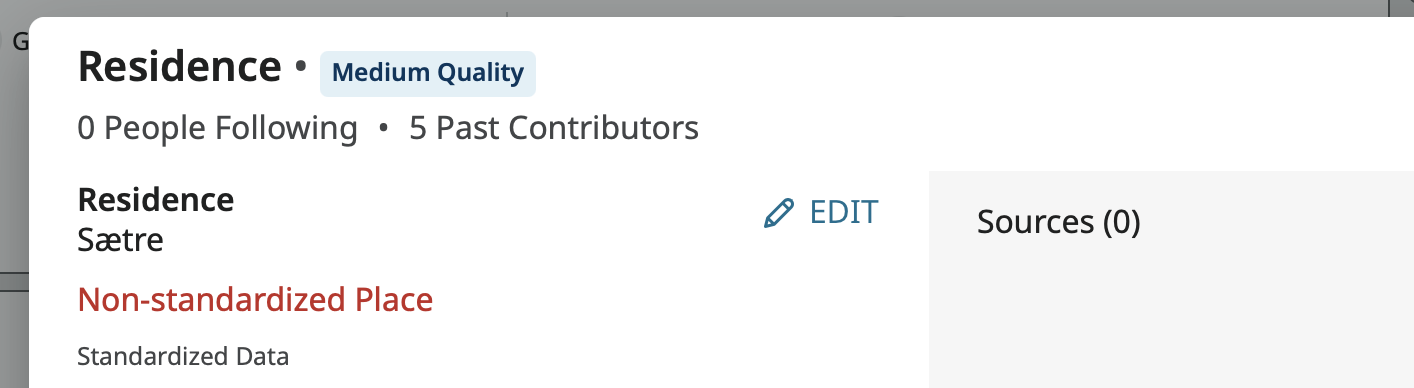
Here I have standardized it by linking it to the correct Standard value:
Profile page -

Data View pop up -
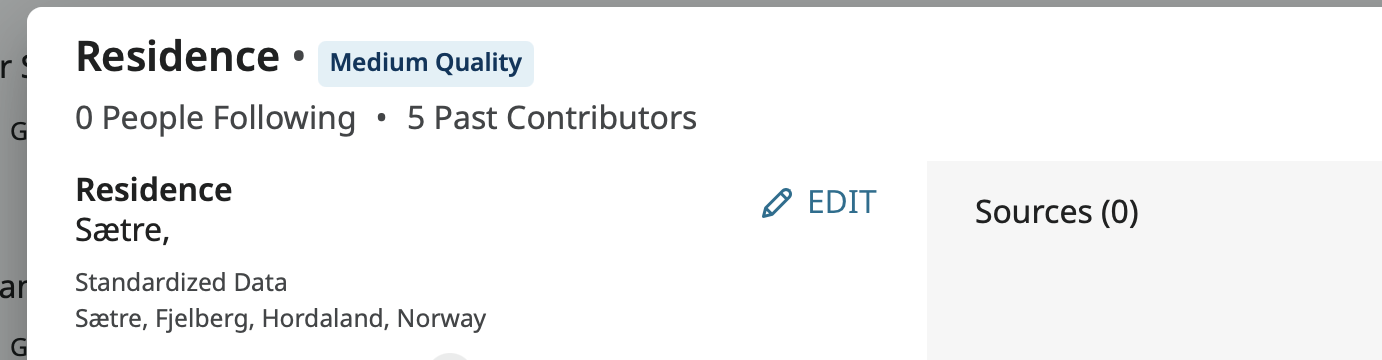
The red notice is gone. You can see the linked standard in the Data View pop up. Note that this is also an example of the Display value having less information than the Standard value.
Here is how this would look when the Display Value has more information than the Standard:
Profile page -

Data View pop up -
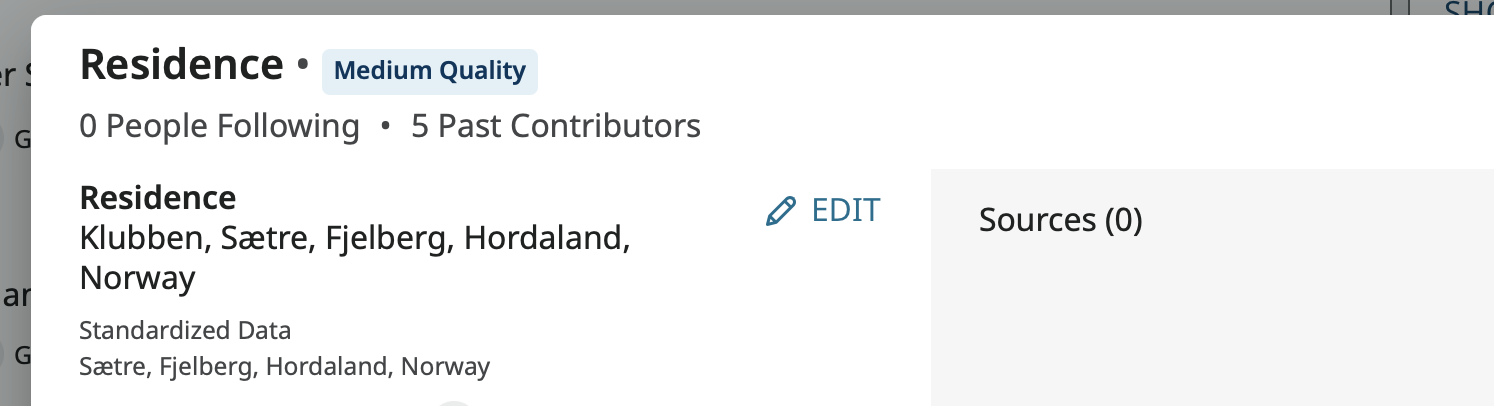
Again you can see the linked Standard value. This is how you enter additional, detailed, clarifying information to a place name such as the full street address from a census residence or a plot number to a cemetery entry, or even a city name that is not currently in the Places database and still have it linked to an appropriate standard.
Here is how things appear if the Display value for a place name just happens to match the Standard value for that place:
Profile page -

Data View pop up -
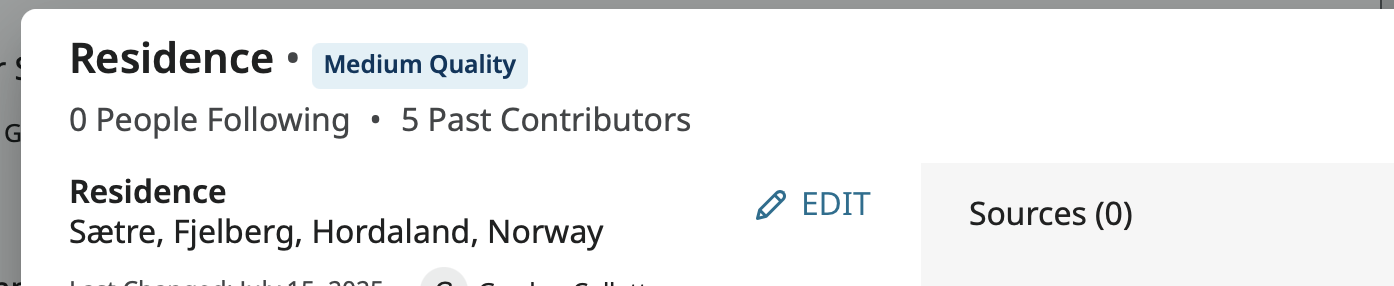
Here only the Display Value is shown. The Standard value is not.
And here, as Amy demonstrated, is what is seen if I change the website to Japanese:
Profile page -

Data View pop up -
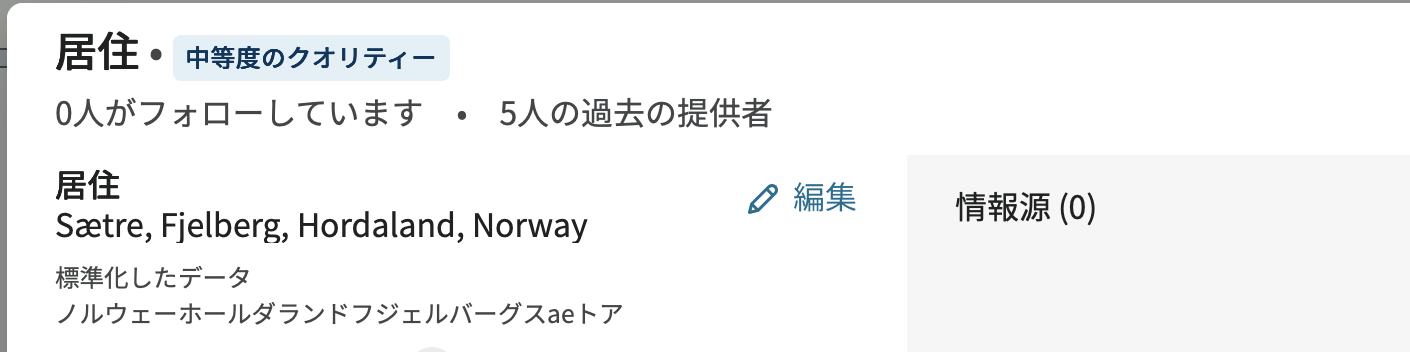
The Display value does not change at all from what the user initially entered. However the Standard value linked to it was converted to the Japanese language version of that standard.
If you go to the Places database, you can see all the available languages that a Standard Value can be displayed in. Here, for example, is the first part of the list for Norway:
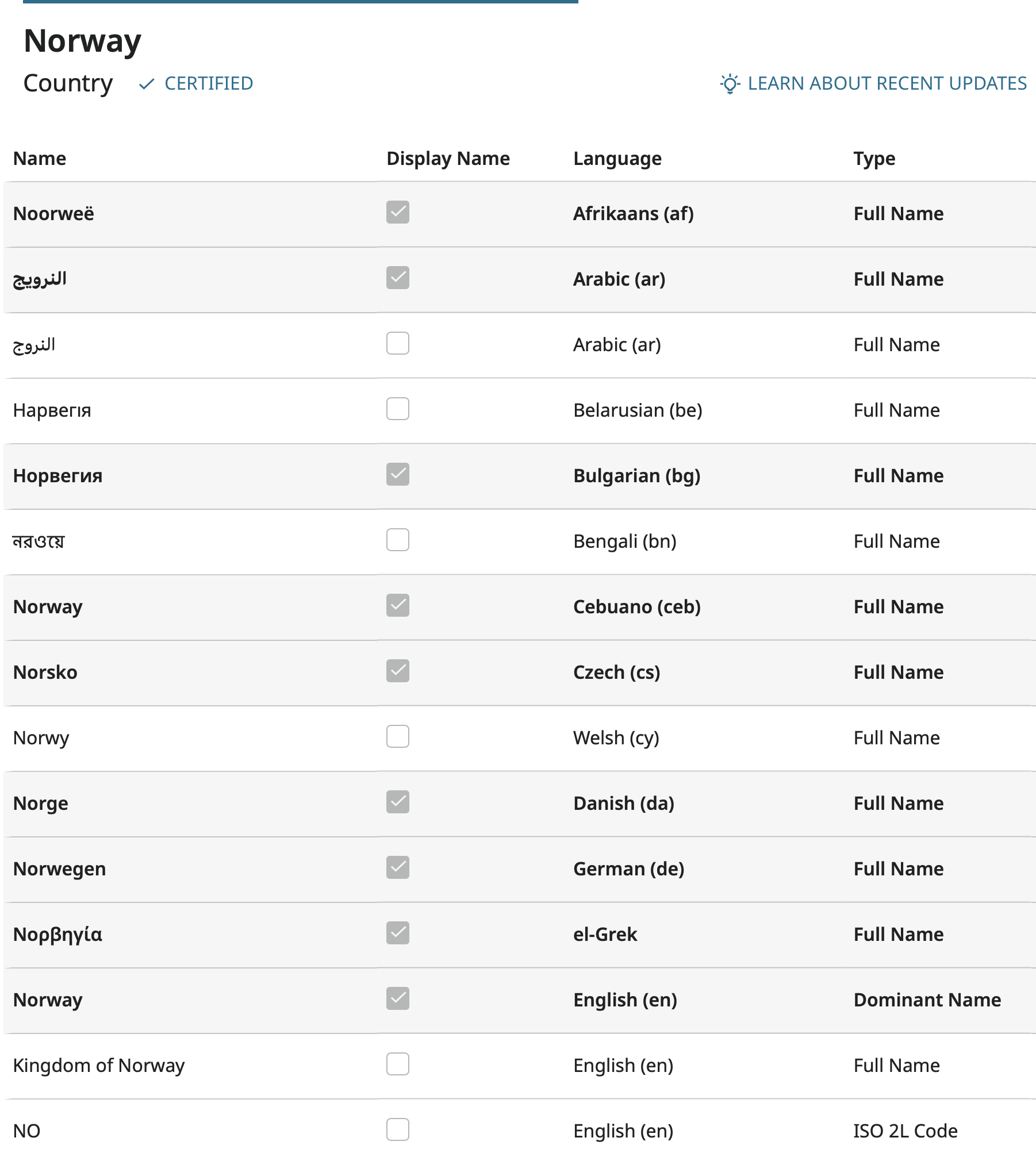
There are many more. The names above that are not checked are variant names that you can type in while entering a place name that will bring up Norway. Some of these are in languages that are not currently supported by the website.
Regarding the ancestors you are working on in Italy, most likely your relatives who are working on these names chose to enter the place names in the language of the place rather than in English. This is easy to do if you change the website to that language because then the drop down menu of standards will be in that language even if you don't know what it is.
For example, if I want to enter Moscow, Russia, in Russian, but I don't know Russian, I can just change the website to Russian and enter it like this:
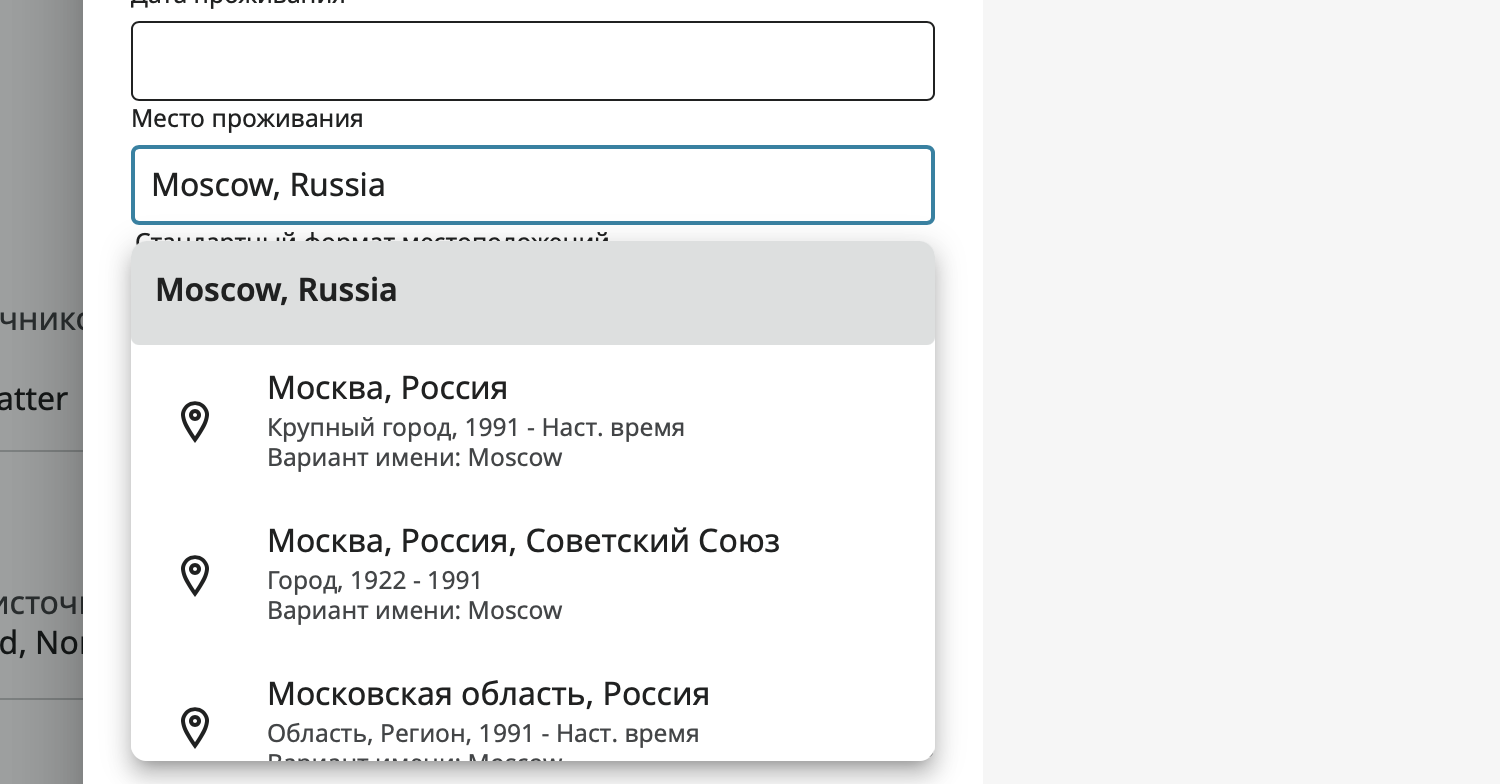
Then assume the top suggestion is what I want:
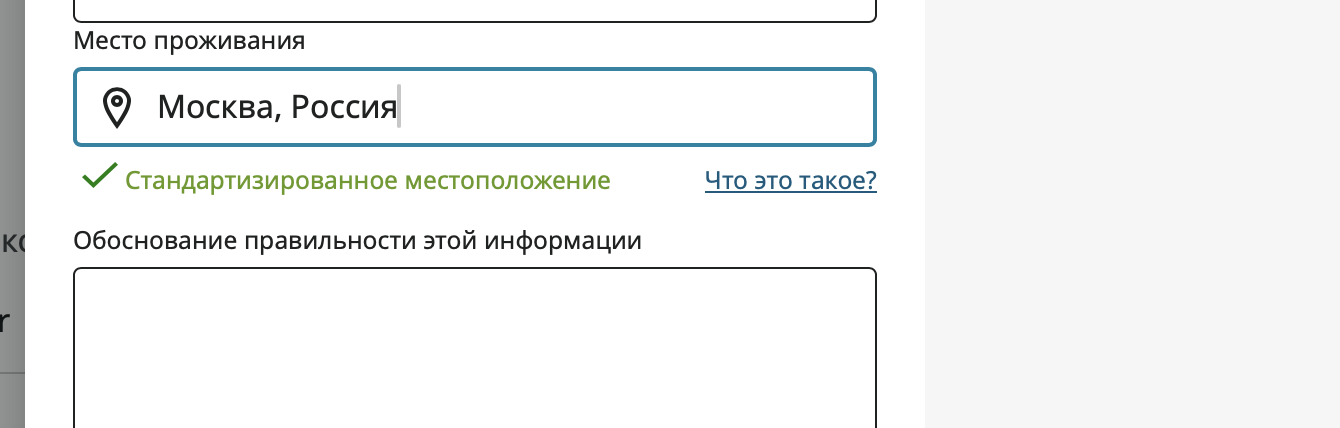
As you can see by the presence of the green check mark, this is properly standardized.
To check my work, I can change the website back to English and check the Data View pop up:
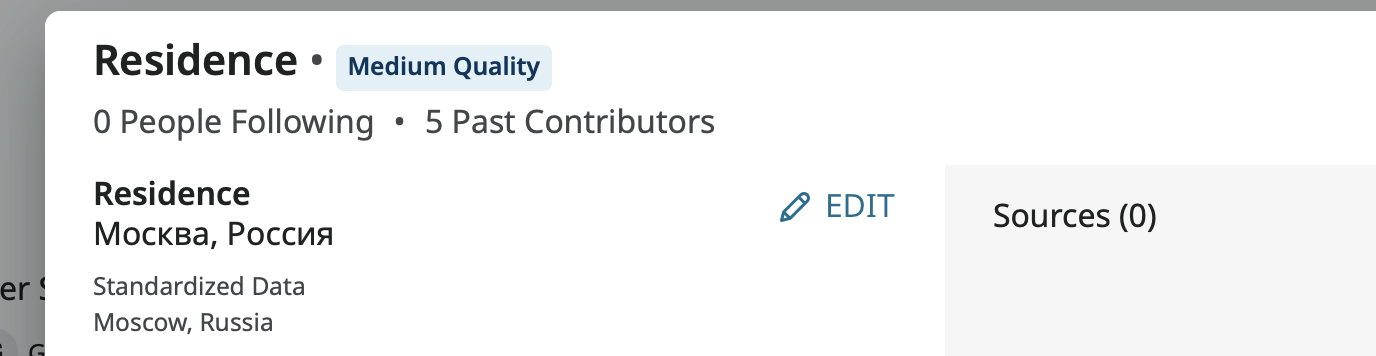
Here I can confirm that I picked the right Standard value.
I cannot stress enough that this last view is fully, properly, and correctly standardized, just like the ones you are seeing in Italian, Spanish, French, and Portuguese. If the majority of the family wants to see the place names in the language of the country, there is no need to change anything. As long as there is no bright red "Non-standardized Place" notice, the place name is standardized.
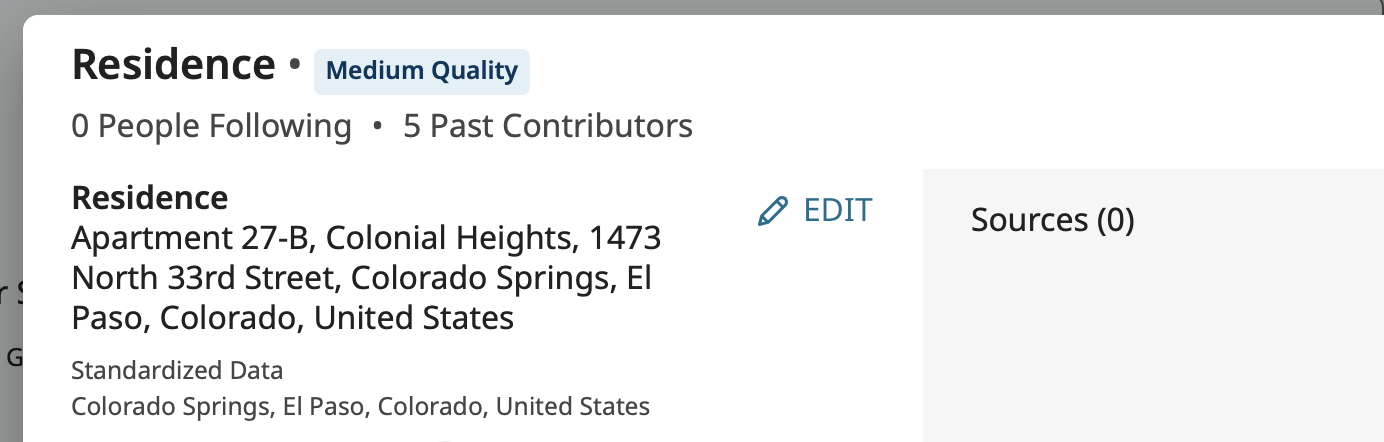
And I need to even more strongly stress that you should never remove information from a place name in the quest for standardization just to make the Display value look like the Standard. This last example is also fully, properly, and correctly standardized and should not have any information removed just so there will only be one value in the Data View pop up:
 1
1
Answers
-
@James84179 There are two parts to standardization. You can type any location you want into the actual place, but the system needs a standardized place to be associated with that event so that it can verify information for ordinance work and so that when anyone searches, that location is one that can be searched. As to how it looks for other languages, you can change the language of the website using the World icon in the upper right-hand menu. What happens is that the Standardized location translates, but what you put in the location box does not actually change.
So here is one of my great-grandfathers. Using English as my language, what is actually typed in the box shows as the standardized location:
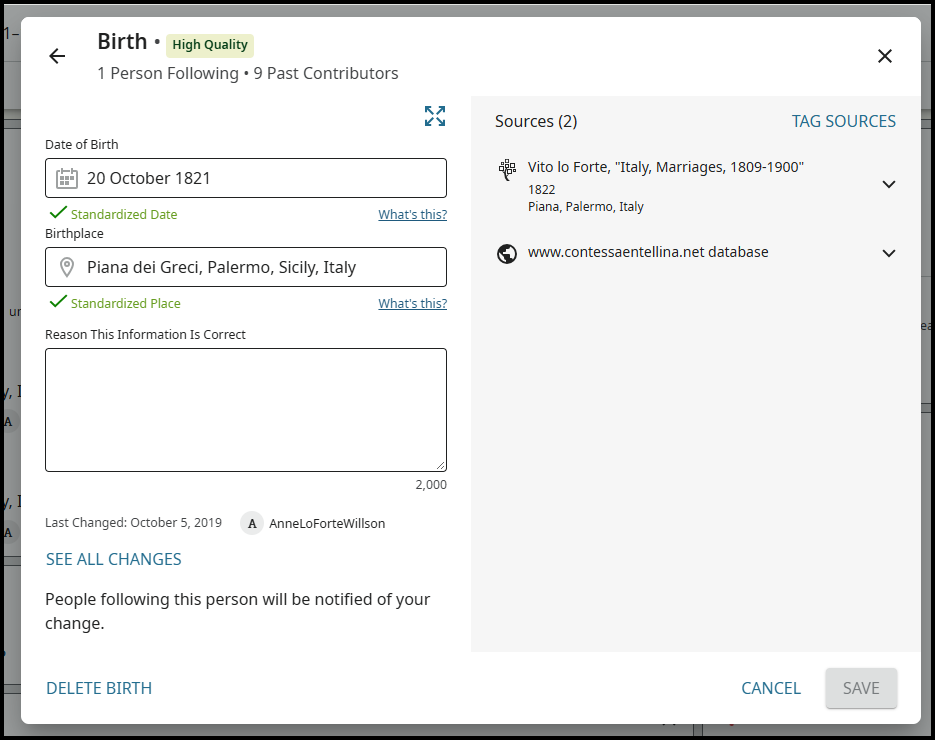
If I change the website language to Italian, what was typed in the box is still the English format, however you can see below that the standardized location is still associated with that event and has been translated to the Italian format.
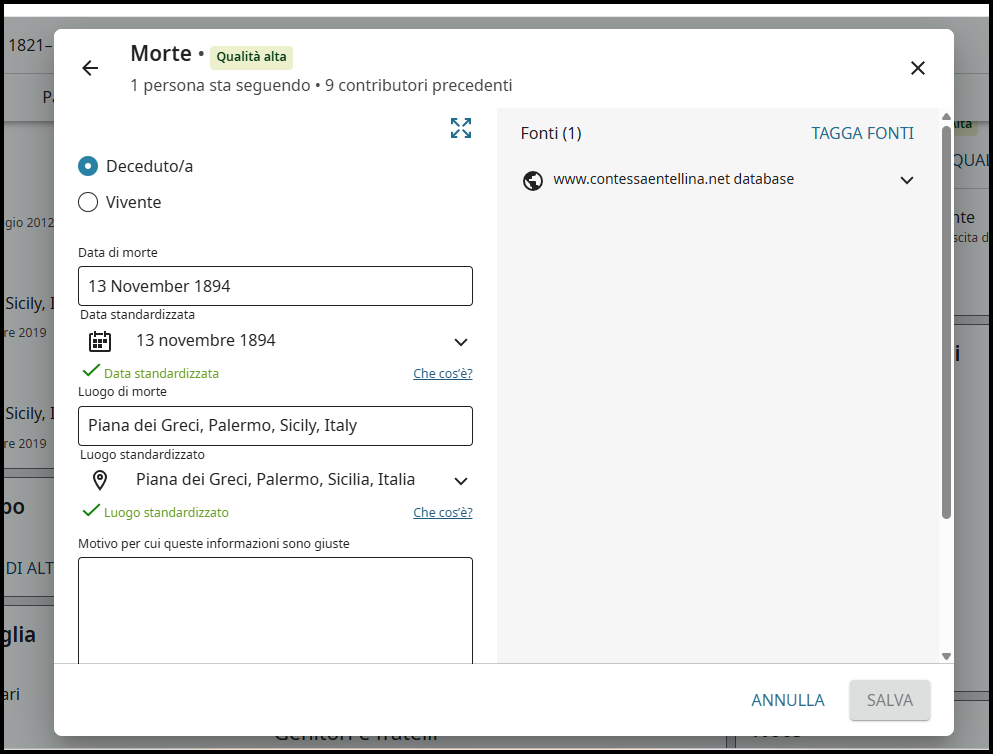
So, to answer your question with a question: How would you feel to see these changes made? Let your thoughts on that guide your decisions in your editing.
3 -
@James84179 Note also that in most places on the website you can quickly see the standardized version of dates and places in your language. Just hover over the date or place, and the standardized date or place will be shown. Using this technique lets you see the standardized dates and places in your own language much more easily than going into the edit screens as described above.
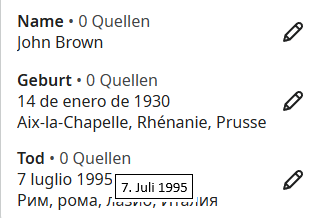
In the example below, there is a Spanish birth date, a French birth place, an Italian death date, and a Russian death place. The website is shown in German. If you hover over the death date, then the tooltip box shows the death date of 7 luglio 1995 (Italian for 7 July 1995) as 7. Juli 1995 (German for 7 July 1995). You would see similar translations for the other standards as you hover over the other dates and places (e.g., the birth place would appear as Aachen, Rheinprovinz, Preußen).
 0
0 -
The trouble with the German places.
Won't accept native-centric place names so I have to "brutal force" FT to accept correct place names.
Britten, Merzig, Rheinprovinz, Prussia
Britten, Merzig, Rheinland, Prussia
Britten, Merzig, Rhineland, Prussia, Germany
Good grief!
Britten, Merzig, Rhein, Preußen, Deutschland (my German cousins stick to this one and stands with me, so far no one challenged me on this.
Rhein is absolute neutral over the quarrels with Rheinprovinz and Rheinland.
By the way Saarland's place names are crazy when it come to English centric for them. I had to correct many places listing Saarland before it even come into existence. Saarland didn't exist until 1947 as State of Saar until Jan 1 1957, admitted into Bundesrepublik Deutschland (that's Federal Republic of Germany for you English-centric) as State of Saarland
0
