What should I do? Faded document.

I came across a very faded document as I was going to index (I am new to indexing): https://www.familysearch.org/indexing/batch/20d6fa01-e138-4215-85ab-2e23590a1ccb
Best Answers
-
What helps me is inverting the image and zooming in. On your indexing screen, you'll see a vertical toolbar of 4 options.

Choose the tuner bar (option 3).

In option 3, a list of 4 options appear. Choose the third option. This will take your batch from this
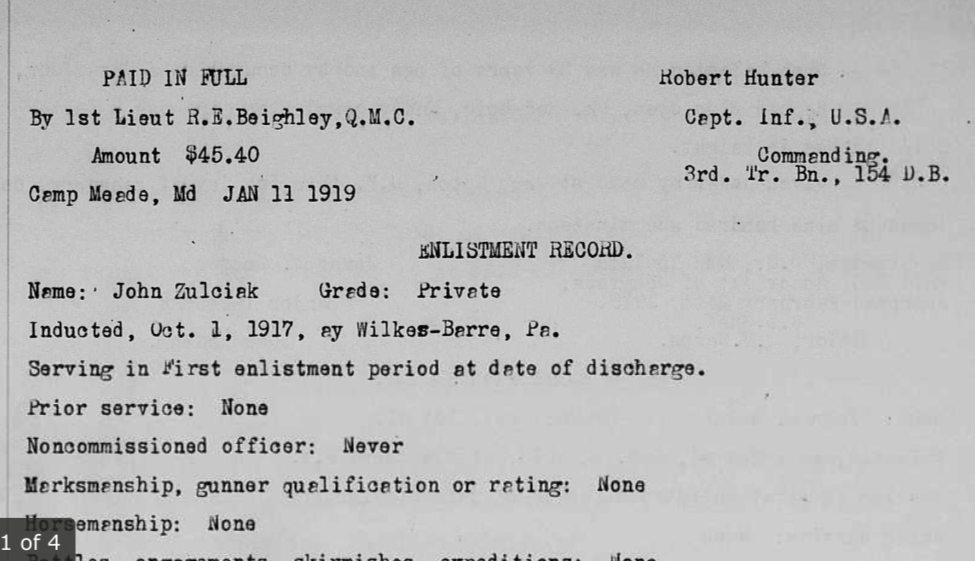
To this

If you still are unable to read the document, zoom in (plus mark on the vertical toolbar) until you're able to read the document. At times, I've had to get super up close to read documents. If you are still unable to read the document, or if you're uncomfortable with the batch, you can always return it and grab another batch.
4 -
Hi,
Faded documents and other similar issues can be quite commonplace when indexing, and the suggestions made by erutherford are certainly one of the options available to you.
Another option is to follow the steps outlined and use the 'tuner' icon, but choose the bottom icon from the dropdown list - the one that looks like a setting sun. This will give you the option of altering the brightness and contrast on the image. When documents are faded or very pale, increase the contrast by moving the slider to the right, then decrease the brightness by moving the slider to the left. By some careful juggling, you will find a 'sweet spot' where you get the best view of what was written.
It won't always be perfect, and enlarging the image may often help, but it will enable you to see a little more clearly. Remember, that on some images you may need different settings for different parts of the Document, so don't be afraid to change this as often as required. - it's not necessarily a 'one size fits all'. With reference to the previous response, all of these options are also available for reversed images, although you will need to move the sliders in different directions.
I've attached a Knowledge Article which basically says the same thing, but you may find it easier to understand.
Keep up the good work you are doing.
Kind regards,
Barry
1

