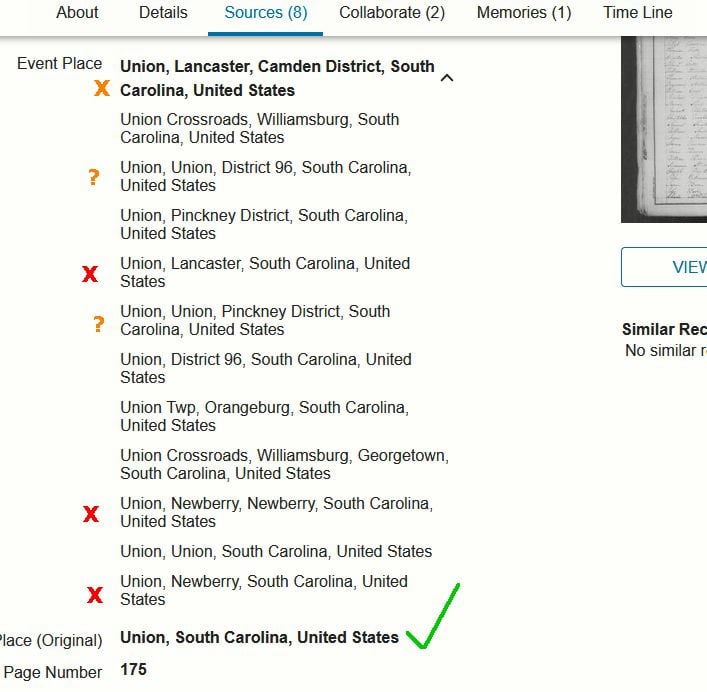
Event Place not right

The Event Place has locations that don't make sense. When I click Edit in the Source Record it takes me to a page where the location is correct. But the location that shows in the Search results is the goofy on. And that has a drop down that has other incorrect locations, but not the correct one. I don't know if this is just not a priority to fix. I found a 2 year old thread about the subject but it was closed. I could not get the record issues form to load (too many 3rd party connections and who knows what all).
Best Answer
-
@CMichael7 You can send me a direct message with the URL. I'm a site admin, and I will make sure I use the URL only to track down the problem. I won't post it anywhere public.
2
Answers
-
@CMichael7 Although a screenshot is helpful, we really need a link to the page in order to track down the particular issue you are reporting. Could you please paste the URL into this discussion? Thanks!
2 -
I don't want to do that because it's linked to an ancestor where there's already too much conflict and I don't want even more people editing. I could submit it privately to a trustworthy person - maybe Aine since she said she has ancestors from Union.
I added another image that showed it used the wrong location in search results, but they removed it. It was the same location at the top in the image that is still there.
1 -
@CMichael7
I appreciate the confidence, but Alan Brown is a better option since he is staff/admin.
I'm just another user, and all I can do is commiserate that yet another record has suffered place-name corruption. Alan may be able to escalate the issue, although the problem has been around for several years now.1 -
@CMichael7 You can use the email/chat option to speak privately to Alan Brown then he and you can decide together how and what to communicate to general users about the "location bug"
0 -
@CMichael7 I can log a request for the general fix (which will take quite some time, given the backlog for such issues), but please note that you can usually fix individual problems yourself.
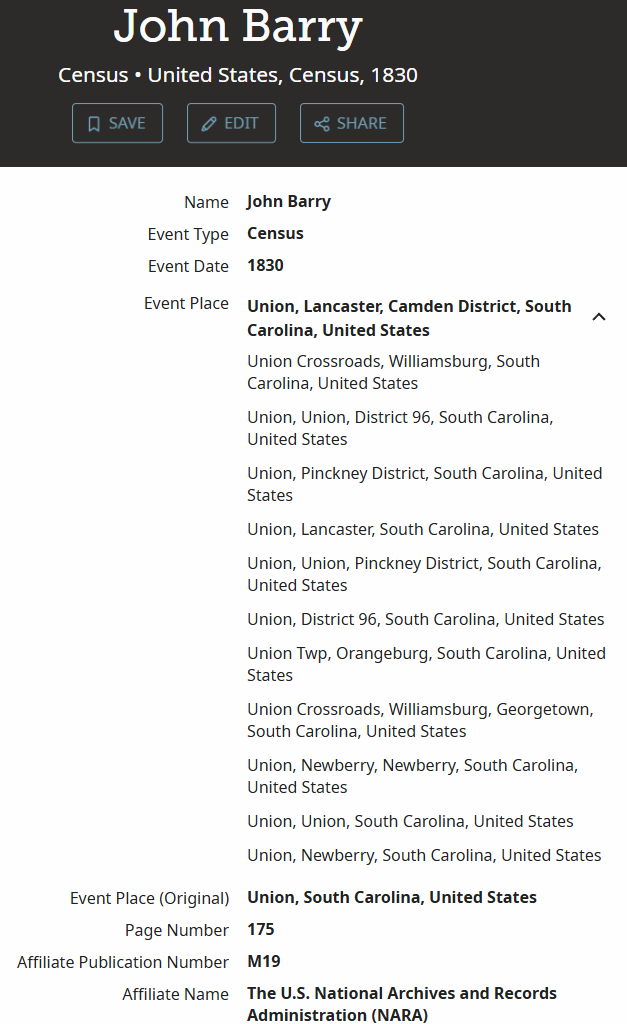
Here's a similar record with the exact same problem: John Barry in the 1830 US Census. His record details look like this:
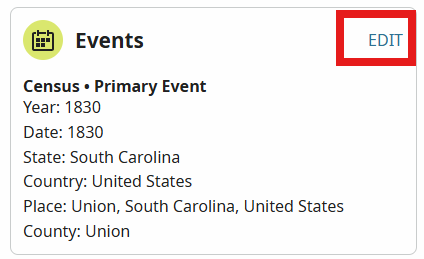
You can click the Edit button in the header, then click the EDIT button in the Events section:
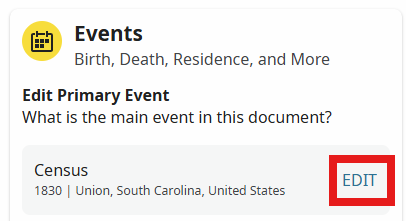
Then click the Edit button to the right of the Census event:
Then scroll down to the Place for that event:
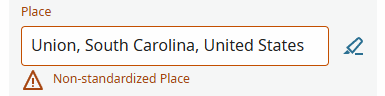
Note that it is not standardized. Because of that, the system thinks it can't assume that it is the county called Union in South Carolina, but could be any town or village or any other location called Union within South Carolina. That's why you see such a long list of places called Union in the Record Details. But you know that you want the County, so click in that Place field and choose the county Union, South Carolina, United States. You'll see that the standardized county is now selected. Then click Save.
Now you can click the VIEW RECORD DETAILS button at the top, and you'll see the Event Place is now the county you specified:
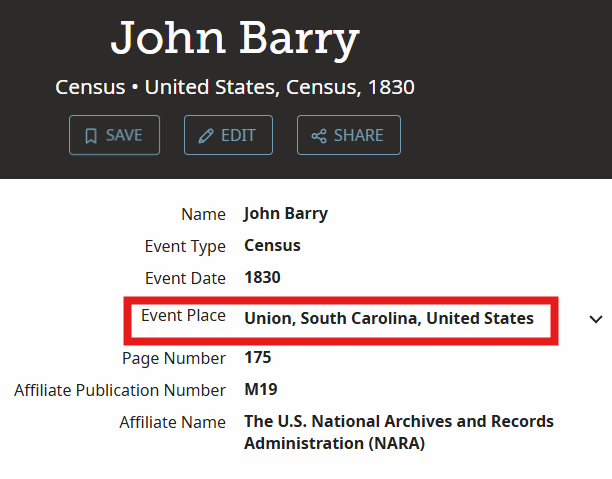
This updated Event Place would now also appear in the Source Linker for a residence event.
(If anyone tries to duplicate my exact steps, they will see that the event place has already been standardized for this particular person, so they won't see the exact same displays, but any other person in this same county will have the same issue.)
1 -
OK, I think it worked (page with black header updated; search result page hasn't changed yet after reload, may be a lag). Easy enough, but I would not have guessed that editing a field where it already looked correct would fix the mess I saw on the search result drop down. I usually do select the standardized place (a lot of people aren't), and even fix some, but I didn't know not doing so could cause the software to create such tangled locations.
0 -
Well, I've got another one. I do know how to do the edit now. But, this is too much. The original place was only "Pinckney" and that is written in the left margin. Besides the old district and township in SC, which is how it's indexed, there is a village in MI and a small community or township in NY by that name. The title has Lewis and Kingston, which appear to be counties in NY. But I didn't see that written on the pages. I went back to p. 1 and sure enough it's NY.
https://www.familysearch.org/ark:/61903/3:1:33S7-9YBJ-9Q65?view=index&lang=en
0
