Adding/Inviting Young Adults/Youth/New Members

My son is 17 now and expressing interest to know more about our family. I've already added him as a living person onto my family tree, but I don't know how to send him a link to create his profile and account so that he can fall into his correct place in the family tree, and his place having already been created by me, and enable him to become a new and active user on the website. Can anyone help with this?
Answers
-
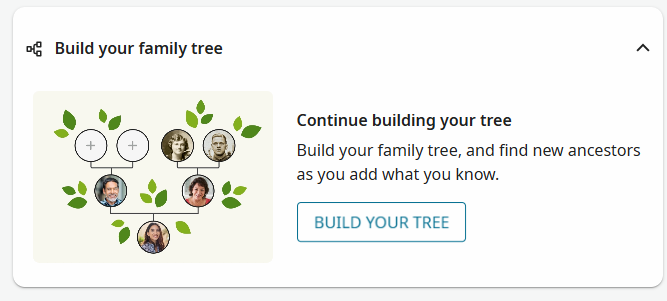
@NicoleClegg1 On a PC, start from your Home Page and Build a tree with your son - here's a snip to show you where to start. Best wishes
 0
0 -
@NicoleClegg1 The first step is to join up with his separate account. Use the link below.
Create a free account • FamilySearch
FamilySearch cannot automatically link to any living person, including you or any living relatives. Because of this, your son will need to manually create your living profile in his private tree. This is normal and expected.
Once he adds you, the next step is to enter the first deceased relative in your direct line—usually a parent or grandparent. As soon as he adds a deceased person, FamilySearch will recognize that individual in the global tree and connect him to all existing work tied to that ancestor.
From there, he’ll be able to see:
- Any research already done by you
- Work contributed by other relatives
- Existing sources, memories, and relationships
- The full shared Family Tree extending backward from that deceased ancestor
This is the standard pathway for linking a living user into the shared tree while still protecting the privacy of living individuals.
1 -
@sc woz Thank you for showing the correct steps — I am still learning from every angle 😎
1 -
You may want to consider creating a Family Group tree.
See:
If you create a Family Group tree and copy an appropriate portion of the living profiles in your account into it then invite him to be a member of the group, he will not need to re-create all the living profiles that you have already created. It will automatically connect him to the deceased ancestors as well.
6 -
Your son will still need to create his own FamilySearch account, and the system will make a private profile for him that only he can see. You have your own private profile too, and living people are never shared automatically.
If you want him to see the living relatives you’ve added, you can make a Family Group and invite him. Inside that group, you can choose which living people to share, and he’ll be able to see them once he joins.
To connect to the big shared Family Tree, he just needs to add one deceased relative. As soon as he does, FamilySearch will link him to all the existing family research already in the tree.
Living people stay private.
Deceased people connect everyone together.1 -
I’m sorry, but I have to be pedantic.
These statements are incorrect:
“FamilySearch cannot automatically link to any living person …”
“Living people stay private.”They should read:
“FamilySearch cannot automatically link to any profile designated as living …”
“Profiles designated as living stay private.”Almost every week I come across a profile of a person born less than 110 years ago who has a profile designated “deceased” but no proof of death is available on any website, inferring they are still living.
Therefore, FamilySearch DOES automatically link to many living persons and many living people do NOT stay private.2 -
I completely understand how conversations in the Community can drift, especially when someone is dealing with a frustrating situation in the shared tree. But the original post here was simply about helping her son sign up for a FamilySearch account and get started as a new user. Let’s gently bring the focus back to her question so she can get the help she came for.
If anyone wants to discuss spouse identification or tree edits, we can open a separate thread for that. For now, let’s make sure she gets clear, supportive guidance on helping her son create his account and begin using FamilySearch.
0 -
Let's start over and be both precise and pedantic:
When a new user comes to Family Tree and opens an account, a Family Tree profile page is created for that user using information entered by him and is marked as living. No other user can see that page.
Now there are two situations:
A. If the user entered a church membership account number, FamilySearch will try to pull from church membership records his direct line ancestors and create in Family Tree for him profiles for his living direct ancestors, marked as living, correctly linked back to his most recent deceased ancestors. Depending on church membership information, he may not need to create any profiles himself. (We have seen posts here where church membership records have incorrect information and every time a new relative goes through this process incorrect information is pulled back into the tree.) No other user can see these profiles marked as living that are under his account.
B. If no membership account is entered, then the new user must create a new profile for each living person he wants in his account. In particular it is important to create profiles, marked as living, for each living direct ancestor, link them together properly, and then then link each oldest living ancestor on each family line to their deceased parents. That is, if a person has four living grandparents but no living great-great-grandparents, the new user will need to create profiles for those four living grandparents and add each of the four to their four sets of deceased parents. (The user's eight deceased great-grandparents. This assumes they all have existing profiles in Family Tree.) No other user can see these profiles marked as living that are under his account.
To fully connect to all deceased ancestors' profiles, you do have to create each family line back to them.
The goal of having a Family Group tree is to allow, when wanted, a new user to open an account, be invited to a family group in which there is already a Family Tree profile page for him, associate himself with that profile, and then be able to automatically see all the living profiles in that Family Group and their links back to their deceased ancestors. This means that the new user will not have to recreate any of the work already done by family members who have contributed to the profiles marked as living in the family group. The new user should not have to create any profiles other than his own.
@NicoleClegg1 , it's actually a lot harder to explain all this than to just go ahead and do it! I hope you had your son open an account, whet to his home page (not yours) and just let the program guide you both through the process.
2