TAGS

When I go into a source and there are no tags to show what the source goes to I don't know how to create a tag for Marriage. It says I can add additional tags; but it's not clear how to do that…..Help!
Susan K Richards
Answers
-
@Susan Richards you can only tag a source as Marriage where the source is attached to the relevant Couple Relationship, not where it's attached to a profile. The Source Box is a good way to get the source onto the Couple Relationship if it's not already there. If you need more information, just post again.
0 -
Method 1: Add tags by clicking on the marriage event for the couple:
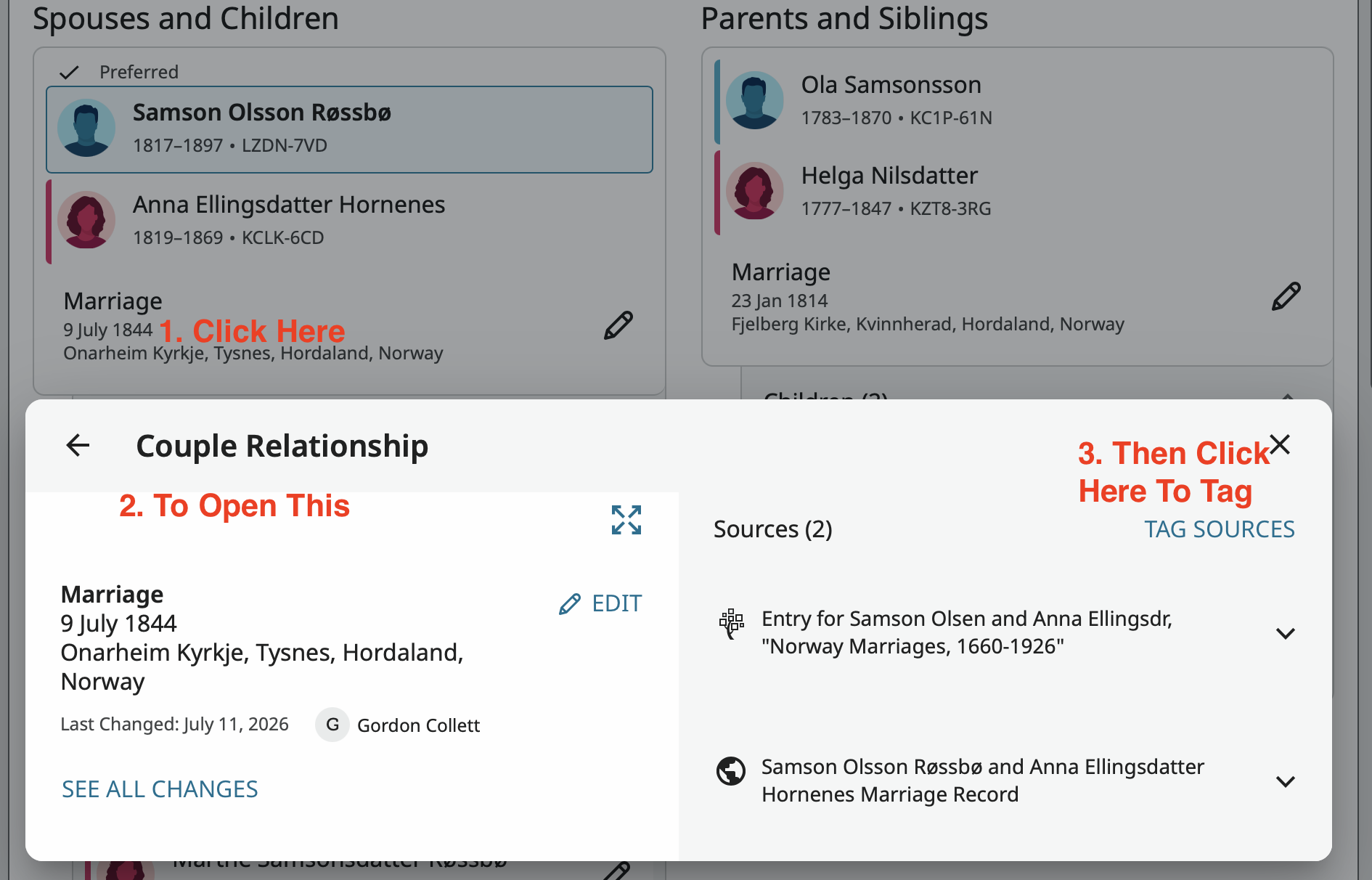
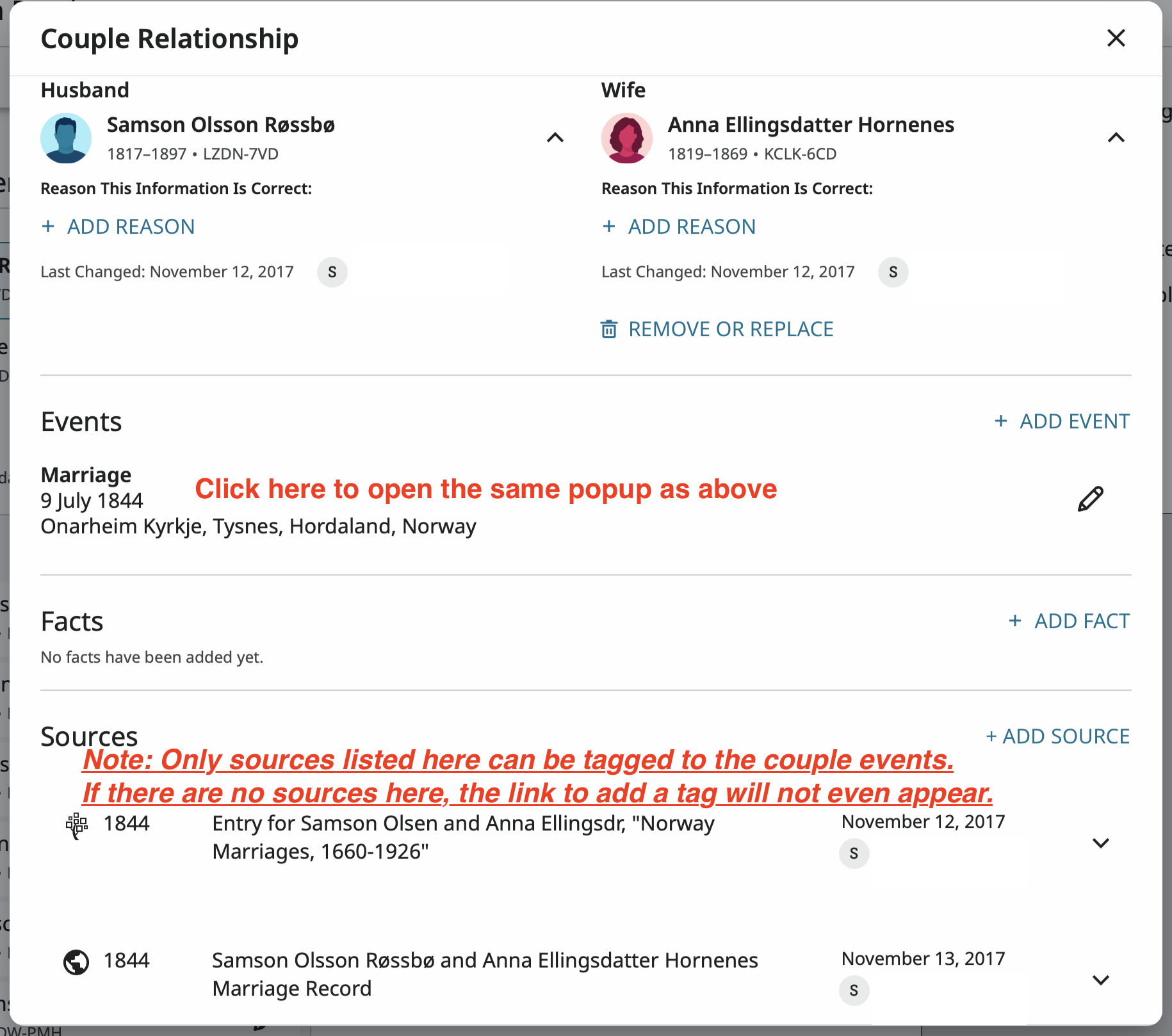
Method 2: First click on the edit pencil icon next to a marriage event to open the couple event pop up then on the specific event:
Method 3: First open the couple event edit popup then click on the Tag Sources link:
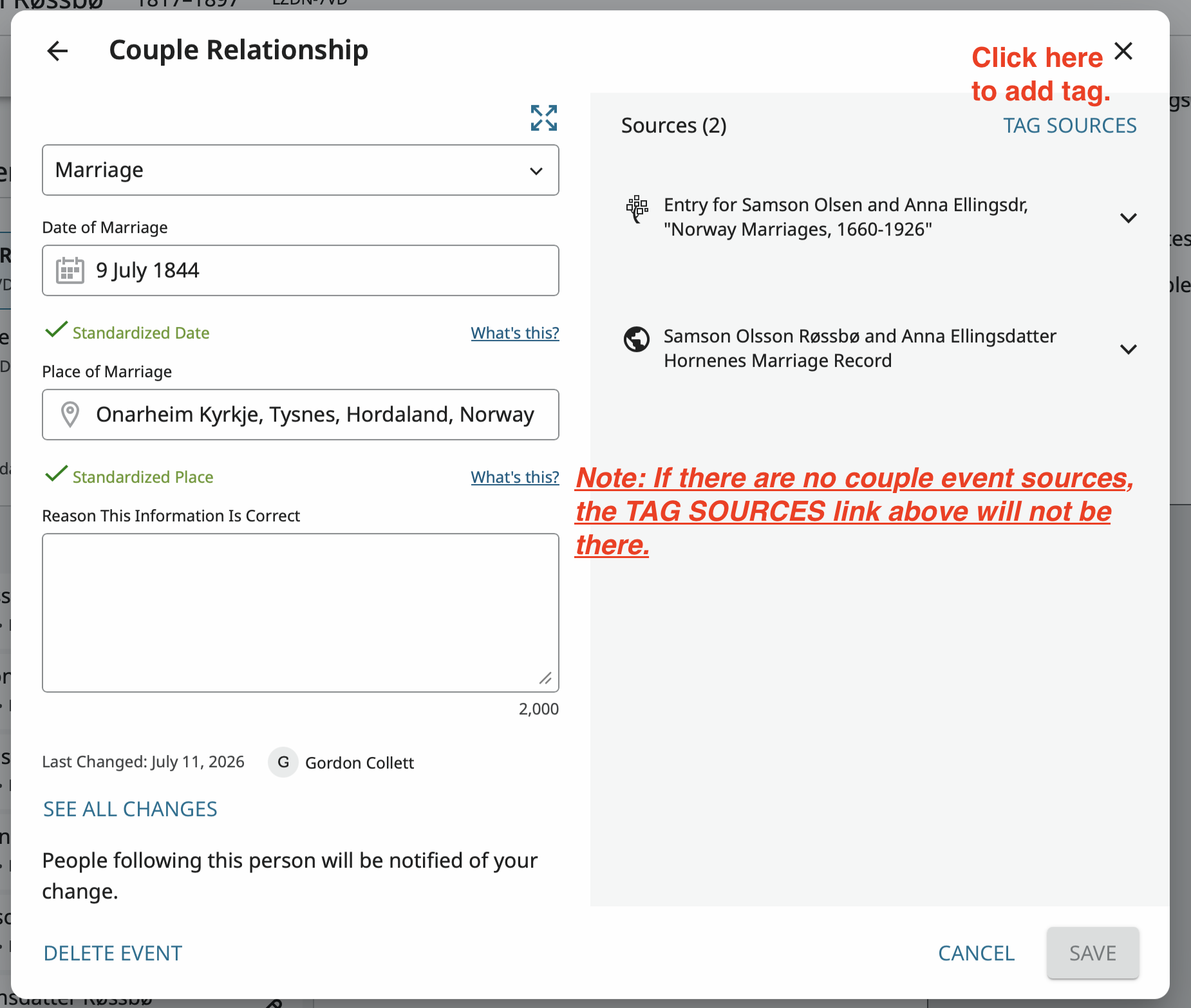
What can confuse people when they first try this is the way the Tag Sources link will appear and disappear.
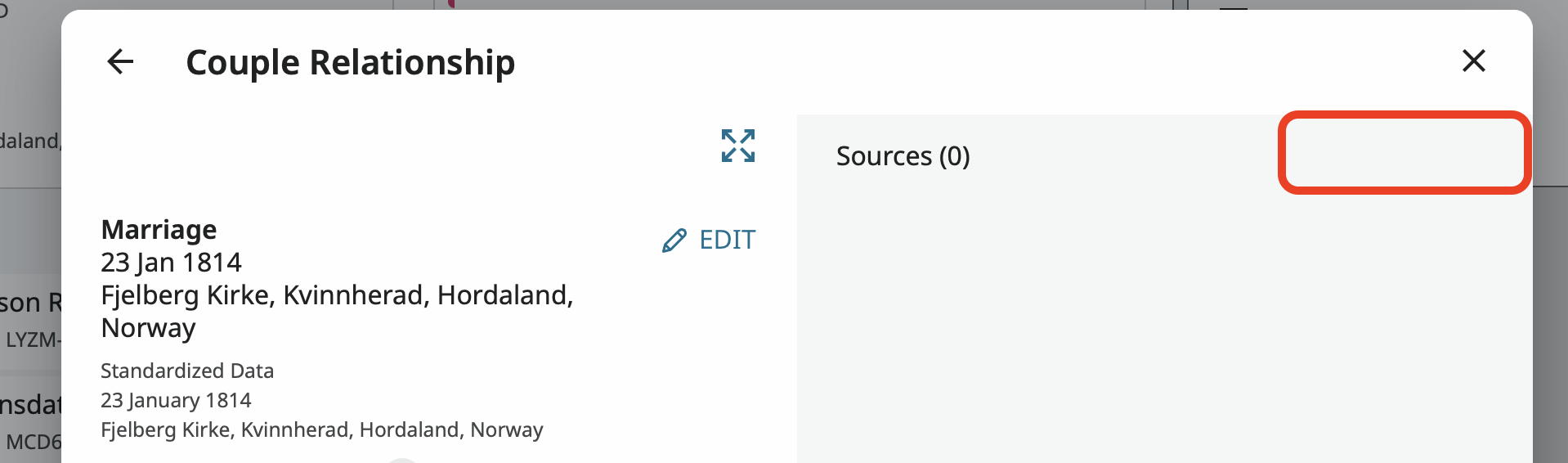
For example, for the following couple there are no sources for the Couple Relationship:
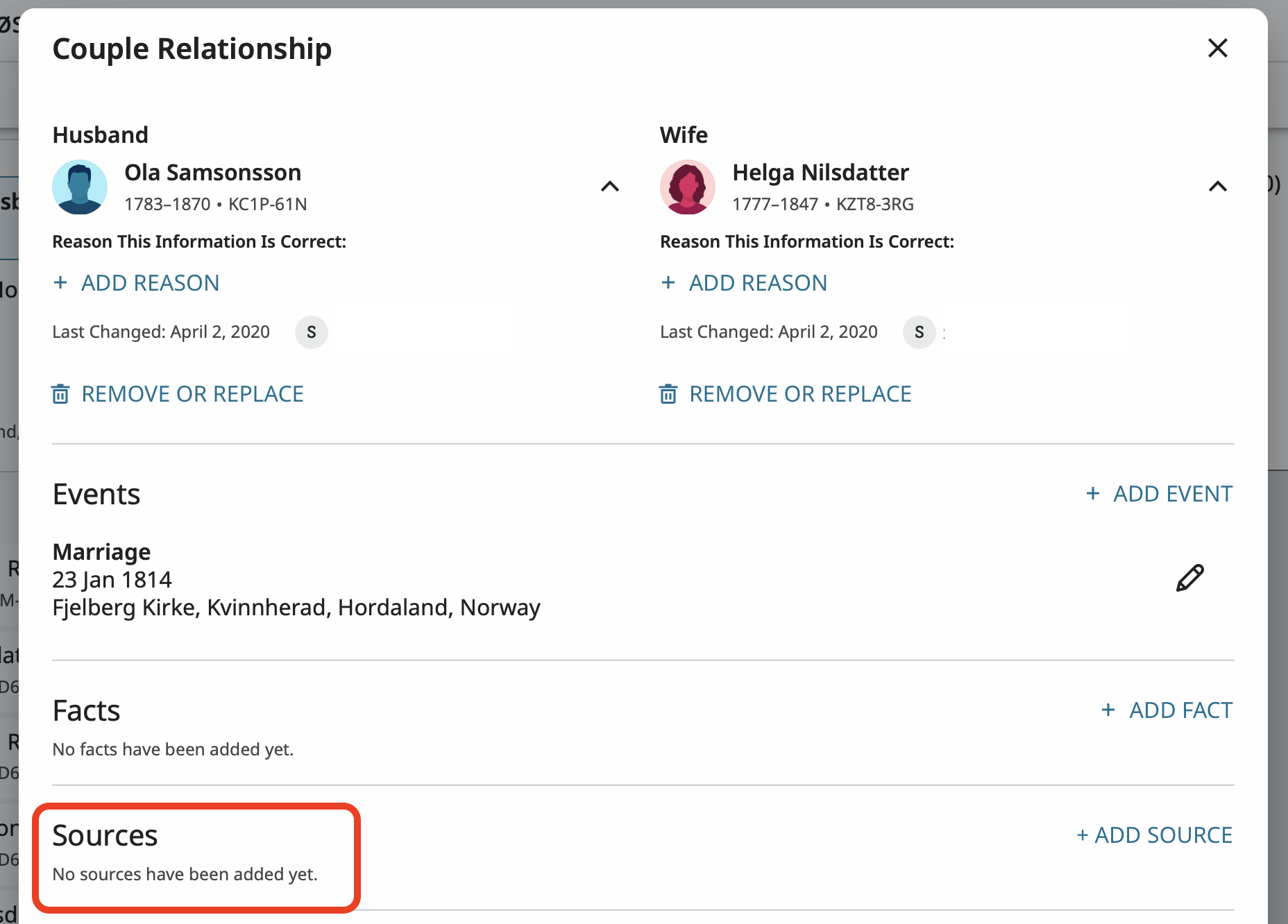
so when I try to tag, since there is nothing to tag, the link is not there:
It would be nice to be able to tag sources from an individual's source tab to couple events and this has been requested on these boards a few times. Maybe this feature will appear in a future update but for now individual source and couple sources are two different creatures that reside in two different areas. Only individual sources can be tagged to an individual's information and only couple sources can be tagged to couple information.
4

