Relationship Feature

I know how to see the relationship between myself and the person I am looking at on FamilySearch in the Tree, but I have discovered that my ex husband and I are related going a ways back. Sometimes when I see someone that I know I am related to, but my ex husband is also related to that person and he is a closer relation to them than I am, (for instance he would be a 14th cousin to that person and I would be a 16th cousin to that person) it shows me that he is related to that person and doesn't show me that I am related to that person. If my current husband looks at that same person, it shows him that I am related to that person. I would REALLY like to know if there is a feature that I haven't found yet, that will show me how I am related to that person, rather than how my ex husband is related to them. Or if there is no feature like that, I would like to submit that as a feature that would be most helpful to everyone, not just me.
Best Answer
-
On RelativeFinder.org, I'm pretty sure that the feature you are looking for is not to search among your listed relatives. Those are just a variety of relatives that RelativeFinder has identified to pique your interest. I think that part of the video you focused on is just a distraction from your real goal.
When you want to find out how you are related to a particular person, you instead need to choose the Connect option (in the left hand menu as the 4th option under Home). That will give you these options:
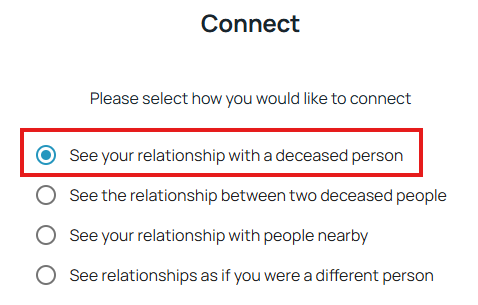
When you choose that first option, there is a box further down the page where you can paste the Person ID for the deceased person in Family Tree that you are interested in. Then you can see how you are related to that person.
Note that RelativeFinder does not show relationships through your spouse (of any kind — divorced or undivorced) so you will only see how you are related through a common ancestor. And it will show you multiple relationship paths if available.
3
Answers
-
Hi Marjorie
Family Search is structured to show you the closest relationship you have with a person. It is not unusual for us to have several different relationships to a person. Family Search shows you the closest. The reason your current husband sees a different path is because he has no relationship to your ex-husband as you do. There are a number of third-party programs which can help. You will find these in the solutions gallery of Family Search. Here is the link, https://www.familysearch.org/en/innovate/solutions-gallery/2 -
@Marjorie Powers Stroble
Please see the responses in this post from a few days ago. The subject is opposite than yours, but it's the same workarounds.2 -
Thank you Wayland K Adams and Nyx773 for your replies. It's much appreciated. I logged into Relative Finder and watched the video of how to use the page, but what they are showing of where and how to click on HOME and then type in the person's name you are looking for, it's not the same as what I see on my screen. I will do some exploring on the page and see if I can figure it out. Thank you both again.
0 -
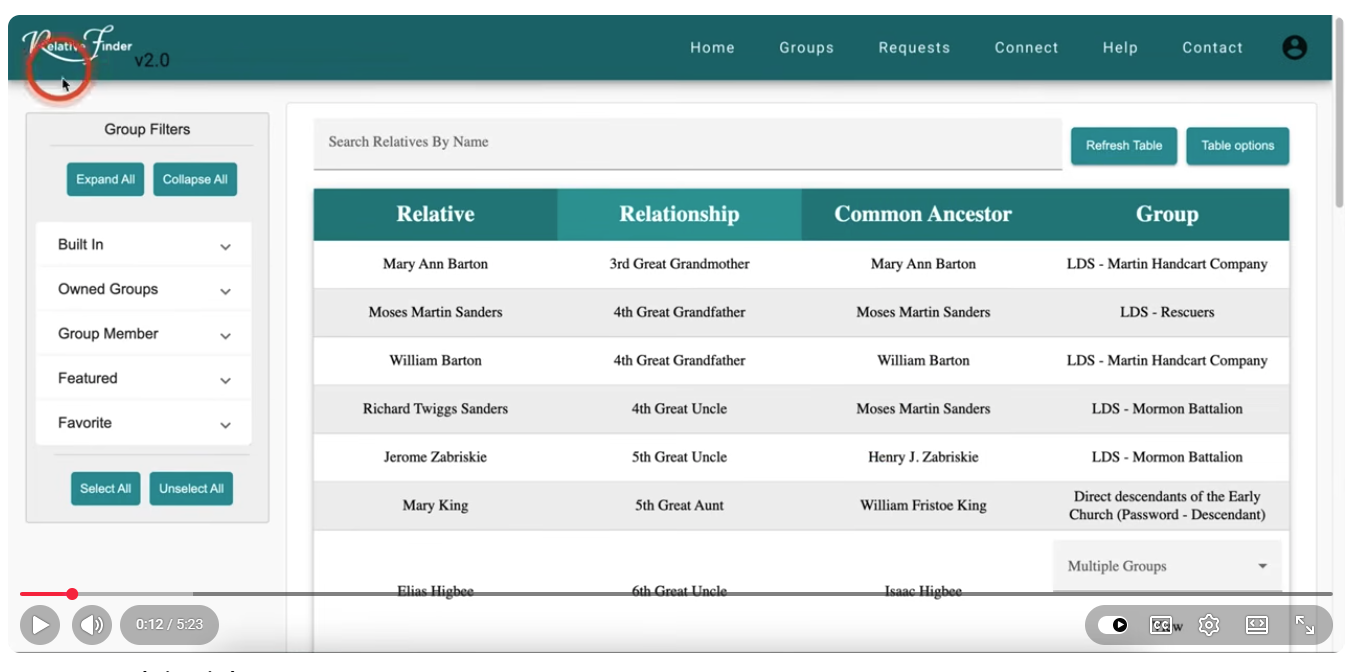
This is what the video shows, after you click on HOME, then type the name you want to search for in the field where it says "Search Relatives By Name"
0 -
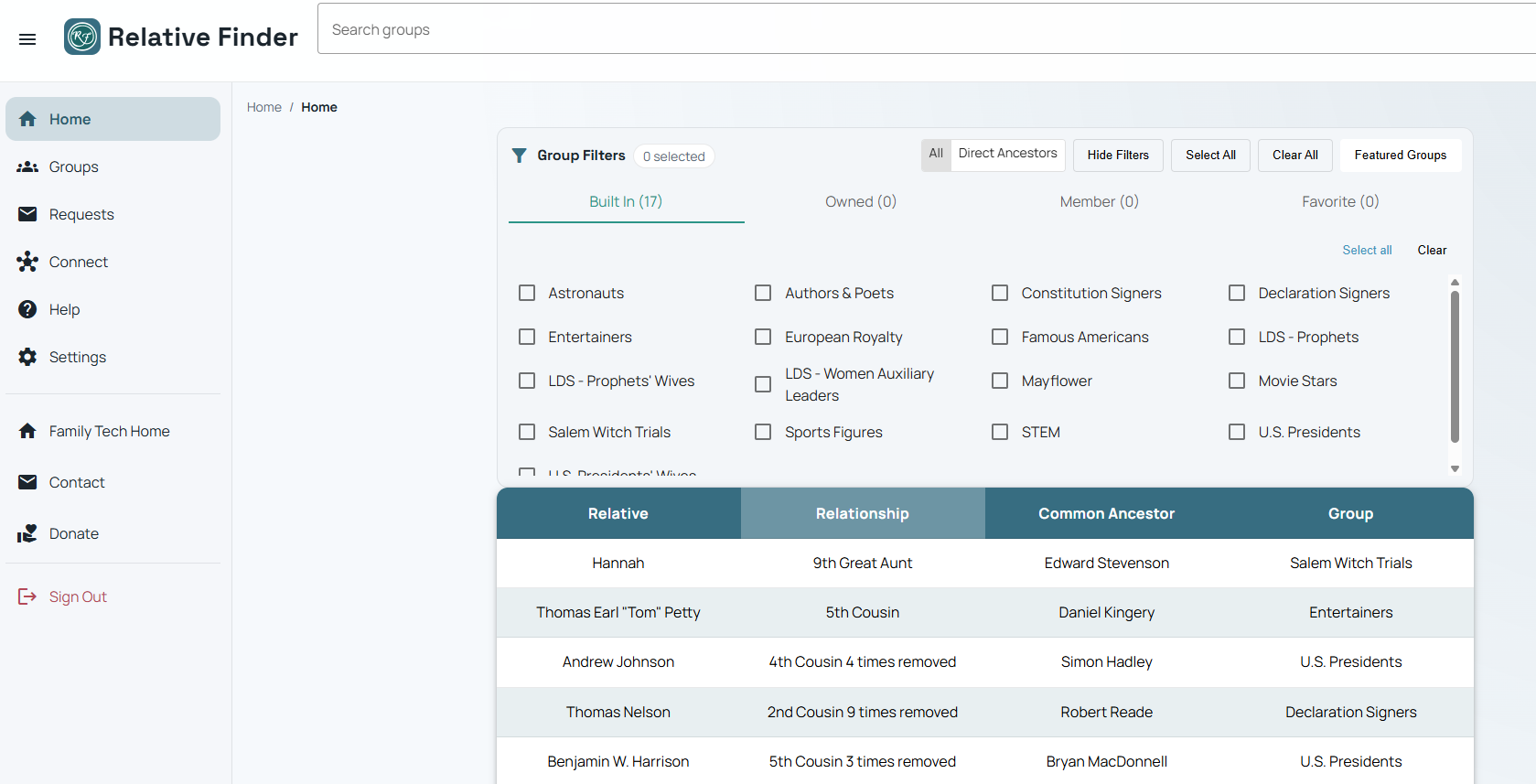
This is what my screen looks like when I log into Relative Finder. It's different. I don't see a "Home" button to click on and there is no field to type in the person's name you want to look for. At the top of the page, there is a field to search for a group, but not an individual. I use Google Chrome. Maybe another browser works better with Relative Finder?
0 -
I am sorry, I do have a "Home" button, it's over on the left side of the screen along with the other options, but even when I click on that, there still is no field to type in a person's name to search for.
0 -
Thank you so very much, @Alan E. Brown!
0