"My posts" do not show discussions started in groups

When I click on "My posts" under my profile, I do not see the discussions I started in specific groups, only those in the general community. How can I see all the discussions I have started?
Best Answer
-
We had some lengthy discussions a couple of years ago regarding how posts are counted and how to access them.
Group discussions we start can be found under Discussions on our Profile Page. If I look on my Profile page, the first 5 Discussions listed are those I made in Groups of which I am a member.3

Answers
-
@Loïc Baert When I open your profile, I see several discussions in the "general community" and in specific Social groups. I see 62 discussions listed (21 started, 41 responses). How many do you show? If there is a huge difference, I would suggest starting by clearing out your cache by going to
https://www.familysearch.org/en/cookies
If this does not work, please respond again to the discussion, and I am sure the community will be able to help resolve the issue. Hoping for an easy solution.
1 -
I just replicated what @sc woz found. As an example, this item (from a Group) appears in your Posts list, just under the General Questions one here. The second screenshot shows an extract from that list - confusingly now headed Discussions instead of Posts. (Wish "FamilySearch" would be consistent with its terminology - although maybe this example is down to "Vanilla".)
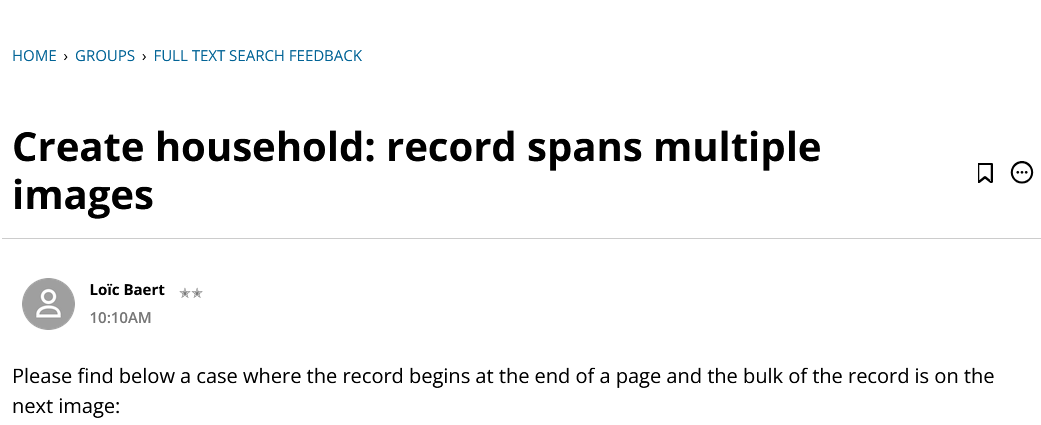
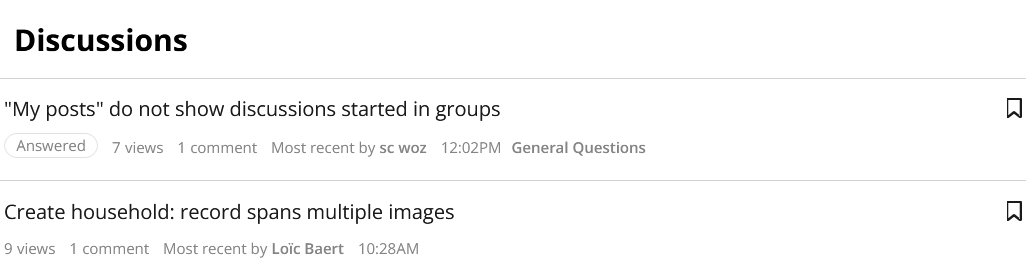 0
0 -
@sc woz When I click on my name in this discussion for example I see the same amount and I see all my discussions. The "problem" is when I click on round grey icon in the right corner. I see 21 posts:
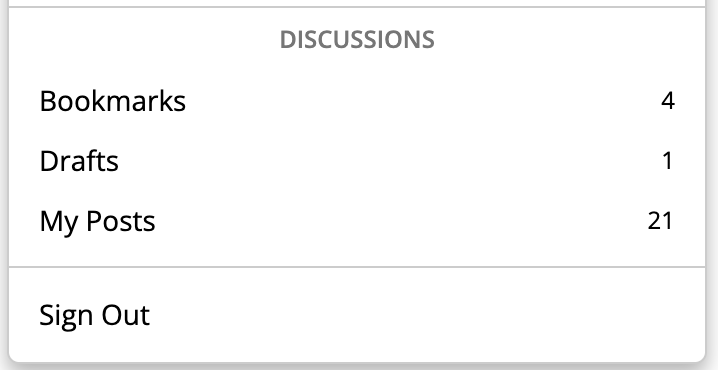
When I click on "My Posts" I do only see 17 posts instead of the 21:
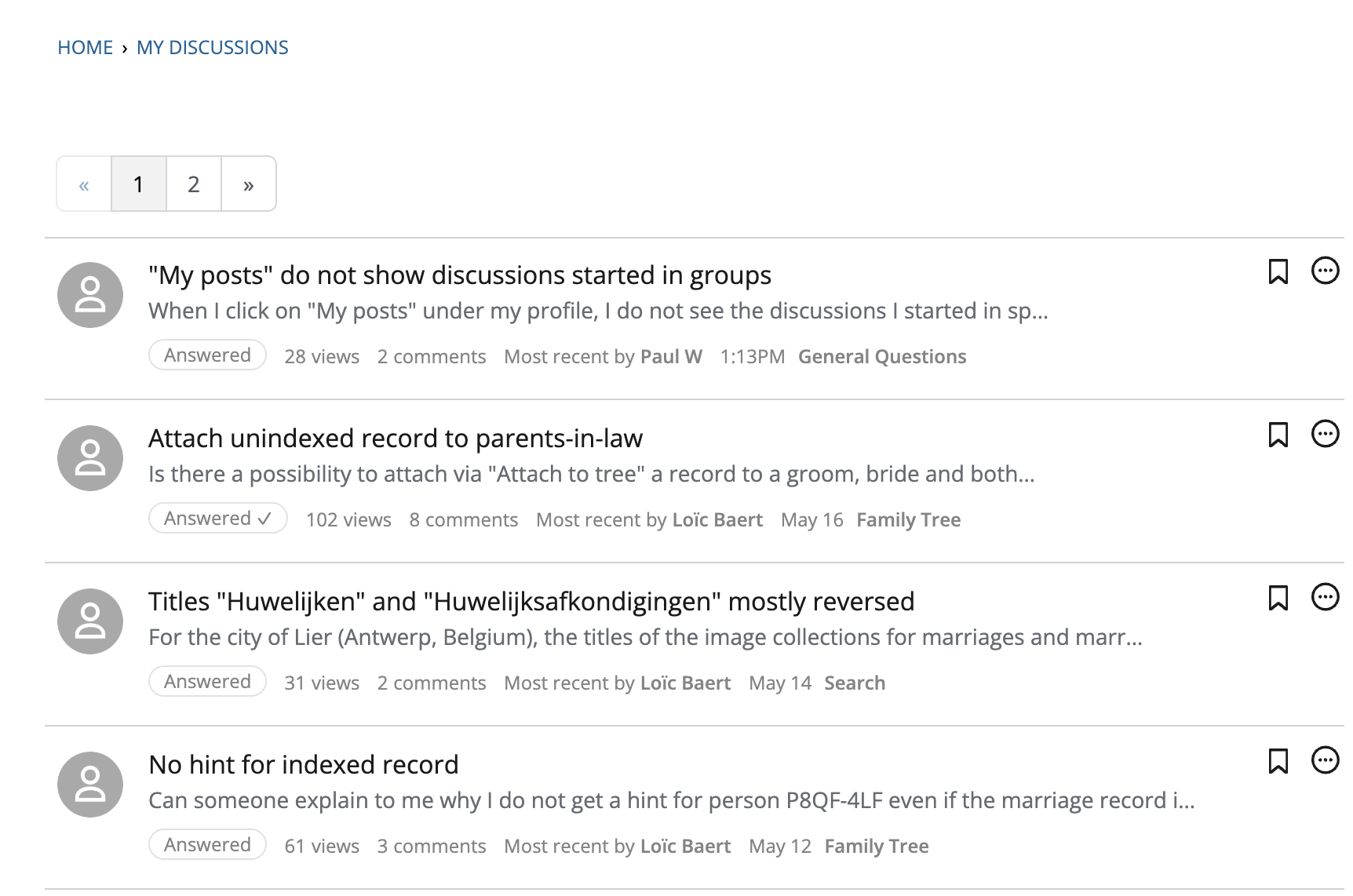
This is after deleting all cookies and cache as you explained.
0 -
Wouldn't it be better to delete the "My posts" link given that the count is incorrect? Or include all discussions? Right now it is confusing…
1 -
@Loïc Baert I will send it up the line to see if any of our experts can explain. Hopefully and answer will come soon.
1 -
Our expert in this area reviewed your concern and clarified why some of your posts in the discussion groups may no longer appear in your activity count.
If you’re not seeing a post you previously made in the FamilySearch Community, there are a few common reasons this can happen. In most cases, it isn’t personal—it's simply part of how the Community is organized and moderated to keep discussions helpful and easy to navigate.
Your post may have been removed or redirected for the following reason:
- General cleanup or moderation
At times, posts are edited, merged with related discussions, or removed to improve clarity and organization across the Community. If you commented on someone else’s discussion, your reply may have been removed when the original post was merged or deleted.
If you’re ever unsure, you are always welcome to repost your question following the Community guidelines, and other users and moderators will be glad to help.
If you have ideas or feedback about FamilySearch tools, we strongly encourage you to submit those through the official Suggest an Idea or Feedback options. These are the only channels that ensure your input reaches the appropriate teams for review.
Thank you for being part of the Community. We appreciate your contributions and your willingness to engage and help others.
0 - General cleanup or moderation
-
@Loïc Baert I recall being told in the past that the My Posts count included posts I had flagged, confusingly. @sc woz can you confirm this one way or the other please?
Also, @sc woz, re Feedback and Suggest an Idea. It is really important that users understand that both of these are almost entirely one-way, and also that there is no way of going back to read what has been submitted. If the issue requires discussion pre Idea/Feedback submission (as is in my view frequently important, especially with data related issues), that has to happen here in Community; and in particular, if a problem is local, e.g. browser-related, Feedback is not going to help at all. And are we no longer supposed to use the practical Report a Bug flag option here? If not, I suggest you remove it.
1 -
My Posts count:
This total reflects only posts and replies you create. It does not include items you’ve flagged; flags are tracked separately in the moderation system, unless, of course, you flagged the response with an answer included in a separate part of the discussion.Feedback and Suggest an Idea:
Both are generally one‑way submission channels, unless the engineers need clarification or additional information. Users cannot view past submissions or discuss issues there. Anything needing clarification, troubleshooting, or context—especially data or browser‑related problems—needs to be discussed here in Community first. As @MandyShaw1, frequently and correctly reminds everyone, it is essential to keep a personal copy of any submission you send through Feedback or Suggest an Idea, in case you are later asked to provide additional details.“Report a Bug” flag:
At this point, the workflow around flags and issue reporting has become more clearly defined, and it may help to outline the distinctions more explicitly.Flags are primarily a way to alert moderators and administrators—not engineers, although it will be pushed there if needed—to something that needs immediate attention, such as spam, Code of Conduct violations, posts that need to be moved, abusive, maybe escalating a discussion, or anything else that appears urgent or out of place. They can also be used when something may be a potential bug, a content problem, or simply doesn’t look right. The flag button can be used to quickly involve the moderators in any discussion if needed. However, the flagged portion is handled privately between the moderator and the flagger; it does not involve the wider Community.
Using a flag allows the moderators to perform a quick, initial triage to determine whether the issue is local, reproducible, already known, or requires deeper review. When appropriate, we will still escalate the underlying problem to the relevant expert or engineer. However, a flagged item will not create a public thread or generate a direct answer to the original post, because flags move through the moderation workflow, not the discussion workflow. Unless, of course, the moderator or administrator can answer your question directly and respond to the discussion.
Feedback and Suggest an Idea serve a different purpose. They route directly into engineering systems and are meant for intake, not dialogue. Users cannot view their submissions afterward, and engineers generally will not respond unless clarification is needed.
The Community remains the best place for discussion, clarification, and collaborative troubleshooting—especially when an issue needs context, reproducibility checks, or user‑to‑user insight before anything is sent upstream.
1

