"Cannot Display Image Group" when viewing unindexed record

I attached an unindexed record to my tree, which I found through Records search.
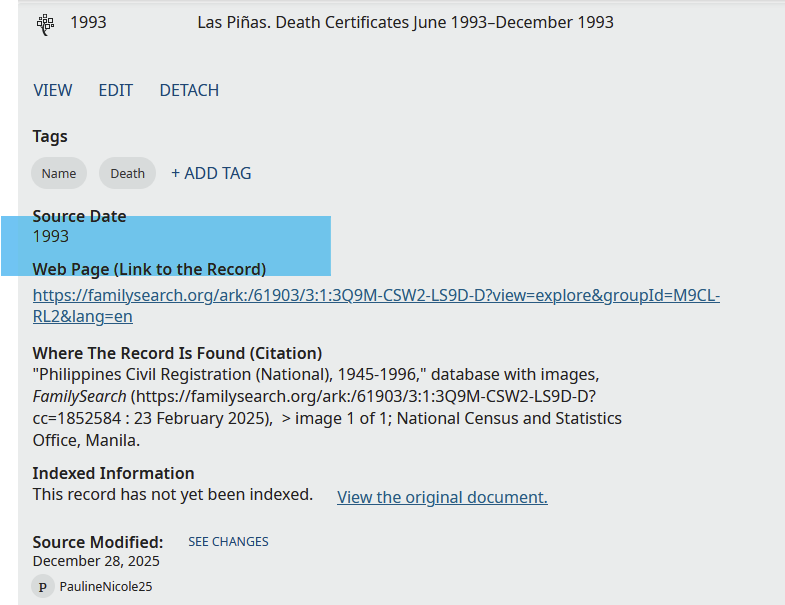
When I view the record from the profile to which it was attached (the lone source in this profile, Ong Ping Con, P479-MZ1), when I click on "Web Page (Link to the Record" or "View the original document," This message gets thrown: "Cannot Display Image Group"
Fortunately, I found a trivial workaround: appending "www" to the URL makes the image viewable. Opening the record from my source box also works.
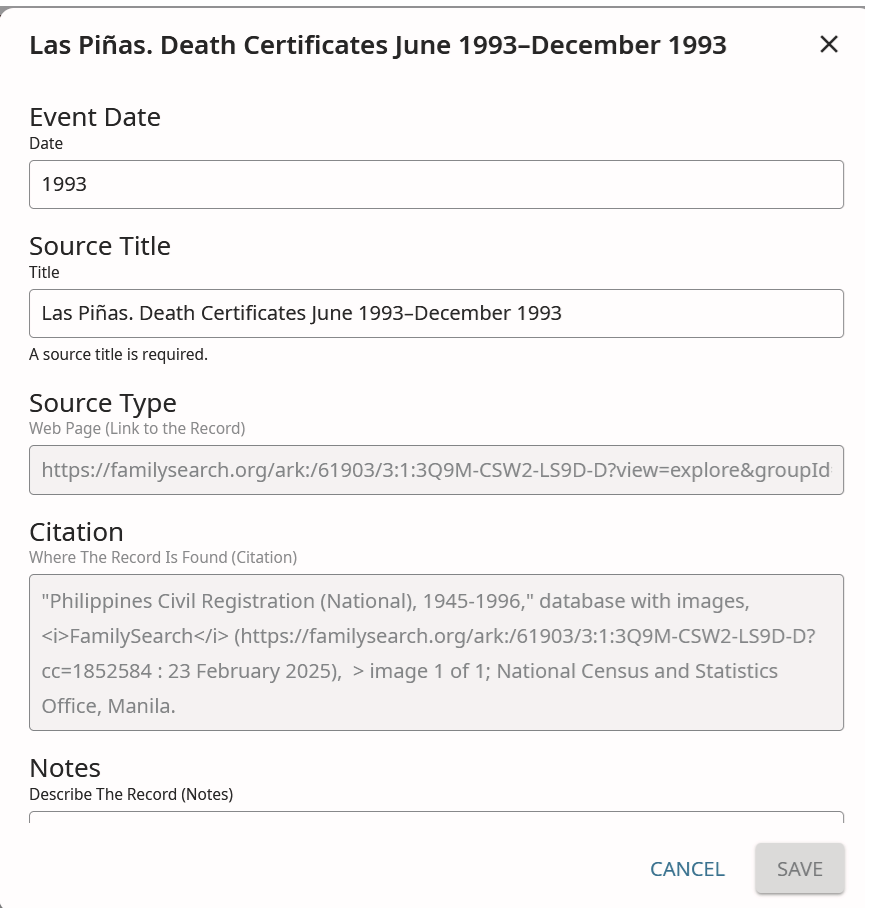
I tried to edit the Web Page (Link to the Record) on the record itself to include the www but the URL is grayed out and cannot be edited.
Is there a way to amend the record so that it can be viewable from the profile (i.e., I don't need to view it from the source box)?
Best Answer
-
You may need to attach the source a 2nd time, using the modified URL.
1

Answers
-
If you edit the URL currently showing as Web Page (Link to the Record)
from
https://familysearch.org/ark:/61903/3:1:3Q9M-CSW2-LS9D-D?view=explore&groupId=M9CL-RL2&lang=ento
https://familysearch.org/ark:/61903/3:1:3Q9M-CSW2-LS9D-Dthat should fix it.
 2
2 -
@Áine.ní.Donnghaile Thanks, that's what I wanted to do but when I click on the edit button, the URL part is grayed out (can't be edited). Is there perhaps a workaround to this?
 0
0