One memory doesn't work

If I add a memory, then click on the image I get the error 'Oops, something went wrong. Please refresh the page.'. If I rename the file, and add it a second time, both images work. If I delete either, I receive the same error on the image I kept. I've had this happen for several people.
I can use the memory to set the Profile picture in any case. I just can't view the image.
Example: https://www.familysearch.org/en/tree/person/memories/LB59-BGB
Yes, I've tried refreshing the page, restarting the browser, using a different browser, and rebooting my laptop. Nothing helps except to add duplicate memory.
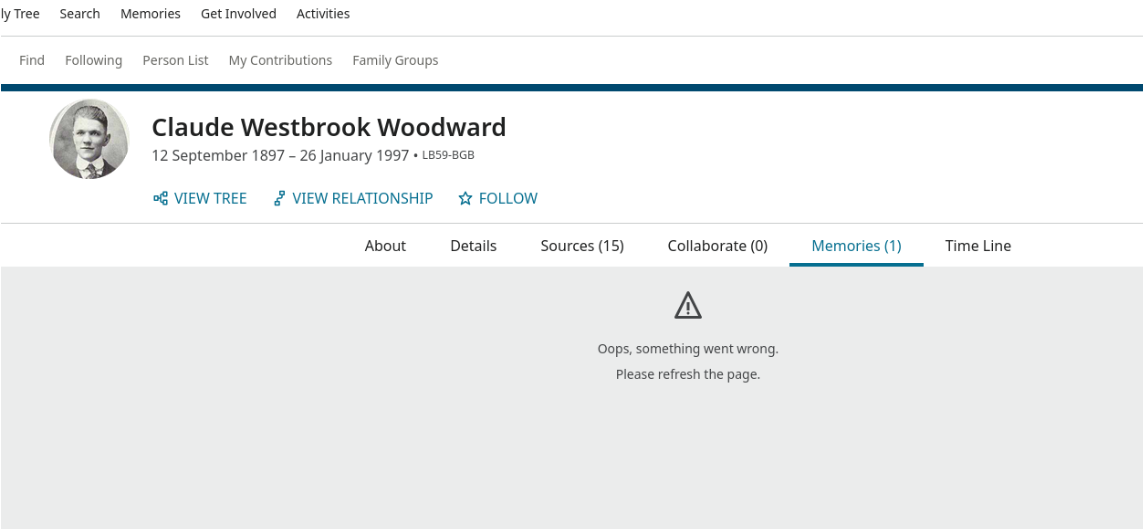
Please advise.
Answers
-
I am also getting the same error message, but with memories added by someone else.
For this person and others in his family:
https://www.familysearch.org/en/tree/person/details/GWLN-65T
Happening on both Firefox and Chrome.
1 -
@Dennis Burdick @Nyx773 does this look to be the same problem as the one being tracked on this thread?:
If so, it has already gone to the engineers as a bug.
1 -
No and yes.
Originally that post was reporting a bug with the filters in the gallery, not plain viewing.
But then other people reported the same bug as on this thread.
2 different bugs, same error message.
1 -
@AmberML1 can you confirm whether both angles of this issue are covered by your report to the engineers please?
0 -
Please Family Search fix this bug so that we can tag our memories
0 -
@Dennis Burdick @Dee Smith 111 @Nyx773
I wanted to assure everyone…. Yes, the Memories team is aware that this "Oops" error has expanded. They are working on a fix.
Thank you for your patience!
1 -
Thank you. I love FamilySearch. You're all doing a great job.
0 -
@Dennis Burdick @Dee Smith 111 @Nyx773
I wanted to report that this issues (when clicking on a Memory and getting the "Oops" error), has been rectified.
I've been playing with it to make sure there aren't any further problems, and I don't get the "Oops" error anymore—but I'm hoping you can also test it and make sure its is working properly. Thanks!
1 -
Thank you, Amber. I've made several tests, and it seems the problem has been corrected. Yay!
0