Research Help shows duplicate records

When editing a specific person, I can see many suggestions to the related records, but they all point to the same record. I've already attached the person to one of them, but the rest is still shown:
https://www.familysearch.org/en/tree/person/research-help/LX7H-QN5
It looks like a bug.
Answers
-
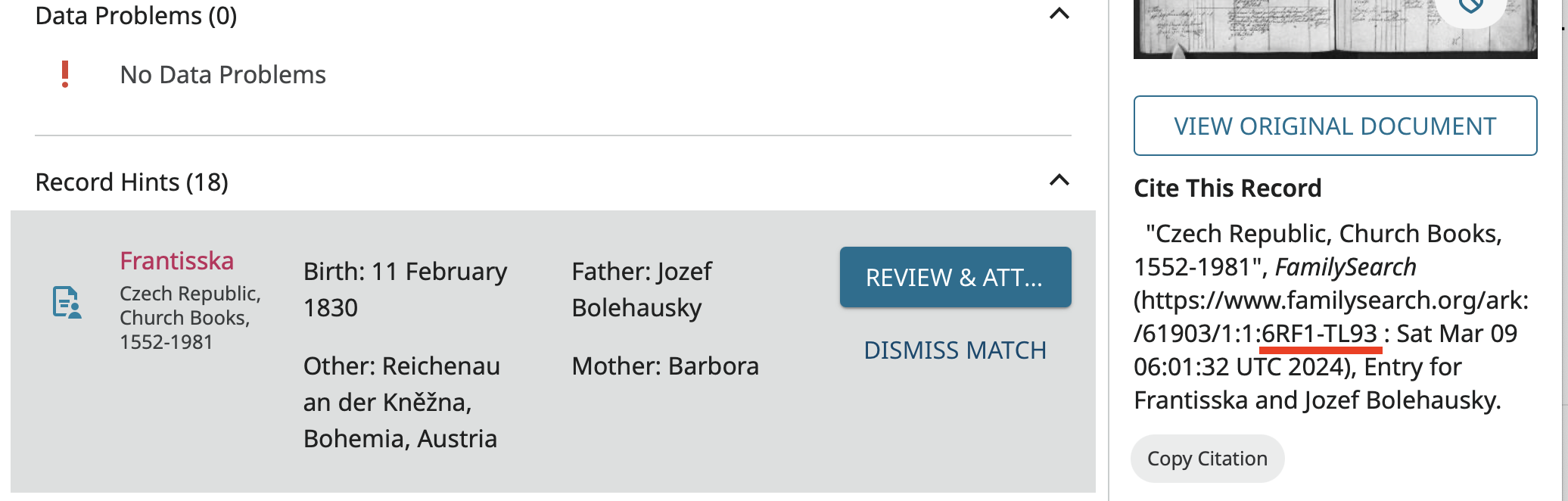
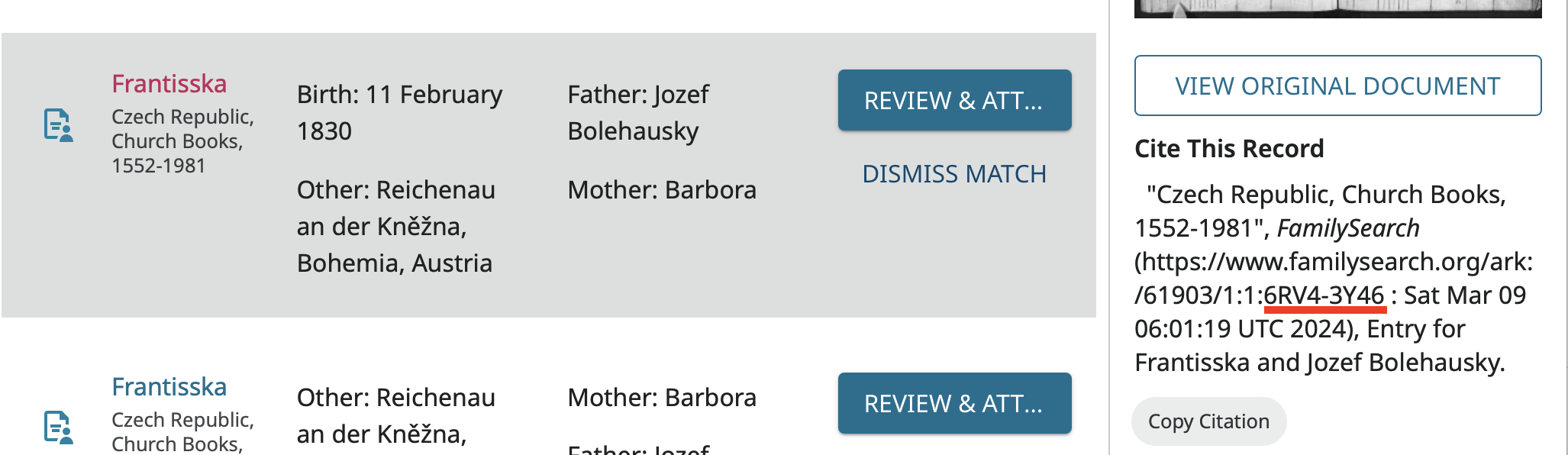
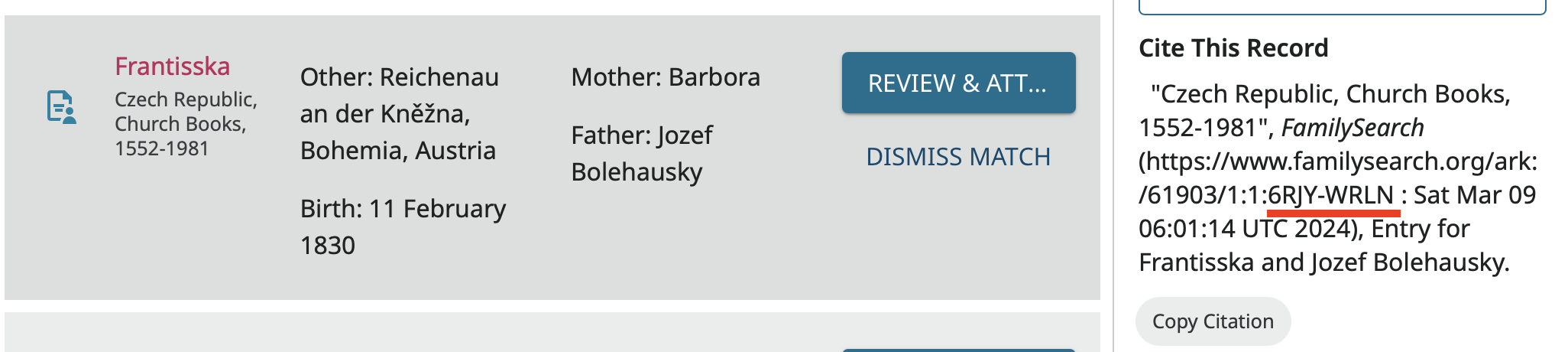
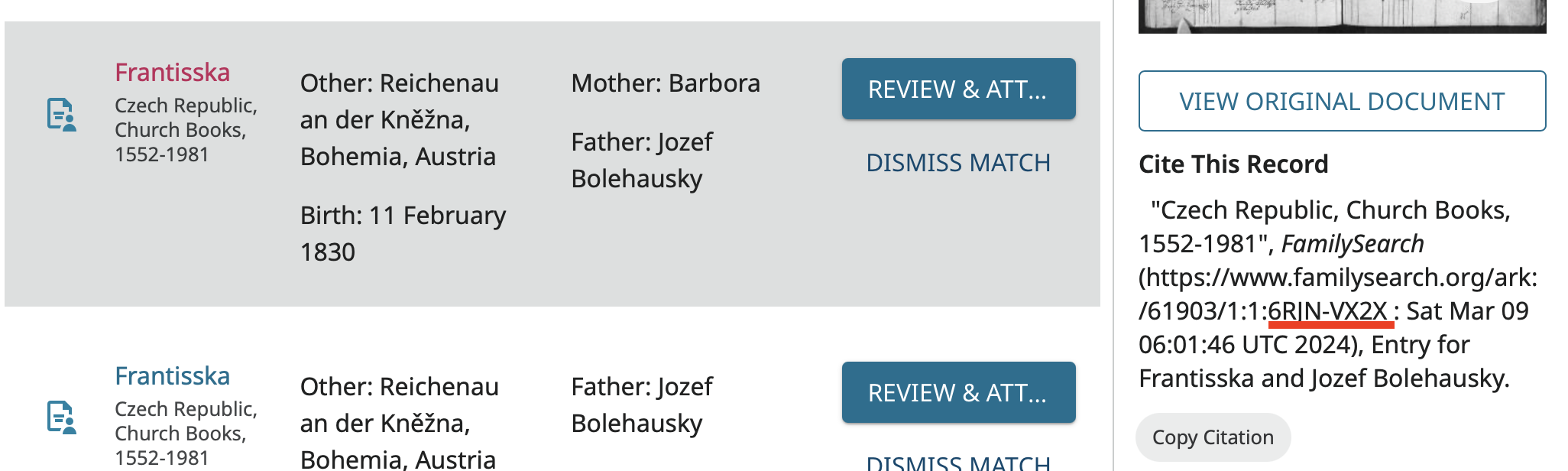
Indeed something strange has happened but it is not a bug in the program. I could only bear looking at the first six, not all 18, and those, at least are all different sources as can be seen by checking their reference numbers:
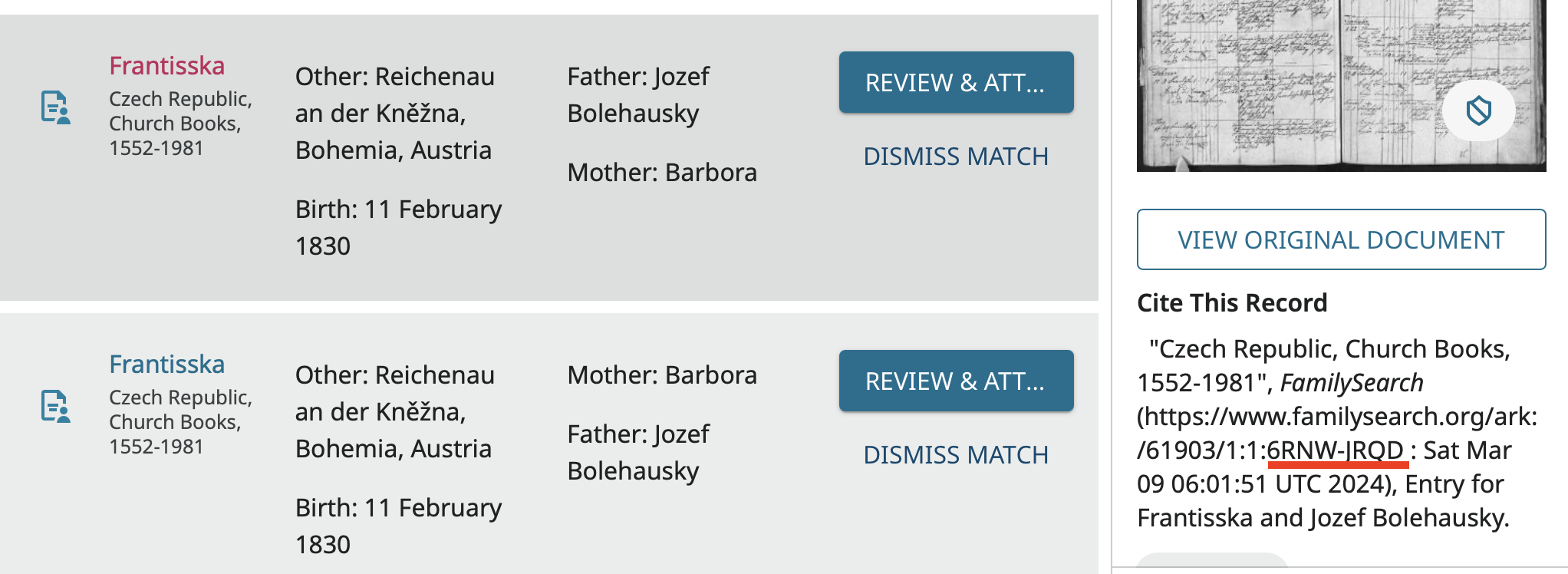
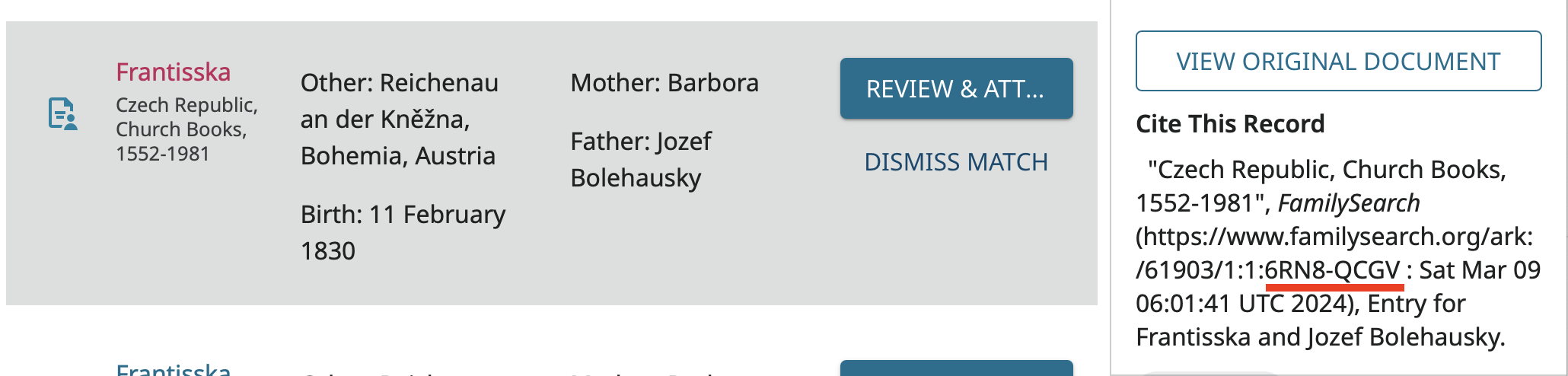
Going to the original document, it looks like every entry on this page has indexed 21 times:
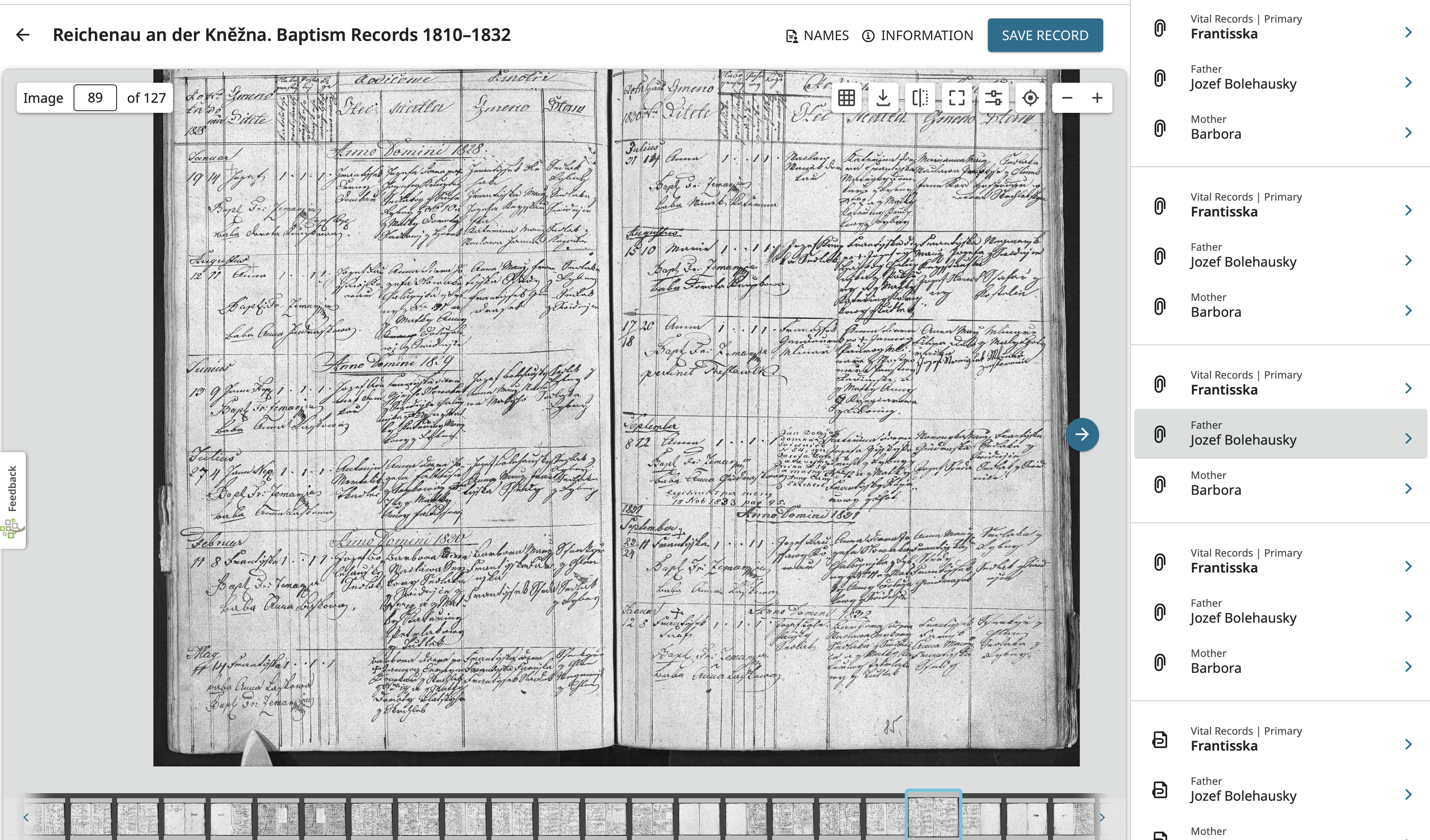
Checking the page before and after this one, the same thing has happened. So it appears something went wrong in the production of this index.
@SerraNola , Is this something you can pass on to the correct people?
2 -
Or are users that are interested in this index going to need to go into the index editor and delete 20 of the 21 entries for each person? This would have to be done with care because I see that the entry being discussed here is followed by a child of the same name whose mother has the same name but no father is listed and this is the next birth record in the parish register and has a different birth date. Since the birth date is not listed in the full list of names, it would be easy to get carried away and think this is 42 entries for the same record and half of them just missed getting the father entered.
1 -
There's a similar post, from several weeks ago, with no responses so far. 23 versions of the same BillionGraves profile.
2 -
BillionGraves has a problem. They allow duplicate entries in their site and won't allow requests for merges. Findagrave doesn't and make every possible make to get rid of duplicates with help of their contributors.
1 -
@W D Samuelsen contact me please
In this case, it's not duplicates ON Billiongraves, but duplicate sources ON FamilySearch for the same, single, Billiongraves entry.
1 -
Here is a list of the index records for Františka:
https://www.familysearch.org/ark:/61903/1:1:6RNR-SXG5 : Sat Mar 09 06:01:33 UTC 2024 Currently attached
https://www.familysearch.org/ark:/61903/1:1:6RV8-Z68Q : Sat Mar 09 06:01:24 UTC 2024 Currently attached
https://www.familysearch.org/ark:/61903/1:1:6RFP-16QN : Sat Mar 09 06:01:35 UTC 2024 Currently attached
https://www.familysearch.org/ark:/61903/1:1:6RF1-TL93 : Sat Mar 09 06:01:32 UTC 2024
https://www.familysearch.org/ark:/61903/1:1:6RV4-3Y46 : Sat Mar 09 06:01:19 UTC 2024
https://www.familysearch.org/ark:/61903/1:1:6RJY-WRLN : Sat Mar 09 06:01:14 UTC 2024
https://www.familysearch.org/ark:/61903/1:1:6RJN-VX2X : Sat Mar 09 06:01:46 UTC 2024
https://www.familysearch.org/ark:/61903/1:1:6RNW-JRQD : Sat Mar 09 06:01:51 UTC 2024
https://www.familysearch.org/ark:/61903/1:1:6RN8-QCGV : Sat Mar 09 06:01:41 UTC 2024
https://www.familysearch.org/ark:/61903/1:1:6RFV-Y7VH : Sat Mar 09 06:01:42 UTC 2024
https://www.familysearch.org/ark:/61903/1:1:6RF6-LT5S : Sat Mar 09 06:01:10 UTC 2024
https://www.familysearch.org/ark:/61903/1:1:6R8C-117Z : Sat Mar 09 06:01:22 UTC 2024
https://www.familysearch.org/ark:/61903/1:1:6RJ8-9GWW : Sat Mar 09 06:01:16 UTC 2024
https://www.familysearch.org/ark:/61903/1:1:6RNJ-QNTP : Sat Mar 09 06:01:45 UTC 2024
https://www.familysearch.org/ark:/61903/1:1:6RVM-PP9R : Sat Mar 09 06:01:16 UTC 2024
https://www.familysearch.org/ark:/61903/1:1:6RJM-9Q4G : Sat Mar 09 06:01:28 UTC 2024
https://www.familysearch.org/ark:/61903/1:1:6RJ4-6L7M : Sat Mar 09 06:01:32 UTC 2024
https://www.familysearch.org/ark:/61903/1:1:657X-JL86 : Sat Mar 09 06:01:43 UTC 2024
https://www.familysearch.org/ark:/61903/1:1:6RJL-X166 : Sat Mar 09 06:01:35 UTC 2024
https://www.familysearch.org/ark:/61903/1:1:6PJZ-M7BL : Sat Mar 09 06:01:39 UTC 2024
https://www.familysearch.org/ark:/61903/1:1:6RFS-BFV8 : Sat Mar 09 06:01:23 UTC 2024It looks like a similar scenario applies to the older of her two brothers named Frantisek (the one born 12 Jan 1832).
2 -
This problem is not just for Františka and Frantisek, but apparently for every child in this record set.
3 -
@Gordon Collett I wasn't trying to steal your thunder with my previous post of a list of source URLs. In actual fact, I posted that about 2 or 3 hours after this discussion was started. For reasons known only to Vanilla, when I posted it, my comment disappeared into the void (abyss, black hole, Bermuda Triangle or whatever). As I had compiled the text in a text editor, I made some tweaks to it (line terminators) and tried again a couple of times with the same result.
When I checked the next day, there were various other comments in the discussion. One of my posts eventually turned up after languishing in the Bowdler machine for a day.
1 -
@JulianBrown38 Hey, I certainly have no thunder to steal! Overlapping posts show up here all the time with variations in detail. You showed exactly how bad the problem is. I gave up after checking just a few URLs.
2 -
I encountered this for another person (19 times)
https://www.familysearch.org/en/tree/person/research-help/PQZQ-K5GIt is also from March 2024:
https://www.familysearch.org/ark:/61903/1:1:6RFS-5QZY : Sun Mar 10 04:05:15 UTC 2024
https://www.familysearch.org/ark:/61903/1:1:6RJ4-6SJD : Sun Mar 10 04:05:19 UTC 2024
…0 -
Yes, if you go to the image viewer/editor and jump to random pages: https://www.familysearch.org/ark:/61903/3:1:3QS7-893M-SJ2J?view=index&lang=en&groupId= you can see that this happened to every record on all 331 pages of this birth register. Somebody must have hit a wrong button in the post-indexing process.
1 -
Should I report this somewhere else, or is this forum reviewed from time to time?
0 -
I reported this in my first post here. The moderator I tagged into the conversation can send off a report about this. It can take a long time to get such things corrected. For the people you specifically are working with, it might be faster for you to just go in and delete the duplicates.
Go the the record you want to fix such as https://www.familysearch.org/ark:/61903/1:1:6RFS-5QZY and click on Edit to open the image viewer/index editor:


Click on the back arrow to exit that one particular record and show all the records on the page:

Take a careful look to be sure that you are really dealing with duplicates and not two children in a row with the same name and the same parents names. Looking at Čečylie Anna, all of the indexed records are just for that first entry on the page so it should be safe to delete all but the first one. Now click Manage Indexes:

This brings up a menu that includes Delete. Since they have given us users the option to delete records, they must trust us to correct these indexes in a responsible manner.
Choosing delete changes the screen to this:

So I will check off all the copies of Čečylie Anna and her parents except the first one. But, before I do this, I am going to take screen shots of all the information of the first copy of her and her parents so that if something goes horribly wrong and all copies of her vanish, I can add her back in:


Now that I have preserved the information I want in case I need to restore it, I can go back to that delete screen and check off all the duplicates:

I'll cross my fingers and hope the whole system doesn't crash since I have never tried this before, then click DELETE. A confirmation screen comes up:

I click DELETE again. And success! (Appropriate cheers here) There is now only one copy of Čečylie Anna's record in the index.

I'll leave it to you to carry on from here and fix the index for the people you are working on. As I mentioned above, I would take screen shots of the record you want to keep so you can restore that one if you accidentally detele it also.
2 -
Gordon, many thanks for such a detailed description with screenshots for each step. I appreciate your effort. It is amazing.
0 -
Thanks, just glad to be able to help.
0
