Source Linker: Inconsistent navigation behaviour

There are a couple of inconsistencies in the way you can navigate to a profile from within the Source Linker.
Navigating from the profile side panel when a person has been selected
If a person is selected from the right column (Tree person), a profile side panel opens. At the top of the panel, the person's name and PID are displayed. As of the last few weeks, the person's name is not hyperlinked any more. Clicking on the PID no longer copies the PID to the clipboard. Can this functionality be restored?
"This Source is attached to someone else…" message
If the Record person is already attached to a different Tree person, a message "This source is attached to someone else in Family Tree:" is displayed. The message includes the name and PID of the other person. The name is not hyperlinked, and clicking the PID results in a profile side panel being opened for the other person. This is a long-standing behaviour, inconsistent with the normal behaviour of names and PIDs. Can this message be changed so that clicking the name opens the side panel and clicking the PID copies the PID to the clipboard?
Answers
-
Thank you for reaching out to the FamilySearch Community. These are both very relevant processes to be reviewed. Would you mind going to Suggest an Idea (under Quick Links, to the right) and moving your posting there? They have system engineers etc that review those and will be able to respond.
Thanks again
0 -
Regarding the first paragraph, I just deleted a comment I'd added, as I realised the profile can be easily reached by clicking on PERSON, instead of the ID (which I now believe did not act as a hyperlink in the past).
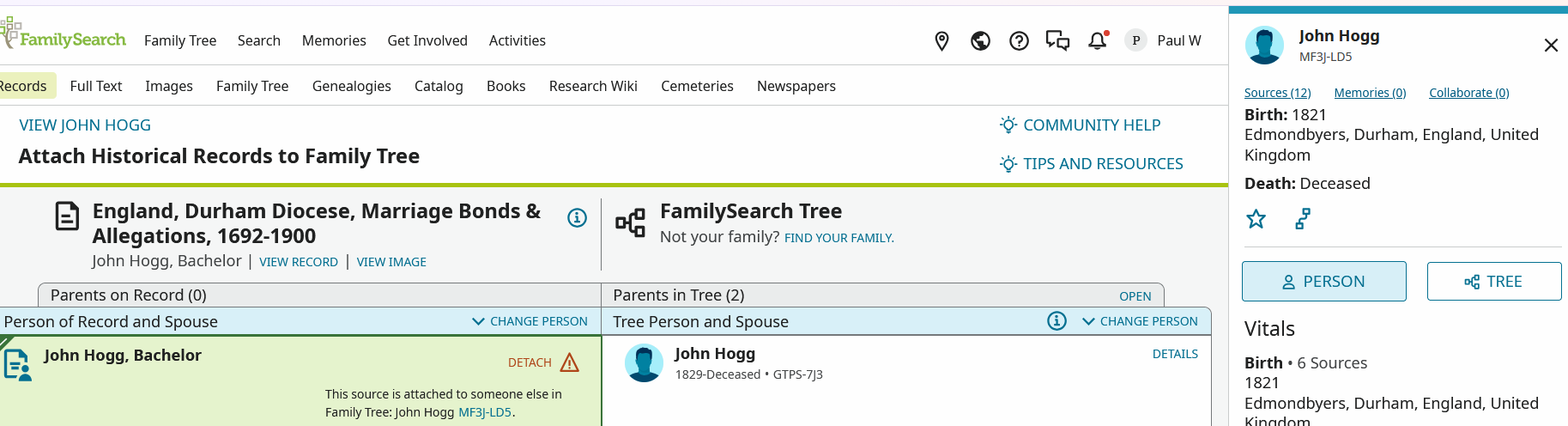
Yes, it is confusing that clicking on the ID (at its position on the left side of the page) does not produce the "usual" function of copying it, but opens the panel instead. However, I do not really see the need for a hyperlink to be available directly from the ID in the right-hand side panel. The PERSON link gets you to the profile of the individual and the ID can easily be copied (from the panel) by highlighting it, then a right click of the mouse, then COPY (if required to attach to the clipboard / paste elsewhere).
0 -
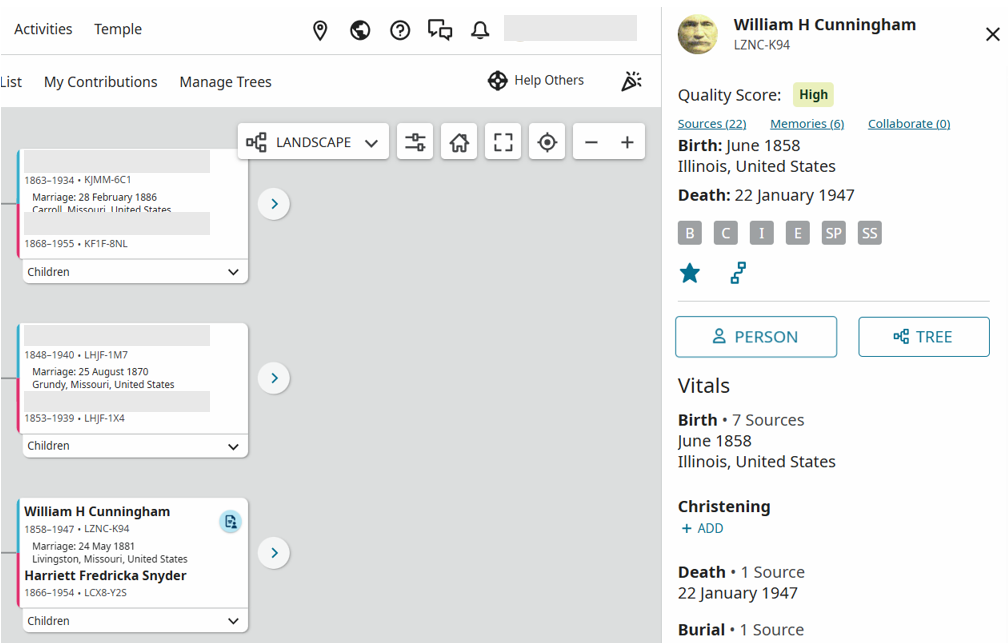
I think you could suggest an idea and/or report a bug. I went to my tree to recreate the issue. I clicked on William H. Cunningham and the side panel on the right opened up. Clicking on the name or the PID did not work. For me though, I almost always right click on person to open up a new tab and that works. I am in the source linker every week, and I can't really say how long this has been going on. I know I have been aggravated a bit when clicking on the PID and then having to open a new tab just to grab the PID, but it seems like it has been awhile. Anyway, here is my screenshot just to show that it isn't isolated in the source linker.
 0