Unable to attach FS image as a source

I have a FS image and click on Attach To Tree in the top right corner. I fill out the boxes on the pop out pane - both the required and optional ones. Click on NEXT on the bottom right and it does not move to the 2nd pane. The Cancel button also does not work.
I've cleared my cache, rebooted my computer, tried on Chrome and Firefox and the same results - I can't attach the source.
Best Answer
-
…I hope I am wrong and that a fix is in the works for images found through the catalog route.
Yes, a fix is in the works and is a high priority.
…This is a more laborious way to get to images than using the catalog route.
You can continue to use the catalog route if it's a better fit for your needs. For now, just copy the DGS number and paste into Images. Advantages of using the new viewer include the ability to edit and to have access to partial images on records with permission changes.
…The following link is from the Beernem results page using the Image route, but does not show a Beernem record..
Items 1 to 6 are for Beernem, 7 to 22 are for Bekegem and wrongly labeled. They would not be retrieved in an Image Search using Bekegem. Unfortunately there are a lot of these needing metadata corrections and I will report this one. It is usually a good idea—when you can't find what you are looking for on Images, to search by the Creator or Custodian. Those are usually correct even when the place name is wrong.
0

Answers
-
@
Tony, could you provide the URL of the image and the PID of the profile you want to attach it to, please, so that this Community can look into this for you. Thanks.
1 -
GMWR-R91
Belgium civil birth registration #213.
I've tried to attach a source from different images from different collections and can't get past the first pane for attaching the source - NEXT still not showing a link when hovering with the mouse and clicking on it does not advance to the 2nd screen.
I can attach it through the Source Box option, but that is a much more tedious route.
0 -
I am having the exact same issue today … https://www.familysearch.org/ark:/61903/3:1:3Q9M-CSVR-V3BK-Z
I filled in the appropriate info in the boxes at right and the NEXT (and Cancel) buttons are non-functioning so cannot get to the next step to select the profiles to attach to (which would be LCMM-46Z and LC8G-R4P) so I used the manual ADD SOURCE method on the profiles instead. So looks like it is a site issue … something broken!🤔
I use Opera browser but tried also with Edge … no difference … so nothing related to the browser.0 -
Same here (using Tony's example), using Chrome (up to date) on W11 (ditto).
@SerraNola could you have a look at this please? It definitely appears to be a bug.
0 -
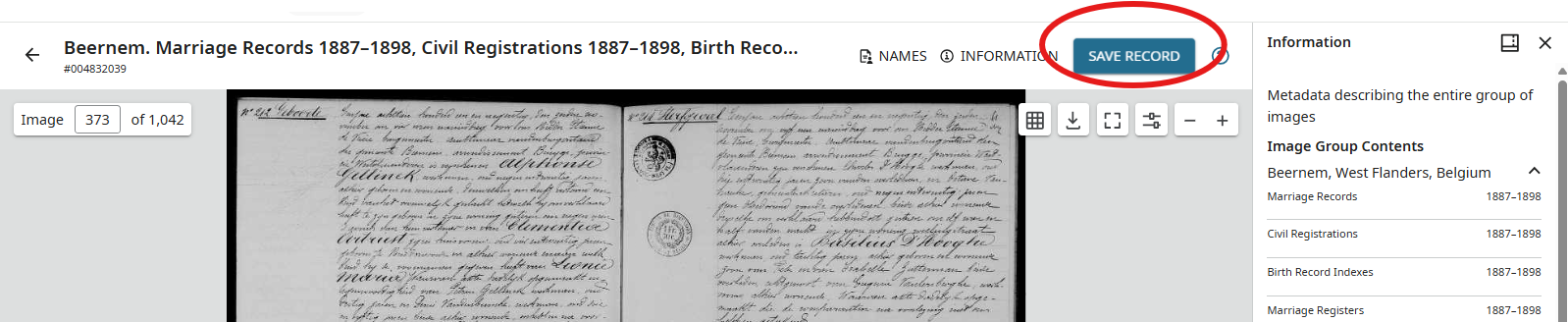
@Tony Ballegeer & @RodCorkum Not sure what is up with that. I think there are updates to the system. That is the old viewing. If you go through the new viewer the button is now called SAVE RECORD and it works just fine. See this link for Tony's record and this one for Rod's record. Search in Images rather than Catalog for the records that you want to view. Or use the DGS number to go directly to the record set that you want in Images.
 1
1 -
Thanks @AnneLoForteWillson.
0 -
It does work when searching from images. This is a more laborious way to get to images than using the catalog route. When accessing from the Catalog, the records are broken down into time frames - i.e. pre 1794 is Parish Registers and civil registration is broken into 2 time periods 1795-1900 and the 1901 to 1920. The Image route just brings up everything from Beernem and you have to look through almost 200 entries to find what you want. Not a step in the right direction as far as I am concerned.
I suppose in the name of "Progress" that functionality will not be returned when accessing images through the catalog? I hope I am wrong and that a fix is in the works for images found through the catalog route.
The following link is from the Beernem results page using the Image route, but does not show a Beernem record, even though the title says it is. It is for Bekegem.
Does not instill confidence in me…..
1 -
Thank you for your detailed comments.
0 -
I am having the same issue. It started somewhere around 7:30 PM EST last night (Dec 2). Have tried Chrome and Safari, disabled popup blockers. Still no luck.
0 -
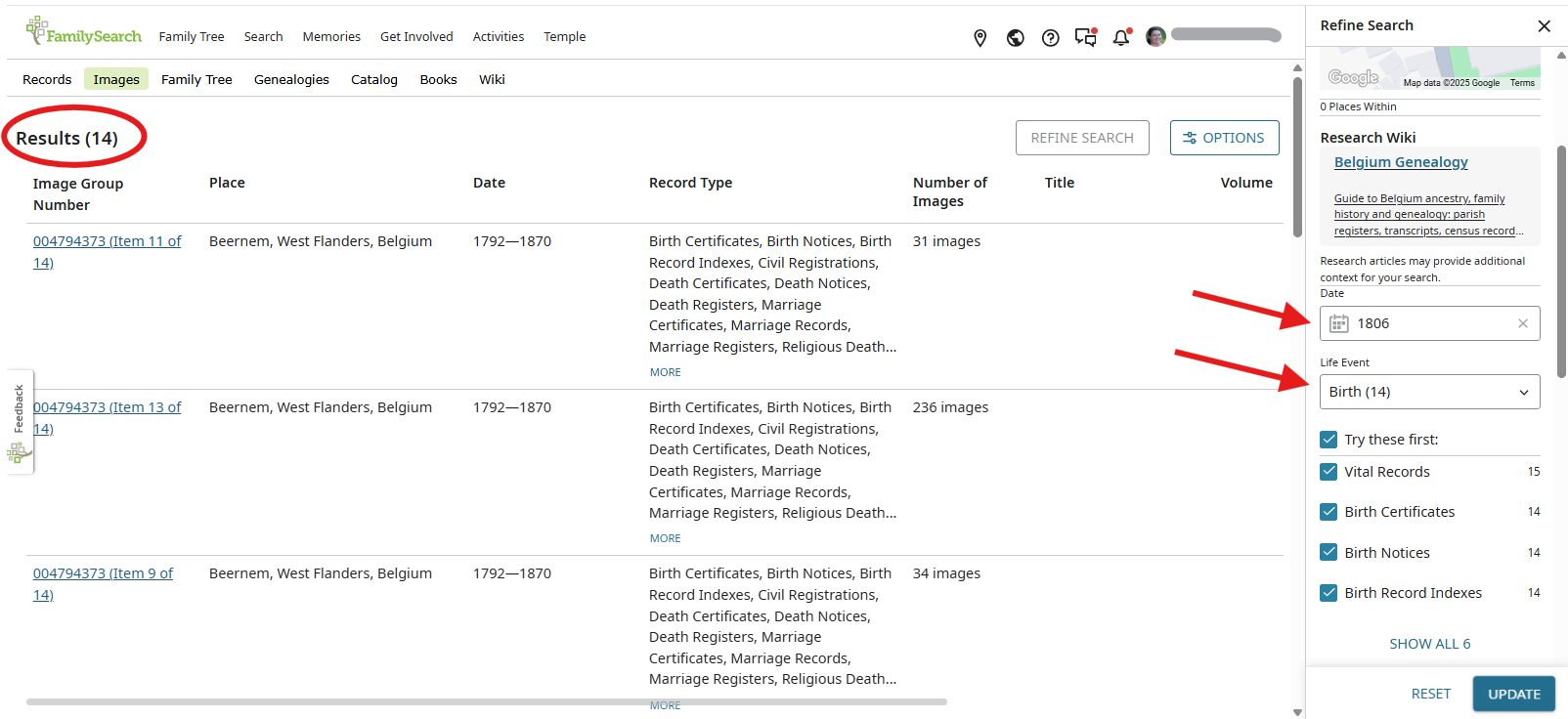
@Tony Ballegeer Try using the filters on the right-hand side to limit down to the time period or record that you are looking for. You see a lot more because the are able to break down the sets of images into smaller packets, so you don't have to look through quite so many images to find what you need.
 1
1 -
Same on my end as well.
0 -
Also I agree on your other statements too with what you said about the issue here.
0 -
@Tony Ballegeer Attach to Tree is fully functional now.
1 -
Thanks. I appreciate your help in advocating to get this working again.
0


