Message another member

How do you message someone that changes things on a family name? I would like to know how they are related and why would you remove a persons remove a middle name.
Thank you
Tammy
Answers
-
@Tammy Crenshaw If you look in the Change Log for the profile where anything has been edited, you can see who made the changes and when.
This is a snip from the change log of my 5th great-grandmother, whose profile is changed frequently. I've blurred the names of the other contributors to respect their privacy. You can see my name at the top of the page, as the most recent editor.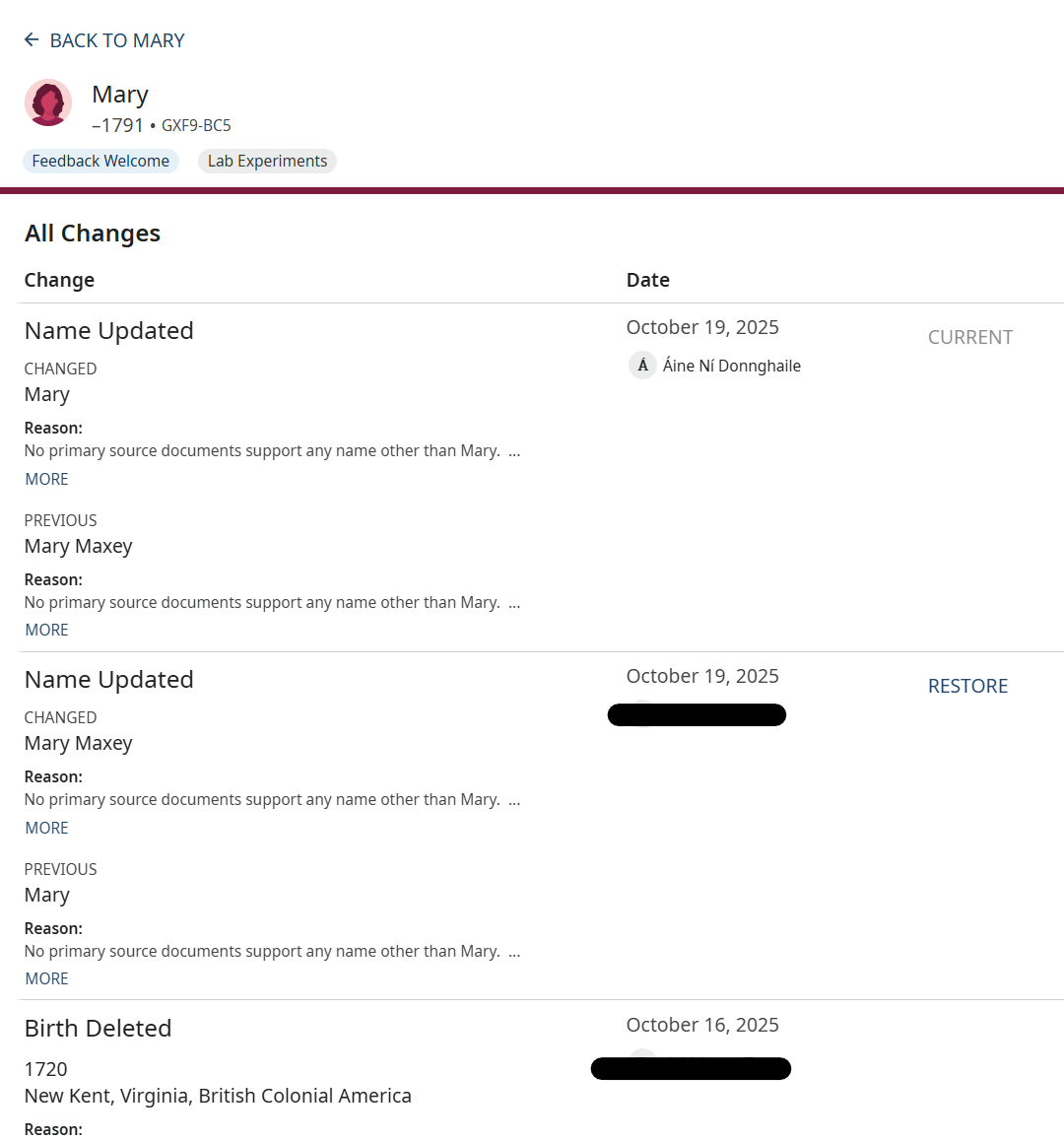
If you click on the other contributor's name, you will have the opportunity to send a message.
Hope this helps.0 -
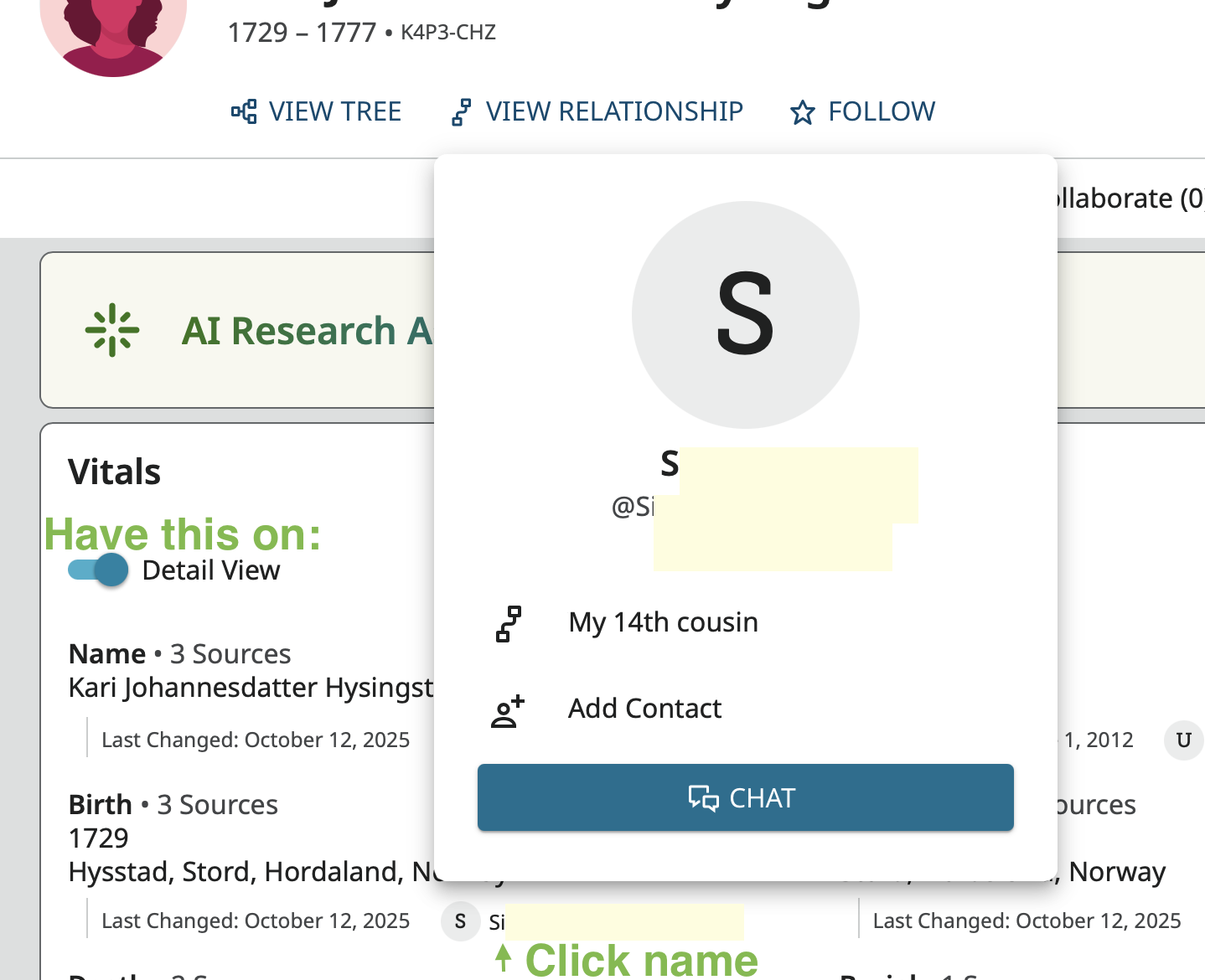
On a person's profile in Family Tree you will see the name of the latest contributor against each piece of data if you have the Detail View turned on. In the Change Log for the profile, you will see the names of every user that has ever made any change on the profile. Just click on the user name to open a pop up that shows how they are related to you (if they have given permission for that) and a button to start a chat with them (as long as they are over 18 and fulfill a couple of other criteria):
 1
1
