Home› Welcome to the FamilySearch Community!› Ask a Question› Family Tree

Print Record function

ralfswan
ralfswan ✭
September 20, 2025 edited September 20, 2025 in Family Tree

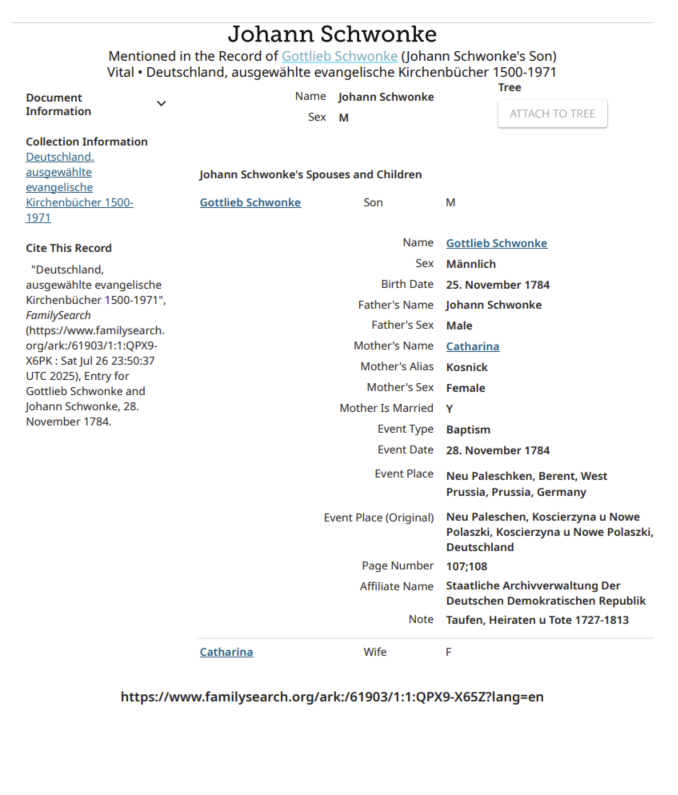
When I use the Save/Print Record function the resulting transcript document displays the "Similar Records" information overlaid upon the record details. Is there a way to avoid this?
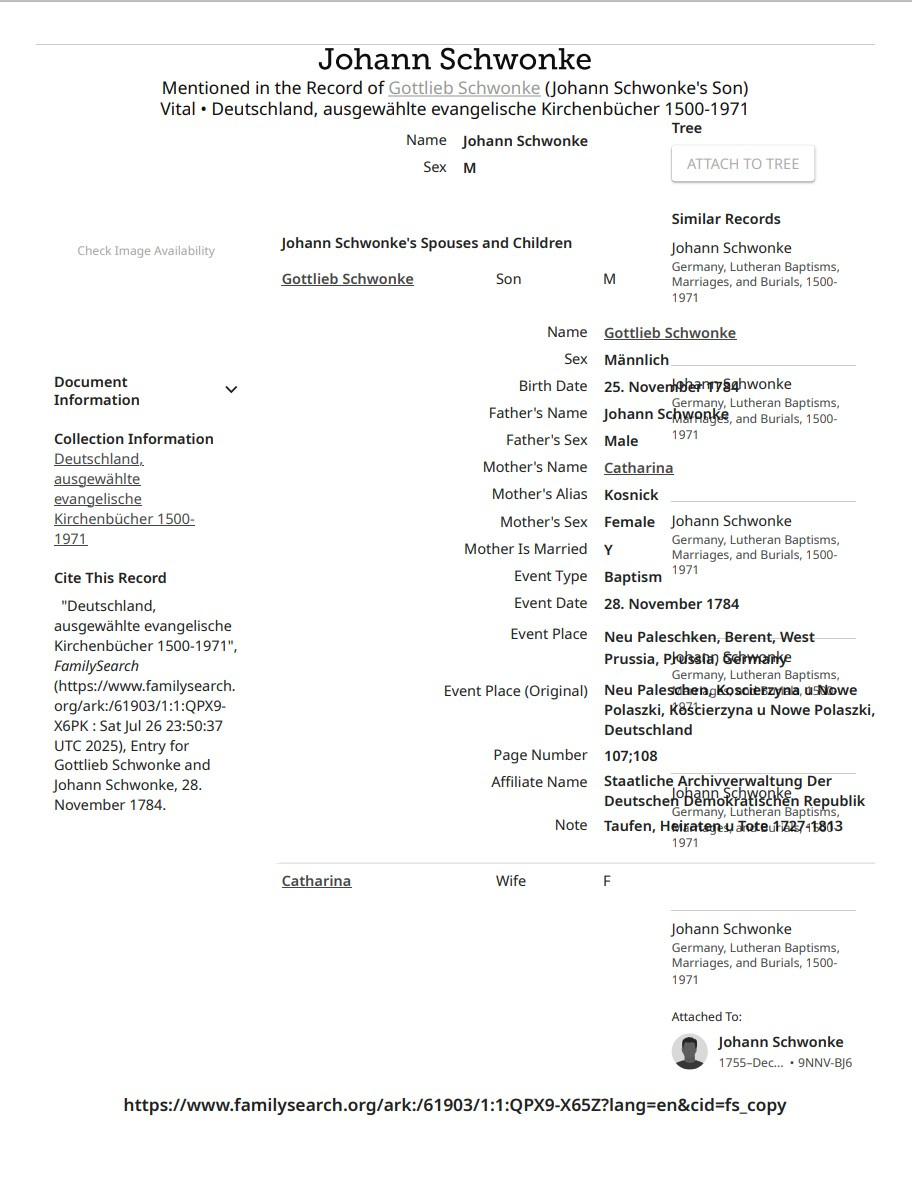
Fam Hist Rec print 2.jpg

0

Best Answer

  • ralfswan
    ralfswan ✭
    September 20, 2025 Answer ✓

    Thank you very much. I'm learning, slowly but surely!

    1

Answers

  • Áine.ní.Donnghaile
    Áine.ní.Donnghaile ✭✭✭✭✭
    September 20, 2025 edited September 20, 2025

    @ralfswan
    When you click on Save to find the Print function, look for the blue gear icon. Click on that to choose/remove which items appear in your printout.
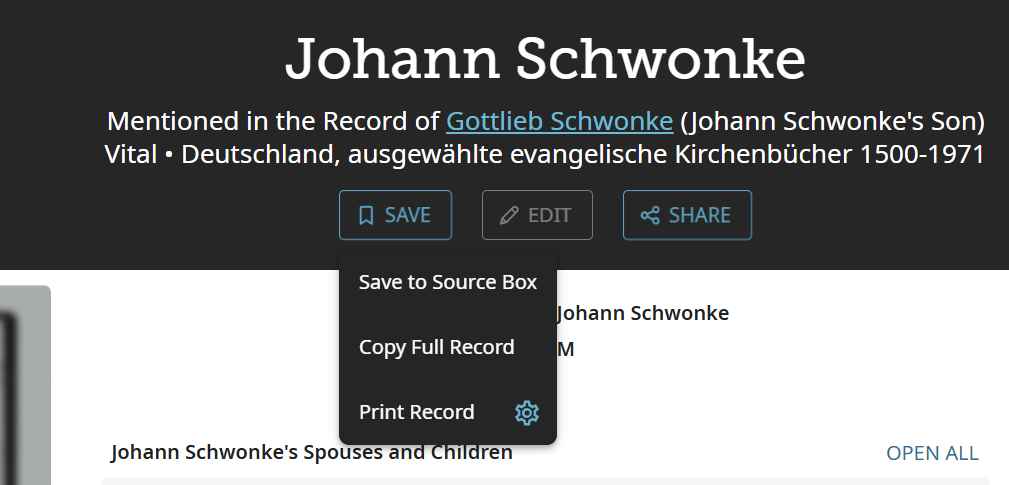
    image.png

    Click on the blue icon on the right to open this option dropdown
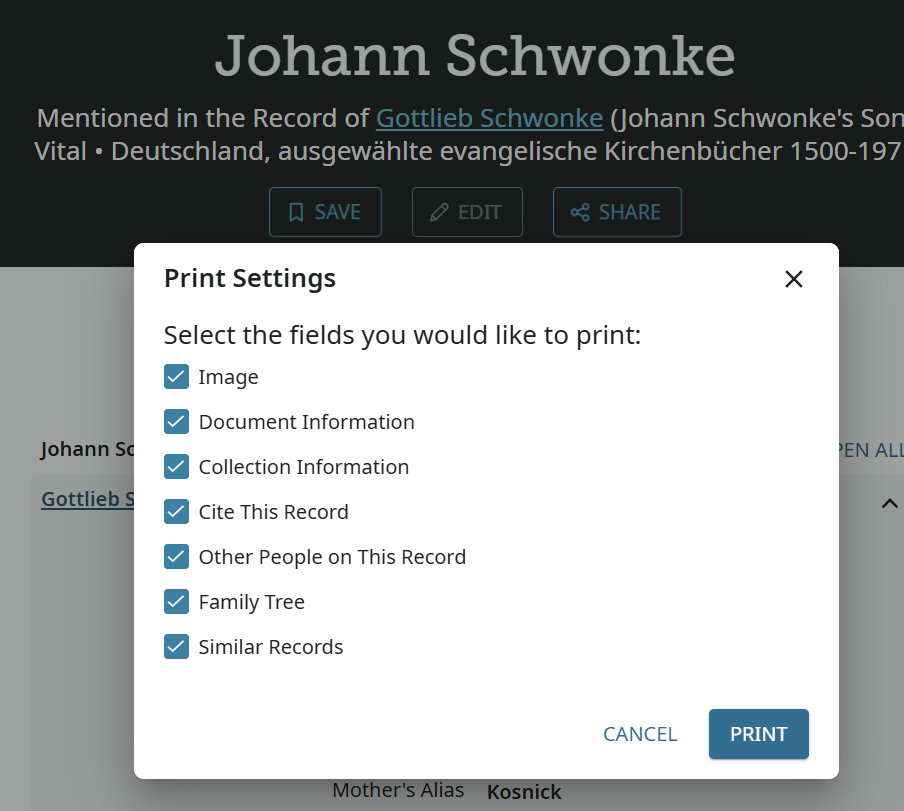
    image.png

    0
  • Áine.ní.Donnghaile
    Áine.ní.Donnghaile ✭✭✭✭✭
    September 20, 2025 edited September 20, 2025

    @ralfswan

    The resulting printout after I deselected the unwanted items that overlap.

    image.png

    2
Clear
No Groups Found

Categories

  • All Categories
  • 45.6K Ask a Question
  • 3.8K General Questions
  • 629 FamilySearch Center
  • 6.9K Get Involved
  • 696 FamilySearch Account
  • 7.2K Family Tree
  • 5.7K Search
  • 1.1K Memories
  • 512 Other Languages
  • 75 Community News
  • Groups