Why am I unable to delete "Deceased"

Comments
-
Why am I unable to delete "Deceased" and substitute actual dates of birth and death of individual family members and ancestors?
0 -
@Stuart6696 - if I recall correctly, you cannot explicitly delete "Deceased" - instead you simply update the date of death. Does that work?
3 -
You are unable to delete a deceased person on FamilySearch if anyone else has contributed to or edited the person's profile.
This is because FamilySearch operates as a collaborative, worldwide family tree, meaning profiles for deceased individuals are shared among all users.
If you can't delete then the next best steps are:
- Unlinking or replacing the relationships: If incorrectly connected to your family, you can remove, or replace the incorrect relationship without deleting the profile from the main tree.
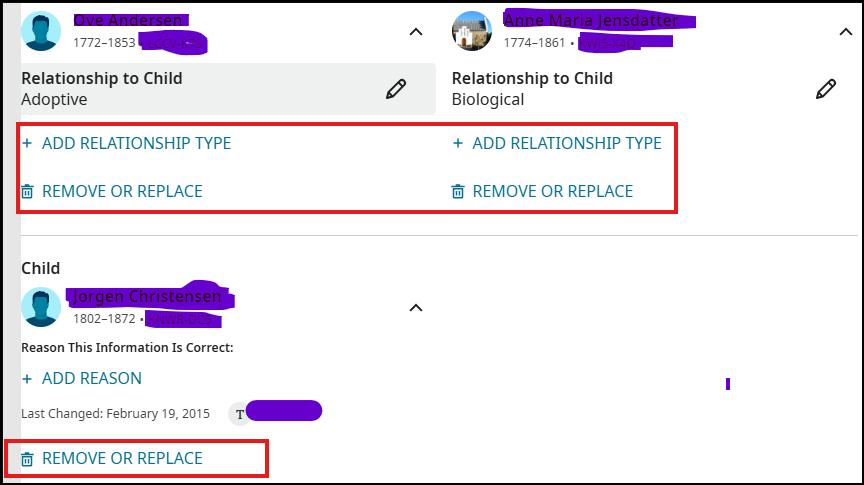
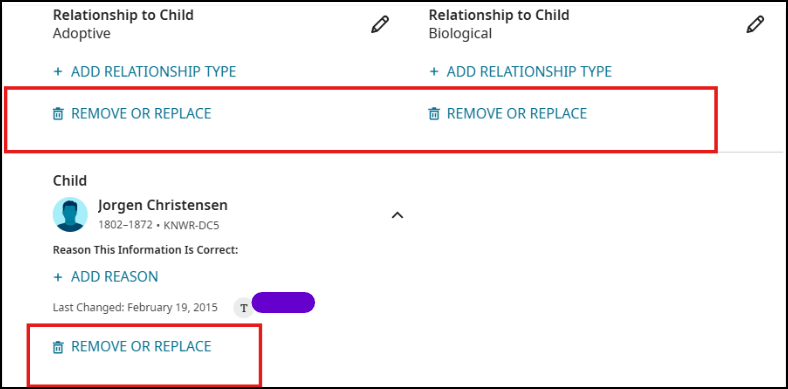
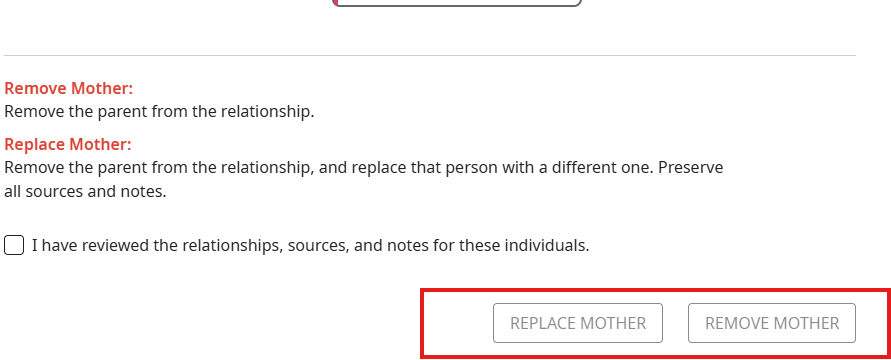
2**. Contact FamilySearch support:** If you have strong evidence that the profile never existed or is a mistake, you can contact support. However, FamilySearch requires clear evidence before removing a record.
-2 - Unlinking or replacing the relationships: If incorrectly connected to your family, you can remove, or replace the incorrect relationship without deleting the profile from the main tree.
-
@sc woz The OP's requirement is clearly not to delete the profile, just the 'Deceased' fact, substituting an actual death date.
5 -
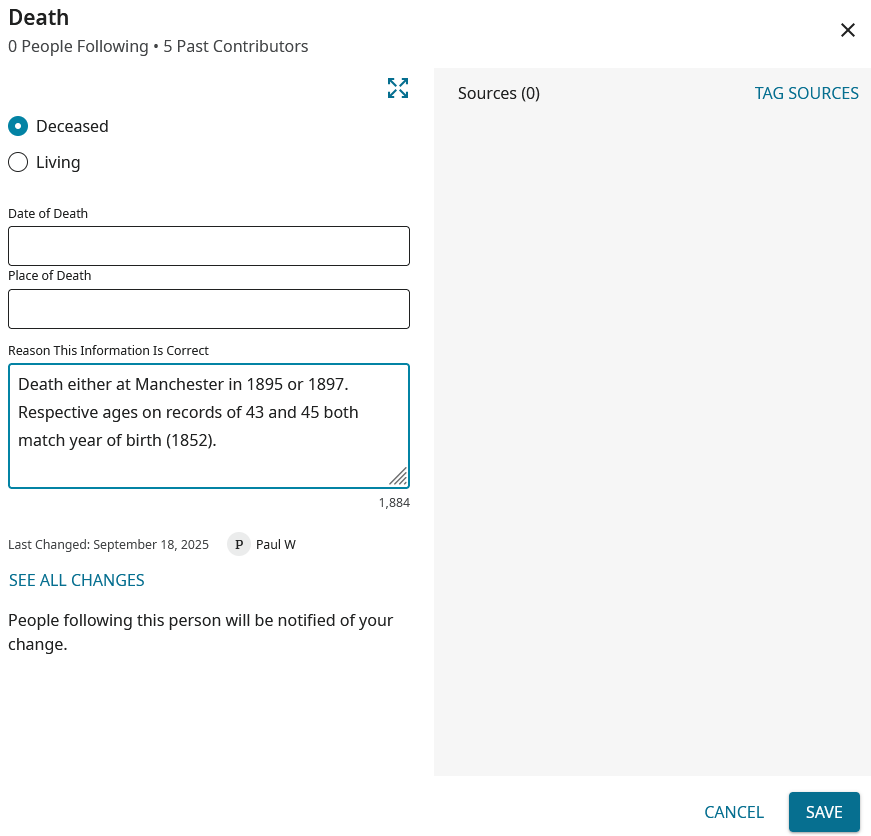
This is where we need a FamilySearch employee, or "expert", to detail the exact reason(s) why nothing in the Death field of the Vitals section can be "Deleted", in the manner available in the other Vitals fields. That is, we can only remove / overwrite text, but do no have that "Delete" option available.
The reasoning was explained by an employee on the now defunct GetSatisfaction platform, but too many years ago for me to recall it! What one has to do if wanting to provide a reason statement for any change (including complete removal of any existing data) is to write the comments before blanking out / replacing what is to be removed. That will then appear in the change log, instead of just having something like this:

No good here in posting anything under "Suggest an Idea", as this unique characteristic of the Death part of Vitals is obviously by design. But, as I suggest, this is really where we do need FamilySearch employee participation on this forum, as most of us can only speculate why "Delete" is not available here.
On a positive side, the current design does allow for comments to be made (in the "Reason This Information Is Correct" box) even where no data has been inputted: which is not the case for other Vitals fields (where "Save" is not an option if no date / place has been inputted.
 0
0 -
Note - I'm not even attempting to edit my comments above, as I'm sure my screenshots will disappear, and have to be reposted, if I do make any changes in the wording!
1 -
I don't understand what anyone is hoping to accomplish by deleting a Death event that is simply Deceased. That would be quite an ambiguous operation. Would deleting the Death leave the person as Living? Surely that's not what you're hoping for.
So just edit the Death event to add or remove or change the date or place. That will let you make any change you want to make, leaving a reason statement for the change. I know it's slightly odd that a Death event can't be deleted as others can, but since you can accomplish everything you need to by editing it, I don't see what the problem is.
1 -
Firstly, I have to concede that your first paragraph directly (and correctly) addresses the issue raised by the OP.
However, on the wider issue of the Death part of Vitals, I believe I have illustrated the problem. Unless the user writes out a reason statement and clicks on "Save" before removing any of the data, nothing will show in the change log as to why the existing detail has been removed. In other words - unlike the position with the other Vitals boxes (Birth, Christening, Burial) - there is no prompt given to provide a reason statement before deletion. Without that prompt I think it unlikely many users will bother to follow the steps outlined, so subsequent visitors to the profile will not know why the change has been made.
I believe the (then) main moderator of the GetSatisfaction platform did provide a (long forgotten) response as to why the difference (with Deaths) exists, so surely someone at FamilySearch would be willing to provide some enlightenment for us here?
3 -
It's the inconsistency that annoys people:
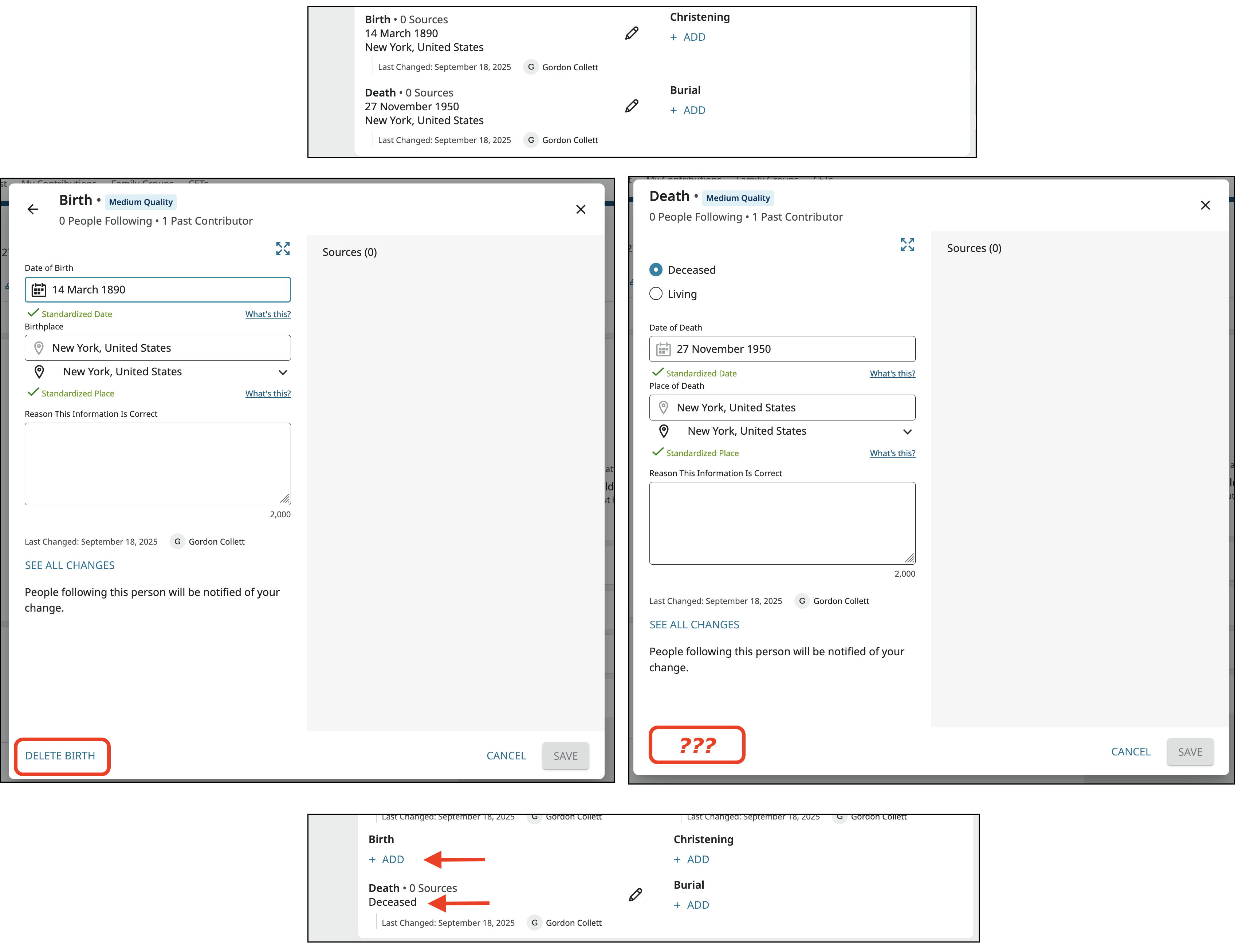
What they want to do is follow the same procedure for completely removing the death information as they do with the birth and other information. The difference in the two is that you can totally remove the birth event but you cannot totally remove the death event because Living/Deceased is part of that. Since this comes up repeatedly, if I had any say in anything, I would have the programmers put a Delete Death button that mimics the Delete Birth button in that it removes the date and places, allows adding a reason for deleting that will show in the change log, but keeps the status as Deceased.
3 -
The absolutely key role of 'deceased' in driving FT privacy rules is no doubt why this particular bit of UI logic is so convoluted. Ideally the fact of 'deceased' (i.e. versus 'living') would be a separate data item (they can already be handled separately in the Person Gedcomx standard, via the 'living' property).
2


