How to delete or move a memory that wasaccidently attached to the wrong person.

Answers
-
Depending if you added the Memory or not, or added the tag or not - you have different paths.
Your additions: Remove memory items • FamilySearch
Others' Memories: Remove memories or tags you did not submit • FamilySearch
Click on the (?) - circled question mark at the upper right corner of the FS page to get fast access to help articles and lessons - Lots of good stuff there.
0 -
Sometimes the Help Articles aren't always up to date. Let's see if I can help you….
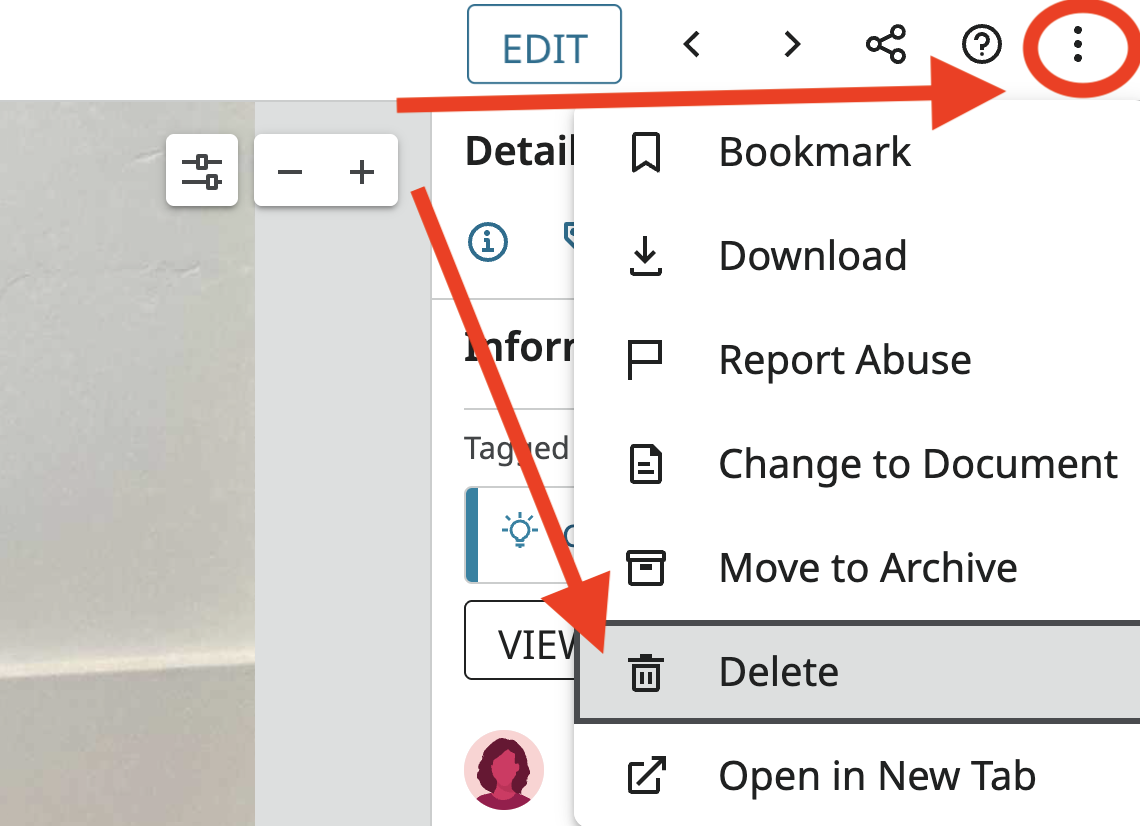
If YOU added the memory by mistake, you can delete the Memory.
Click on the memory. It will take you to the Memory Viewer. In the top right corner, click the 3 dots, and you will see an option to "Delete."
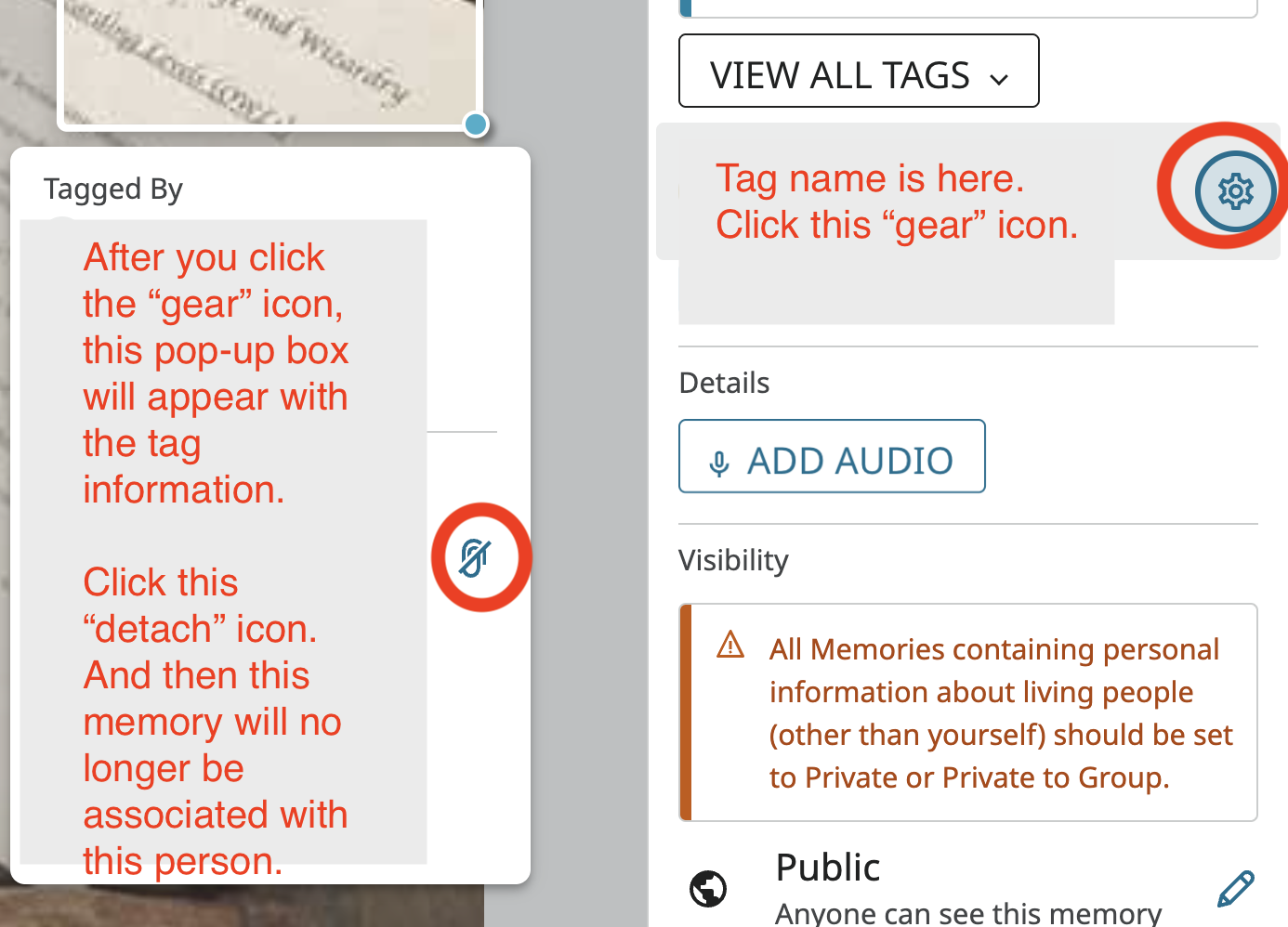
If you DID NOT add the memory, you can "Detach" the Memory.
Click on the memory. It will take you to the Memory Viewer. In the right side-bar, you should see all the people this memory is attached/tagged to. Find the wrong person and click the "gear" icon. A pop-up box will appear. Find the paper clip icon, click it to "Detach" that memory from that person.
 0
0

