Make a correction

My Father's birth date is wrong. How do I fix it?
Answers
-
It depends where the error is occurring. If it is just in the "Vitals" section of his Family Tree profile, all you need to do is click on the pencil icon that appears alongside the Birth detail (as illustrated below) and edit the event so it provides the accurate version. (Make sure to add a source and/or reason statement for any change.)
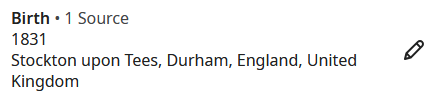
However, if the error is in a record you will usually only be able to make a correction if there is an image connected. Otherwise, the "Edit" option is "greyed-out" and you will only be able to make a note of the error when carrying across as a source to an individual's Family Tree profile page.
I'm sure other members of this forum will be able to offer further advice, especially if you can be more specific about where you are coming across the error.
1