How do I access "Gallery"

Answers
-
Your Gallery can be found under the main menu item labeled Memories.
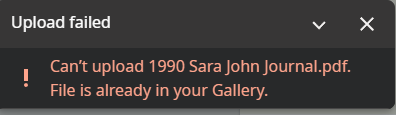
This message often appears when someone has uploaded a memory (in this case it was a PDF document) to one person's Memories, and then attempts to do the same thing for another person. You can only upload a particular memory file once, so you get this error when you try to upload it again.
Instead, you should go to the memory (either in your Gallery, or via the Memories tab for the person you already uploaded it to), and add a tag for the additional person(s) you want to associate with that memory.
2 -
To access your Gallery…..when in FamilySearch, see the top header, and click the option "Memories." From there, you will find the option "Gallery."
If you have many memories in your Gallery, you can try the search box or the filters to find the exact memory you need.
0
