
New Feature Possibility? Turn Gallery Image Into Source

I've been communicating with another user who has 14,000 images in his Gallery. He would like to use some of the images to create sources. However, when going to Add New Source and creating a memory source then clicking Add From Gallery, this pop up really does not work to find the image he needs.
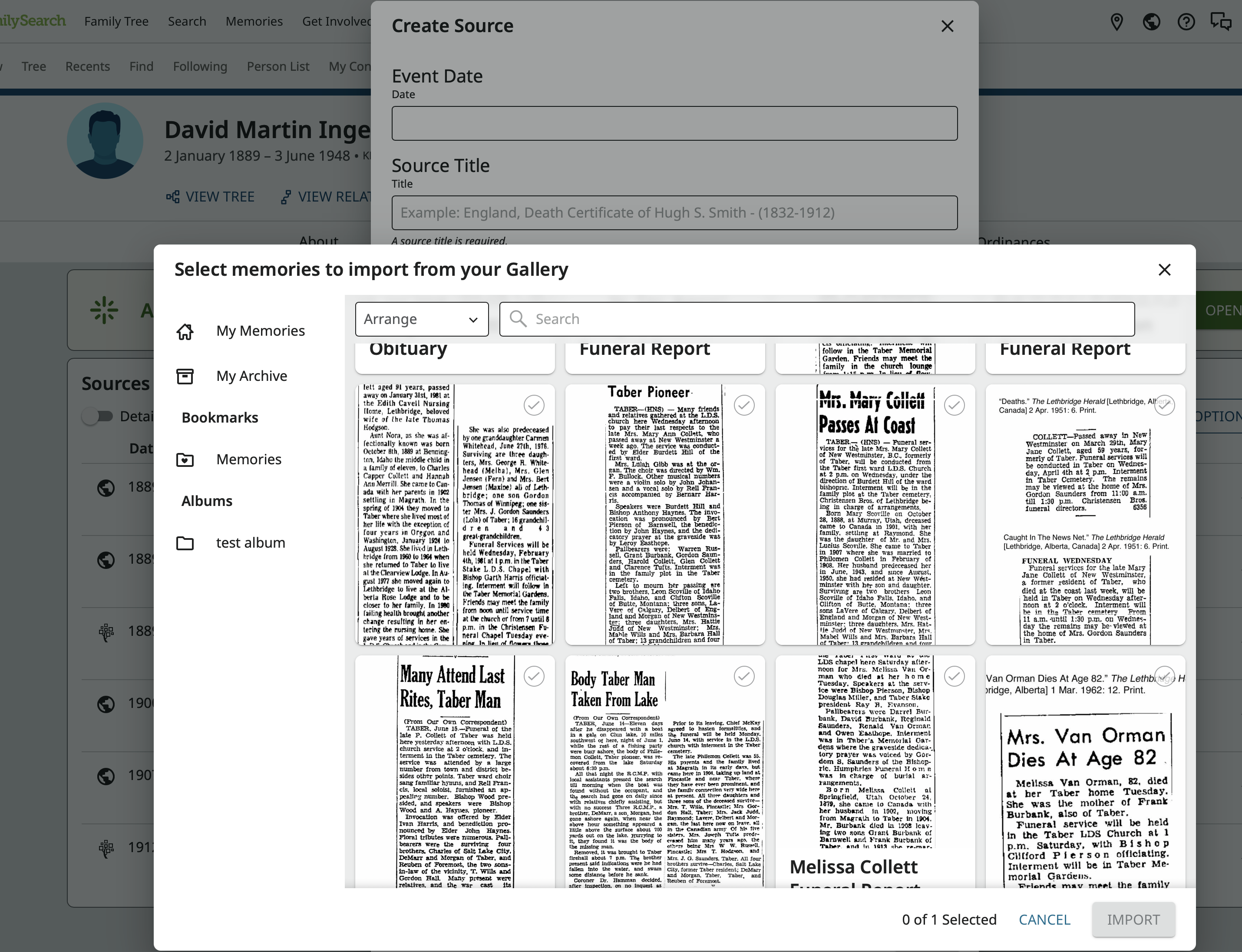
He reports that it load far too slowly to make this a practical work flow and the search button doesn't work. He assumes that there are just too many images for the search to filter them.
Would it be possible to add a new button to the image page in the Gallery:
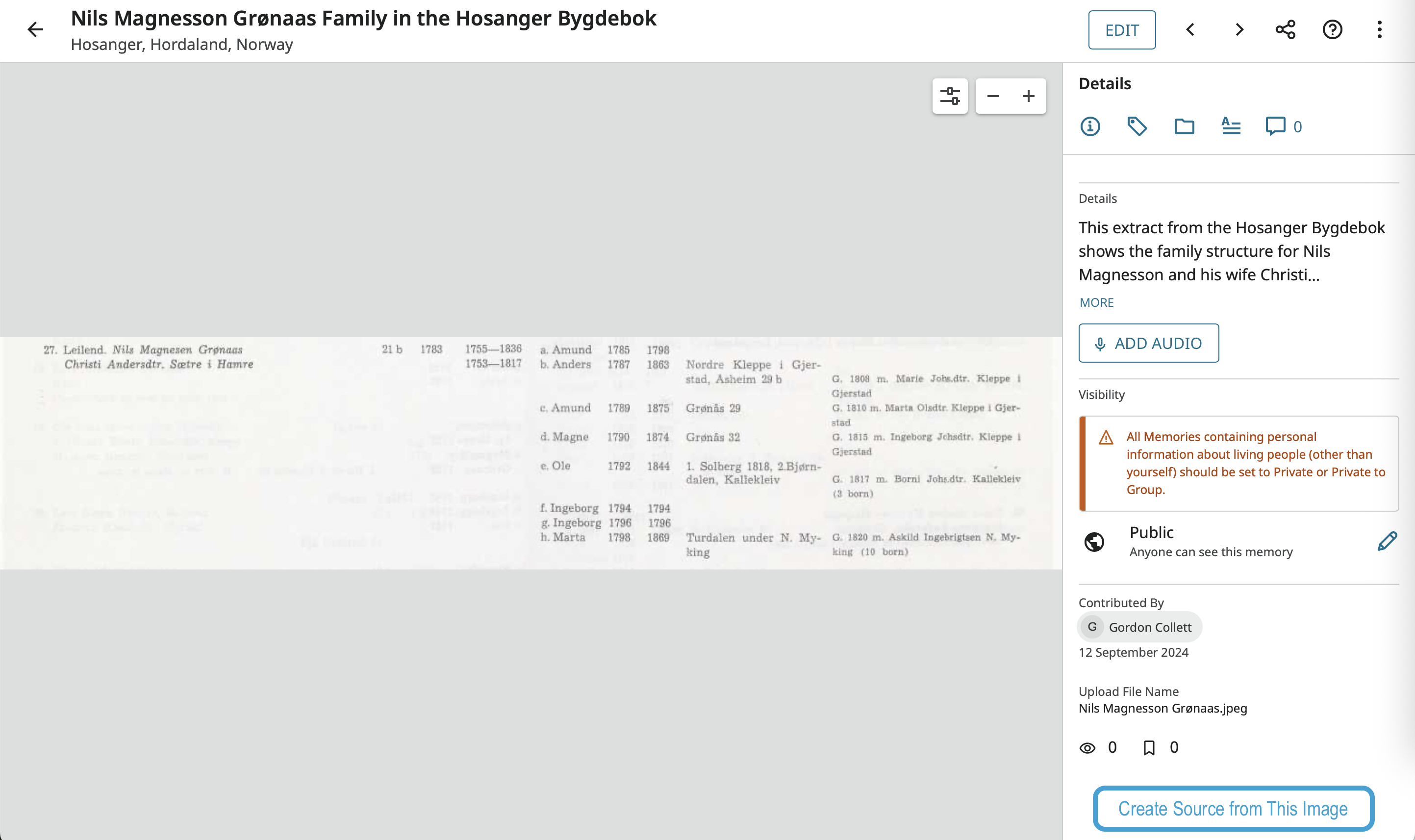
that would open the source creation pop up pre-populated with this image? I imagine it would only be able to create the source in the user's source box and the user would then need to go there attach the source to all the people it should be attached to.
Comments
-
Your friend is right.
Unfortunately, he has discovered two Known Issues.
(1) Those with large Galleries/Albums are experiencing very long load times. The Memories Team hopes to improve this problem, but it still might take many months.
(2) From "Add Source" / "Add New Memory Source" / "Select From Gallery" the search box is not working. This is a BUG that is being worked on. No word on any timeline.
But I will share your suggestion with the Memories team. Thank you for sharing!
1 -
@AmberML1 Thanks for the information. I'll let him know.
0
