I need help with GEDCOM Data

Hey everyone! I hope you're all doing well! I'm looking for some help with GEDCOM data and how it works. If anyone has experience with it, I would appreciate your insights. Thank you so much!
Best Answer
-
First thing to keep in mind is that a GEDCOM file is just an import from a user's tree that is elsewhere than FamilySearch. If you don't know anything about that user, you will have no way to judge the reliability of any import. GEDCOM imports definitely follow the principle of Garbage In / Garbage Out.
Based on my first impression of what you have written, I would say that there is a high likelihood that those parents which have the father dying 17 years before the daughter's birth are not her parents and whoever put them as such made a big mistake.
In any event, tracking back to find the origin of a GEDCOM file's information is usually a rather straight forward process. I'll go through this step by step for you.
Here is a profile I created a few years ago from a GEDCOM file. I had deleted the reason statements but put them back in for the purpose of illustrating this:
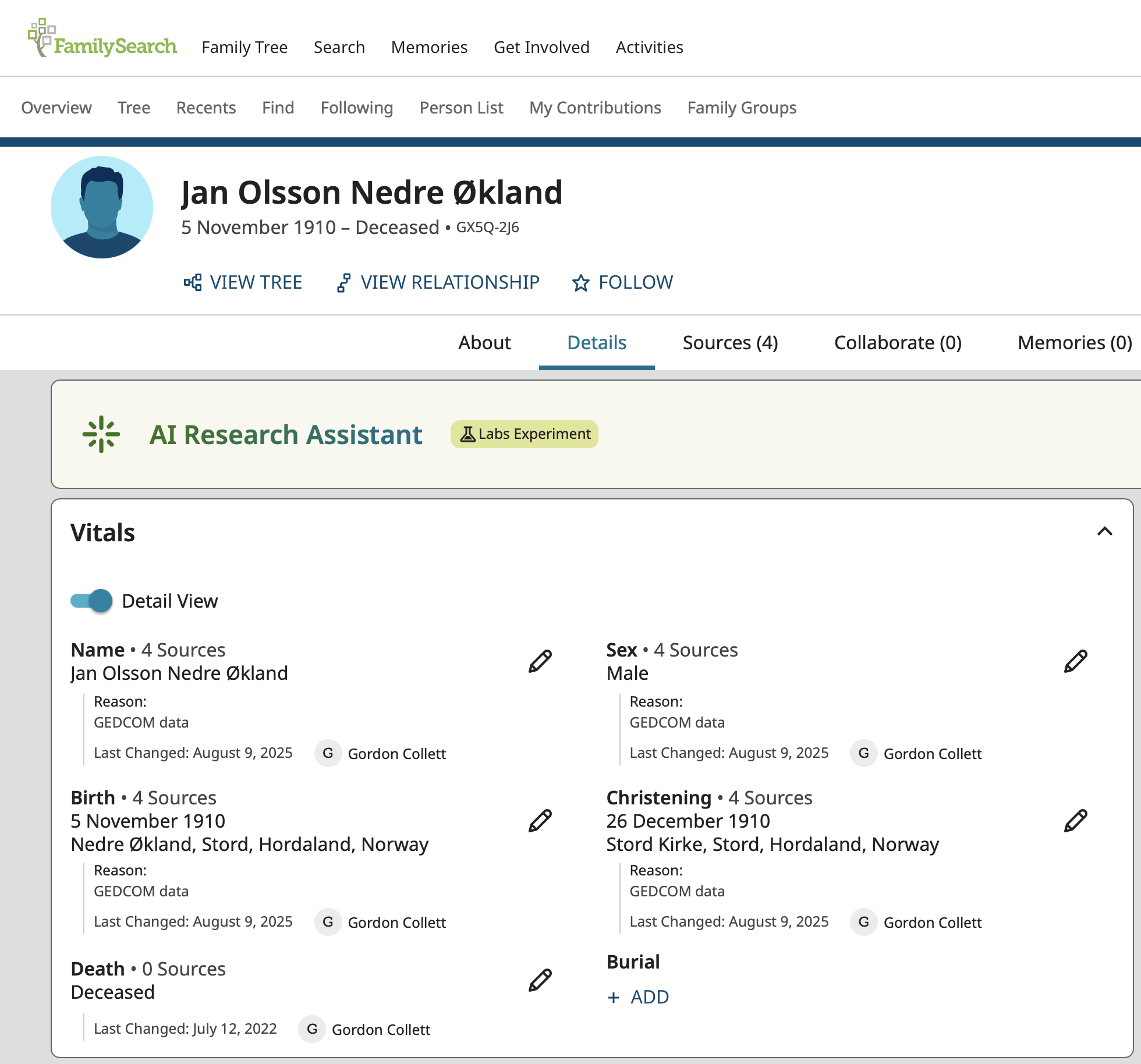
The "Reason: GEDCOM data" is automatically added everywhere the user does not enter a reason statement during the import. Since this declaration means the information came from a GEDCOM file, this will be shown in the Change Log. It might have been imported to create this profile or might have been used to created a profile that was merged into this one. In either case, the next step is to go to the Change Log and look for the reason statement. This works far better in the old Change Log. The new Change Log hides the initial creation of the profile.
Here you can see all the information that came into Family Tree from the GEDCOM import. You know these are the entries you want because they all have that Reason: GEDCOM data notation:
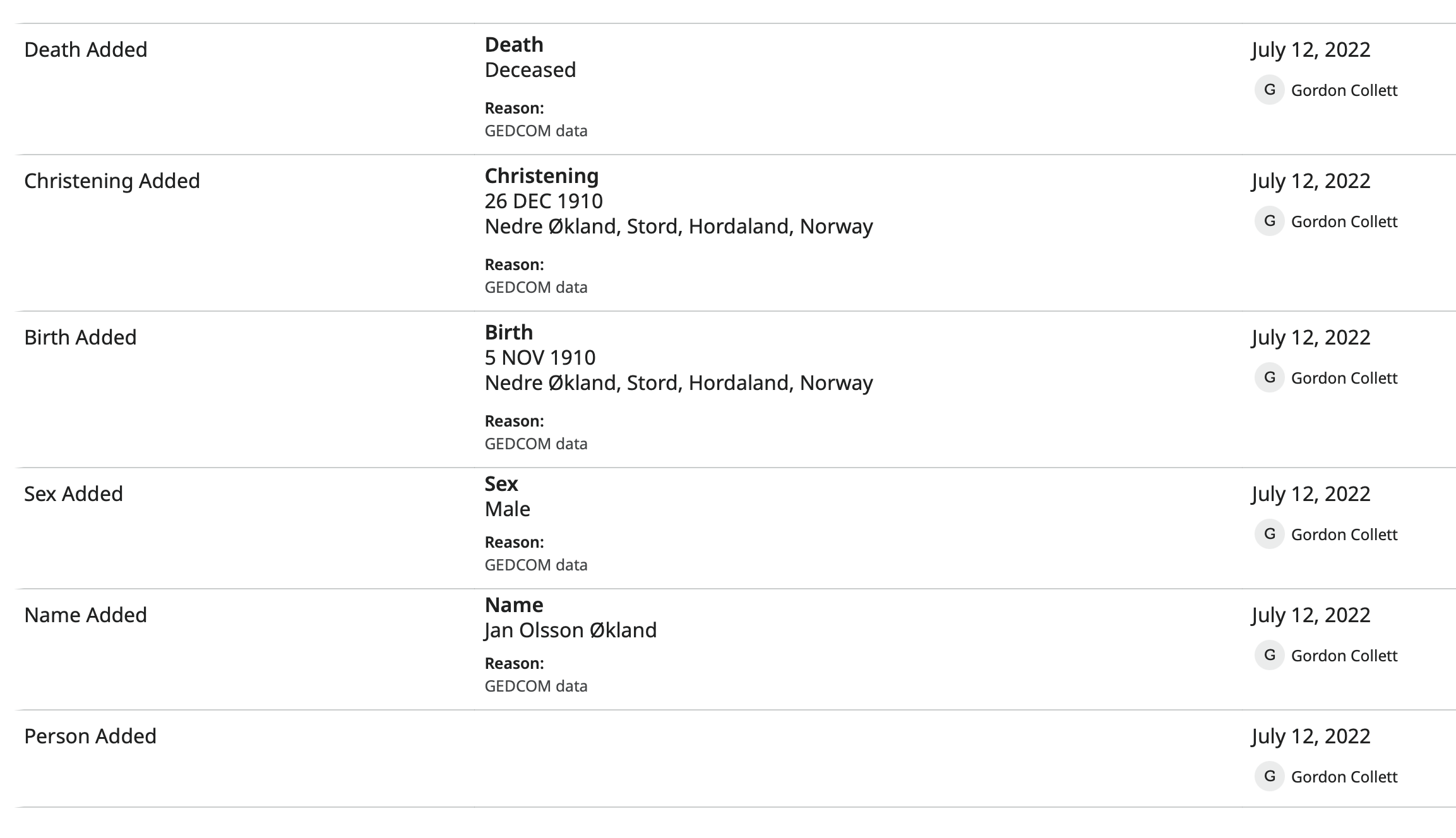
Notice that there are no notes and no sources.
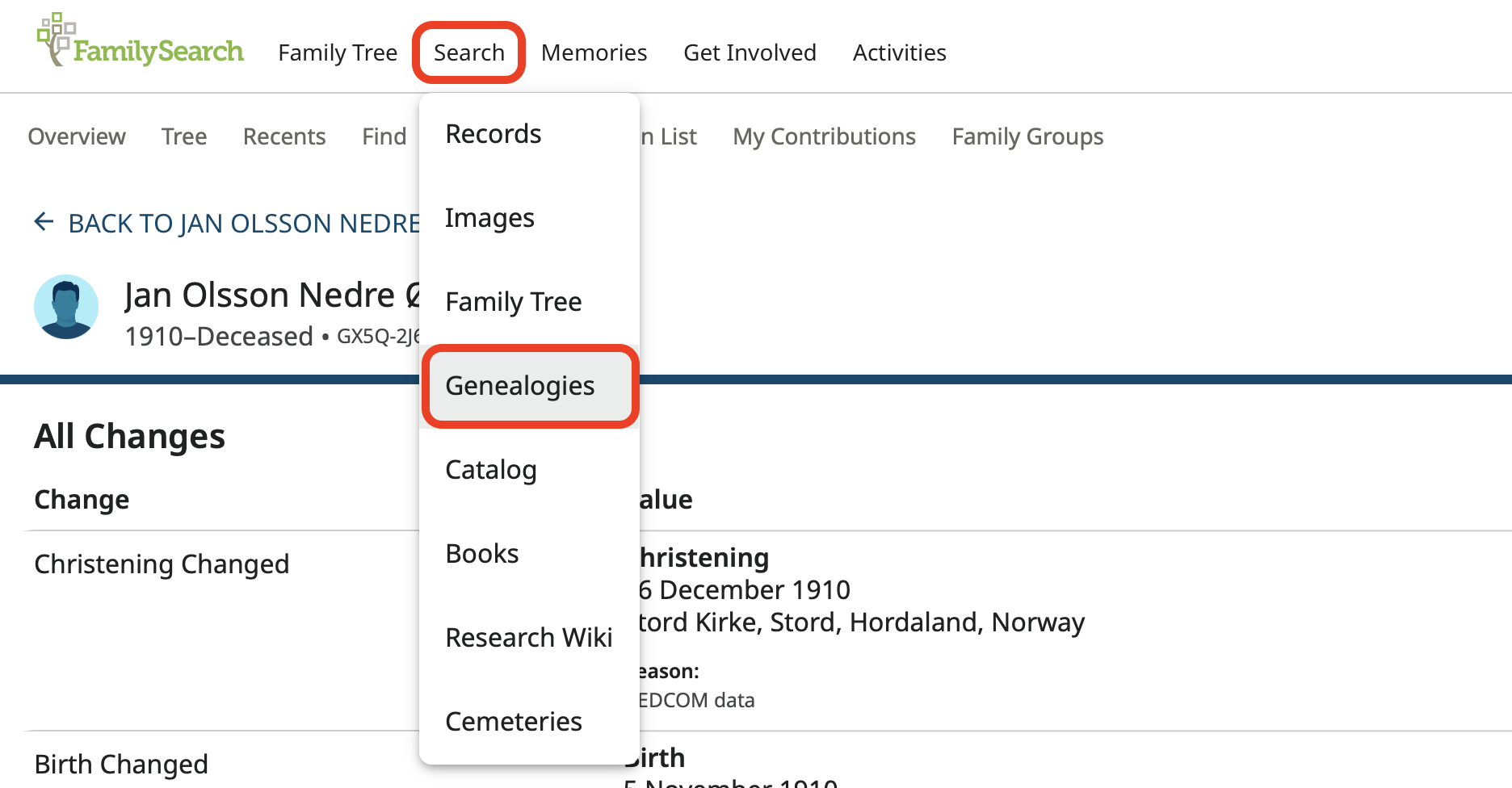
Now go to Genealogies under Search:
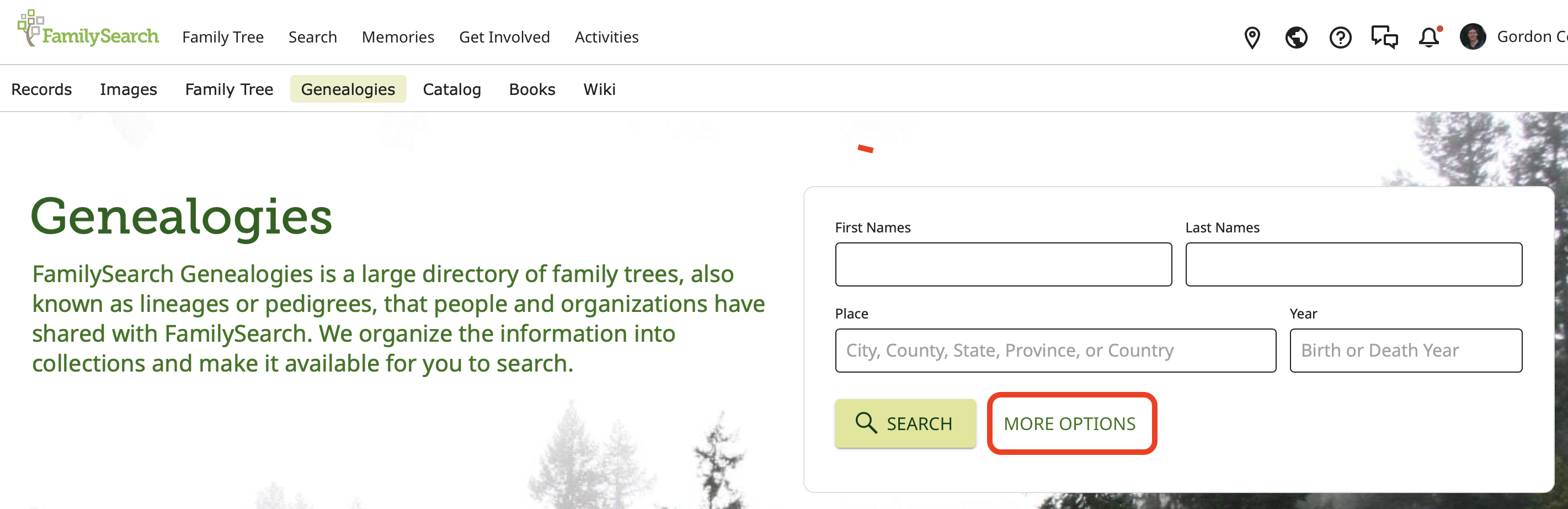
Open More Options and choose Collection:
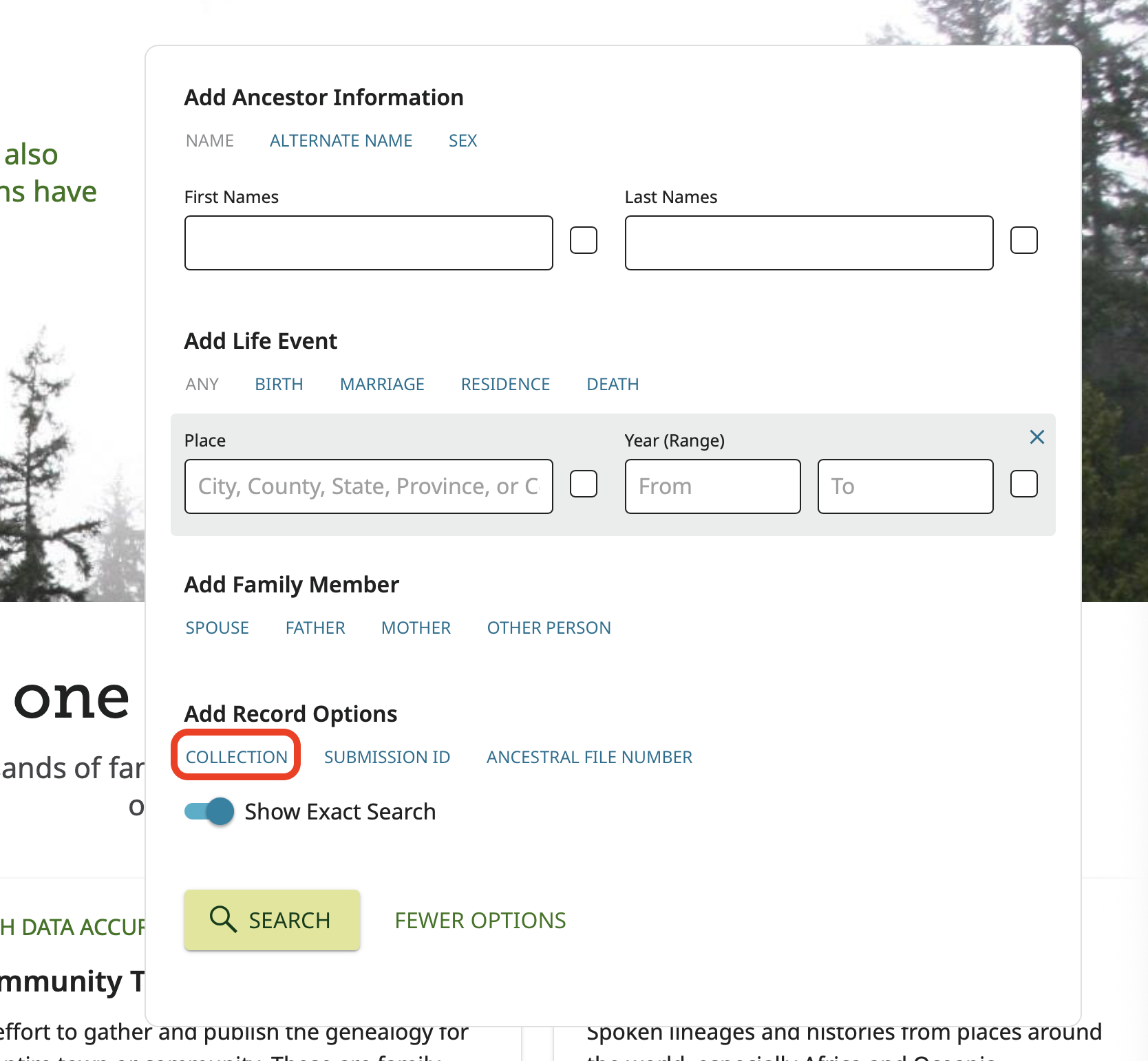
Choose Pedigree Resource File since the Pedigree Resource File is where all GEDCOM files are initially uploaded to and remain there unchanged unless the user deletes them:
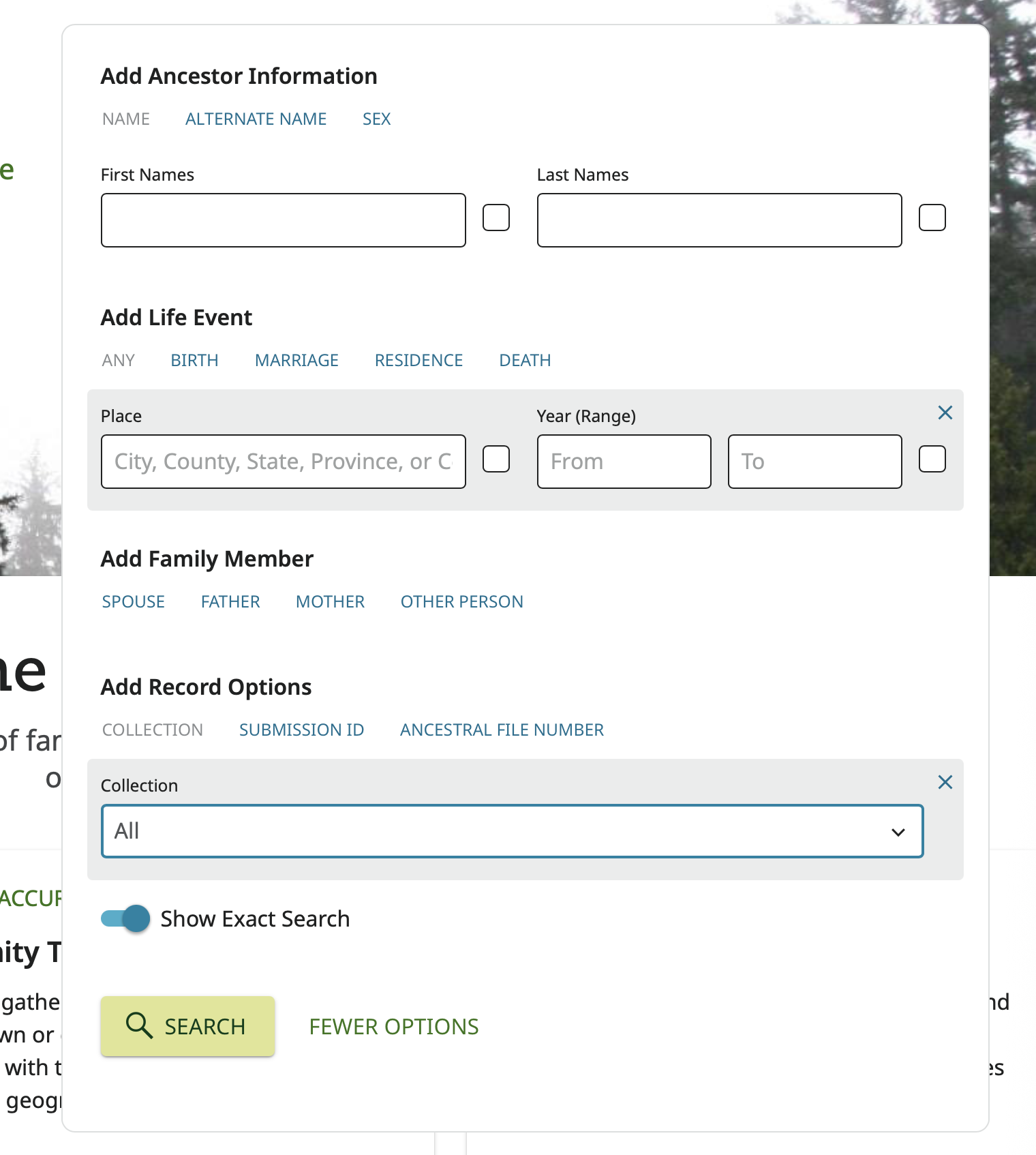
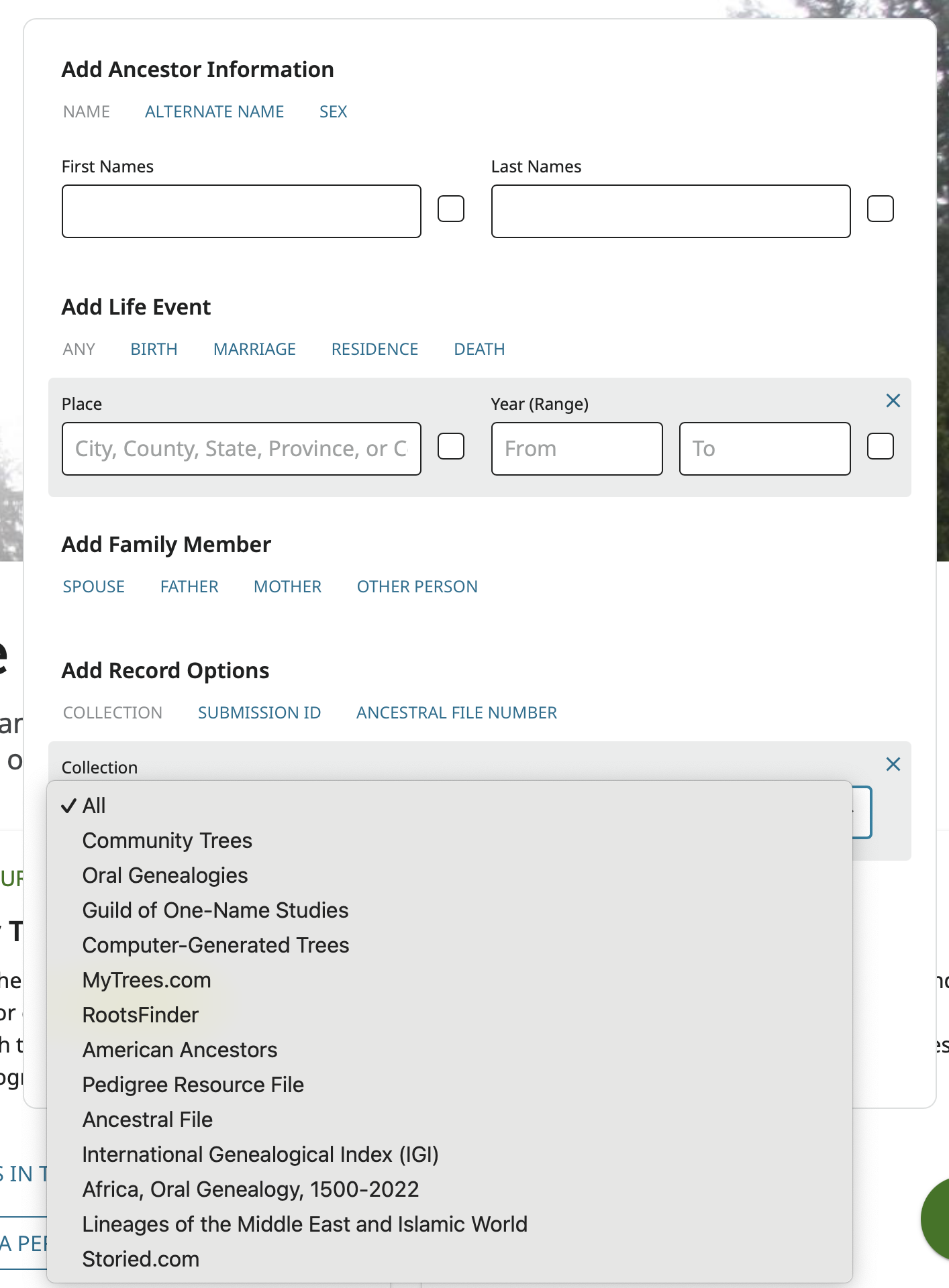
And then enter in the information in the Change Log with the GEDCOM data reason statement exactly as found in those lines in the Change Log and not what might currently show on the profile.
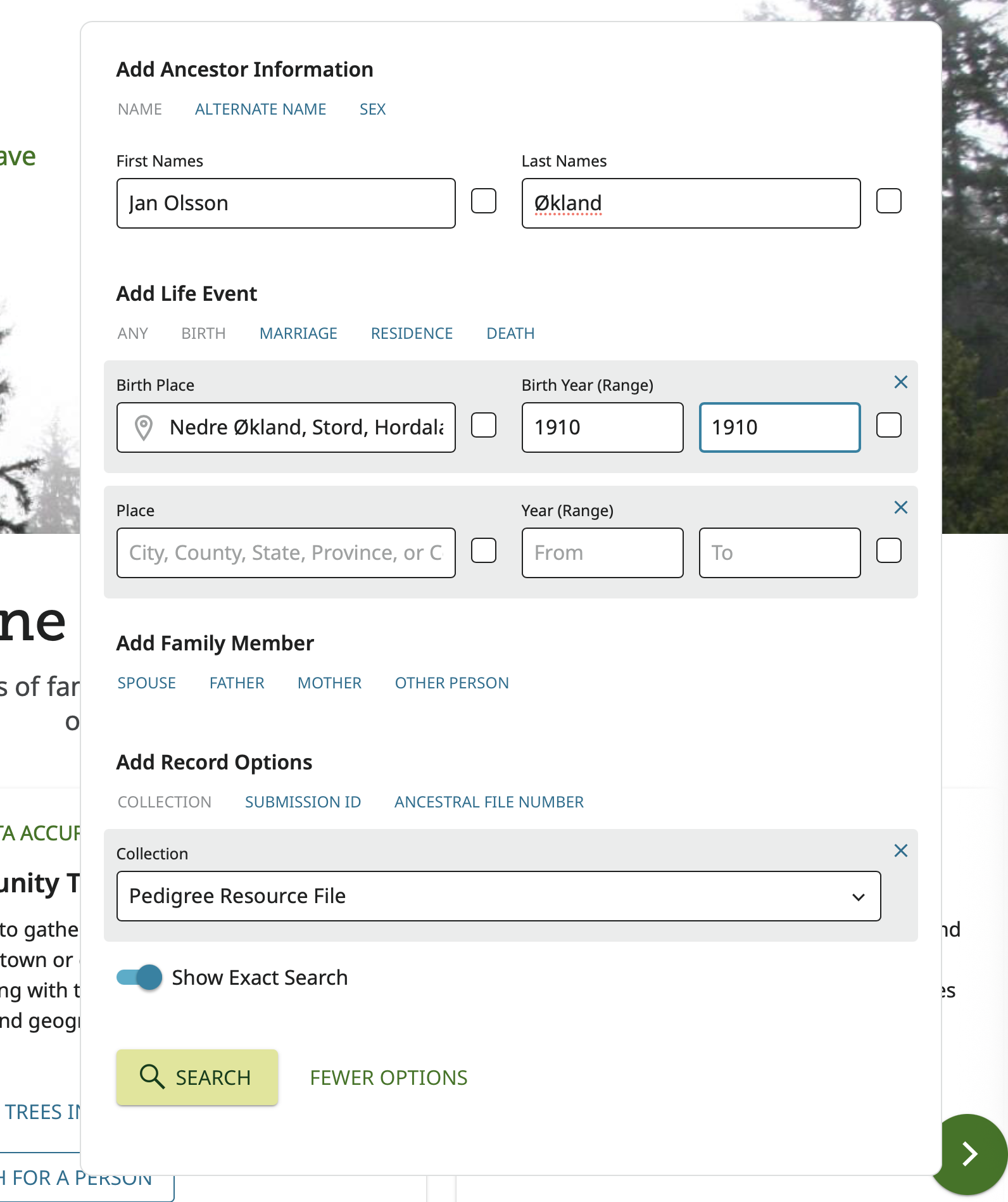
Click Search and see what you get:
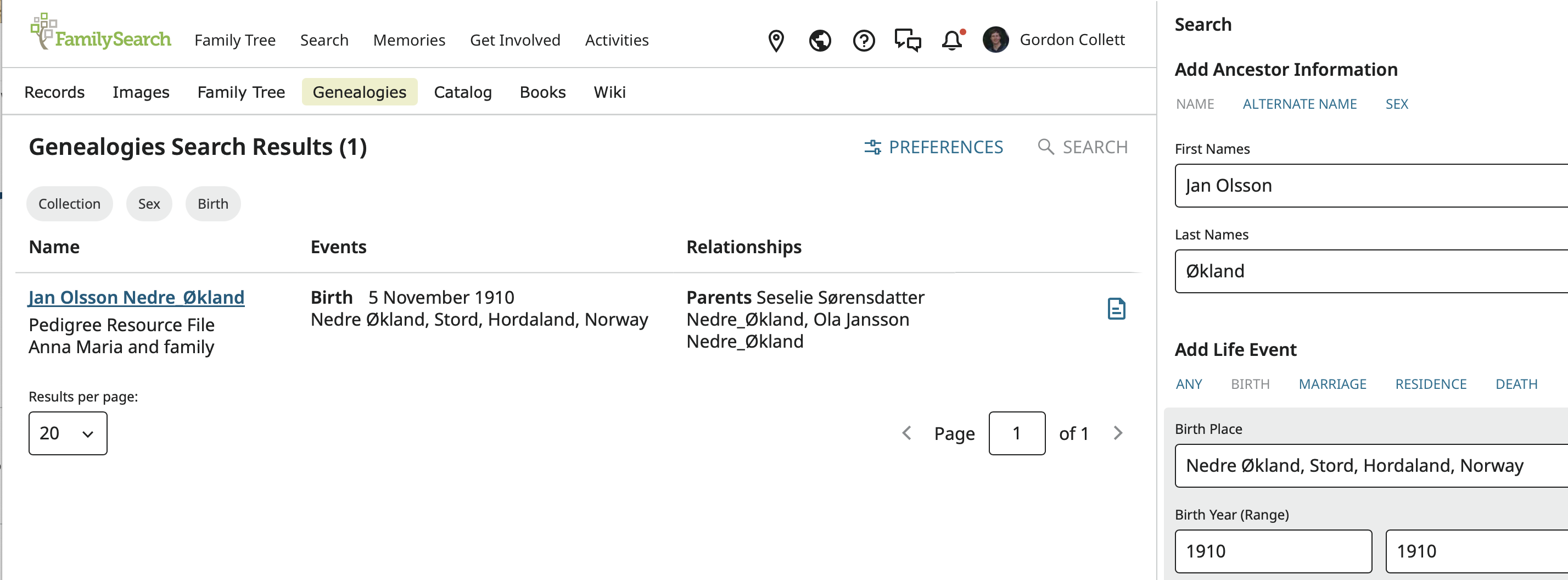
In this case it worked perfectly and there is only one result.
Click on the result to see the record:
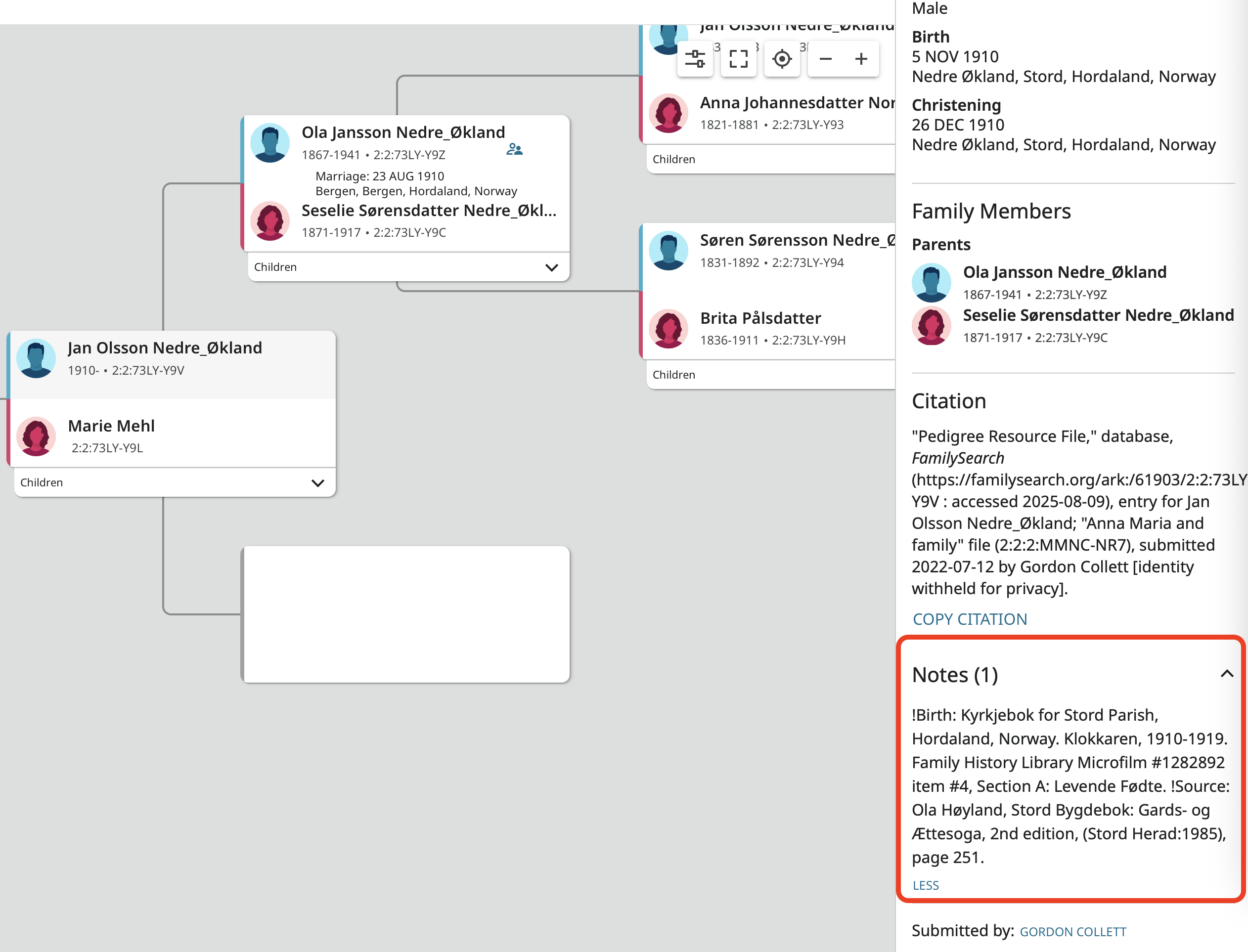
This looks like the landscape pedigree in Family Tree but it is not. There is no detail page to jump to. The side panel is permanently open and it contains everything from the imported GEDCOM file along with a generated citation. The important part here is that there was a note in the GEDCOM which contains two sources illustrating the fact that notes (and sources) are not transferred from the Pedigree Resource File created from the GEDCOM file to Family Tree when the PRF information is imported to Family Tree.
If you get to this point and there are no notes or source then the user who upload the file did not include any in the exported GEDCOM file and there is no more information to be had. At that point, all you can do is either try to use CHAT to contact the user or click on the name next to Submitted by and see if any contact information is included. Otherwise the only option is to take the information on the profile as a starting point to repeat all the primary research the contributor did and go searching for sources for the profile.
In your case, since those are probably not your 4th-g-grandmother's parents, pursuing them will probably be a waste of time and only lead you astray. You are probably better off just assuming errors were made and disconnecting her from those parents. Another option is to hope the information in the PRF came from an online tree and use that information as the basis for searches on Ancestry, My Heritage, Geni, and anywhere else you can think of. I would predict that if you do find this "family" somewhere, there will either not be sources there either or the sources will point out that errors were made.
3
Answers
-
@Zoe.Casperson, I'm a bit familiar with how GEDCOM data works in Family Tree, have used GEDCOMs to import data into FamilyTree, and am familiar with how to trace data in Family Tree back to the GEDCOM it originated from. What is your question about it?
1 -
@Gordon Collett, my question is, how do you find the original document? I have a 4th great-grandmother who was born 17 years after her father's death. In December, it will be 2 years since I've been working on her. I got all her work done except sealing to parents. I've been trying to find death and birth certificates, but unfortunately haven't been able to.
1 -
Thank you@Gordon Collett. You've been very helpful. Thank you for your knowledge.
0