Remove incorrect link of marriage partner

Someone has linked on my tree a MAN in Canada to my father in the uk - as his partner - and the Canadian subsequent child.
I have contatced the Help Europe section but the information to remove this connection dosnt work, becuse it was presumed the CANADIAN MAN WAS THE CHILD ——-NOT THE PARTNER.
So there are two men shown as married….each living in different countries.
Answers
-
It is easy to remove a wrong Husband and or replace the Husband in FamilySearch .
Navigate to the person's page, find the "Spouses and Children" section, and then use the "Remove" or "Replace" option for the incorrect spouse. Ensure you provide a reason for the change, supported by research and evidence.
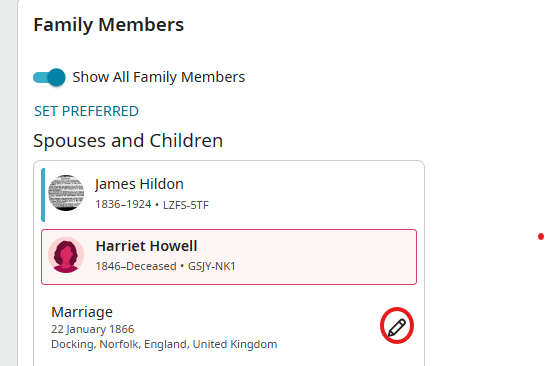
Click the Pencil Icon and you will see this screen.
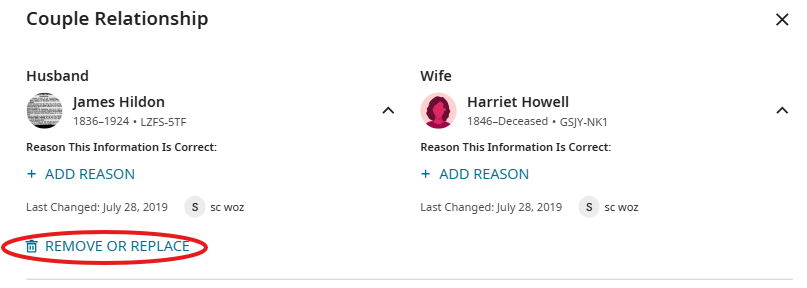
This will lead you to this screen
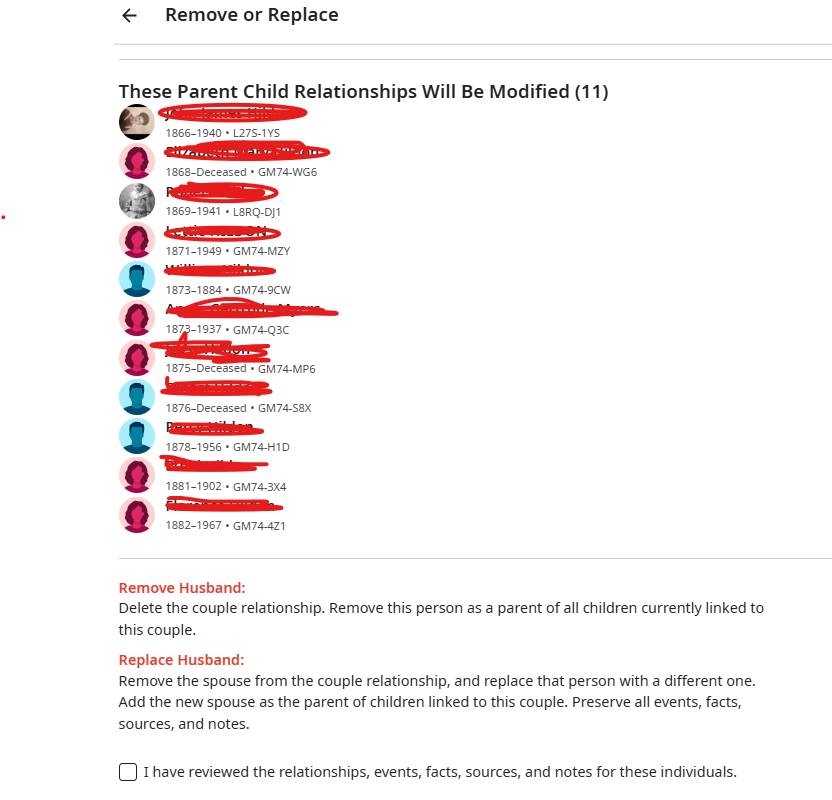
Click on remove or replace husband if you have the correct information. That will take care of it for you. Please remember to add information as to why you took this action.
1 -
Like many things on FamilySearch, editing relationships is both clear cut and cryptic.
If you go to the upper right hand corner of any page and click in the question mark Help icon then enter "correct relationship" in the search box, you do get an article with a bunch of information about working with relationships:
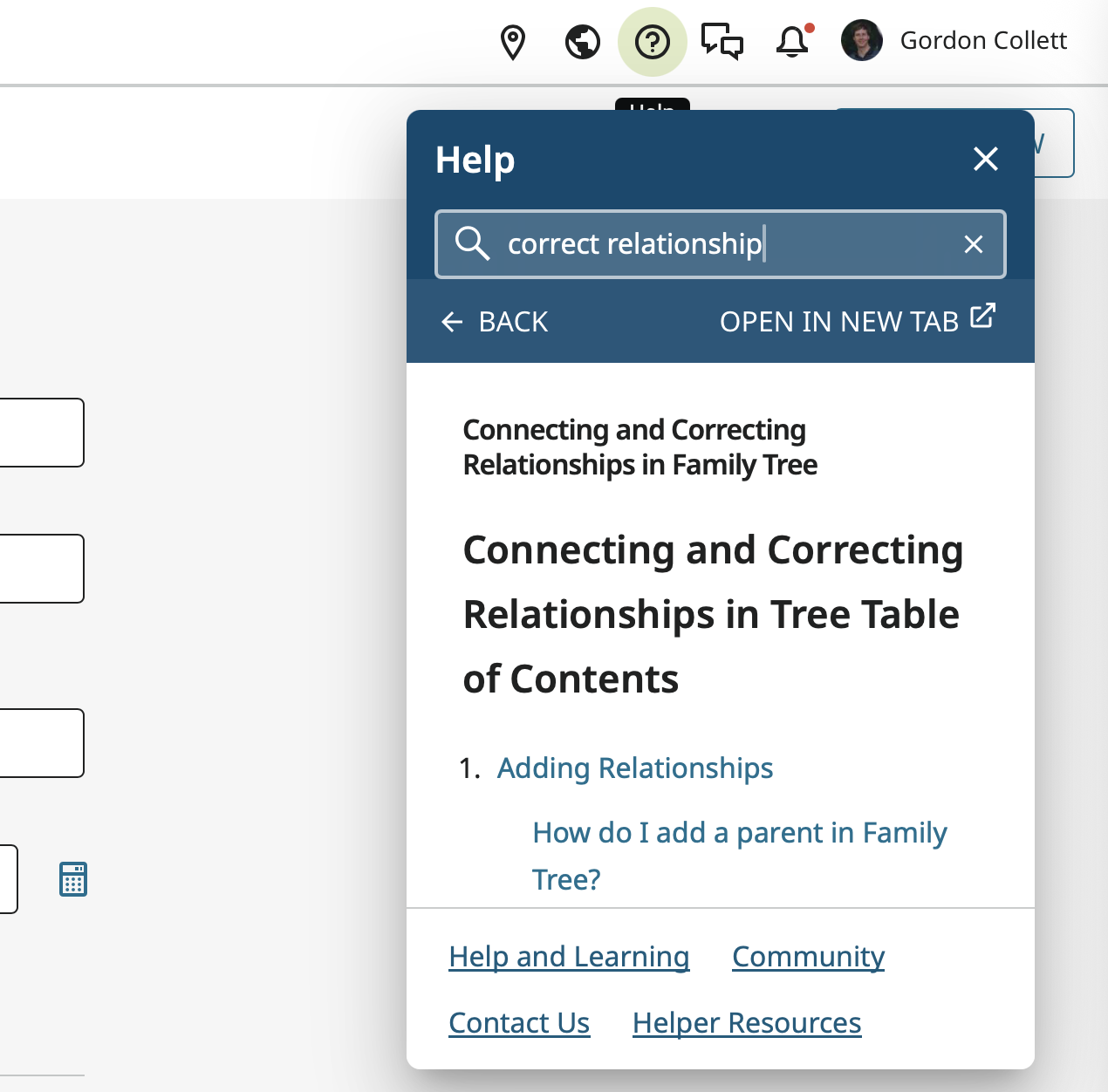
But it doesn't seem to really answer your question a straightforward manner. So here is what you do:
On the profile page for one of a couple go to the Family Members section and click on the Edit Couple Event and Relationship pencil icon:
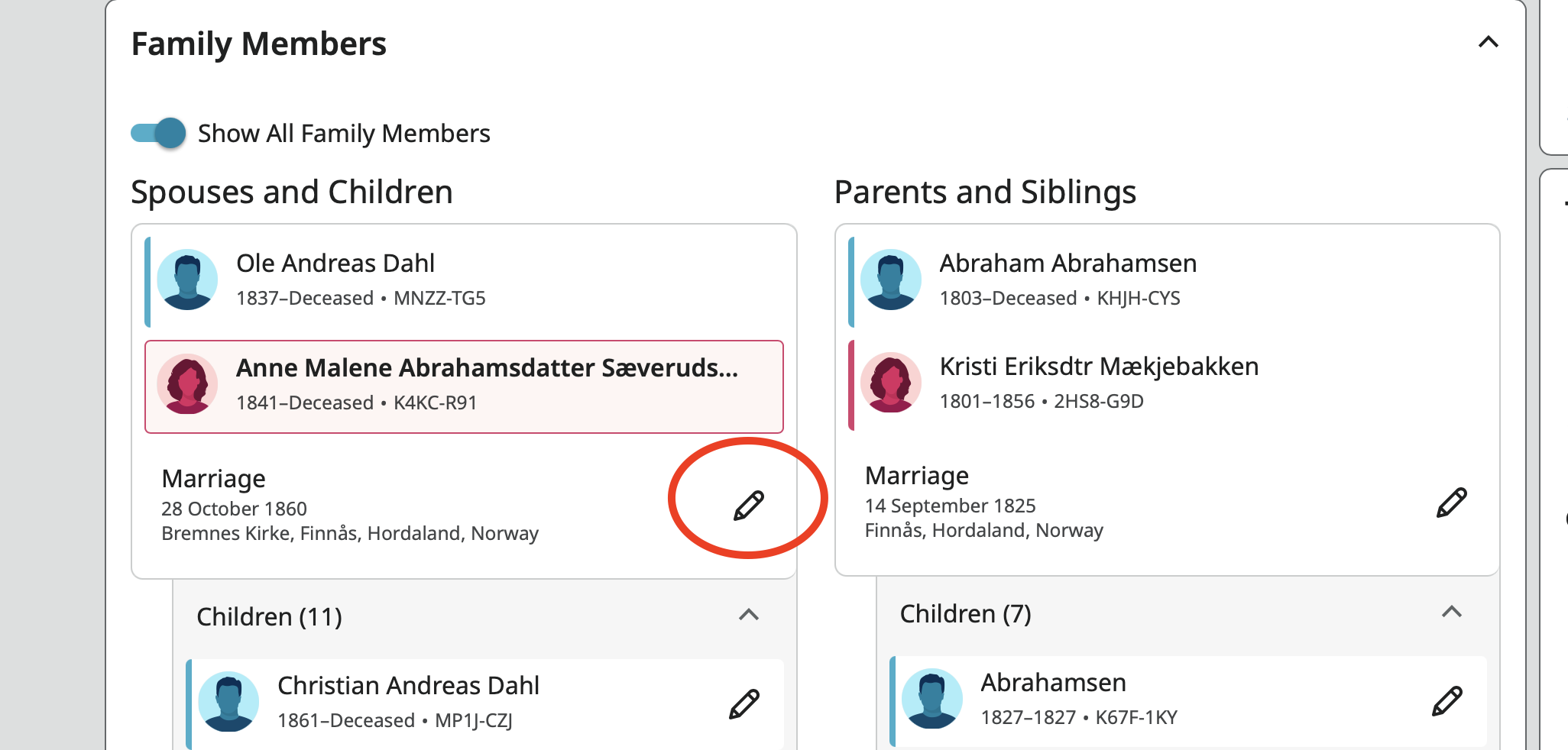
This opens this pop up:
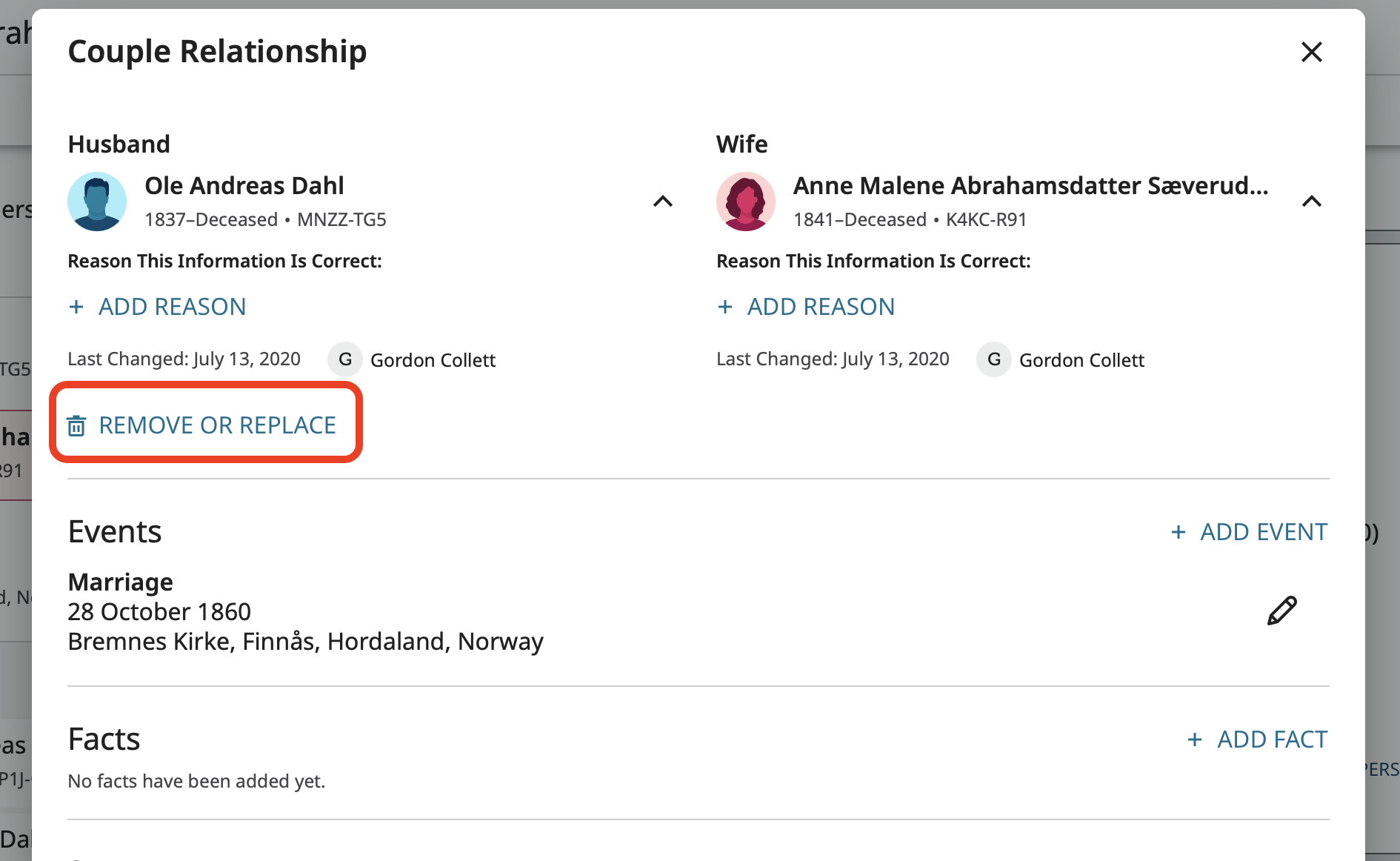
Click on Remove which brings you to this screen where you click in the check box and click Remove:
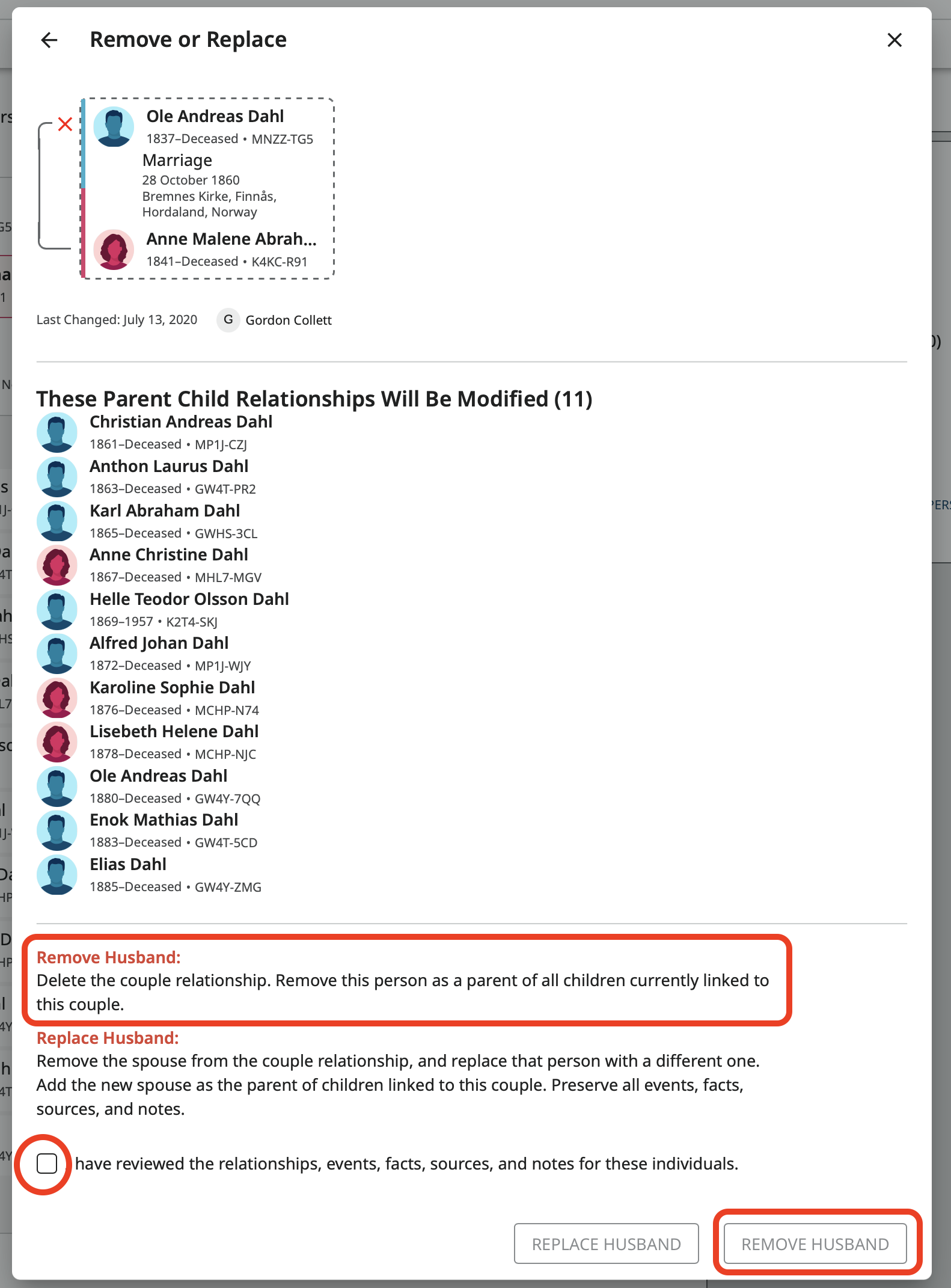
This should also delete any couple events.
0 -
If it looks like the man in Canada and his child have a correct relationship, then be sure you start this process on the profile page for the Canadian and remove your father. Otherwise you will remove that man from the parent child relationship and leave the child connected to your father. In other words, you want your father to be the one with the trash can icon under him in the first pop up and to have the red X next to him on the second pop up.
In the above example I started from Anne Malene's profile page. If I start from Ole Andreas' profile page that first pop up looks like this:
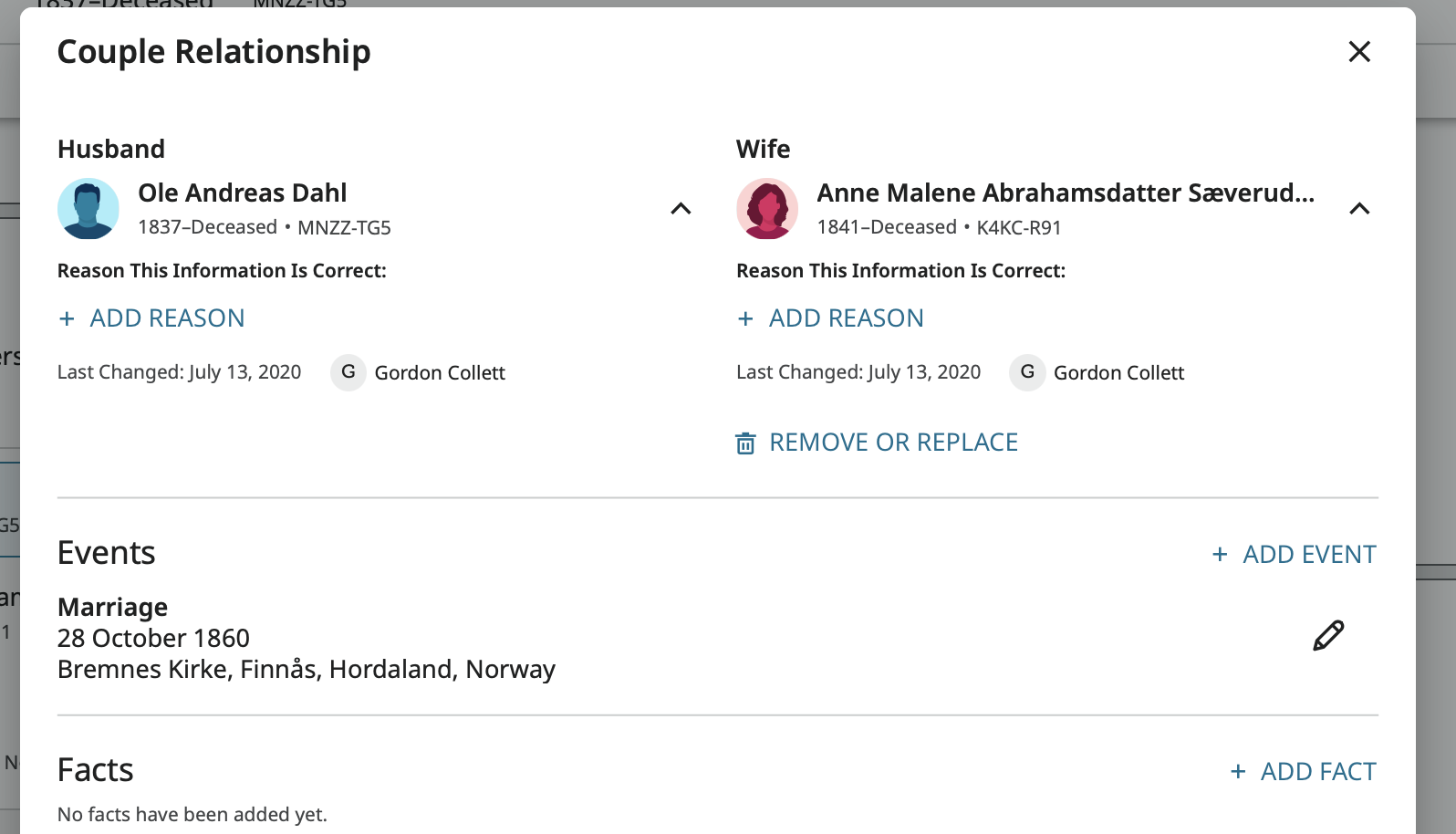
You will want to be sure the Remove Or Replace is under your father. That is why you need to start from the other man's profile.
4
