Why does it now go to the person page when I only went to see my relationship
Why the change?
After I complete the FIND.
I click on the person's name.
I click to see my relationship to the person and it shows momentarily but then I go to the person's page.
I do not wont it to go to the person page I only want it to show me the relationship.
Answers
-
Good morning. I am unable to recreate the situation you are talking about in the discussion. Can you send some screen shots of what is going on? When I click on "View Relationship" it takes me to the relationship tree and does not go back to the "person page".
 0
0 -
@sc woz It's definitely a problem. Here are specific steps:
- Do a Find, such as https://www.familysearch.org/en/search/tree/results?q.anyDate.from=1870&q.anyPlace=Utah&q.givenName=Walter%20L&q.surname=Berrett
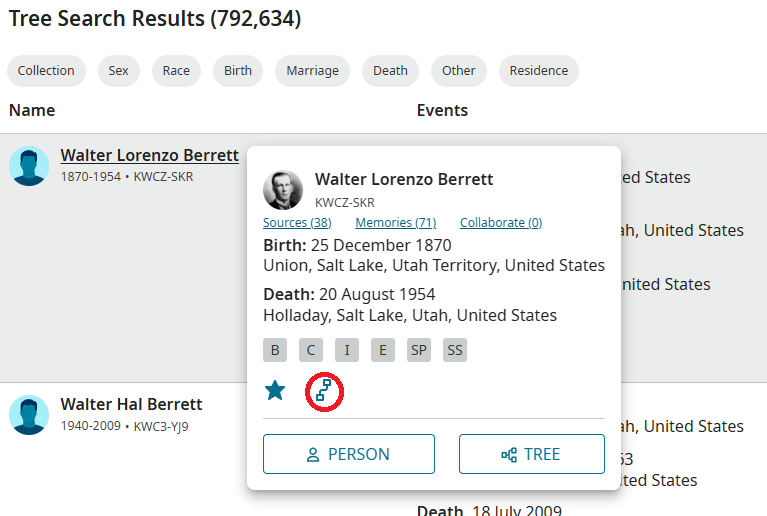
- Click on the name in the first search result (Walter Lorenzo Berrett), which pops up the person card
- Click on the View Relationship button (circled in the image below).
- This opens a new tab showing the person page for Walter Lorenzo Berrett, which is the unexpected behavior described in the OP.
- Back in the original tab, the relationship view was shown (but that's not immediately apparent, since the new tab for the person page was opened). That relationship view seems to have its own display problems in my testing; that might be a closely related or different problem.
 0
0 -
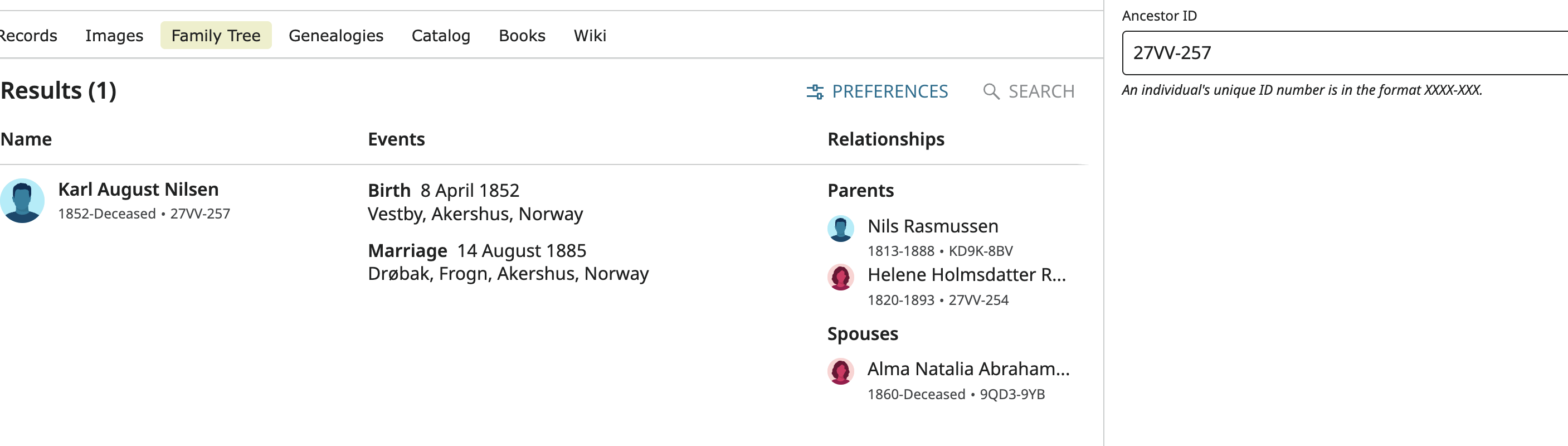
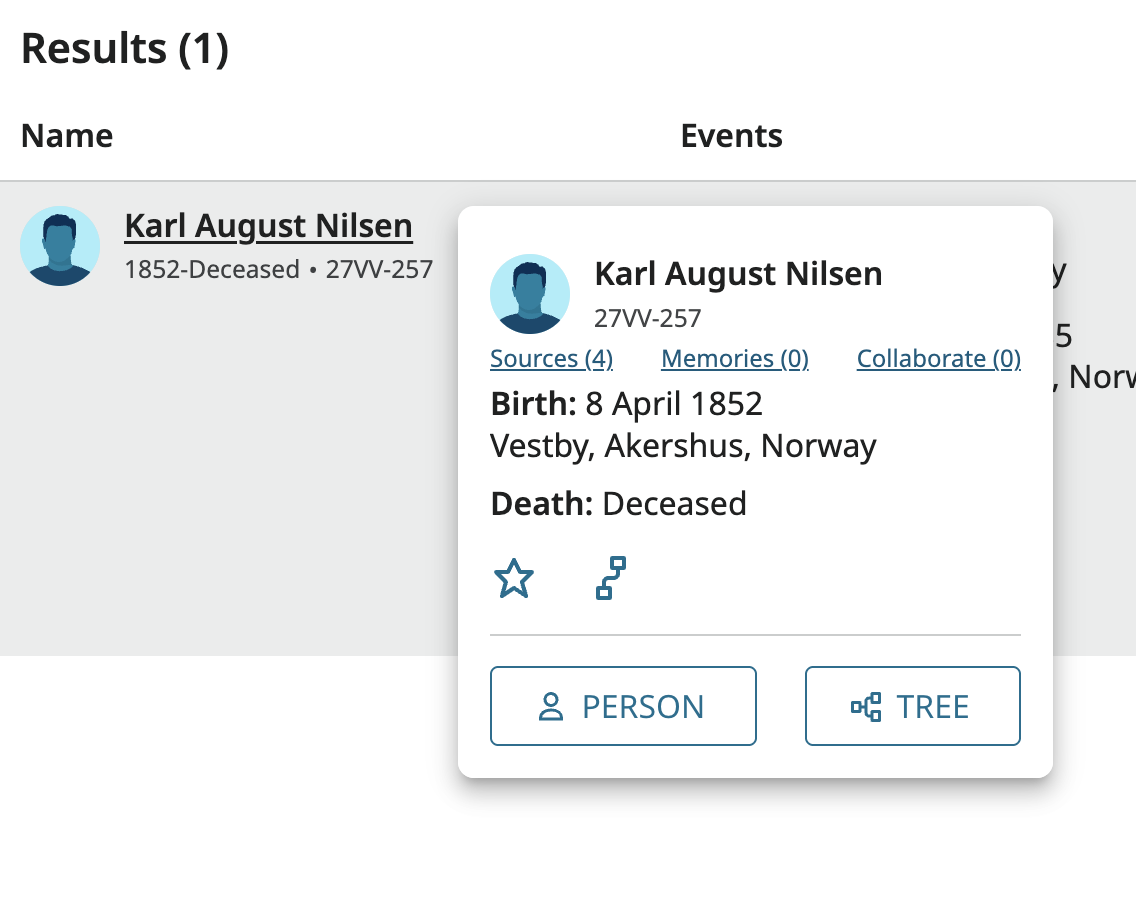
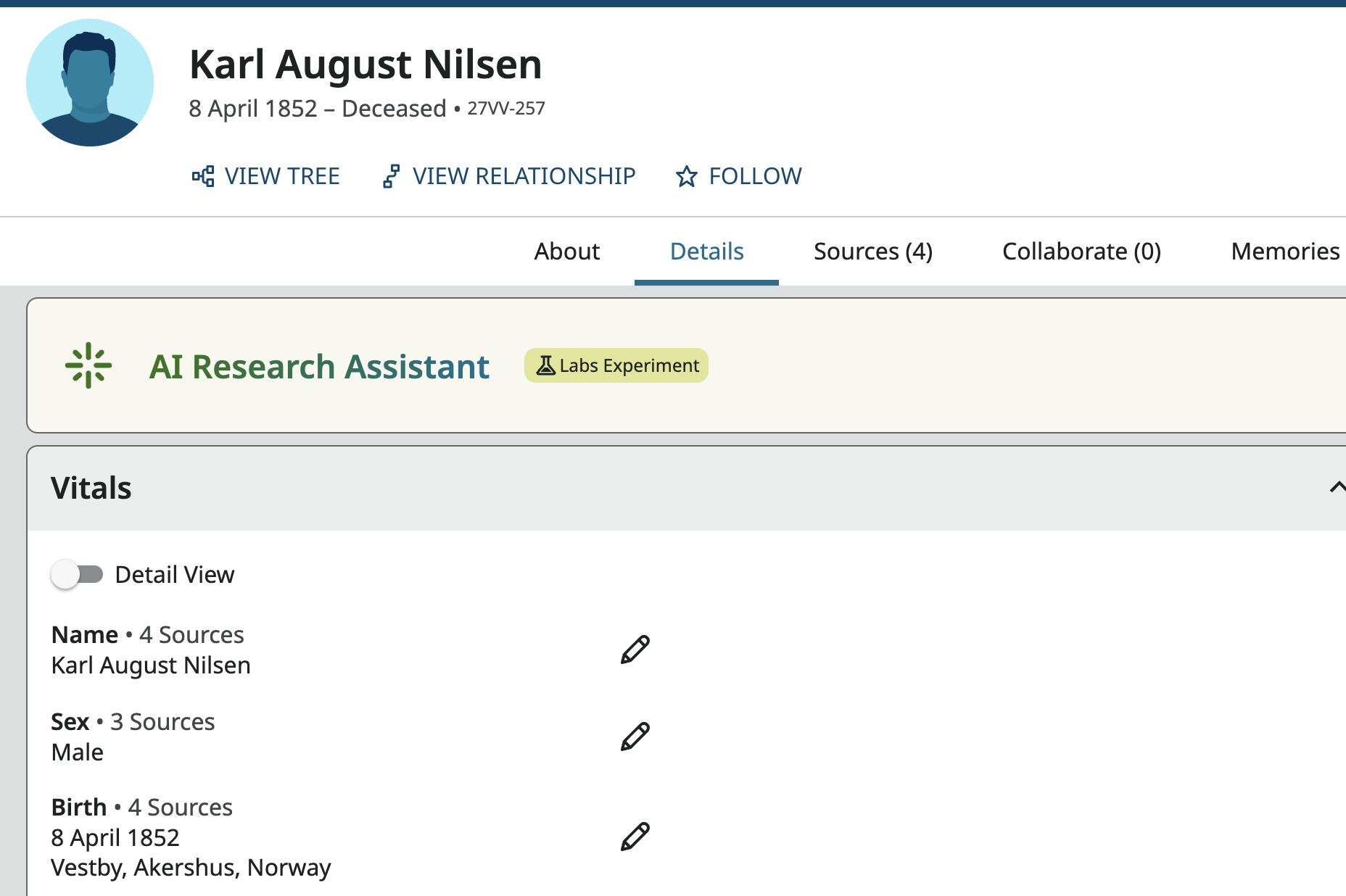
Yes, this is a new issue and it is a pain. I frequently just click on the find my relationship icon, just to remember where I am and how this is connected. It usually gives me the relationship in a quick pop up window that isn't the full page, but now it goes straight to the person's page and I have to navigate back to where I was. It's totally unnecessary. For example, I looked up 27VV-257, Karl August Nilsen. As of two days ago, I could click on his name and tap the view my relationship icon and just get a quick reminder that he is my 3rd cousin. Now it goes straight to his person page, which I did not want need. It's a whole extra step. This was one of my favorite features before - the ability to get a quick look at the relationship without looking at the page. I literally do it constantly and having the find results page go away and have to go all the way to the person page is just too much trouble. It makes me not want to click on the view my relationship icon. See the steps below. Find - Tap on name - tap on find my relationship. It should just be a quick look (partial page like a pop up) with the relationship tree. That is completely gone. Now I go straight to his full person page and then I have to click on the view my relationship icon to get that relationship tree view.
 0
0 -
I followed your example provided and it took me directly to your "Relationship to Walter Lorenzo Berrett" page.

I was unable to make it happen as the two ab
ove examples showed. I will send this up the line to see if it can be reviewed and any solutions be found.In the mean time you may try removing cookies from your cache. To do this go to reset your cookies This may or may not provide any help in this problem.
0 -
@sc woz I am seeing the same problem. Did you go to Walter by using the Find command to search for him and use the View My Relation link on the search result list summary card? Or did you just jump to his profile page using his ID and use the link there? The profile page still works just fine.
I am on an iMac running macOS 15.5 with Safari 18.5.
Here is the full series of steps the engineers need to evaluate and do something about.
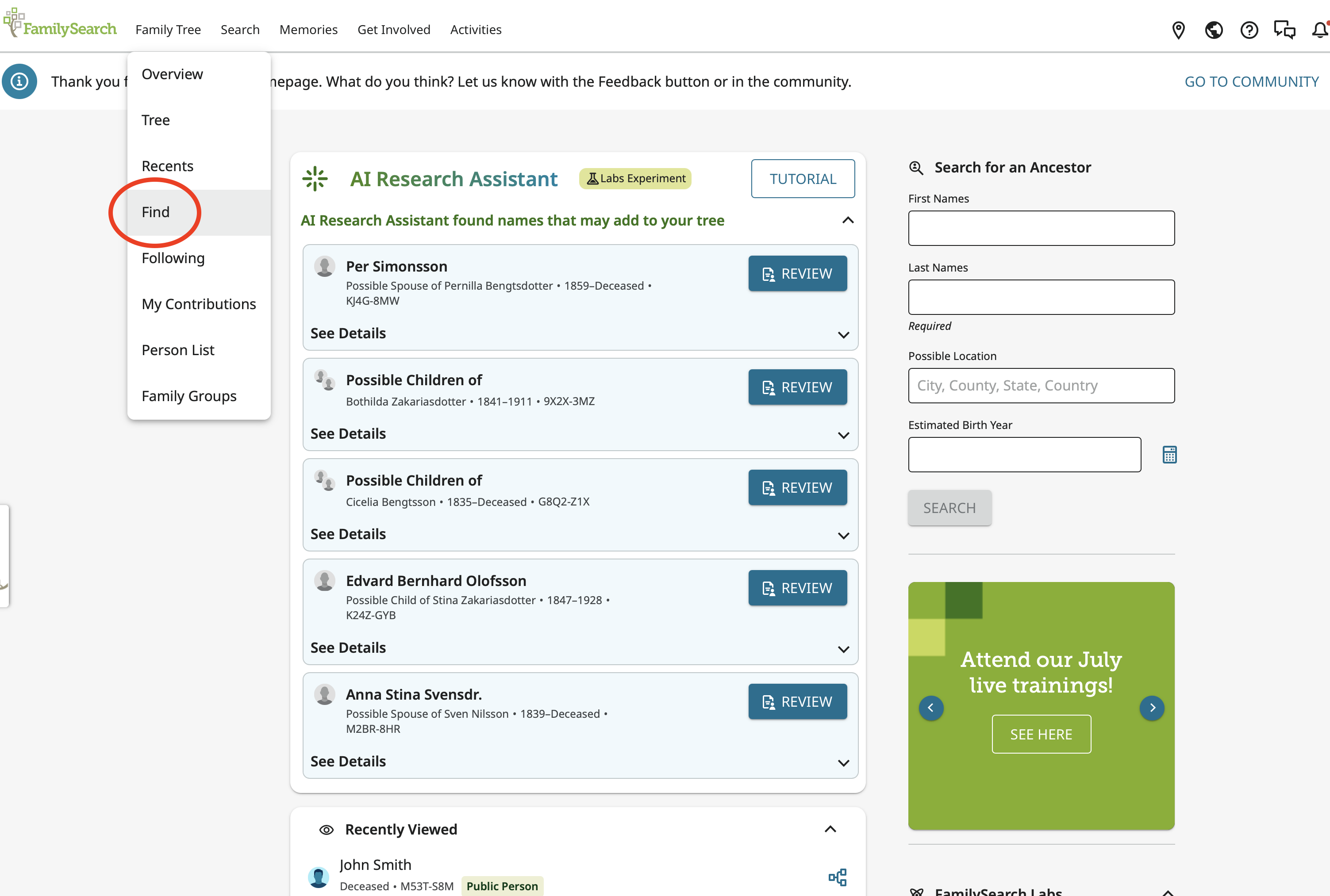
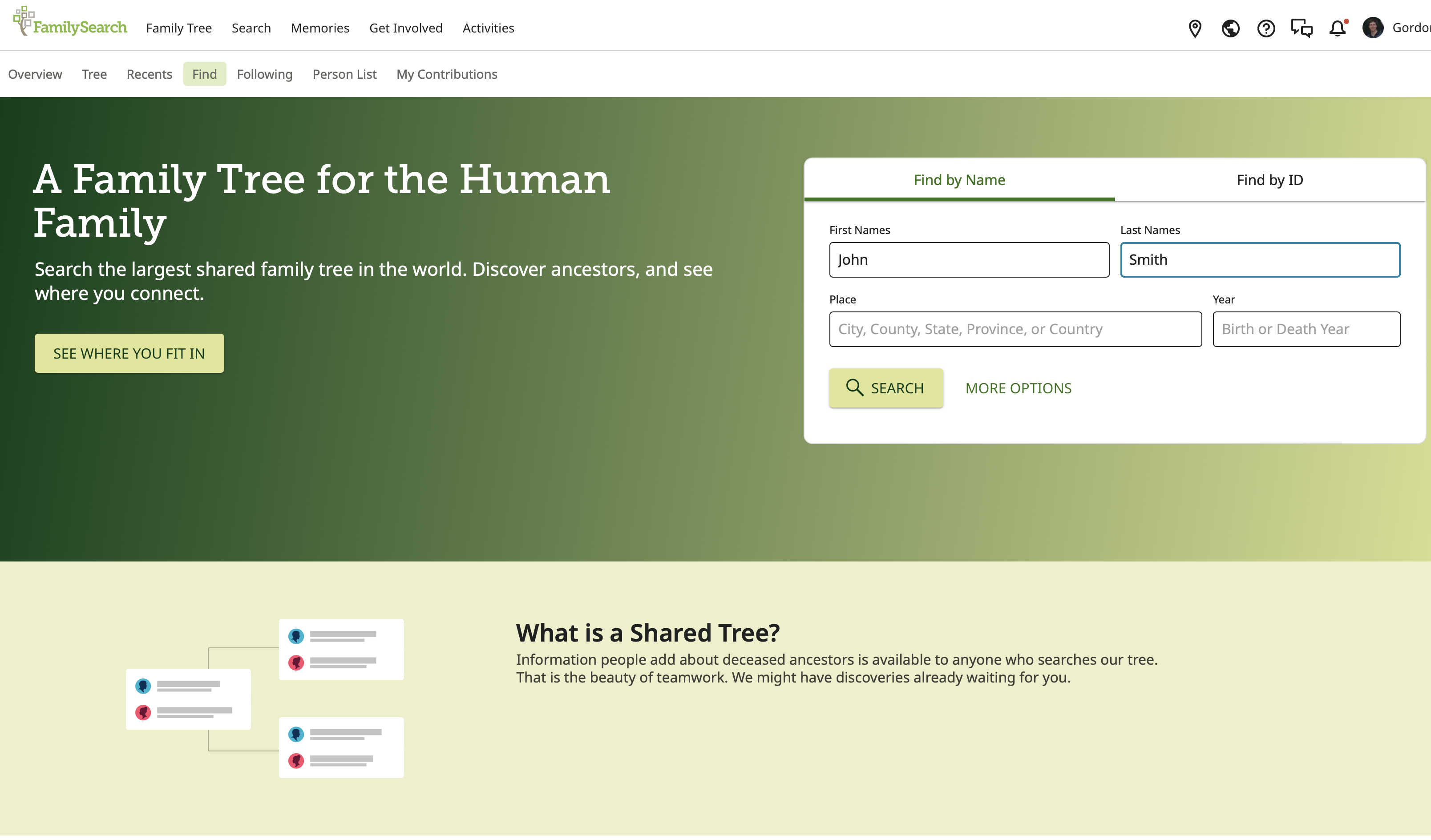
A. Start at the home page and use either Find under Family Tree or Family Tree under Search:
B. Search for a person:
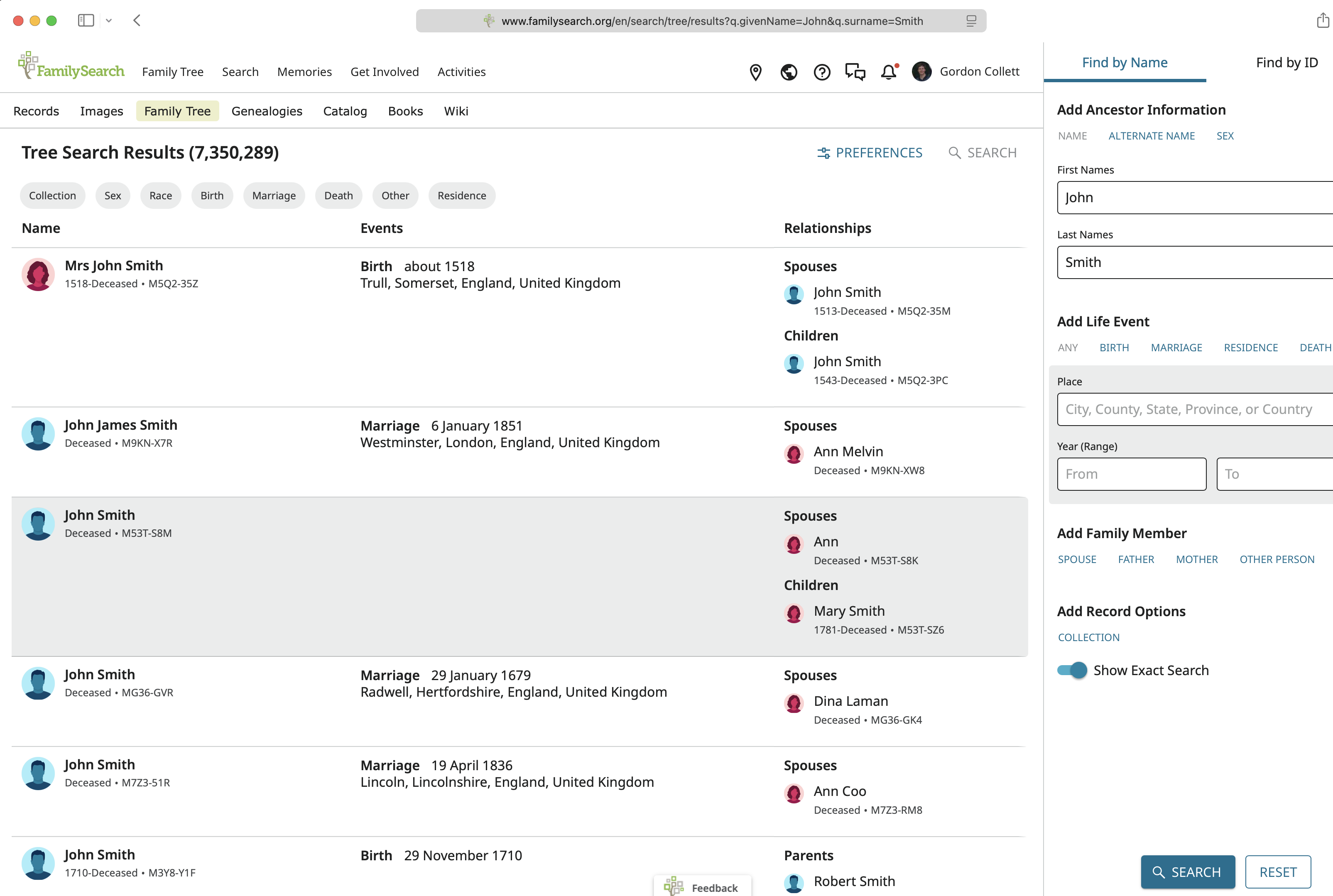
C. Click on the name to open the summary card then click the View My Relationship icon:
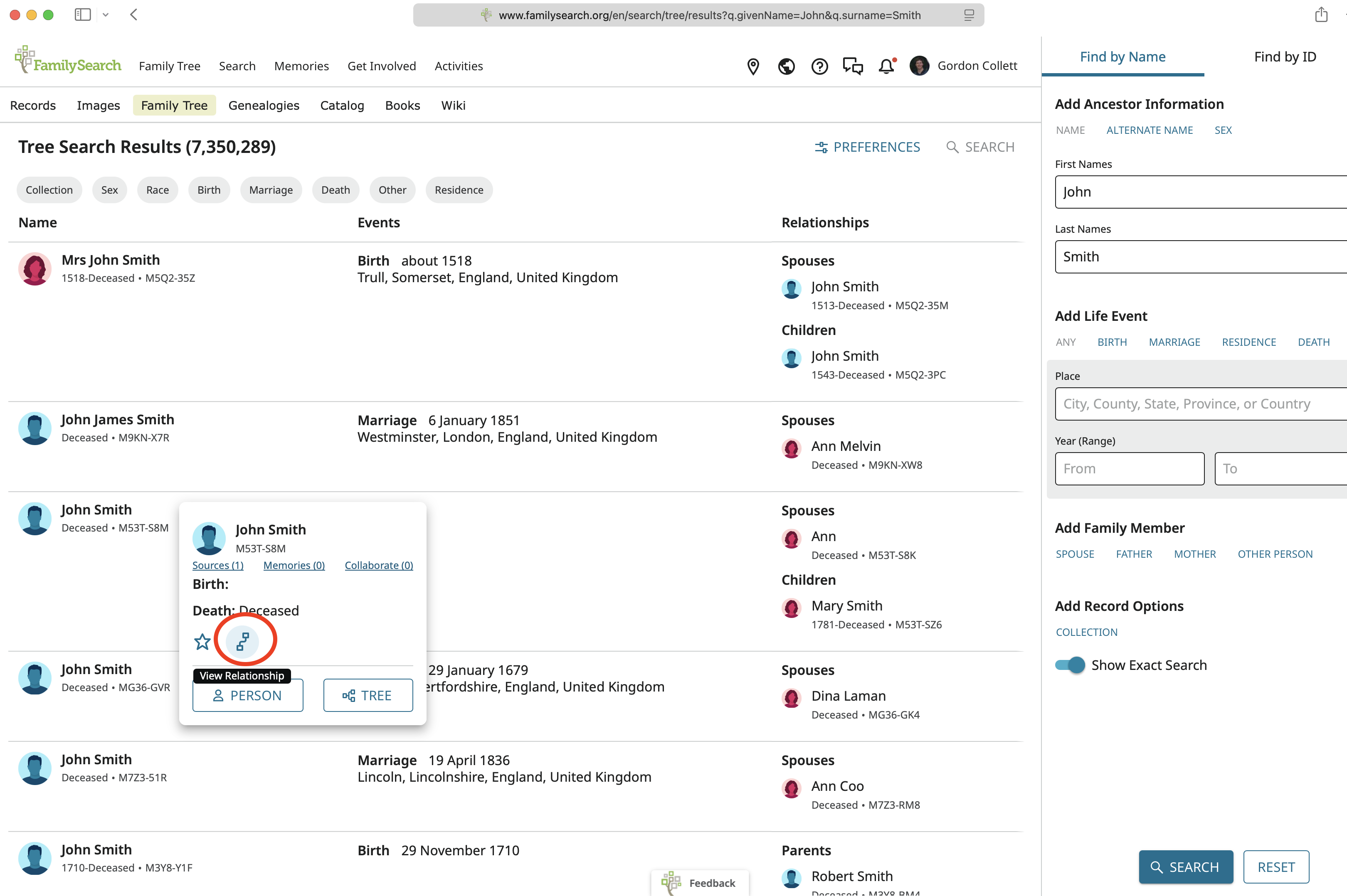
D. The screen now changes to the following. Note that I now have two tabs:
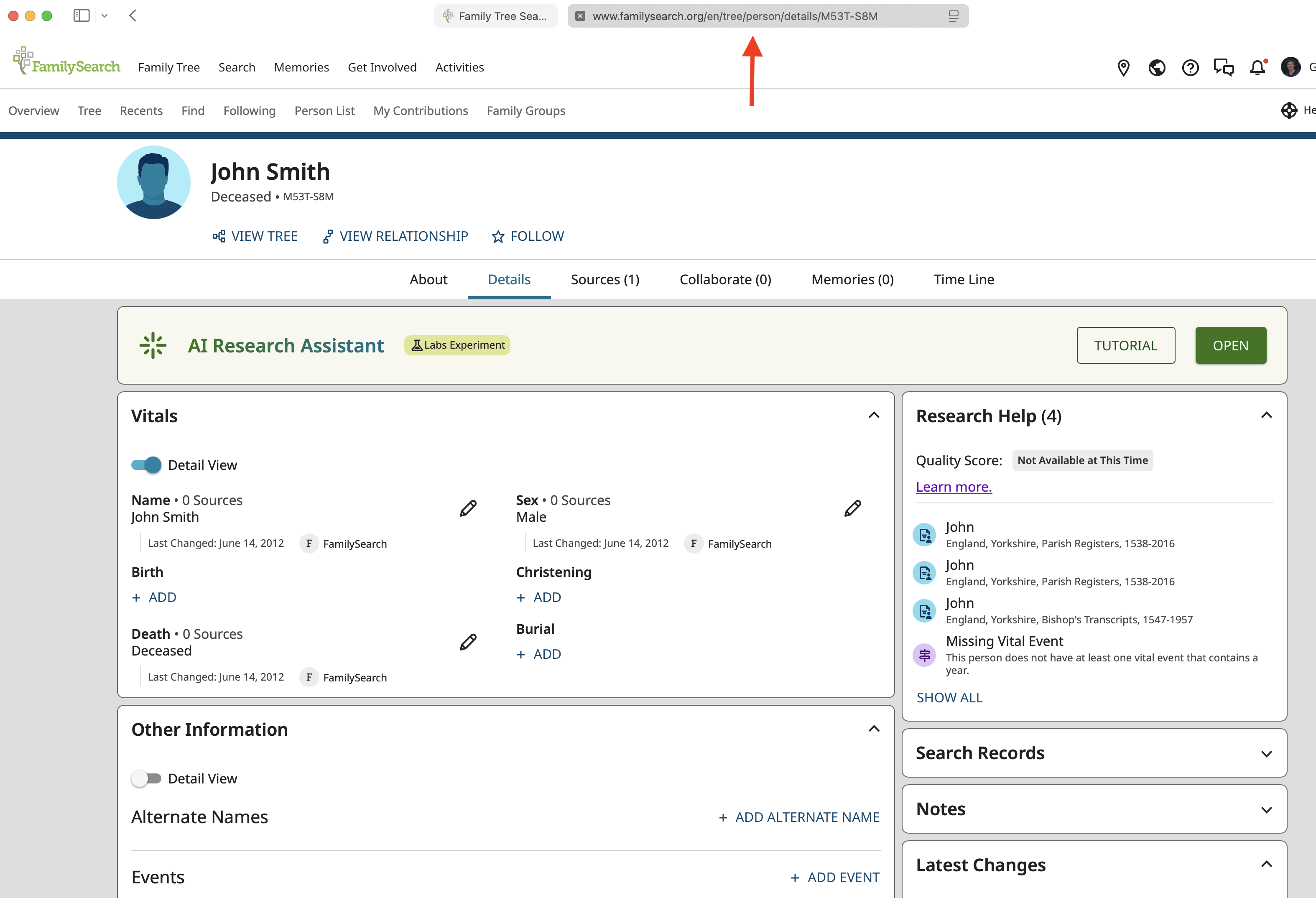
E. A quick check of the first tab preview does not look promising:
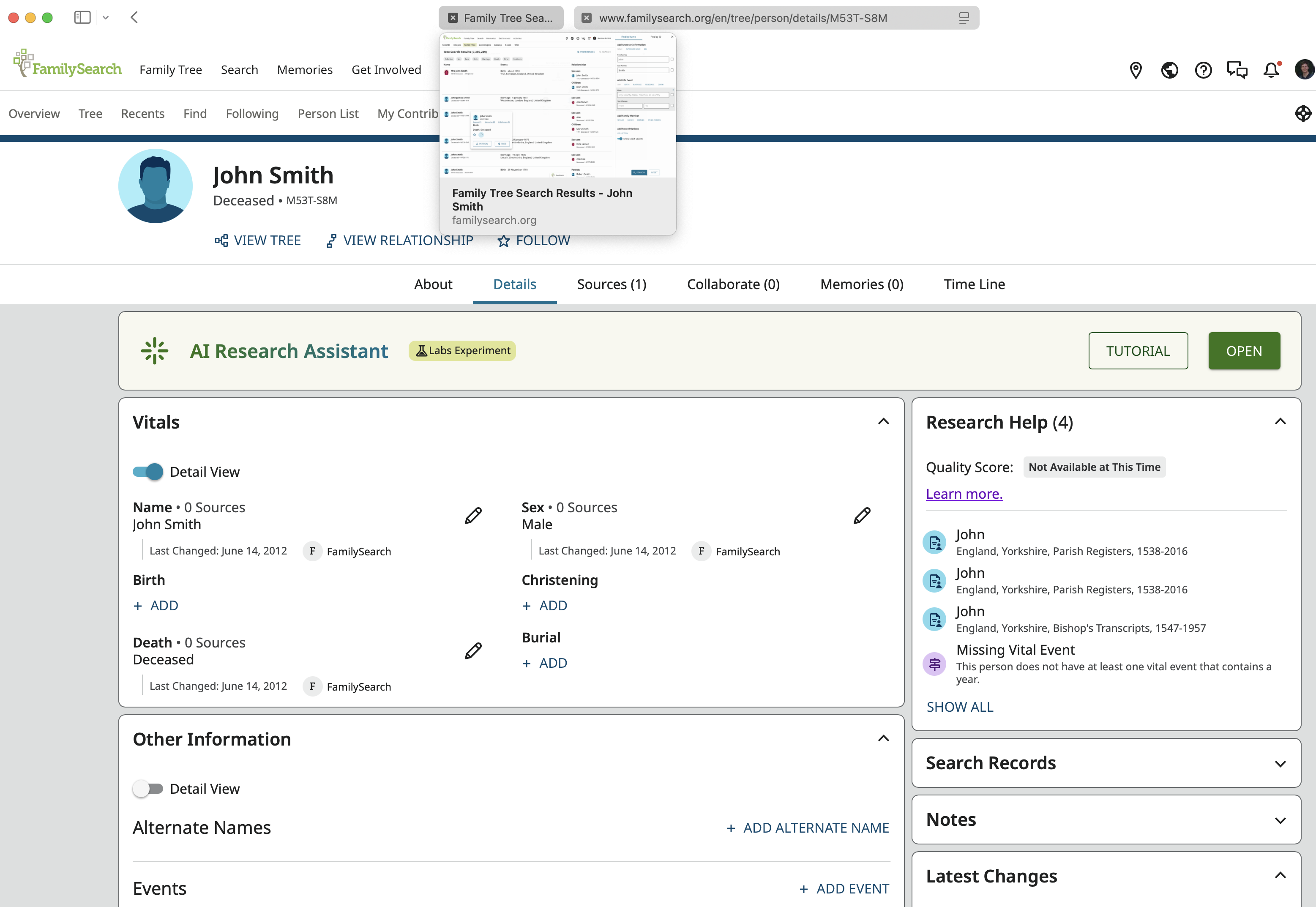
F. But if I go to the original tab, there is the relationship view:
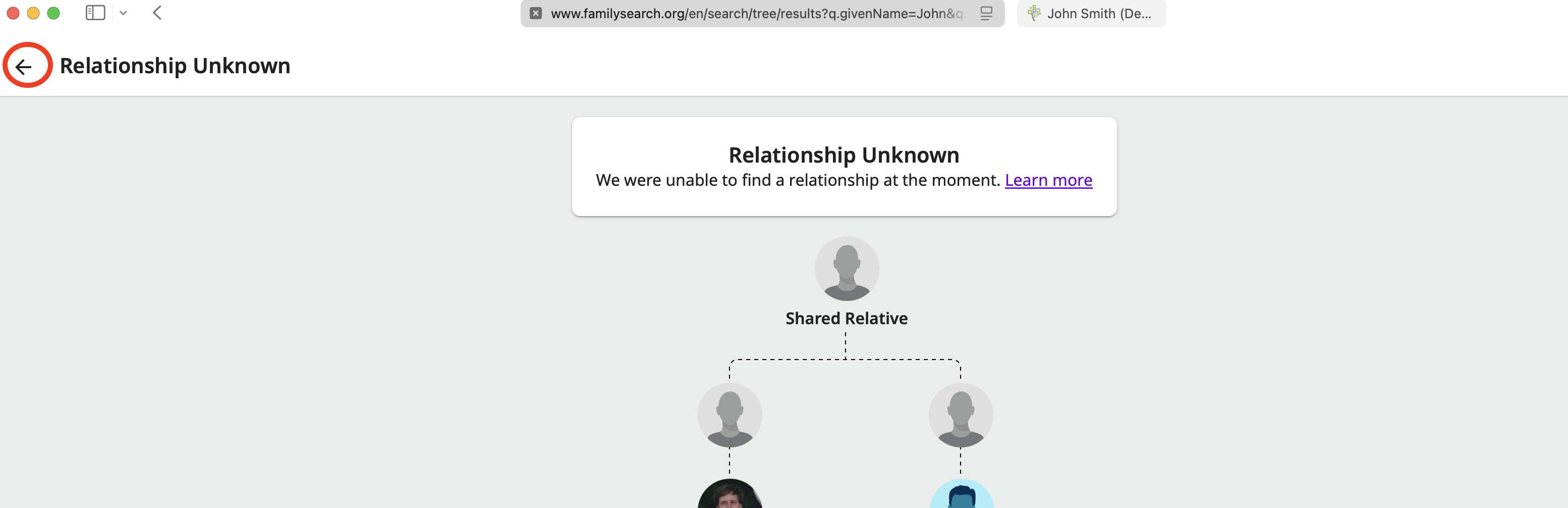
H. Now more strange behavior. Since I am on the first tab, I would expect that clicking the close arrow on the relationship view will bring me back to the Find result list. However, when I click that arrow I end up on John's profile page in a third tab:
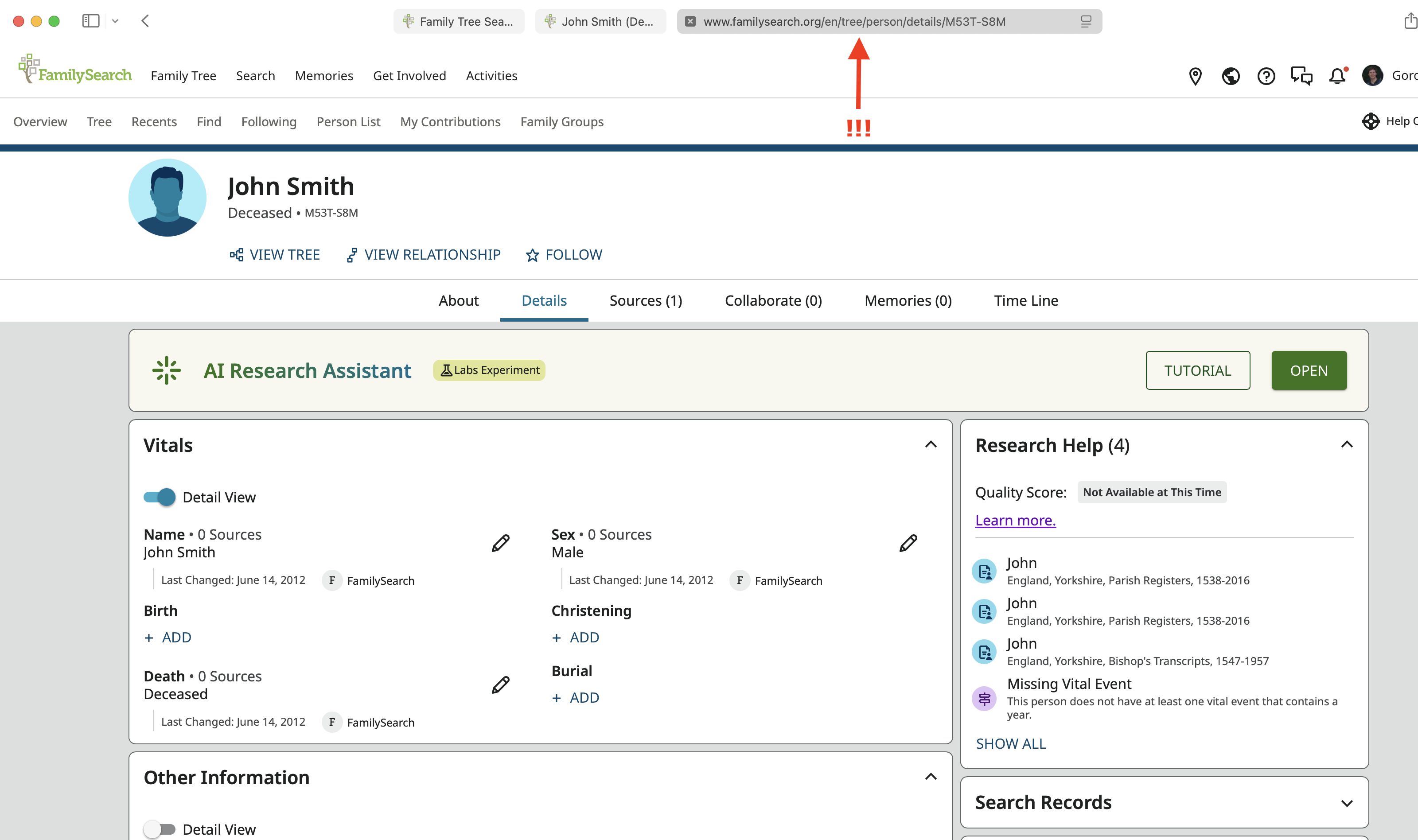
I. And I need to click on the original tab to get back to the result list:
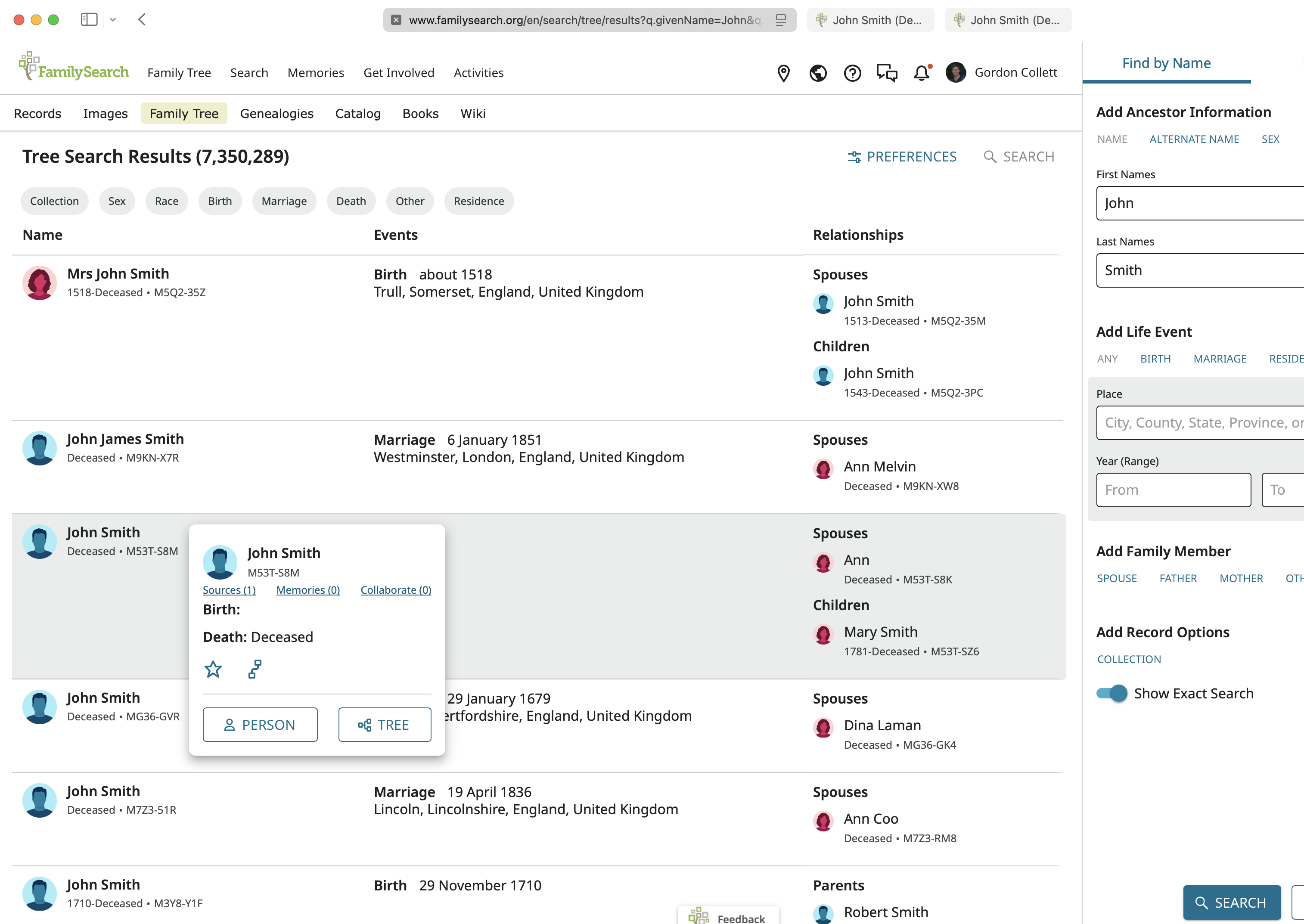 0
0 -
We are having this checked out. Thanks for all the great instruction and screenshots!
1 -
I too have the same problem with the relationship viewer opening a new tab.
0



