How to delete items from the "BELL" area

Could we get help to delete my questions and follow-up answers from the "BELL" area
Answers
-
I assume you mean the BELL at the top right of the page. I'll see what I can find out for you.
0 -
Yes, cuz my list is getting long. Many of my questions have been answered. thanks
0 -
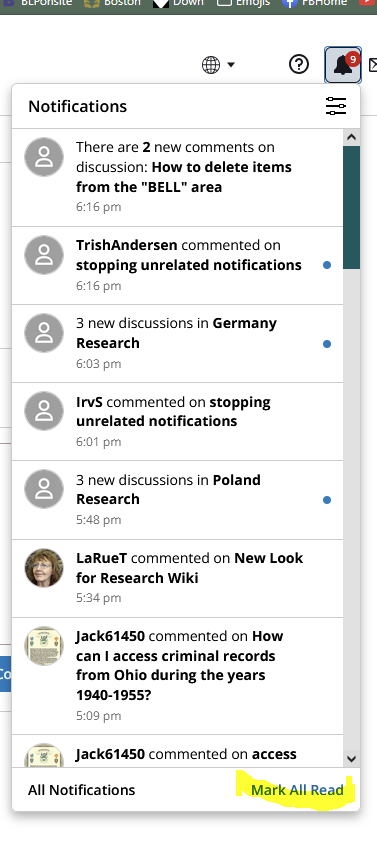
@Jasmine Jo Leyva Have you clicked on the "Mark All Read" button?
 0
0 -
@Jasmine Jo Leyva I have news! At this time notifications can't be deleted. However, you can stop from getting more! When you open the bell, you will see 4 lines at the upper right-hand corner. Click on those and you will be taken to your preferences. There, you can change your preferences for pop-up or emails or don't tell me!
Another thought would be to suggest an idea or above on the right side in the list. Every idea is considered.
0 -
many thanks for your help
0
