
I sent my Together Answers to my group, but how do they get your answers

I sent my Together Answers to my group, but how do they get your answers
項留言
-
@carolannjohnson1 Are you asking where your family group members would see the activities/favorites/stories that you create in the Together app? Family members can see those in several places.
1. On the Group Details page, in the Feed. Here it shows only the posts that have been shared to this particular family group:

2. In the Memories drop-down menu choose Family Feed. This shows everything from all your family groups and all the FamilySearch created feeds, but you can choose if you want to see just the feed from a particular group.

3. In the Together app, both online and on your mobile device. Again this can show you all of the feeds from all of your groups, or can be isolated to just the particular group you want to look at.


On an android mobile device, the app looks like this:
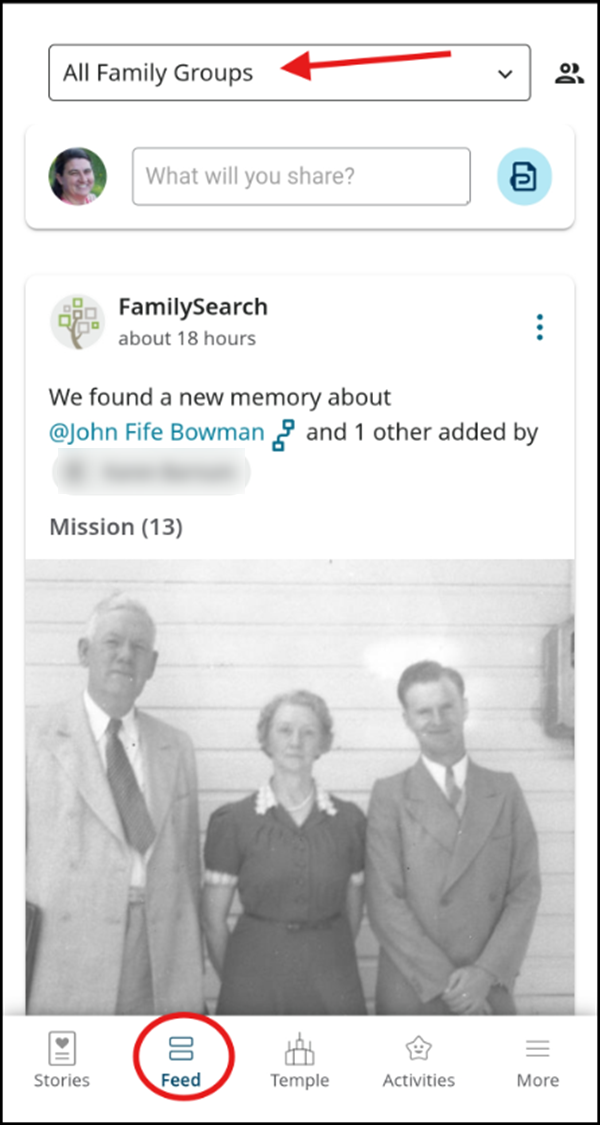
The exciting thing about the mobile app is that you can be notified immediately of any new post that your family submits.
0
