
Question about properly uploading letters so they are searchable.

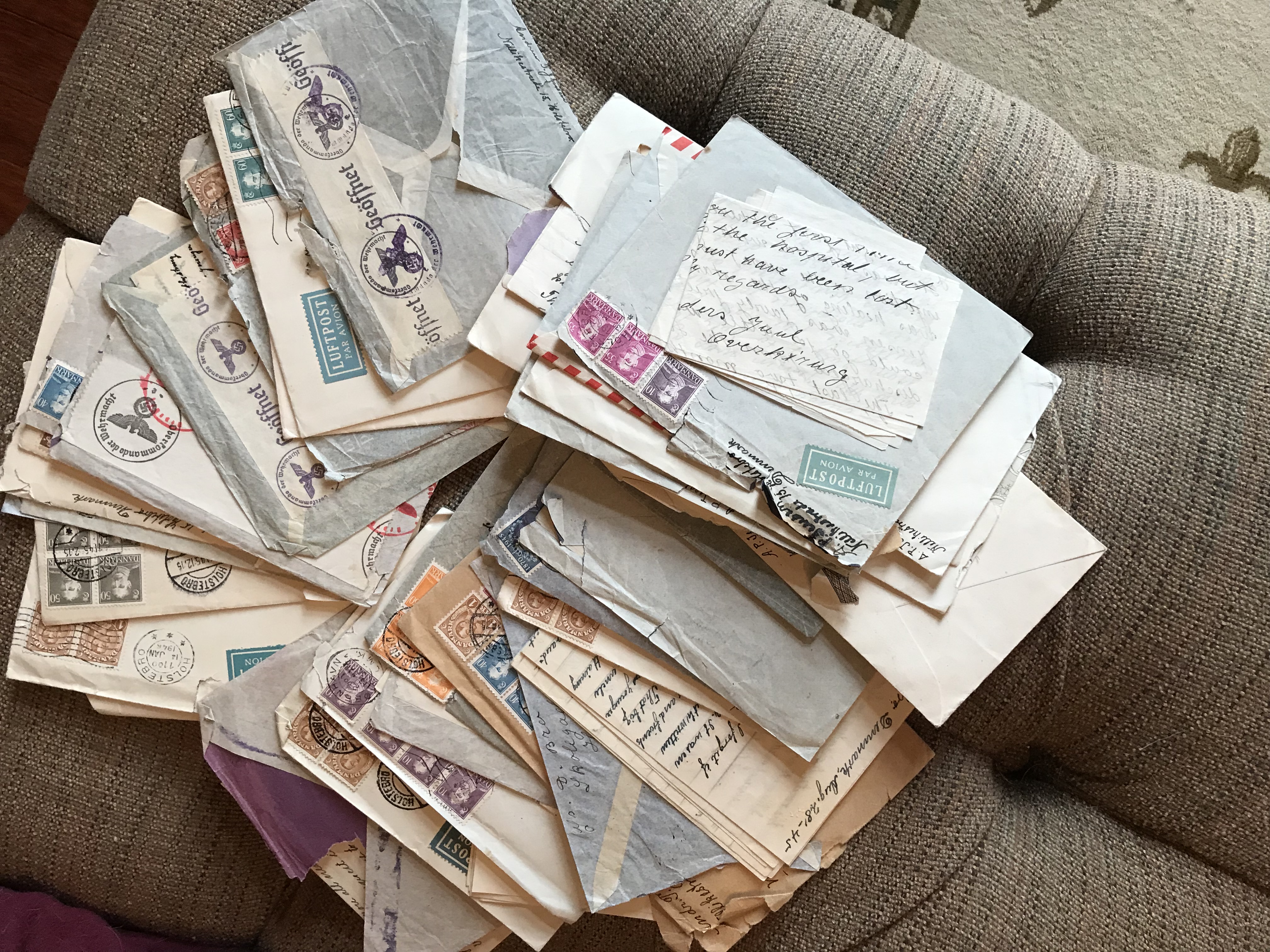 I have at least 50 letters from Holstebro, Denmark from 1938 to 1947, and I would like to upload them as memories on my family record for the author, my great grand father and my grandmother in the USA, who received them. This will be a very tedious task, but I will try to capture images and type the text. My question is, what indexing information should I include to make it more valuable for searching? He seems to have had several addresses during that time; should I record the place down to the address level? Ex: Nellikestræde 15, Holstebro Denmark. Also, any recommendations on tags? Believe it or not, most of these letters have not been read in 7-8 decades, but I have read some, and the every day life descriptions after the German invasion but before the censorship started are amazing. Are there Danish centric tags I should use, or any other advice? I added a pic of the bunch so you can see the size of the job I have!
Respostas
-
What a marvelous treasure you have! That must be so exciting to work on this project of making these letters available to other family members through FamilySearch.
I have added some of my great-grandparents' letters, too. I am not an expert by any means, but I will tell you what I have learned and try to answer some of your questions.
On FamilySearch you cannot add the street address in their locations. However, you will definitely want to keep track of those addresses. You might consider adding a weblink to an online map as a comment to the letter after you have uploaded them. Many online mapping systems (like Google Maps) have a street-view, so if family members click on the link it can show them the address, as if they are standing in front of the house. They can roam up and down the street to see what that town and neighborhood are like.
I think WWII and Denmark and even the town your grandmother lived in in the United States would all be good tags for these. Other possible tags might be what they are talking about...farm life, food, entertainment,
If you can add all of this information into the files before you upload them, it will remain available to anyone who downloads the file. However, you will still want to add this information directly into FamilySearch as well, as it cannot at this time read this type of information from the file.
You will want to give the provenance of these letters as well. That is the information that you gave, above about your great-grandfather and grandmother and how they came to be in your hands. Add the date that you scanned them as well.
I do not read Danish, so I can't help you on any tags in that language, but I would expect they would be the same as in English, only translated into/from Danish.
I haven't yet typed up all the letters I've uploaded. I am hoping to ask family members to help with that. What are your plans for that?
Hope this helps. I would love to discuss this with you more as you go along. I'm sure we'll both see things that will help others with a project like this in the future.
0 -
Anne, Thank you for your response! I have started typing them up, as well as inserting images of the letters and envelopes into the docs after the letter. I've got around 10 done and have uploaded them to my great grandfather's memories. (GMTC-27Q) I've been putting foot notes as well as filling out some of the index information. I have also been emailing the PDFs to a large group of relatives and 2 of the 80's age generation have been replying profusely with interesting tidbits of information they remember, although they both refuse to use the "reply all" feature, so I'm the only one getting it. It's quite fascinating and fun. It's been taking me 2-6 hours per letter because of the difficulty reading his handwriting, the research I do on relatives to "fill in" background stories and research I do on the history of the day. For example, in one letter he talked about a ship that got sunk by the Germans. Because he gave the name of the ship, I could provide a foot note on all kinds of information, including the career of the u boat captain who sunk it!
I have one question, though, about your response. I do not see how to "tag" the memories. I have an account in Ancestry and can tag there (although I haven't yet). but don't see how to do that in Family Search. I work in both sites as they seem to be good sources.
I like many of your suggestions, and I can go back and rework them. I work in Microsoft Word, and then print to PDF, so it will be an easy thing for me to add stuff, reprint, and delete then re-upload.
Again, thank you for your response!
Gail
0 -
hmm...It seems as if there used to be a way to tag the images and stories in memories. I don't see any way to do so now. but any text that is in the file should come up when you search in the 'Find' on Memories. So any of the names or places that you type should be able to be found.
I hadn't thought of putting the typescript and the images together into a word document. That would be more economical than purchasing the full Adobe Suite, which is what I'd thought I would need to do. Good idea!
0 -
Ann, You can create the Microsoft word document and then print to PDF. It's quite nice! PDF output is simply another "printer" in the list.
0