
Erroneously Changes Worldwide Tree Viewing Method

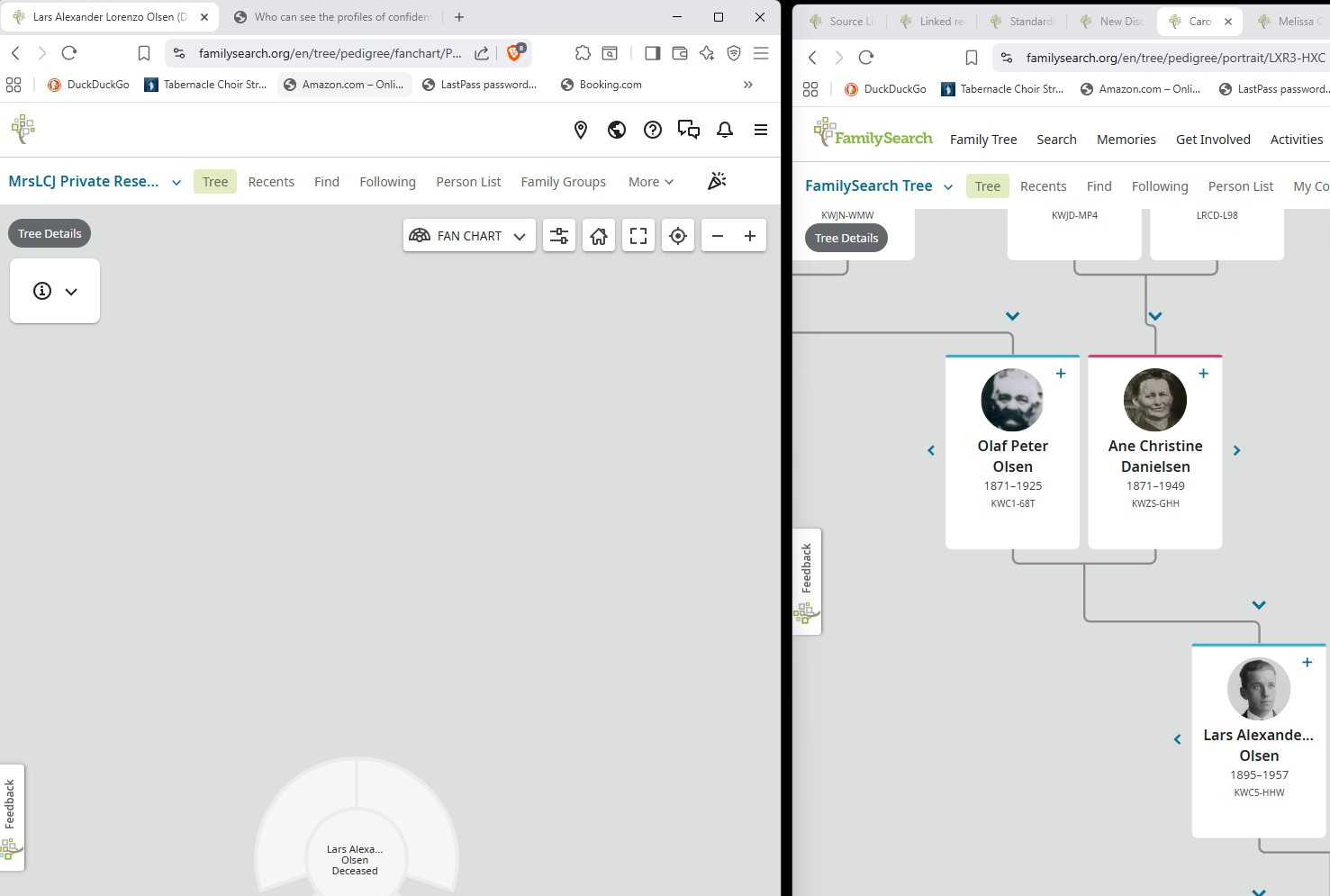
When I have the CET tree open on the left side of my computer screen and the FamilySearch worldwide tree on the right side for transferring information from one to the other as a way of starting my CET tree, I have the following issue: The Worldwide Tree keeps switching to the pedigree chard viewing style of the tree, even though I keep selecting the fan chart. This repeats again and again.
コメント
-
As far as I am aware, the tree view is account specific. In other words, if you select pedigree on the right panel (main FS tree), it will also be that view on the left panel (your CET).
1 -
Thanks for your reply. It did happen on both screens later on, so that it was on the CET tree and on the other tree. I never selected landscape or pedigree view. I kept selecting fan chart. Then I'd go back in and it would go to pedigree or landscape. It was happening over and over again.
0 -
Then I suggest you clear your FS Cookies or try a different browser. The selection of tree view is sticky - whatever you last selected will appear even if you use a different browser or different computer.
1 -
@MrsLCJ This is a common issue when working in the same browser with different trees. We recommend the workaround is to use two different types of browsers (i.e. One tree in Chrome, the other in Safari or Firefox as an example).
1 -
When you do wide release, please tell the people who make the user guides about 🙂that.
2 -
@MrsLCJ We will be sure to include this information for users. Thank you.
0


