Drop down menu while adding a new person

When I add a new person the drop down menu regulary does not work. Occassionally, it does show a last name or place. Is there any settings that I can check to see that the drop down menus regulary work when adding a new person.
I have windows 11, use chrome browser and have a computer that is very new.
Thanks for any suggestions.
Answers
-
@LarryAndrew1 Can you show a screenshot of what you are explaining? It might help. I tried and was unable to reproduce any problems as you described.
0 -
There is no screen shot, the drop down menu just doesn't appear in any field when I add an new name.
Maybe once a week or two it shows up, works for a short period of time and then disappears again.
0 -
@LarryAndrew1
I'm not sure I understand exactly where you are encountering the problem.
Are you using the "Add Unconnected Person" option from the Recents List? Or are you adding a child or a parent to an existing profile?Add Unconnected Person
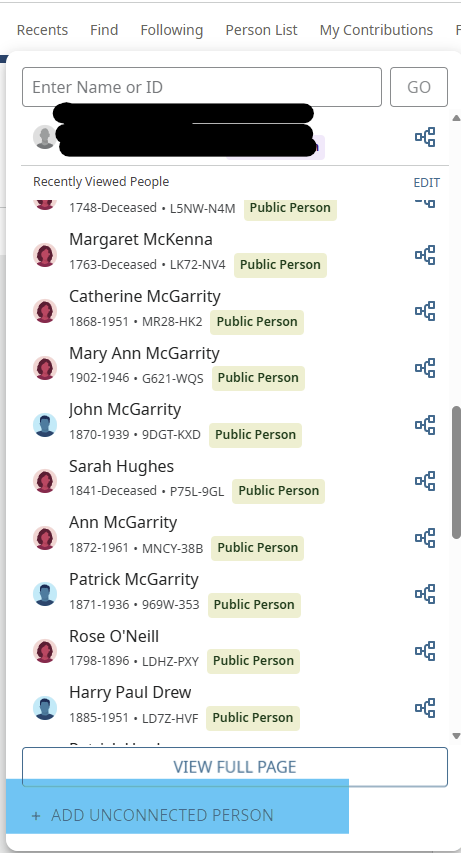
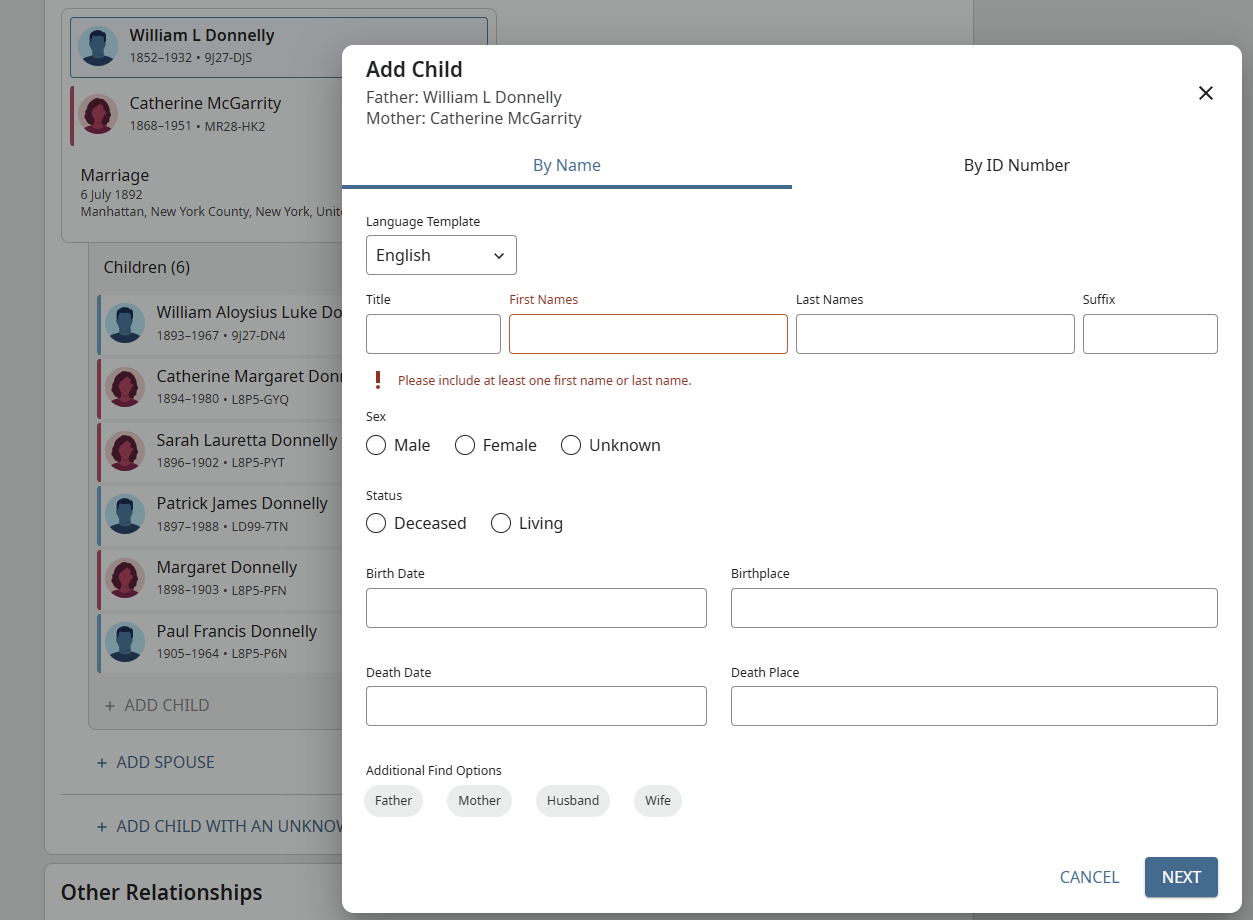
Adding a connected person to an existing family:
 1
1 -
I'm always adding a connecting person (spouse or child) to an existing family. The drop down window does not show up, so I end up entering the full name in almost every case.
What's crazy is that every so often the drop down menu just pops up out of the blue. It works for a few entries and then stops working.
I've checked the chrome browser so that it does not prevent (pull down) windows from poping up.
I've tried the Microsoft Edge browser and had the same results.
I have also exited the FamilySearch program and logged in again.
I have exited the browser and started again.
I have turned the computer completely off and on.
I have cleared the browser cache, etc.
I've tried to search as many places as I could to find a permanent solution, but so far nothing has worked for any period of time.
I'm totally baffled.
0 -
@LarryAndrew1 Thanks for the clarification. I admit, I've never had that issue in Chrome, Firefox, or Edge. I'm on the FS site all day most days.
If you can, capture a screenshot next time? There may be something that one of the techs can help with.Fingers crossed.
0 -
@LarryAndrew1 To make sure I understand. You are unable to access the connected person box as described by Áine ní.Donnghaile above. But then you say you are able to enter the full name. What part of the box are you not getting a drop-down on, dates or cities? Both or more? I do not get a drop-down on the names section (First, Last) and never have.
0 -
@LarryAndrew1 You mention that you had cleared your browser cache, but have you cleared your FamilySearch site-specific cookies, too? That's often a first troubleshooting step.
https://www.familysearch.org/en/cookies
1 -
SC Woz: I do get drop down menus occasionally on first and last names. My wife has been getting drop down menus on names for several years without problems.
Anie.ni.Donnghaile: I did clear the FamilySearch Site-specific cookes. It made no difference.
If I capture a screen shot, it will look exactly like your add a child screen shot above, but a drop down menu will never show. I just have to enter the entire first / last name.
0 -
I guess I'm not understanding what you are not seeing. Sorry.
FamilySearch doesn't prefill names, if that is what you are looking for. Your browser might have auto-completed. You mention you have a new computer. Perhaps your browser was autocompleting on your previous machine?1 -
Here's are some screen shots of adding a spouse:
First name: no pull down menu. I entered the first letter, nothing appeared. I added the secon letter, nothing appeared. i finished adding the first name manually.
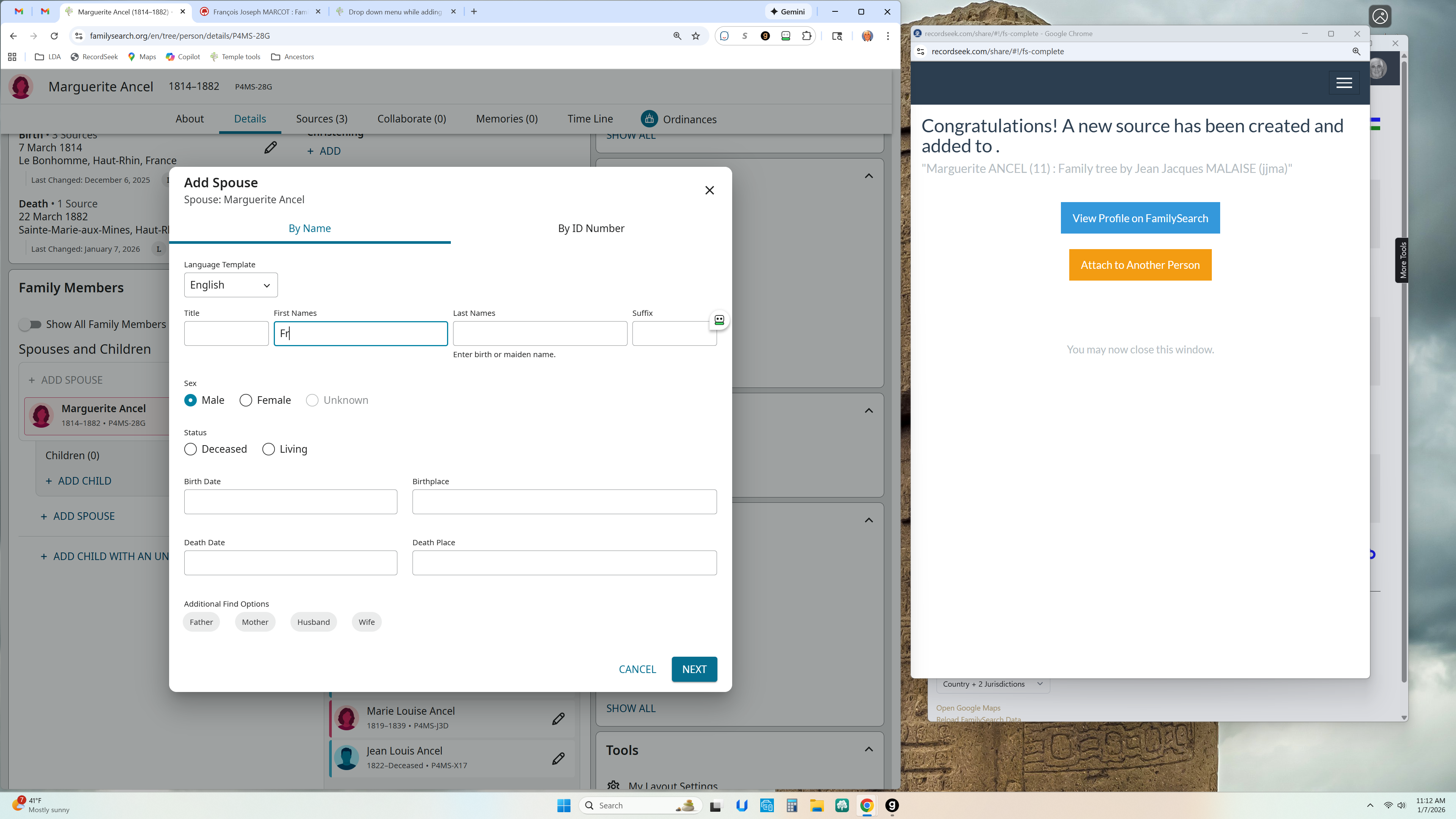
Started adding Last Name: no pull down menu appeared after
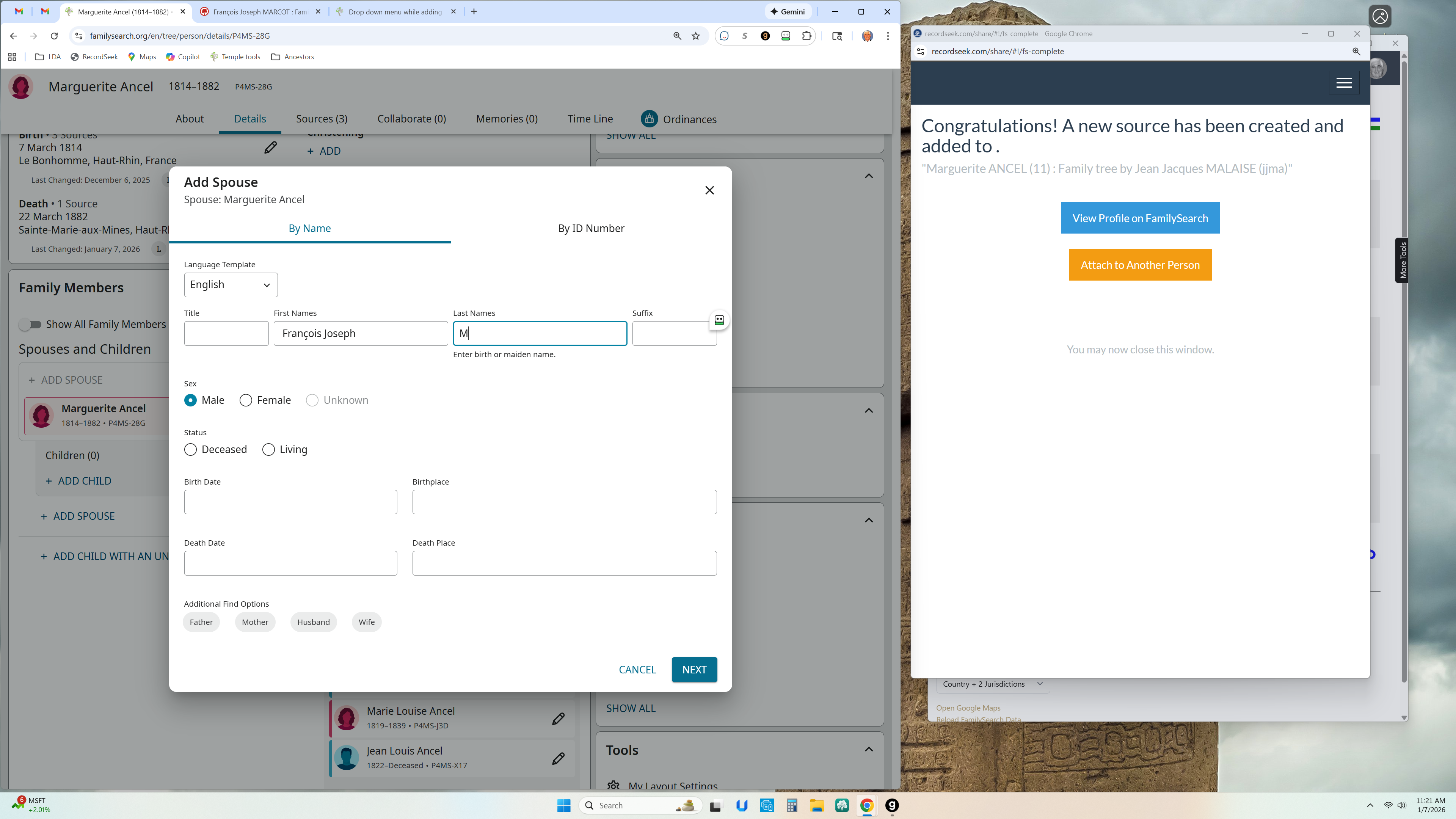
I don't know if this will help, but it simply shows the pull down menu did not show up as I started entering info. No pull down menu appeared on the first letter I entered or thereafter…
What is really odd, is that once in a while it will pop up out of the blue.
I hope that helps clarify what I tried to convey. Sorry if it wasn't very clear.
0 -
There is no pull-down menu when adding a new profile in my experience, @LarryAndrew1.
1 -
I don't know why, but it does show up periodically. My wife has it show up every time she adds a new person???
If you every hear of anything, I'd love to know.
Thanks.
0 -
Your computer browser should have a setting for auto fill. This is where you may see drop down options from things you have previously entered. This is not a FamilySearch feature.
5 -
Thanks, @Amy Archibald. That's what I tried to explain yesterday.
2 -
See: https://support.google.com/chrome/thread/349657578/auto-fill-stopped-working-on-my-computer?hl=en
Pay particular attention to item 3.
Wandering around search results suggests that Chrome users frequently run into this. It appears there can be a lot of reasons it occurs. The link I posted seems to be the most comprehensive list of possible fixes.
2


