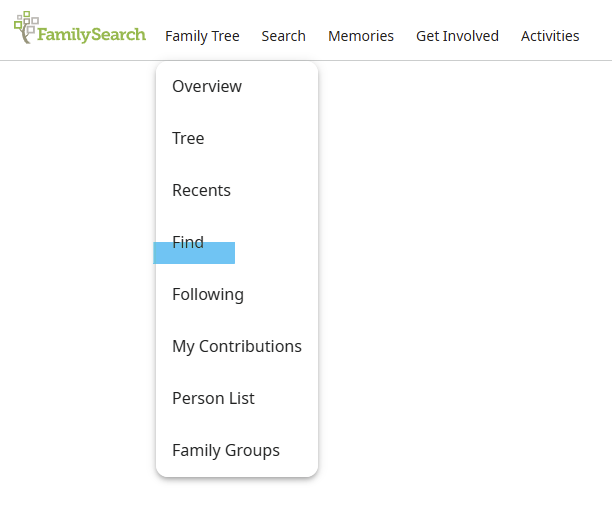
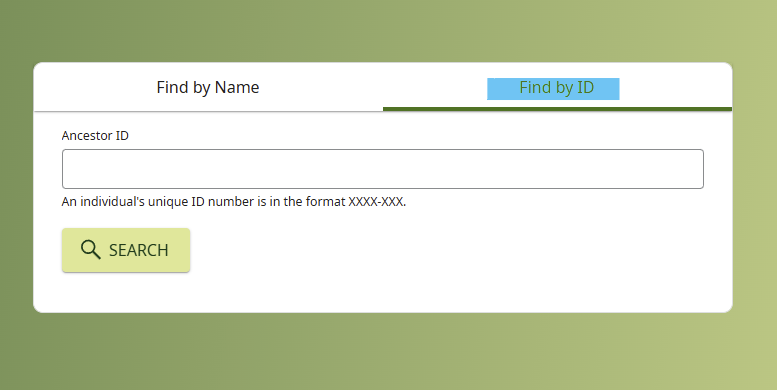
Search for an individual by ID

When I find someone on Family Search, I most often document their unique ID, but I sometimes find it difficult to locate them again because I cannot see how to locate someone by their unique ID. Can this be done?
Answers
-
2
-
@MrHistorian1 Did the answer from Áine.ní.Donnghaile answer your question? If not, please feel free to post more information. If it did, you can respond by posting further information stating you have the needed answer or we will close this discussion if we have not heard back from you in a few days. Hope you received all the information you needed.
0 -
@MrHistorian1 I hope the instructions helped you locate someone by their ID number. Another tool that I find helpful is using Recents. The "Recents" tool is also found under the family tree tab. When you click Recents, you see a list of the last 50 people you have viewed. It is good that you have documented the person’s ID so you can ensure you have found the correct person. The Recents tab can be useful in several ways. For example, your name will always be at the top of the list, in case you want to get back to your own person’s page or tree view. When you find the person you are looking for, all you have to do is click their name or ID, and you'll be taken to their page. The search filter is also very helpful because you can enter the ID you documented or the person’s name, and it will find that person. There is also an edit feature to Recents that lets you remove a person from your list. You will see a pedigree chart icon next to each person in your list, this allows you to click on it and it will take you to that person’s tree view. I hope this helps you in some way. If you have any questions, feel free to respond to this message.
0 -
@MrHistorian1 Another tool is the FOLLOW feature. Click the star ⭐️ to start following that person. Then you have all your persons of interest saved to a list. You can also create a label to sort the profiles you follow.
1