Adding a personal source

I found a handwritten list of children, including birthdates, of parents in my family tree. There are additional notes, that seem to be added of someone's personal knowledge. This is a valuable source, but not publicly documented. How do I add and share this source of information, similar to finding a family bible?
Answers
-
Scan or take a clear photo of the documents.
Some people upload those as images on the memories tab. That should be reserved primarily for pictures of people with faces.
It is far more effective to upload it as a SOURCE so that not only you can attach it to multiple profiles, you can also tag those sources on the Details tab for the pertinent Events, etc.
On the link below for step #6, choose "Add New Memory Source" (If you click plain "add new source", you can change it from a webpage to memory once the window is open)
1 -
As @Nyx773 mentioned…
"It is far more effective to upload it as a SOURCE so that not only you can attach it to multiple profiles, you can also tag those sources on the Details tab for the pertinent Events, etc."
When you do be sure to add the scan/photo to your Source Box. Then using your Source Box, add the same Source to all the applicable individuals
 0
0 -
I just want to clarify a couple of items here. Memories can be any type of artifact that adds richness to a profile. They are definitely not limited to people with faces. See for example https://www.familysearch.org/en/tree/person/memories/KWNT-P6D . My wife and I were in Sweden a couple of years ago were able to go to where my 2nd great-grandmother was christened. A worker there told us a bit of the history of the church and took us to a back office where they had paintings of the interior and exterior of the church that stood at the site at that time. We were thrilled that we could take photos of these and add them as memories for her multitude of descendants to see.
You do not actually upload a document as a source. You create a source to which you attach the document or image file. That newly created source is what you add to your source box, not the scan/photo/document. The image can be either uploaded when you create the source or you can choose an image in your gallery:
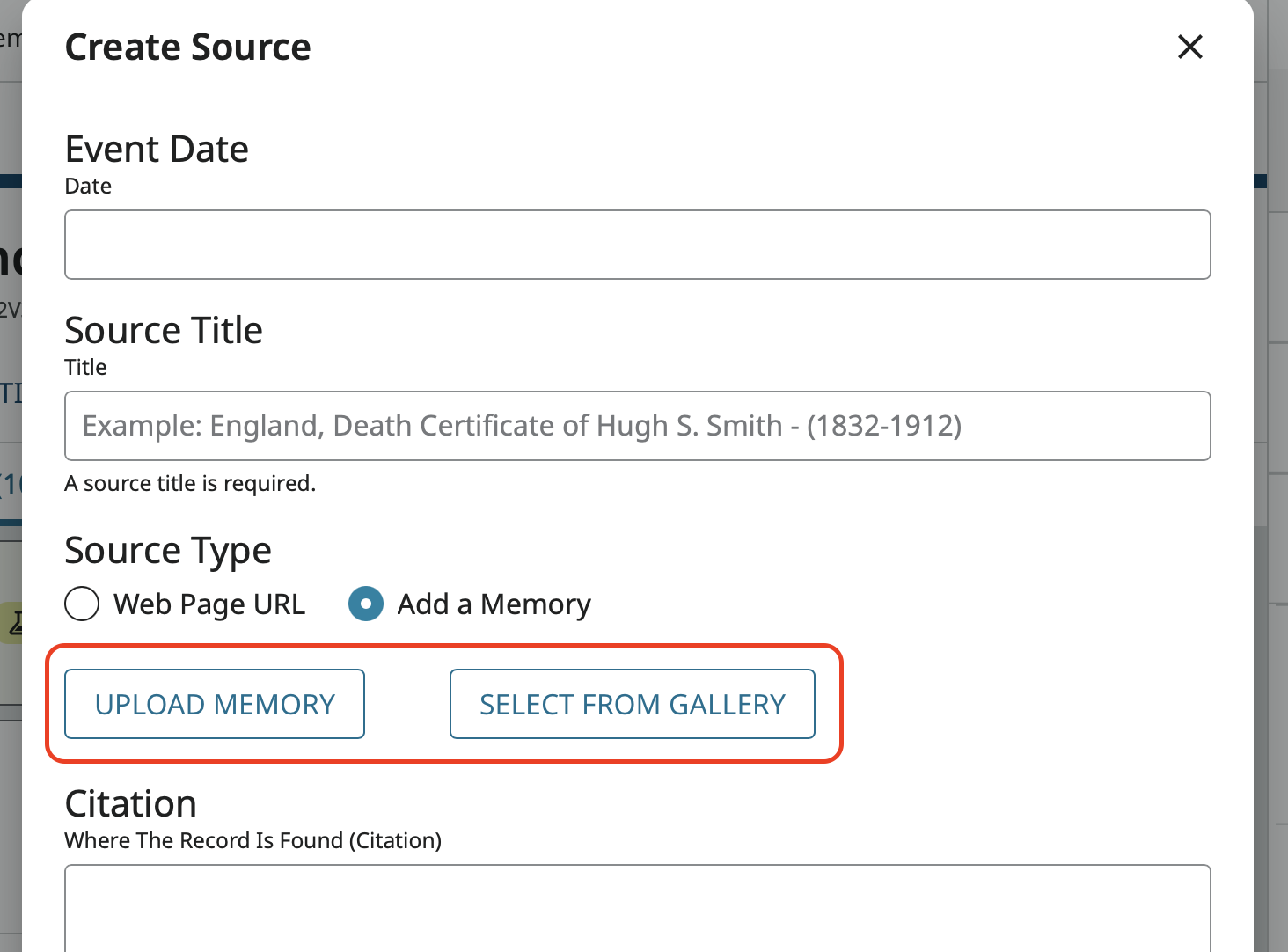
If you pick the Upload Memory option, the item, whether a photo or a document, is added to your Memories Gallery where it will sit and complain that it is not attached to any profiles until you attach it as a memory to the appropriate set of people.
Another factor to keep in mind, is that if this document you have is something you want your family to see, they are much more likely click on the Memories tab and scan through what is there than to dig through the sources tab looking for sources with images and then open the source to see what is there.
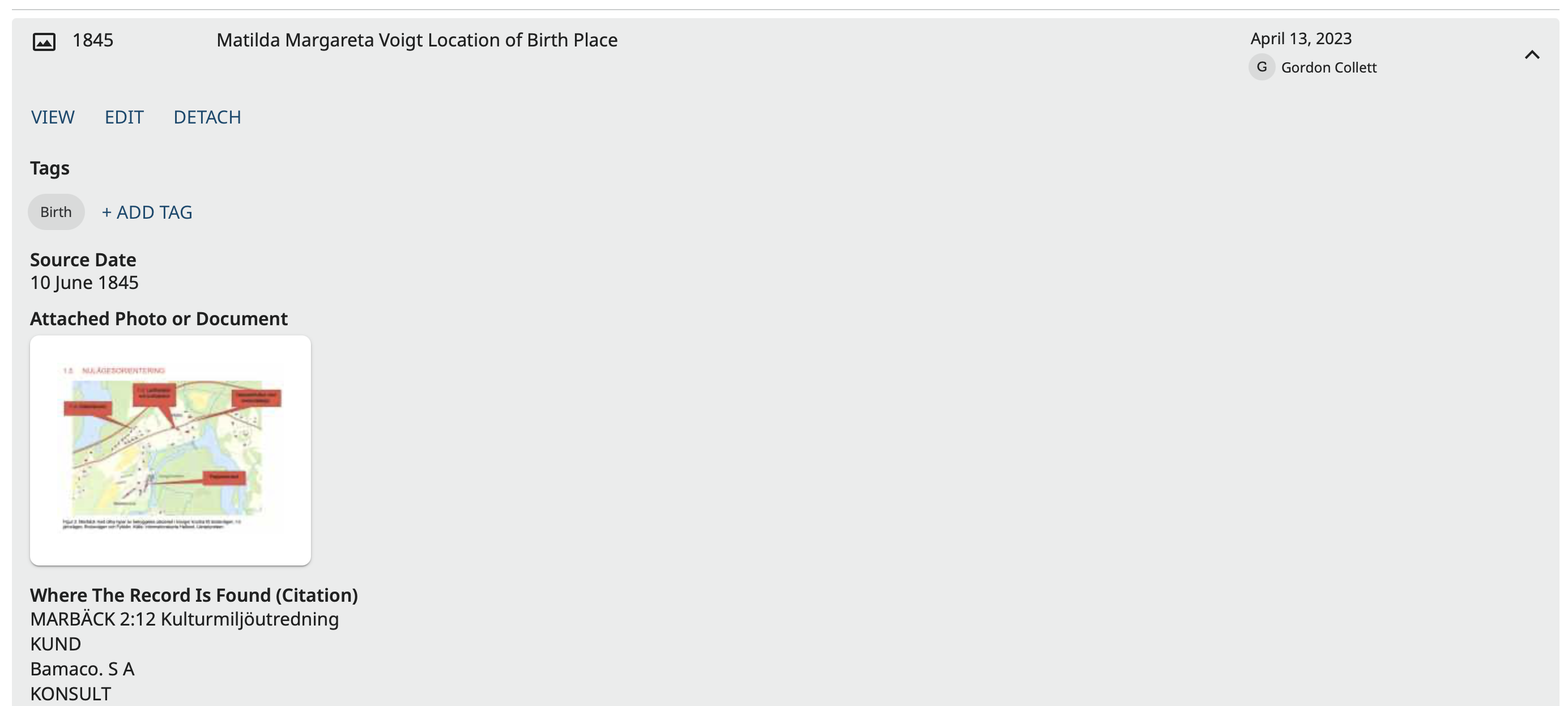
If they do manage to find it in sources, they only get a small thumbnail:
To actually view it, they have to click on the image which opens it in the Memory Viewer which will plead with them to tag it to somebody:
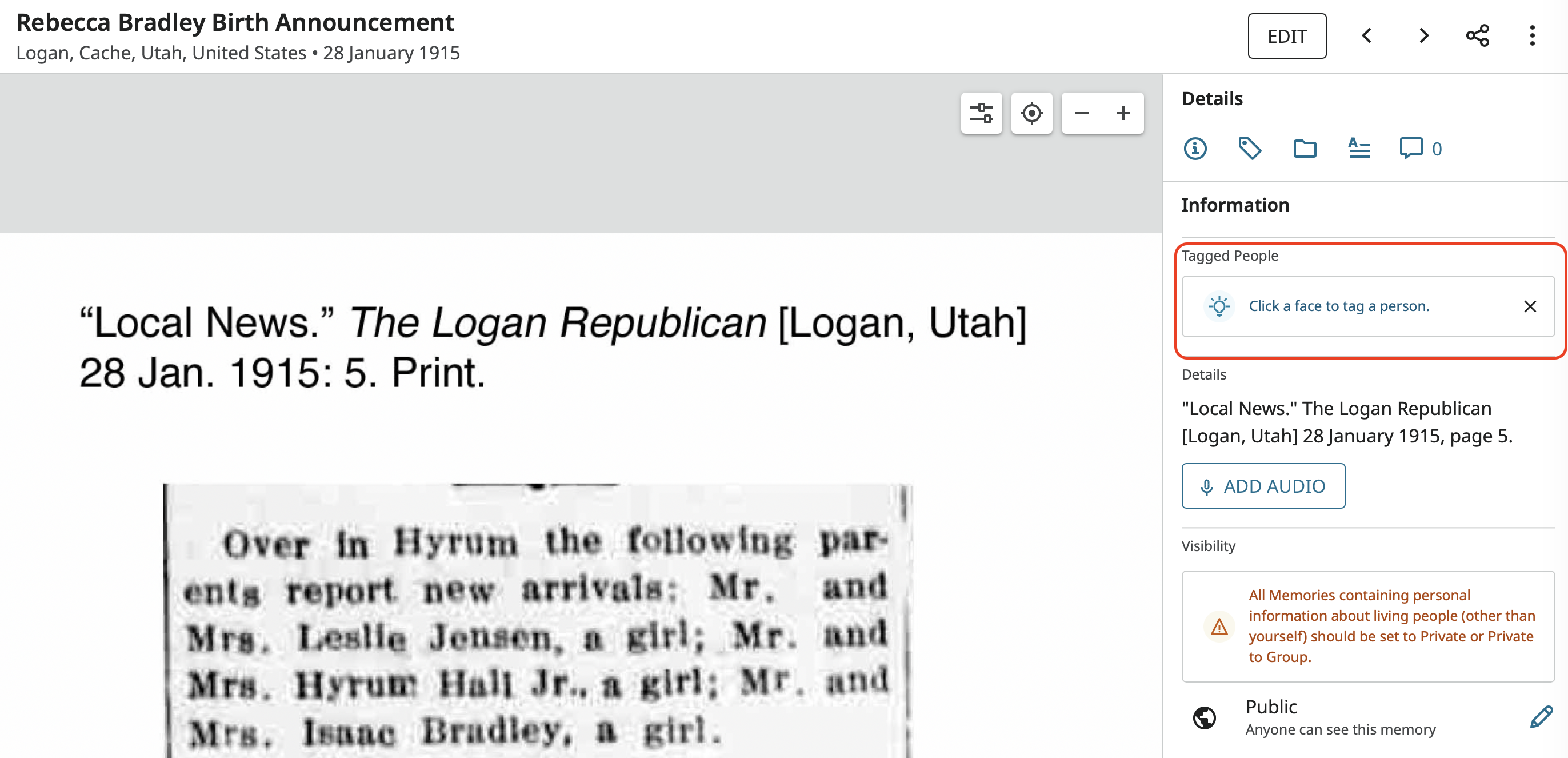
(I'm a bit behind on tagging)
So do both. Create a memory source and tag the memory to the people. Redundancy is good and increases the chance that everyone you want to have see the document will.
1