CET-Stammbaum: Übertrag in Familienstammbaum

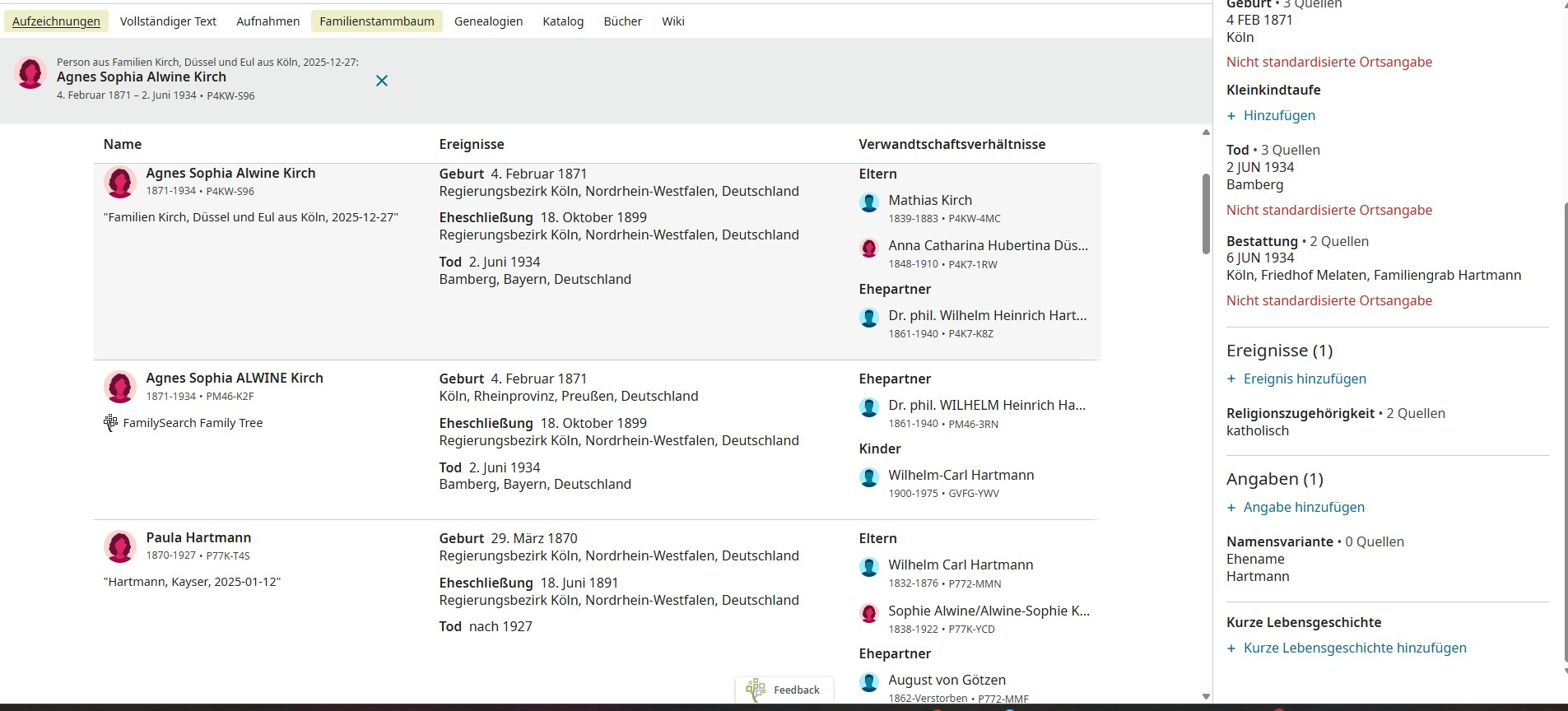
Hallo, leider gibt es bei der Frage zu den CET-Stammbäumen keine Möglichkeit zu fragen. Es geht um diese Frage
Auch bei mir kann ich leider keine Person vom CET- Stammbaum in den Familienbaum übertragen. Ich habe die Anweisungen befolgt. Es gibt keinen Button "compare and copy"!
Mit freundlichen Grüßen
[name removed for privacy]
Answers
-
Translated using CoPilot:
Hello, unfortunately there is no way to ask a question in the section about the CET family trees. It’s about this issue:
I also cannot transfer any person from the CET family tree into the Family Tree. I followed the instructions. There is no “compare and copy” button!
Kind regards
0 -
@gitarre63 @MazyPutnam Thank you for testing CET and providing feedback. We do have a specific group in the Community dedicated to CET feedback. That is the appropriate place to post your discussion. The link to that group is: https://community.familysearch.org/en/group/338-cet-feedback You must join the group to post within it.
That being said, below are the steps to be taken to copy data from one tree to another within familysearch.
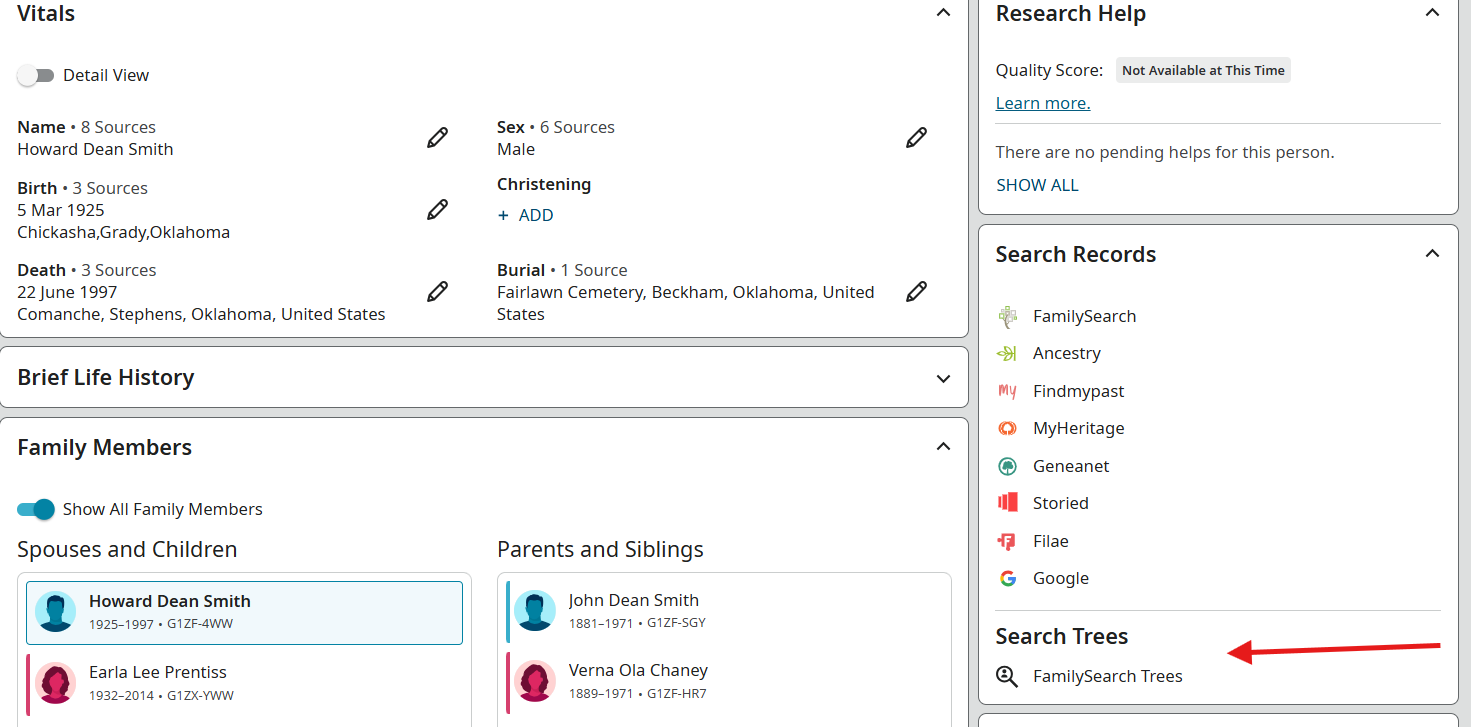
While on the person page, a menu will appear on the right side panel listing search locations. At the bottom of the list is a "Search Trees" section with "Family Search Trees":
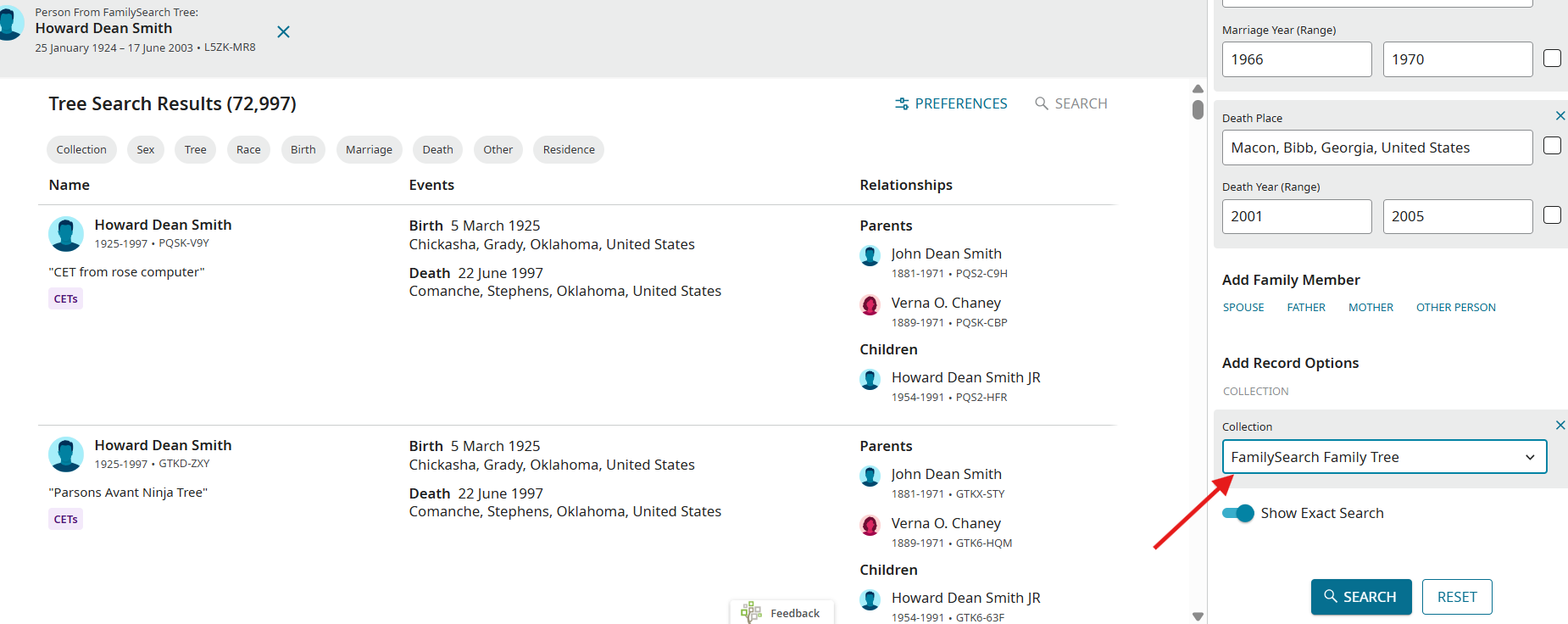
After selecting the "FamilySearch Trees" option, a new window will open. On the right side panel will list search criteria. At the bottom, choose the collections that you would like to search, i.e., "CETs", "FamilySearch Family Tree", etc.
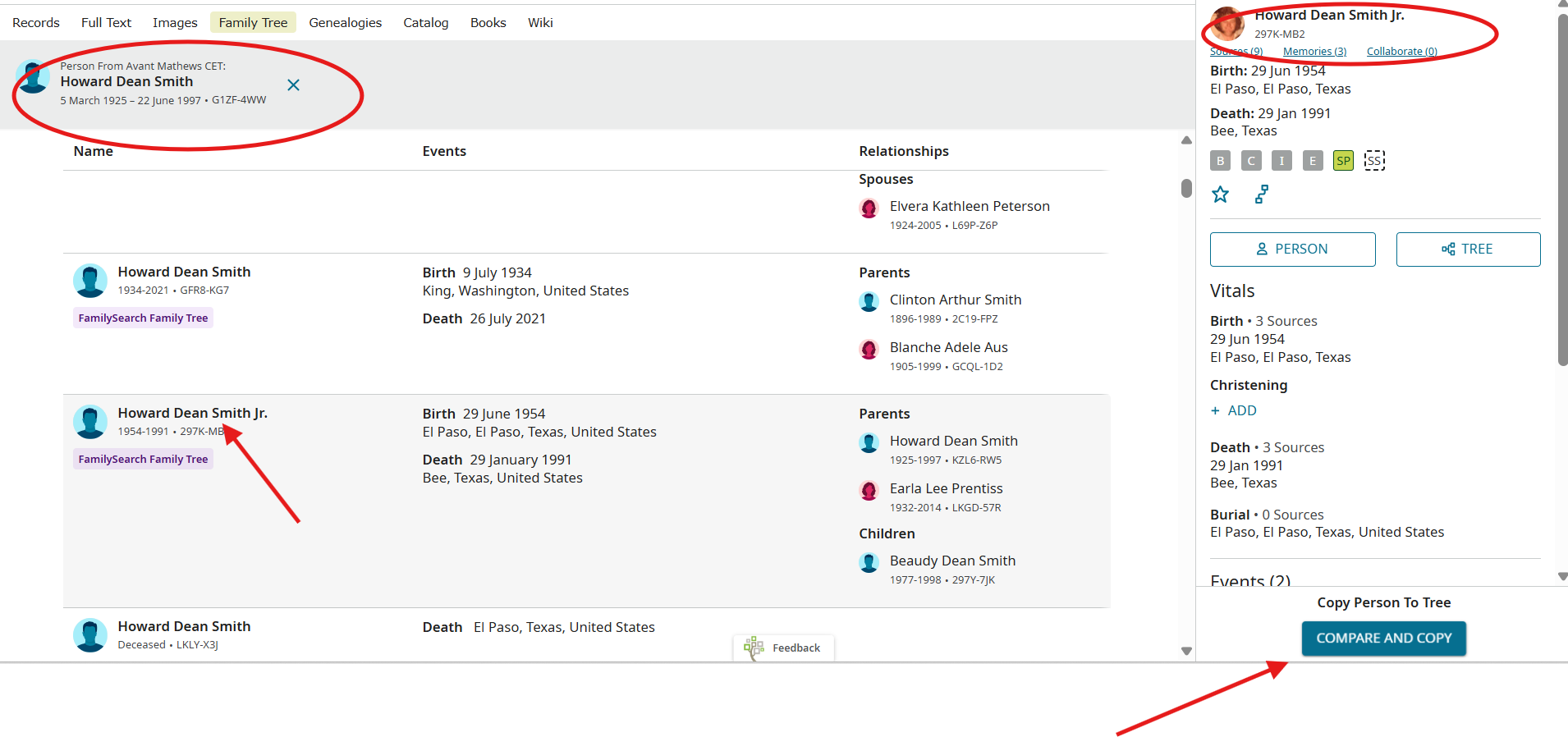
At the bottom of the right side panel will be the option to "Compare and Copy" from one tree to another:
The next screen will resemble "SourceLinker" and you can copy the information you want to your tree.
If the above steps do not permit you to complete the process, please attach screenshots for each step as shown above.
0
