Bug in Select From Gallery feature

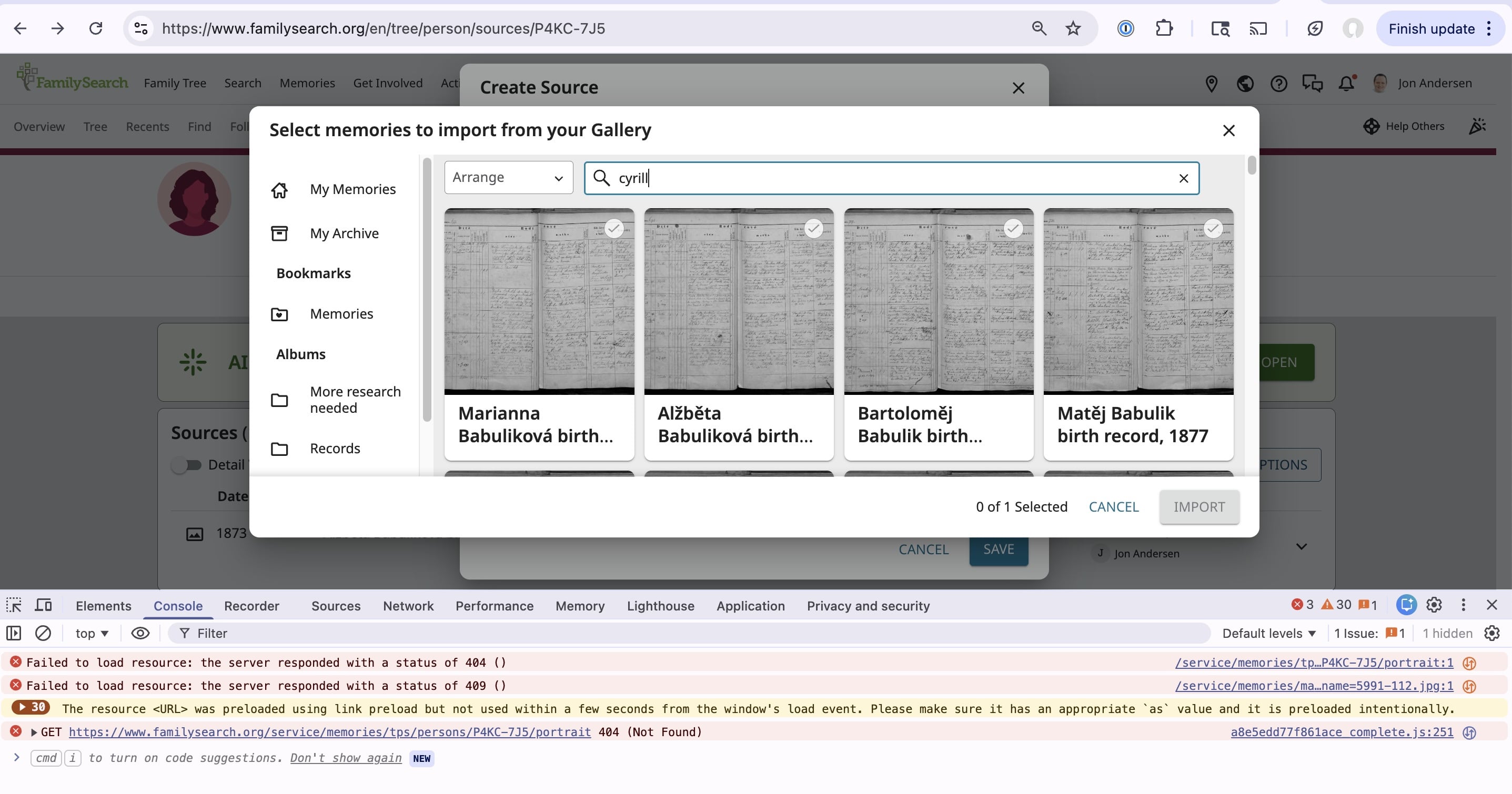
There is a bug in the Select From Gallery feature. While there is a search bar, the search bar does not function — typing a search there doesn't work, nothing happens.
This complicates attaching sources since many records have multiple relatives, but I only discover the relationship later. Uploading duplicate images is not allowed, but when you upload it doesn't link or tell you which previous source has the image, it just blocks the upload. So I have to use the Select From Gallery, but the search feature is broken.
It might be a JavaScript error. Or it may be that the Select From Gallery feature can't handle thousands of sources. I've also seen a bug before related to diacritics, perhaps the search functionality breaks if image titles have diacritics in them.
Attached is a screenshot showing the broken search functionality.
Answers
-
Yes, this is a known issue.
You are correct, the Search Bar is NOT working in this specific instance, as you describe above…..From a Person's Page/Sources/Add Source/Add New Memory Source/Select from Gallery.
It is also NOT working from Person's Page/Memories/Add Memories/Gallery.
This is a known error, so it isn't a problem of thousands of images trying to load. Nor is it a diacritics problem….it will eventually be fixed.
Sorry for this challenge!
Best work around is to make note of that person's ID number, then go into your Gallery, select the correct memory/image, then tag you ancestor to that image.
Thanks for your patience.
0
