"FamilySearch Labs" box has vanished

Some weeks ago, the Home page was updated. This included the removal of the "FamilySearch Labs" box. However, the Help article for this feature (How do I find FamilySearch Labs?) has not been updated. It currently reads as follows:
Steps (website)
While signed in, go to the FamilySearch home page.
Part way down the page, along the right side, find the FamilySearch Labs box, and click View Experiments.
You can also go to www.familysearch.org/labs.
The feature can be accessed via a "FamilySearch Labs" link in the "Ways to Contribute" section of the footer menu at the bottom of most FS pages. You may need to expand the footer menu by clicking "More" at the righthand side of the menu to see the link.
Can the Help article be updated?
Answers
-
@JulianBrown38 I was able to locate the Lab page several different ways, including the box on the main page, which is on the right-hand side of the page
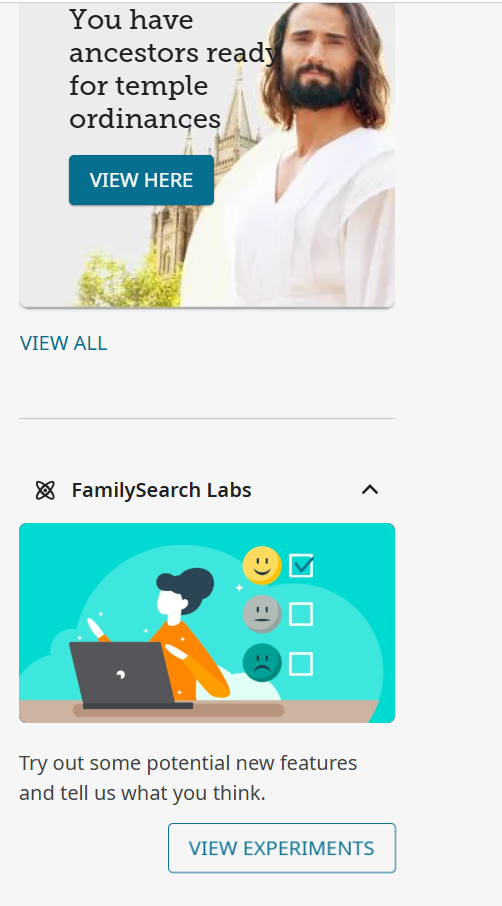
You can also go directly to the page by using https://www.familysearch.org/en/labs/ It appears the instructions in the help article are still current.
0 -
@sc woz I intended (and forgot) to say that I am not an LDS church member and I am located in New Zealand (if that's relevant). My home page is quite different from yours, and no longer has the FamilySearch Labs box. This is what I see on my home page (the footer menu is off the screen).
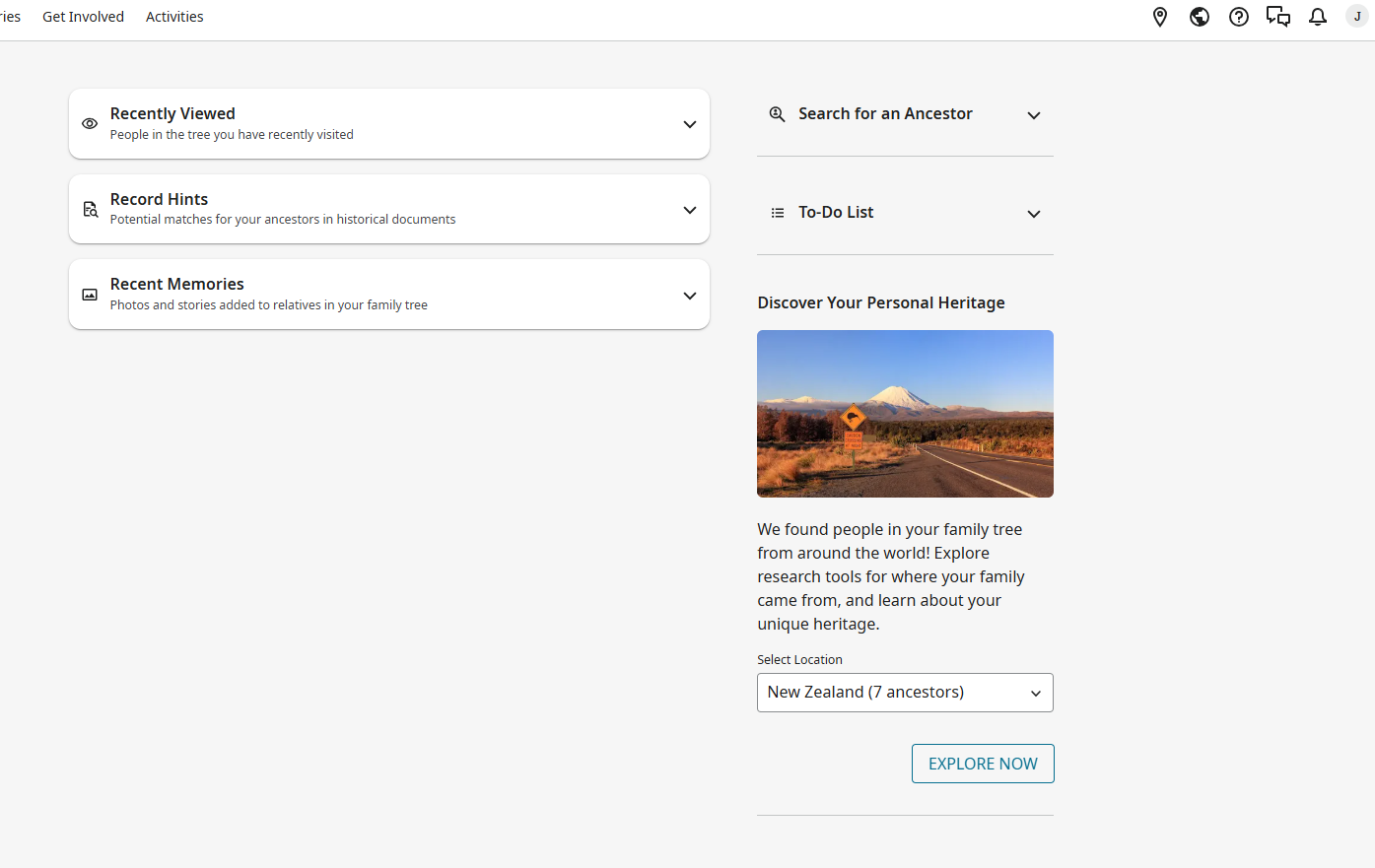
By the way, another result of the update was the removal of another feature. It was a link to a video titled something like "What is FamilySearch". That doesn't concern me; I've watched the video.
1 -
Maybe it is a NZ thing?
I too am not a LDS church member, but I am in the USA. Here's what my home page looks like:
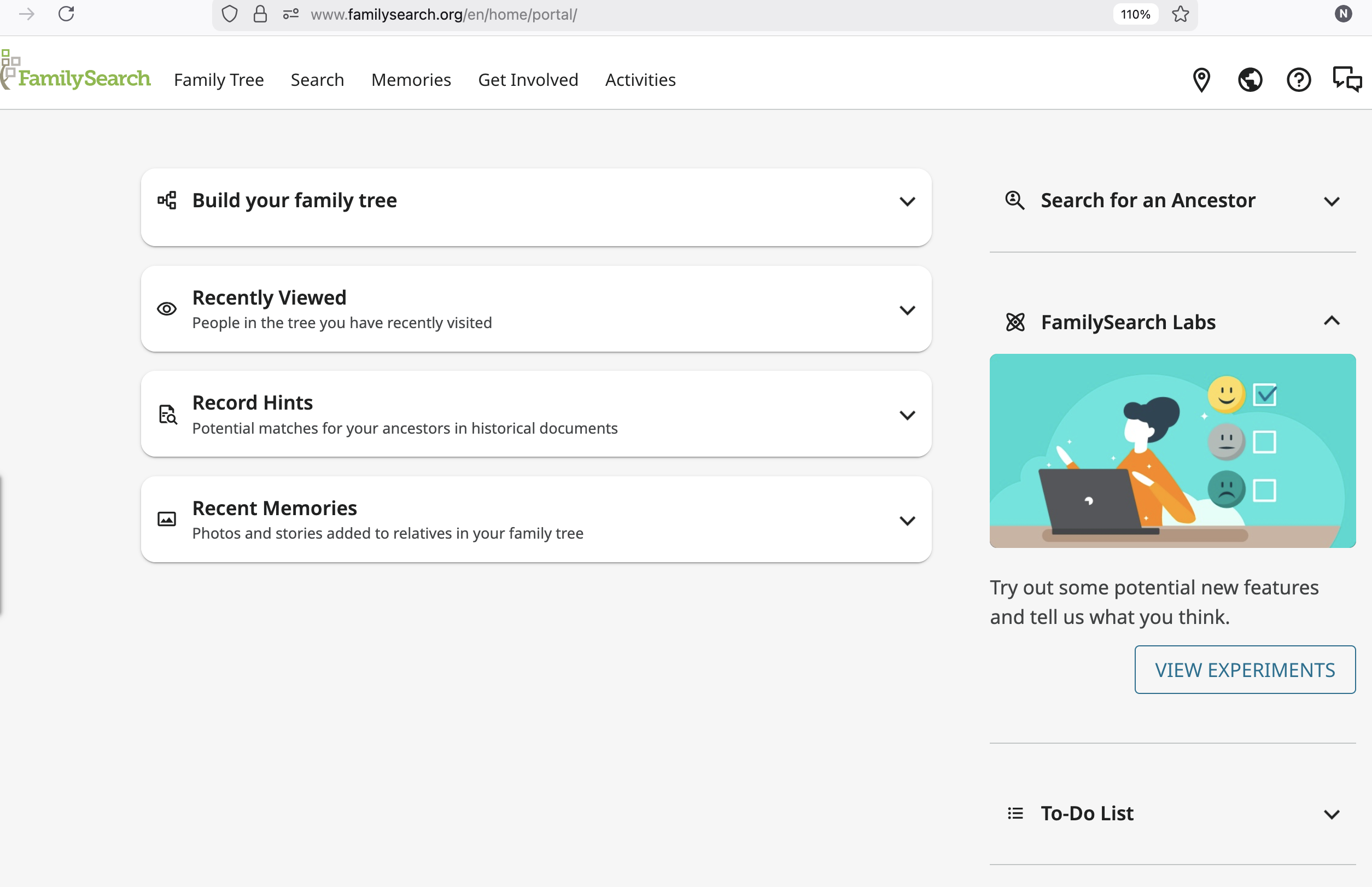 1
1 -
@JulianBrown38 Labs still show up on my UK non-LDS home page (both mobile and desktop versions - neither has changed for some time). I will keep an eye out for Labs and other things disappearing!
2 -
@JulianBrown38 & All
FYI
You are NOT alone
We are Members of the Church from Australia ( like you Downunder )
And
FamilySearch Labs DOES NOT appear on our Home page(s) either0 -
@JulianBrown38 A ticket was created on this issue. It is unknown when this will be looked into. Hopefully it will be corrected quickly so the Lab box can be put back into the proper place for NZ and Australia.
3 -
Thank you to everyone who has responded. It may be that the removal of the widget was intentional. That is, of course, FamilySearch's decision to make, which was why I only asked for the Help article to be updated. The ticket reflects that, so I am happy with this.
0 -
Do you have access to Labs from this URL? https://www.familysearch.org/en/labs/
I keep that in my Bookmarks toolbar because I find that quicker than visiting the home page.
I'm not saying the missing box shouldn't have been fixed by now, just offering a quick workaround.
3 -
@Jenny.B I have sent a note about the issue to the appropriate people involved again today, , and do not know when or if it will be fixed. I hope you can still access the LABS through https://www.familysearch.org/en/labs/ and can enjoy the features while this issue is being resolved.
2 -
@Áine.ní.Donnghaile
Thanks for that link.
It works.
Unfortunately not everyone is technically savvy.
Our Ward at Church has more older Members than younger.
Most older members do not use Bookmarks .
They need a direct visual link from the Home Page.
That link will be passed onto those that can handle it.
Our Home Page from Downunder for Members of the Church was missing things like the To-Do List for ages, more than a year at least.
When it was available for other regions.
@sc woz
Thanks for the follow-up.
Lets hope its not much longer.2 -
@Jenny.B You're welcome. I would likely be classified in the "older" category, having passed the 3/4 century mark a few years ago.😎
2 -
@Áine.ní.Donnghaile
Same, same 😁2 -
@Jenny.B I was informed that having the boxes on the front page (or not) is a Homeland decision. Each area can choose what they want on the page, or in this case, not want on the page. I do not know what went into this decision for New Zealand and Australia, but it was decided on by the local area authorities for FamilySearch not to include the Labs box on the front page.
,
0 -
@sc woz
Thanks for that update.
But, what you have provided is somewhat confusing.
You said: "Each area [ie. Pacific Area Presidency] can choose what they want on the page, or in this case, not want on the page."
Despite, the next sentence in between.
Yet, you follow up by saying: "Content on the main FamilySearch page for New Zealand and Australia is curated and managed by FamilySearch International."
FamilySearch Labs is an International part of FamilySearch; not, Area specific; and, should not be at the mercy of an Area Presidency oversight.
Is that why, we never saw, our To-Do List (or, Recent Memories), here Downunder, on our Home Page, for more than a year, at least; as, it was an Area Presidency decision?
That is not good.
It is understood, for certain Areas (or, Countries), there needs to be certain Restrictions, for obvious reasons.
But, for Downunder, there does not need to be, such Restrictions.
The Area Presidency should not have (or have had) oversight on whether, we Downunder, see the likes of FamilySearch Labs, on our Home Page; as, that is an International part of FamilySearch.
Please pass, that fact, onto the powers to be.
That begs the question, what else, are we not seeing, on our Home Page, here Downunder?
We Downunder, SHOULD be able to see, FamilySearch Labs, on our Home Page.
Please get the FamilySearch Labs BACK, on our Home Page, here Downuner.
PS: As well as, whatever else, that we cannot see, here Downunder - hopefully not too much or anything else for that matter.
Sorry, to be difficult; but, our Home Page, here Downunder, was devoid, of a number of International parts, for some time, when it should have not have been.2 -
@Jenny.B
I'm sure it's a pain that Labs is not on your home page. As I understand it, sc woz, a mod, has no power to make that change, since it is the responsibility of the local FS authorities in your region.
Your time may be better spent by escalating through your local stake administration.Best of luck!
0 -
@Áine.ní.Donnghaile
Thanks.
It is understood that the Moderator has NO power.
But, it part of their responsibility, to pass on, such requests/concerns, to the powers to be.
Through, the appropriate channels, of course.
It has been suggested here, that FamilySearch Support, is among other things, slow and refers users here, instead of escalating things directly.
Well, going through one's local Stake authorities, on matters to do with FamilySearch, is even slower and in most cases, no go.
The Pacific Area authorities oversee Countries in the Pacific and not just those Downunder, same, same.
The ONLY way, to get ANYTHING done, in FamilySearch, is through here.0 -
@JulianBrown38 The KA was updated. I also spoke to some folks from the Pacific about the request to add Labs to their Home Page. Sam 🙂
5