Obituary access year showing as the death year

Dorothy Marie Brentano Rasmussen (L89G-7SX) - obituary accessed 23 March 2024, when attaching the record it is trying to give the access year as the death year and as the obituary date when it isn't so.
Any suggestions?
Answers
-
@JustMyFamily - yes, enter the dates into the profile manually. You don't have to use the data in the Source Linker, so long as you've attached the Source to the profile. I'd add a note to the Source that you attached explaining what went on.
This, of course, fixes it for you, but the issue may be found elsewhere - there is or was a Source Linker group which would sound like the right place to raise this to see if it's an underlying issue
I hope I haven't misunderstood the issue.
0 -
Other users here have reported a lot of problems with this "United States, Obituary Records, 2014-2023" index created by Domega, Inc. There is no problem with the source linker here. The problem is that the record was indexed incorrectly:
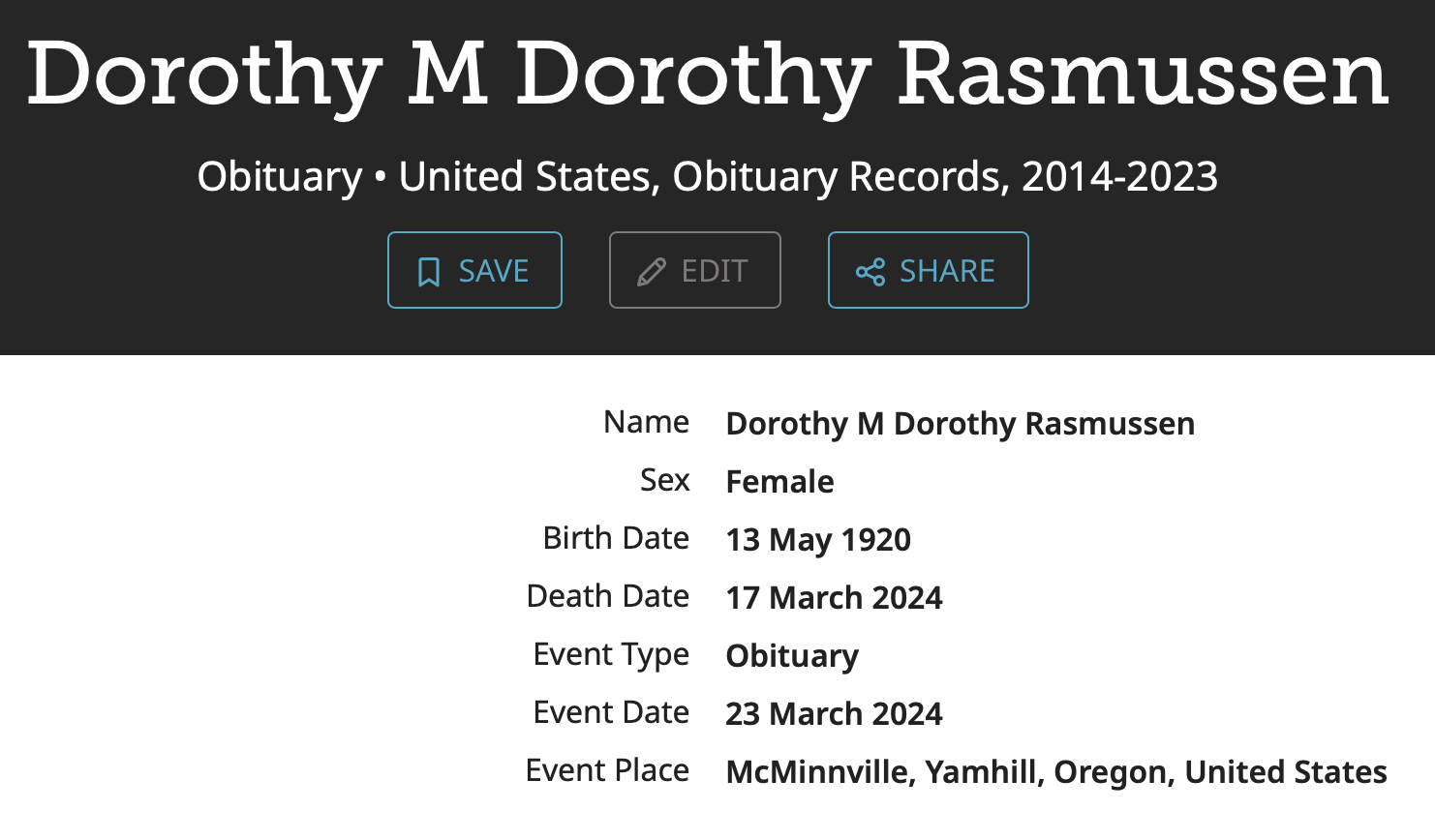
Not only is her date of death wrong but her name is also indexed incorrectly. As for the Event Date of 23 March 2024, that date appears as a publication date on the text version of the obituary but is it clearly not the original date of publication, unless that got mixed up when transcribed and should have been 23 March 2008:
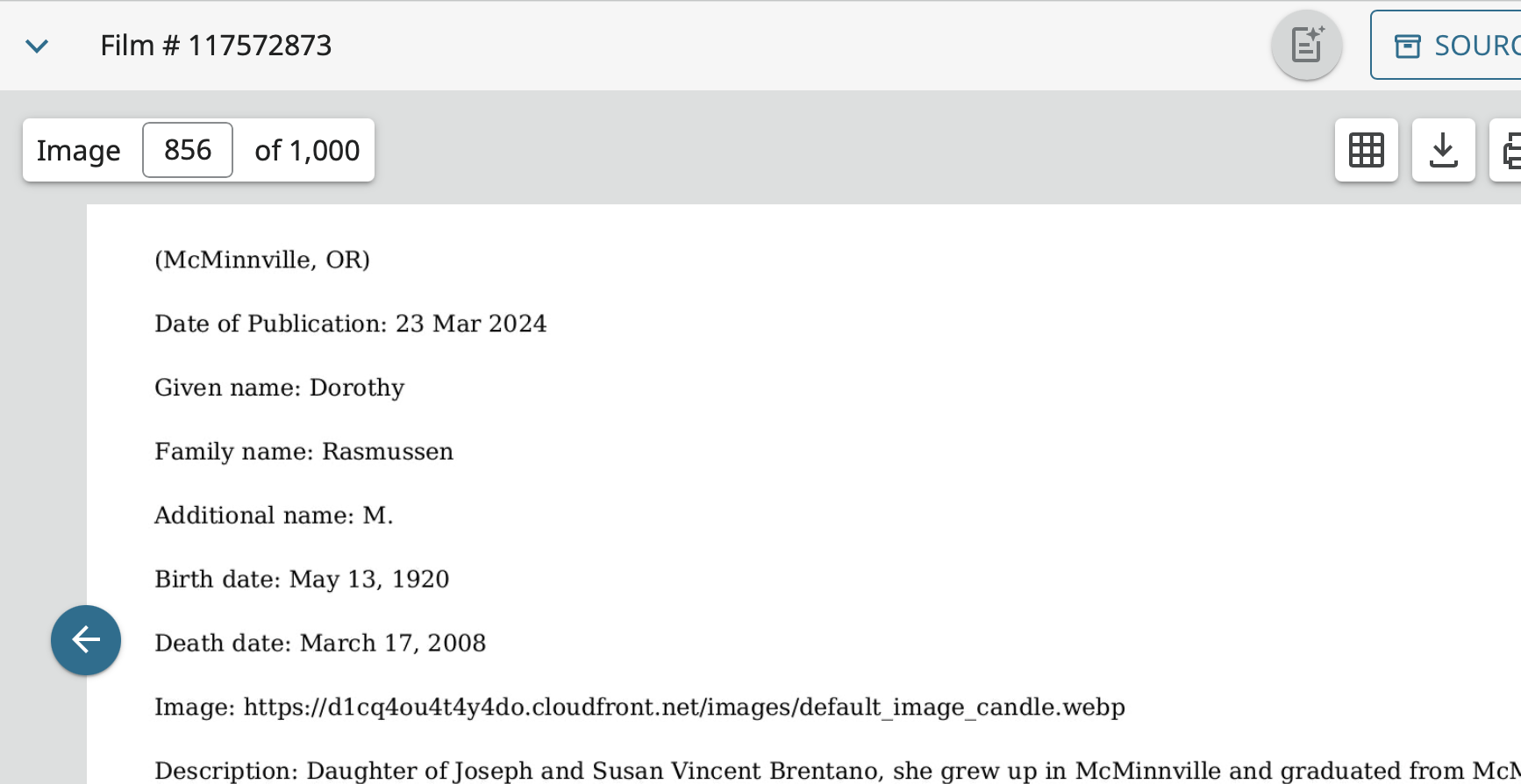
Unfortunately, there does not appear to be any way to edit this index. All you can do is put the correct information in her profile, put a note as suggested regarding the index being wrong, and when the Data Quality Score routine complains dismiss that flag with the comment "indexing error."
3 -
Is this a GeneologyBank record? A majority of those I've found have the wrong publication date and many have information mixed up to create quite the mess.
I change the source title to add "AI transcription contains errors"
2 -
No. It is a Domega, Inc. record. I doubt this is an AI routine. More likely just a regular OCR error.
2 -
@Gordon Collett I posted how to edit these obituaries in a previous thread, but I'll do it again here.
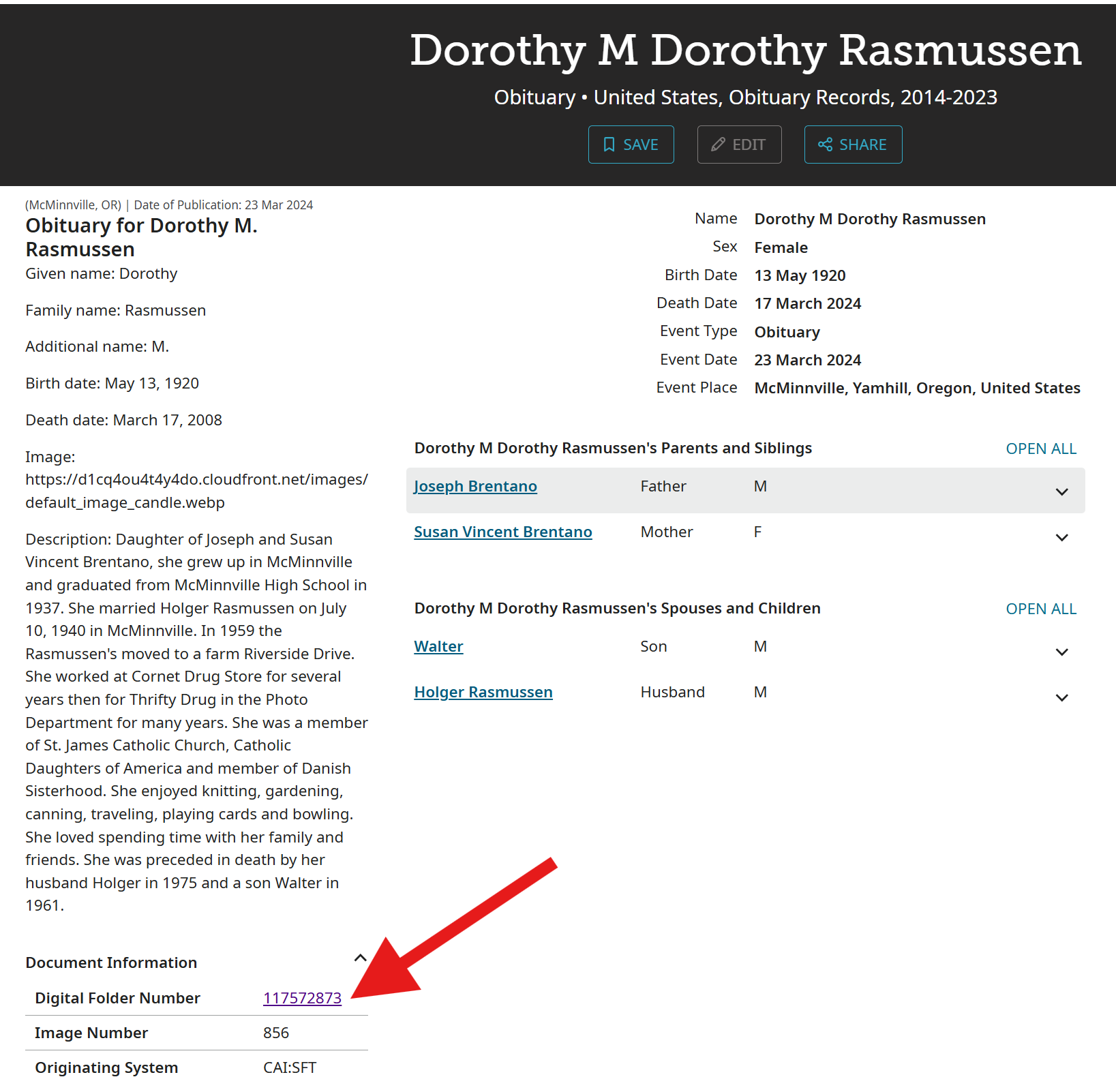
From the record details page, click on the Digital Folder Number:
Type in name to search, then click on camera icon:
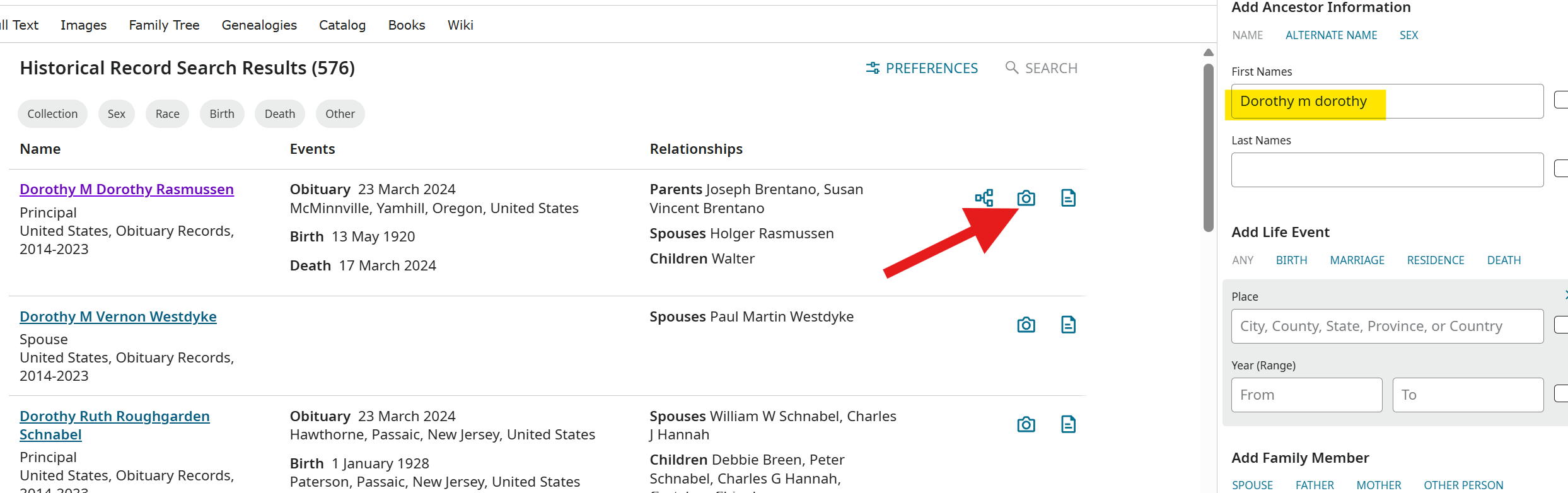
Edit as you normally would with pencil icons.
2 -
@SerraNola Thanks! I had a vague memory that there was some way to do this but could not find it again, gave up, and decided that there was something about this one that prevented editing. I'm bookmarking this discussion this time.
0