Strange Location Behavior

I have not seen this discussed previously so thought I'd ask…
When the location is shown as a 'Non Standard' location Oklahoma…
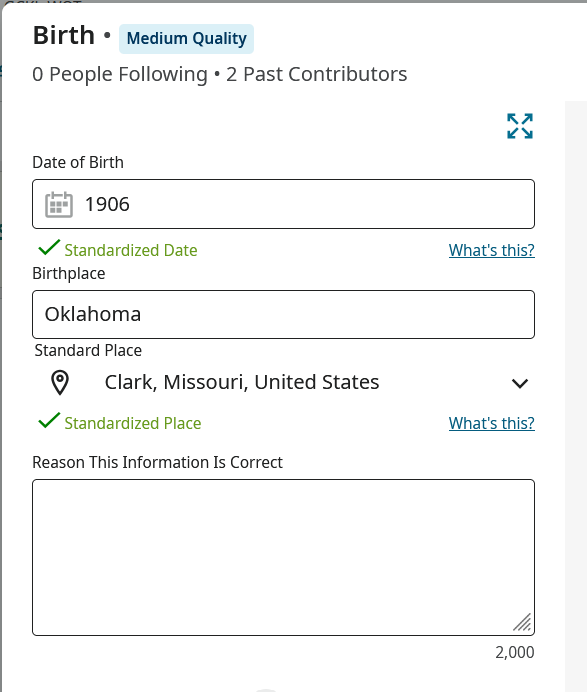
The 'Standard Place' that is offered shows Clark, Missouri which is kind of 'odd'. This Clark County Missouri location is carried over if I use this profile to search on Ancestry
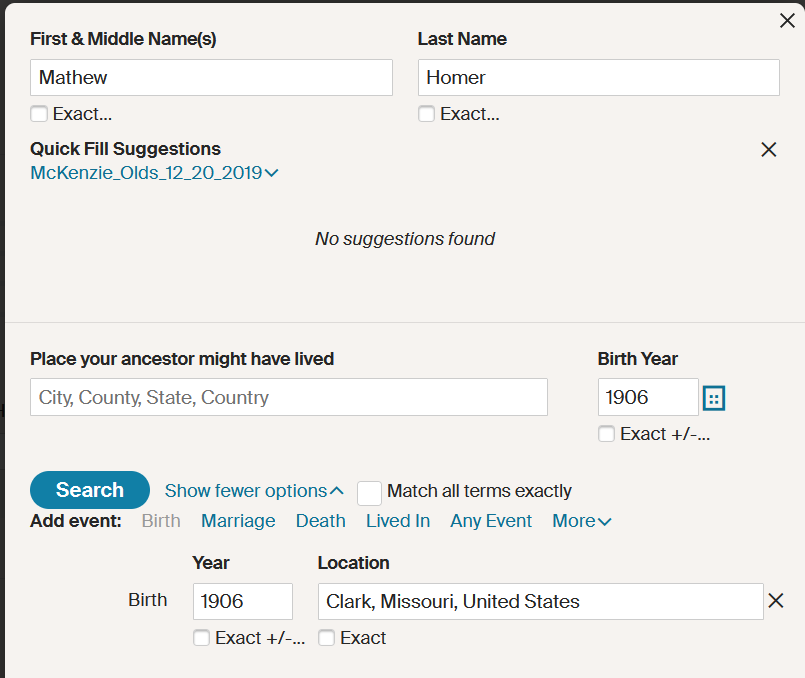
Been seeing the behavior for a while now…
Best Answer
-
Sorry, I'm not trying to be pedantic, but which is the strange behaviour?
If you're asking why "Oklahoma" is standardised as "Clark, Missouri, United States", I have no idea. Some of the choices made by the standardisation algorithm are beyond baffling - and this might have been made by something else entirely, such as "Verify Places".
If you're asking why "Clark, Missouri, United States" gets carried forward to the query on Ancestry, I believe that is a deliberate decision that I wholly agree with. You have to remember that (within reason) the entered placename can be anything with a fairly loose relationship to the standardised placename. If you are launching a query into another system, there's no reason to assume it can cope with the entered placename - but a good chance that it can cope with a standardised placename since these should be the ones that are universally recognised..
1

Answers
-
To add to Adrian's excellent thoughts, why Oklahoma was standardized as a location in Missouri was possibly a choice (accidental or deliberate) on the part of a contributor who made the standardization. With a PID, we might be able to shed more light.
I recently saw "London, Ontario, Canada" apparently deliberately standardized to "London, England."0 -
@Adrian Bruce1 I was surprised by the mismatch between the Place ['Oklahoma'] and the standardized place, but as you say hard to say what's going on 'back in the kitchen' and as you point out FamilySearch appears to use the 'Standard' place during the handshake with Ancestry as opposed to the non-standard 'Oklahoma'. @Áine Ní Donnghaile I can't remember how the non-standard Oklahoma got in there, but I think it was from attaching a Source. As I mentioned, this shows up now and then, but not of major concern
0 -
You can see how it got there in the change log. Leaving an incomplete place can lead to a strange location showing up.
0 -
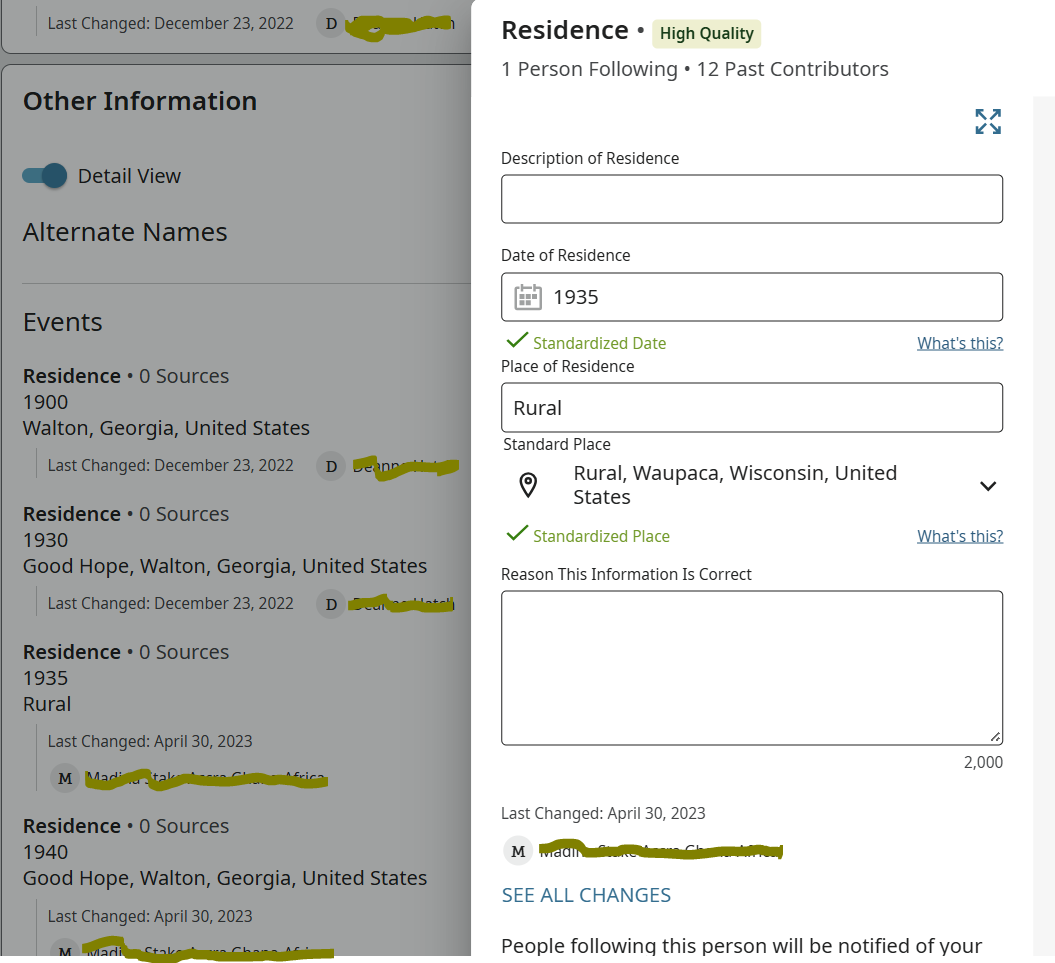
For example - I just repaired this one on a distant cousin's profile. Another contributor had left the single word "Rural" from the 1940 census, and the rural Georgia location had been magically transported to Wisconsin.
 0
0 -
@Áine Ní Donnghaile I think that's what I vaguely remember…. Thanks
0 -
As a sort of aside, one of my frustrations in trying to understand weird standardisations is my frequent inability to come up with the same answer in the FamilySearch Standard Placenames facility. Logically if I manually enter "Rural" as a placename, I'd expect it to come up with the same place as the background standardisation routine. But in this case, it gives me a place named Rural in Oregon, while the Wisconsin place is 3rd in the list. Maybe there's more to the background standardisation routine than just a straight enter the place and take the top one in the list.
Whatever it is, it makes it difficult to get any feeling for what's going on. I could see no logic, for instance, why Oklahoma on its own became somewhere different in Missouri - maybe it wasn't standardised in the background, after all.
1 -
Just to add one more 'clue' as to how this transpired. Came about when I merged two individuals and the non-standard birth location 'Oklahoma' was included in one of them. The profile was created in 2021 and maybe/probably before any place checking was being done [my guess…]. The 'Oklahoma' spot in the locations data base is probably now being used for the 'standard' Clark County Missouri location.
So not from adding a Source as I thought, but rather by using a previously created profile in this case 2021 by USCensusProject
0
