Why does my FS profile think I'm female?

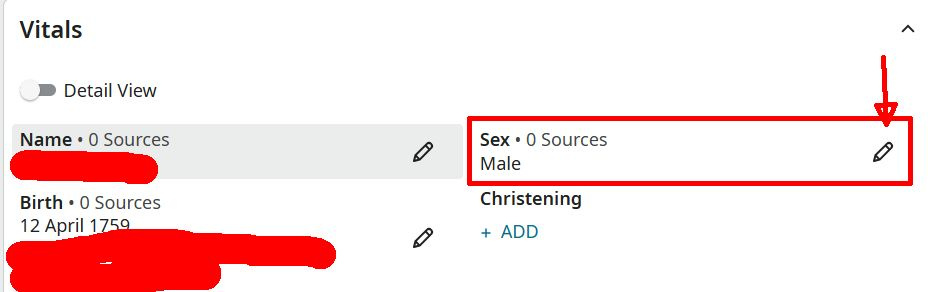
I've been registered since 2014, and on the page https://www.familysearch.org/en/tree/person/details/KW86-GT9 I'm listed as male but
on the page https://www.familysearch.org/en/identity/settings/account I'm listed as female. There isn't any obvious place for me to correct this to male.
Can anyone help me figure this out?
Best Answers
-
The question is not about the sex specified in Family Tree — in the OP, @MDNash79 specifically says that in the Family Tree person he is listed as male, which is correct. So the last two responses are not relevant.
The question is about the sex listed in Settings > Account. For some people that is editable, but for some it is not. The one case for which I know it is not editable is when your FamilySearch account is connected to an LDS org. account. Given that the PID for the Family Tree entry starts with KW, there is a high likelihood that this is the case.
But this is indeed curious. Normally this would indicate that the associated membership record specifies the sex as female. But that seems unlikely. My guess is that something has gone wrong with the linkage between the membership record and the FamilySearch Account Settings. This can only be fixed by a FamilySearch administrator, so I would suggest that you should contact Support.
4 -
Followup message regarding this issue: FamilySearch support says I'll need to have the ward clerk log into my profile in MLS, 1) change the gender from male to female, 2) save the new setting and then 3) change it back to male and save again in order to flush the error from the setting.
Thanks everyone for your suggestions.
2
Answers
-
There should be a pencil icon next to where it says "female" on your settings page, followed by the word, "EDIT." Click this, and you should be able to toggle the setting to what you want.
1 -
Do you have a family tree? Have you tried to use your Person page to change your gender there?
0 -
 0
0 -
@jamiehadlock & @W D Samuelsen contact me please , yes I have an extensive family tree. I also verified that my church records list my gender correctly so the most likely situation is that outlined in the post by @Alan E. Brown . My next stop will be directly with FamilySearch support. Thank you everyone for your valuable input.
0 -
MDNash79
Did you do what I posted?
0 -
@W D Samuelsen contact me please … thanks for the suggestion to edit the gender field, but in my case it is already listed as male, which is correct. However the familysearch profile setting is in conflict and has no edit switch.
0 -
Thanks for sharing the resolution to the issue.
1