It is now more difficult to connect people on the Source Linker

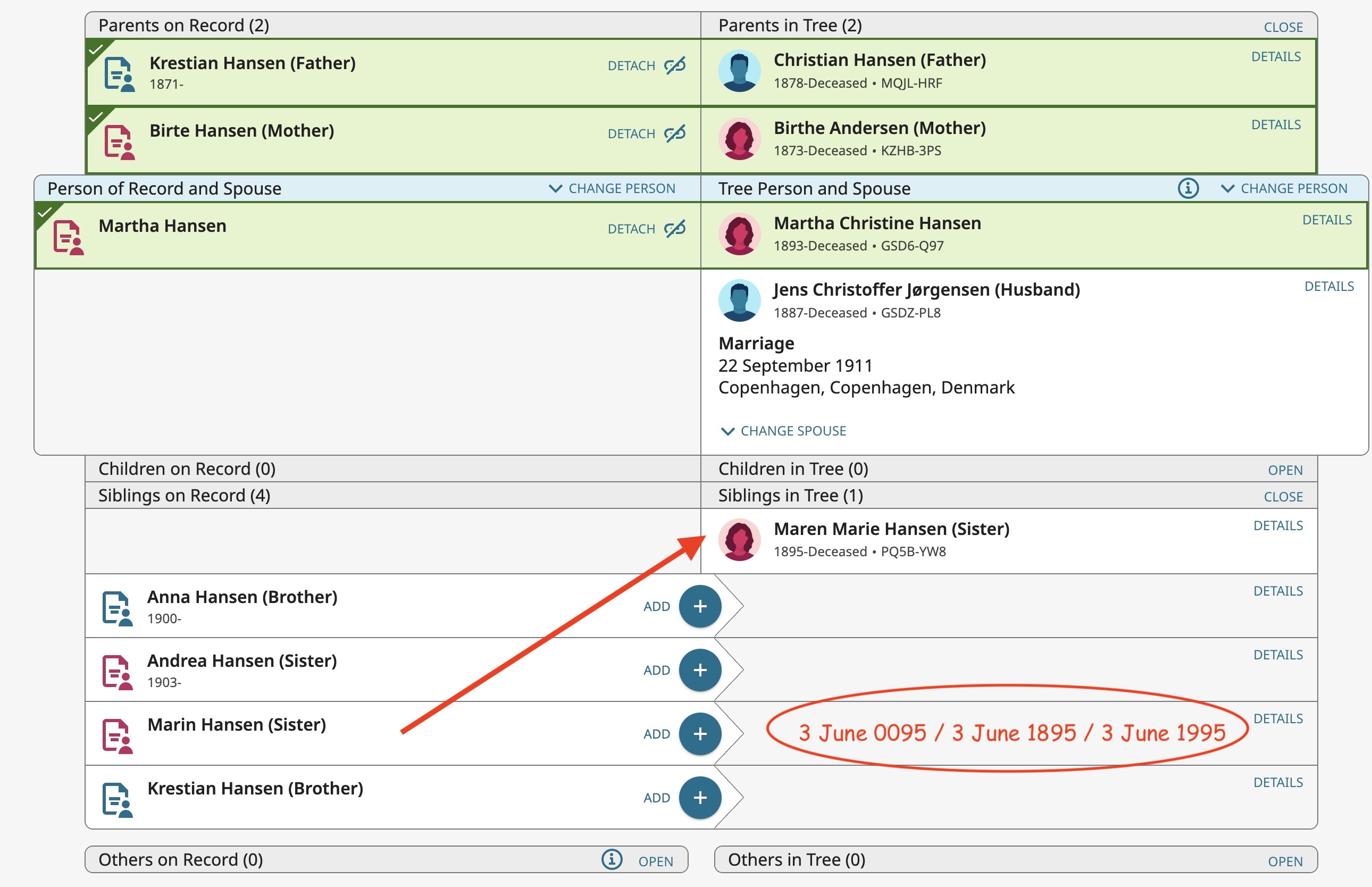
I used to be able to drag a person (left side) to the correct person for a right side match. This is on census records and I am trying to connect all family members. Now if things do not exactly match, the only option I seem to have is to create a new person, even when the correct person is already there. One time it was an incorrect gender indexed. A few times I have gone in and done an edit the indexed record (e.g. to correct the gender), but that is a pain, especially when it is so close already. This used to be easier when you could just drag the correct one up to match the one on the right side. See the attached image. In this case, the birth date was given as a set of dates, one of which was correct. - Joseph Buchanan
Answers
-
In continuing with this same record, it appears that the ONLY way to make these connections to the other family members is to go in and edit the indexed record to fix things. So far it is a gender change and another date fix. The date problem is that it was entered as a two digit date (97) instead of 1897 (it was a 1906 census record). I guess it his a way to force us to go in and clean up these indexed records. - jb
0 -
You can still drag the people where they need to go. It's just that a recent update either accidentally or intentionally moved where you have to click and drag. The click and drag arrows which appear when you hover over them used to be in the right hand side of the box but are now just after the name:

You do not have to be right over the arrows, but you do have to click and drag inside the area outlined below:
 2
2 -
This works as long as the bar says "attach." The new appearance shows "add" with an indented wedge to the right, and it doesn't matter where you try to click and drag because it just tries to select text when you do. The mechanism for moving the bar to a different person in the list no longer works if some aspect (gender or a date that is questionable) of the indexed information doesn't come close enough for a match. You can only "add" in those cases. - jfb
0 -
Can you give an example of this?
If I go to Christian Hansen in your image above, I do see on source that is not completely attached. Going to the source linker I see:
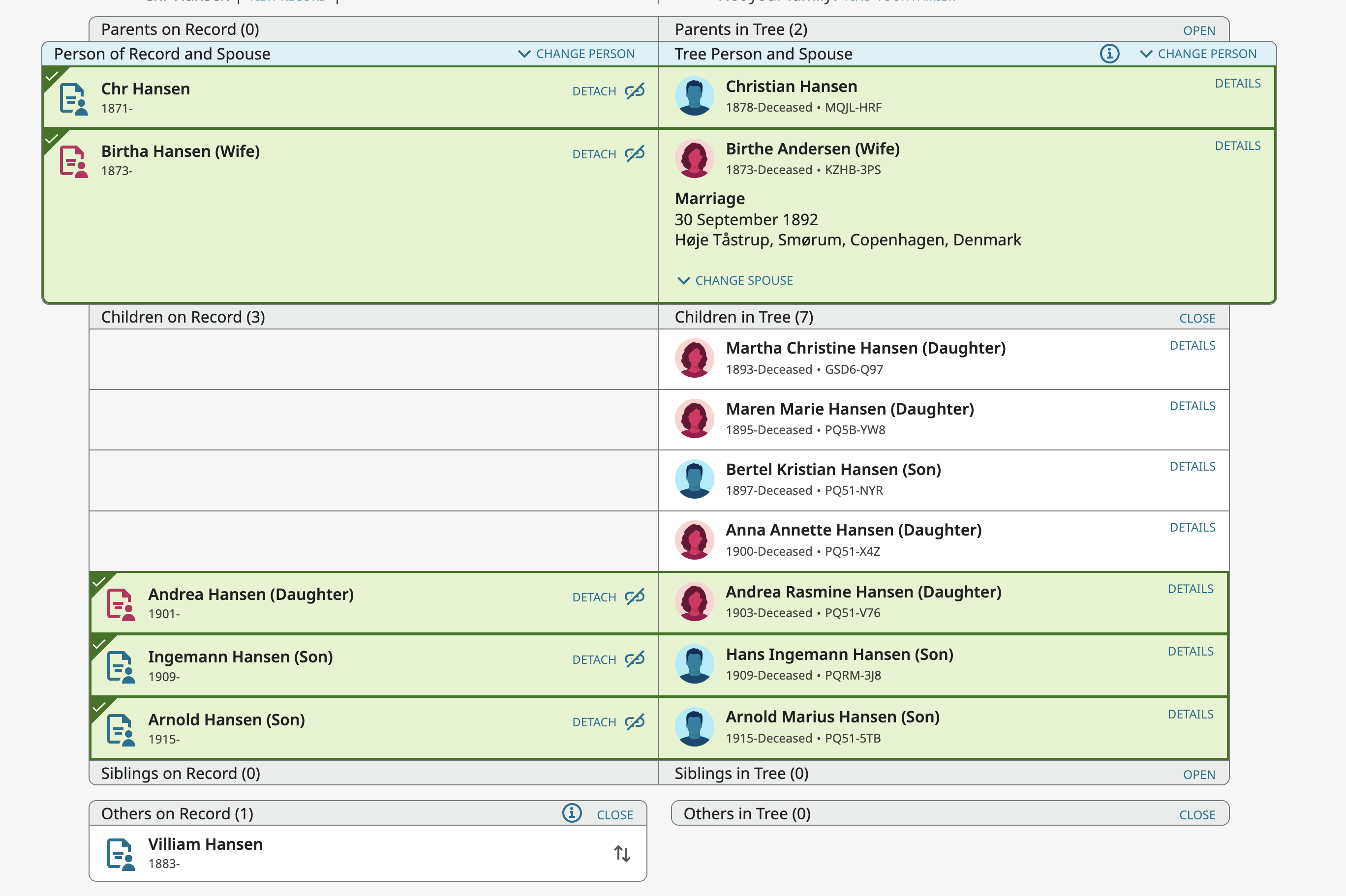
Just as an example (I won't actually attach anything), I see the drag arrows on Villiam. Using those I can drag him up to the child section as if I were going to add him as a child:
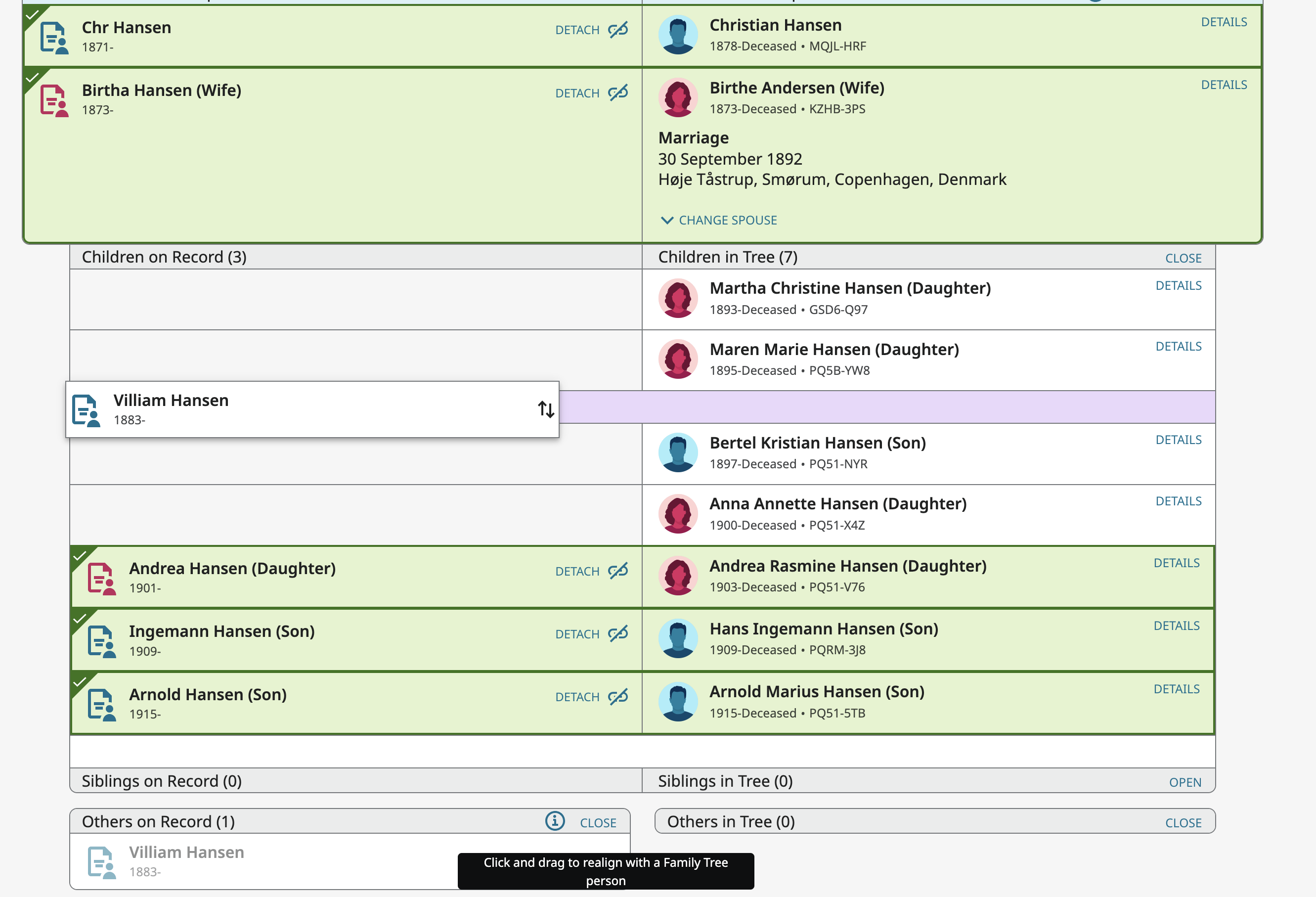
He now has that wedge and Add appearance you mention and as is present in your image above:
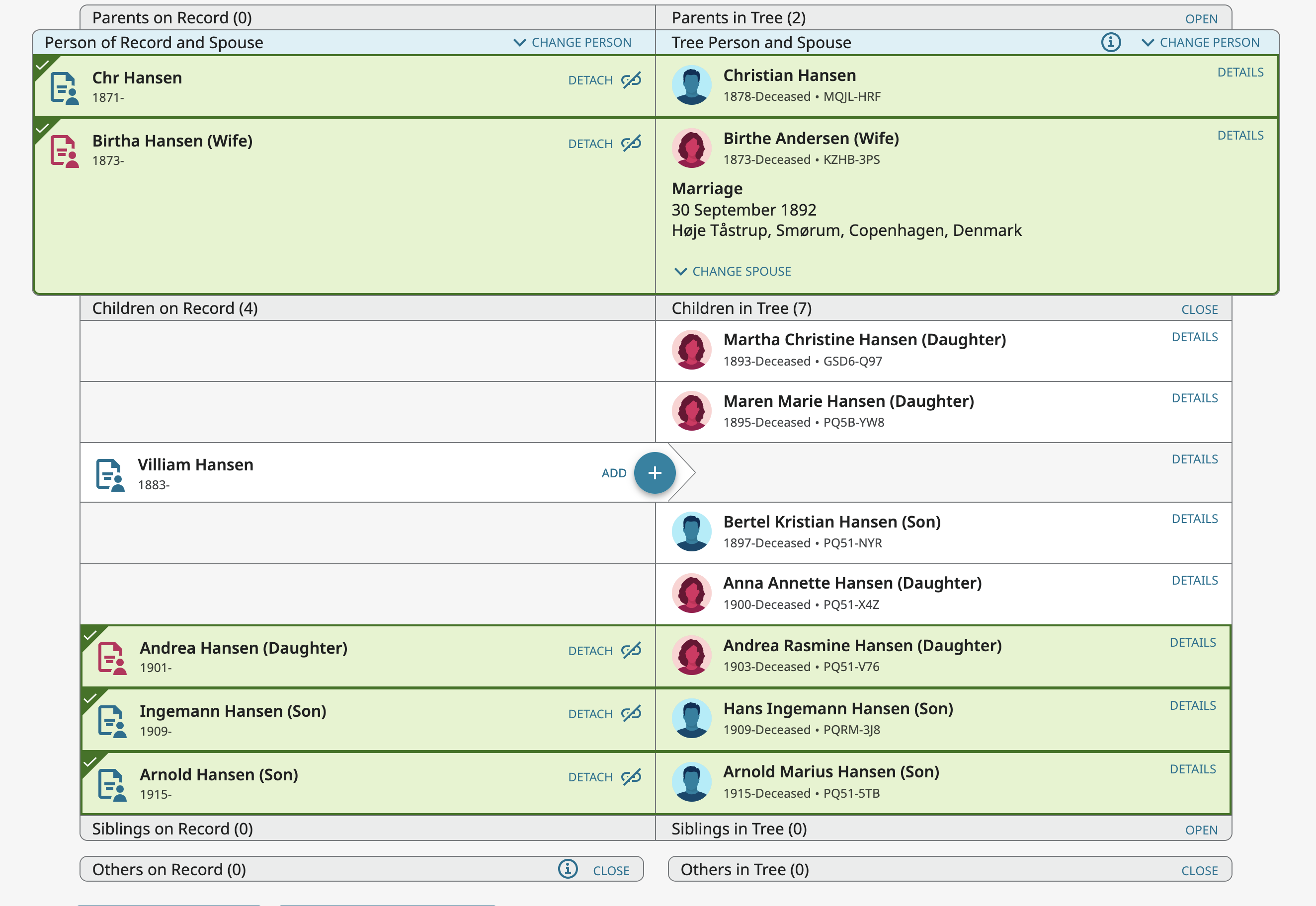
Now if I move my mouse around until the drag arrows appear:
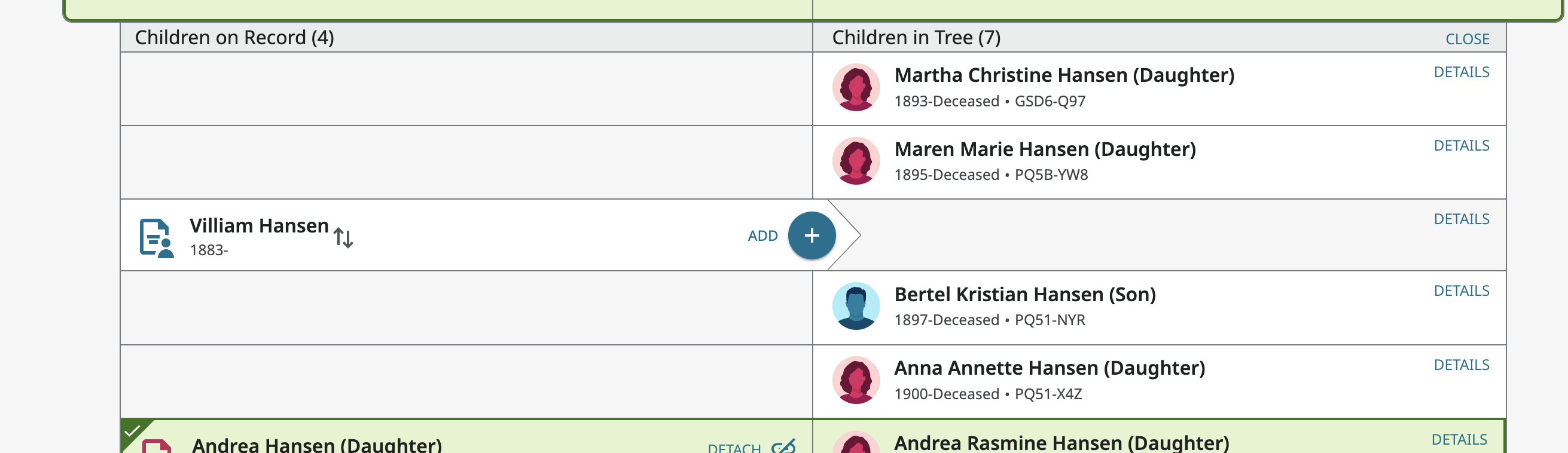
I can click right then and drag him to wherever I want irrespective of any of the information in the index:
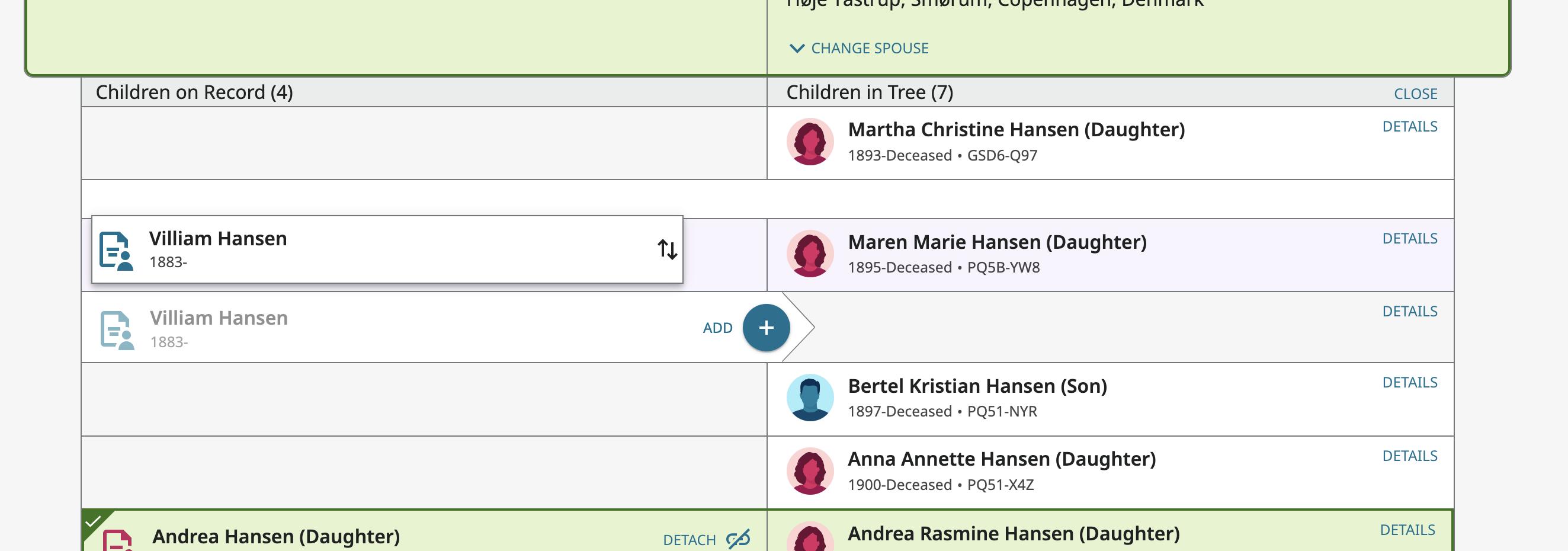
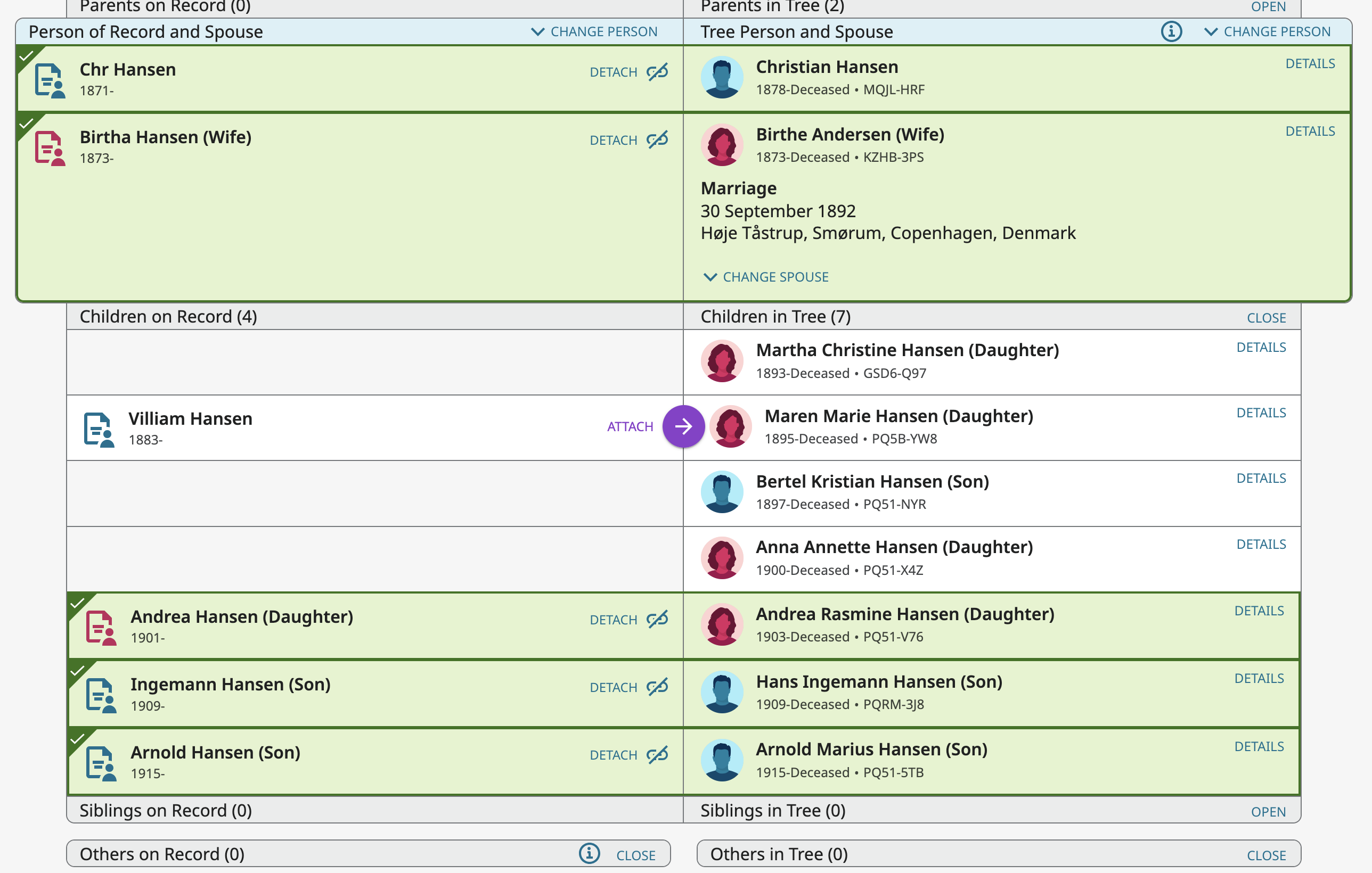
If you truly cannot replicate this, then there may be a system/browser specific bug that has crept in and you need to post here your device (I'm on my desktop computer), operating system (I'm on macOS 15.6.1), browser and version (I created this example in Firefox 142.0.1 but it works just fine in Safari 18.6 also). I don't know why they moved the drag arrows in some of the boxes but not all but I'm sure they didn't mean to break anything. But if they did break this for your system configuration, they need to know about the problem and your specific configuration so they can determine why you can't get this to work the way it always has and still does for me.
0 -
I think it may have been the case where I did not see (or it wasn't there at the moment) when the up/down arrows appeared at that particular spot when I tried it before. I seem to have tried dragging from any spot I could and ended up with text selection instead of the arrows and opportunity to drag. I tried a different census record for another person and saw that I could get to those small arrows which allowed me to drag it up and down. Thanks.
0 -
Glad you got it working. I really wish the arrows hadn't be moved. They were hard enough to locate as they were. That's why I'm wondering if this was an accident and if they will move the target area for clicking and dragging back to where it was. Or if would really help if the arrows were always visible.
1 -
Thank you for helping me find the way to make it work.
0