GWJ3-ZX4 death date is wrong

GWJ3-ZX4 death date is wrong its not 0030- whoever put it in originally has it wrong and I cannot edit it. It keeps coming up on data quality score and all the info regarding spouse and birthdate is wrong.
Answers
-
Couple of initial comments.
- If the spouse is wrong and the birth date is wrong, are you sure you are working with the right people at all?
- It is not necessary and is actually advised against to put in mr and miss.
On to your questions. You can edit the death date just fine. Click on the pencil edit icon to open the editing box:

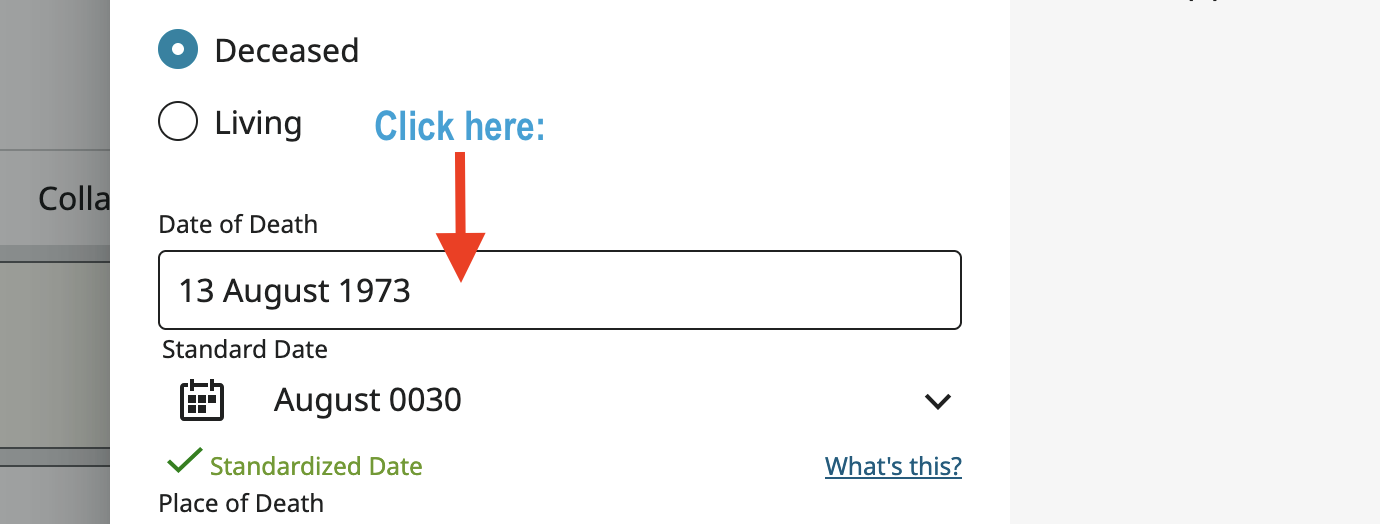
In the edit pop up click anywhere in the text data field for the date:
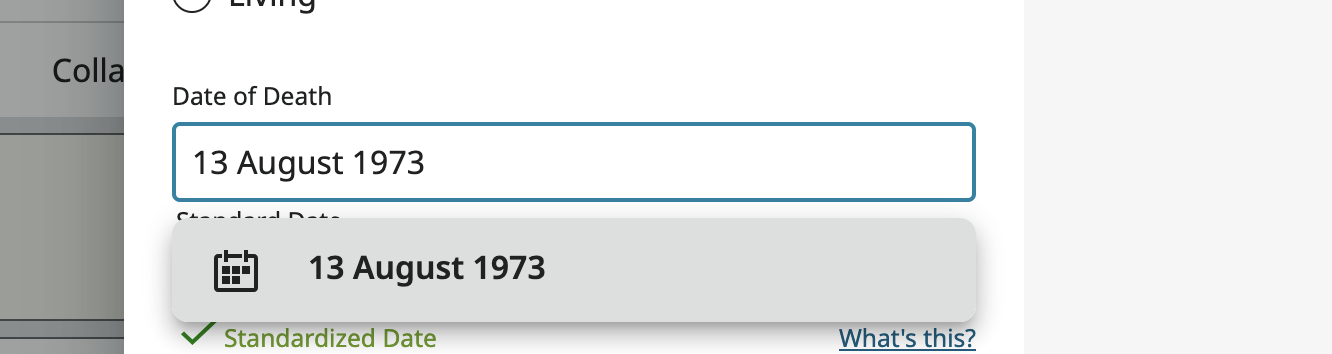
This will open a drop down menu to pick the date you mean. Is this case there is only one choice:
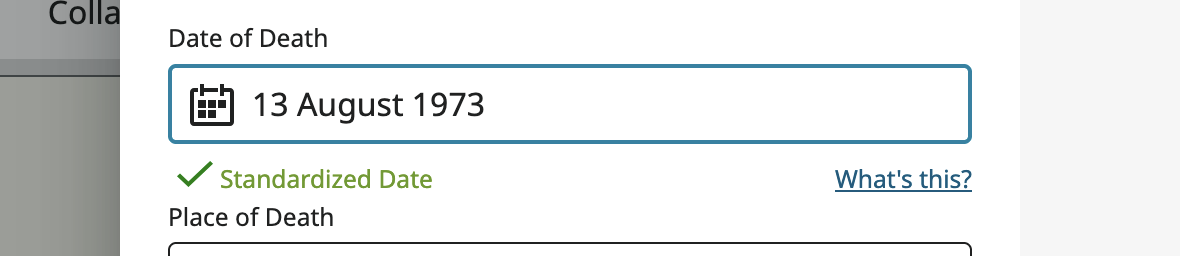
Click on the top and only line to pick that date and change the standard to which the date is linked like this:
Sorry! I tried to click Cancel so you could do this yourself and get practice at it but accidentally, out of habit, hit Save. However, I did some fiddling through the change log to get that incorrectly standardized date back in. Now you can work through the procedure yourself and learn how to fix these kind of standardization problems.
This kind of date standardization error used to be pretty easy to make but upgrades to the routine has made it much harder for this kind of problem to occur.
1