Can these unhelpful comments be dismissed?

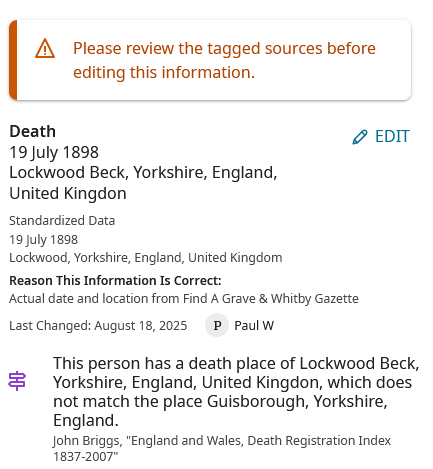
It is inevitable that the data in a source / official record will not match the more specific detail we can add manually.
Seeing these comments will lead the more inexperienced user to accept FamilySearch's highlighting a suggestion of a possible mismatch and for them to probably to replace the "Lockwood Beck" location, in this example, with one including "Guisborough" (which was merely the registration district for births, marriages and deaths at this time period).
However, I cannot see how I can delete this text (adding a reason statement to explain why).
Is this a permanent feature, or part of a labs experiment? Either way, the way such events are registered will nearly always cause this apparent conflict, meaning such computer generated comments are just not helpful.
Answers
-
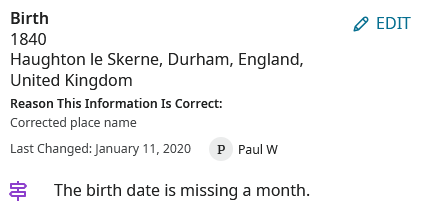
Here is another example. I assume that due to the way FamilySearch treats Birth Registrations (as just registrations) and Death Registrations (as if they referred to actual deaths) that no conflict has been highlighted in respect of the placename. However, "The birth date is missing a month"? Once one gets back so far, it can become almost impossible to be more precise than to provide a year, so again I think there should at least be a way to dismiss such suggestions.
 0
0 -
You can get rid of these comments by going to the Data Quality panel and dismissing them there.
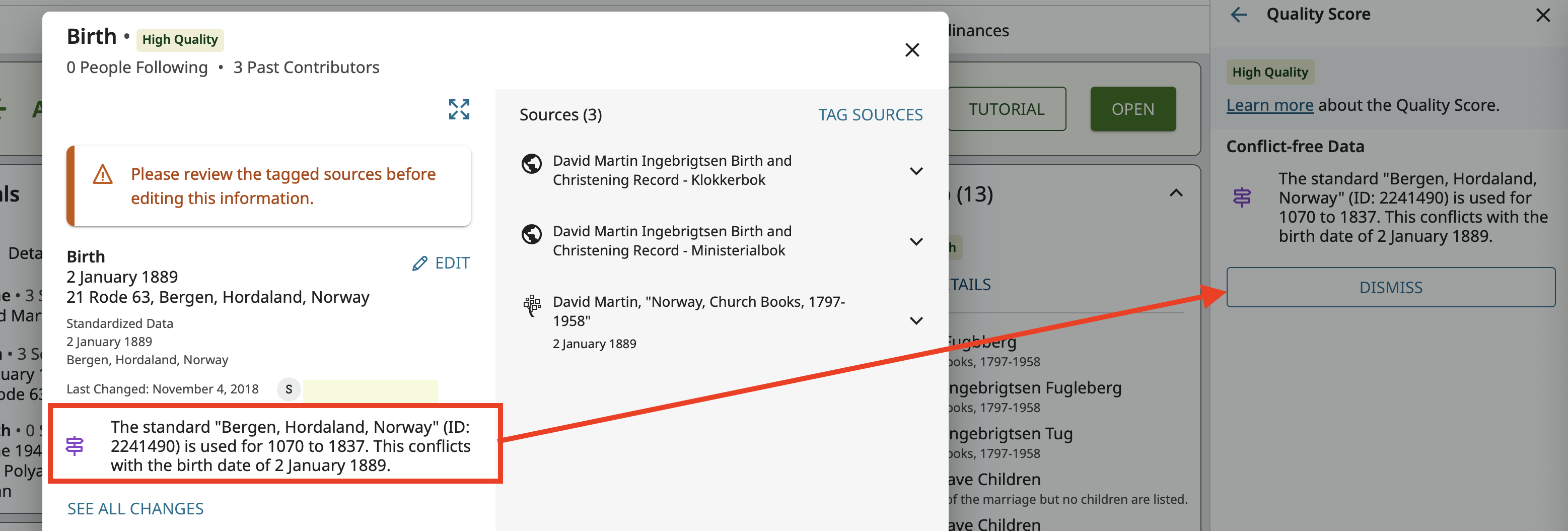
I find it annoying and time consuming to need to close the Data View pop up, open the DQS side panel, find the comment there, dismiss it, then go back to what I was doing in the first place. I have requested this be improved:
I haven't give up hope yet that improvements will be made in this feature.
2 -
Thank you for pointing out how to do that, Gordon! I assume the advice is to be found somewhere in a Help article, too. Naturally, I agree with your wishes that there will be an improvement to the process at some future date.
As we know and appreciate, the developers make some excellent enhancements to the Family Tree program. Unfortunately, this feature appears to have been rather poorly thought through.
0 -
I first noticed this in June so I kind of suspect any Help Center article hasn't caught up to this yet. As I posted in my comments about it, I still am unsure about this. But then I'm still waffling a bit about the whole current state of the data quality checker. I've seen it pick up some really hard to see issues. (Like here:
) But as I run through profiles I've worked on, I have to say that at least 90% of the time or more the data quality problem is a problem with the indexes rather than with the profile.
3