Today's changes

I am little confused, most likely my fault. :-) 1) I can no longer figure out how to limit "place" down to the county level and 2) I cannot figure out how to close the left sidebar after I have set my search limits. I am using Firefox btw. Thanks! PS I have enjoyed using the new Full Text Search. Good work!
Comments
-
@jambones I'll be glad to try to help. I haven't run into the problems you've mentioned. I mostly use Chrome now for FamilySearch because I've found that Firefox is often too slow for needs when I'm digging deep on FS. I'm using Windows 10.
I just did a test FTS for records in a specific South Carolina County without any issue. I'm repeating my search in Firefox.
I see the same results in Firefox that I saw in Chrome.
I entered a name in the "Search" panel on the right. I also entered South Carolina in the Place box.
Then, in the top row of filter bubbles, I selected place, drilling down to South Carolina and then Union (for the County). Once I pressed "Apply" that panel closed. I also selected a year, choosing 1700, and drilling down to 1790. Again, once I pressed "Apply" that panel closed.
That left me with 42 results, mostly from the Deeds collection.
How does that differ from your experience?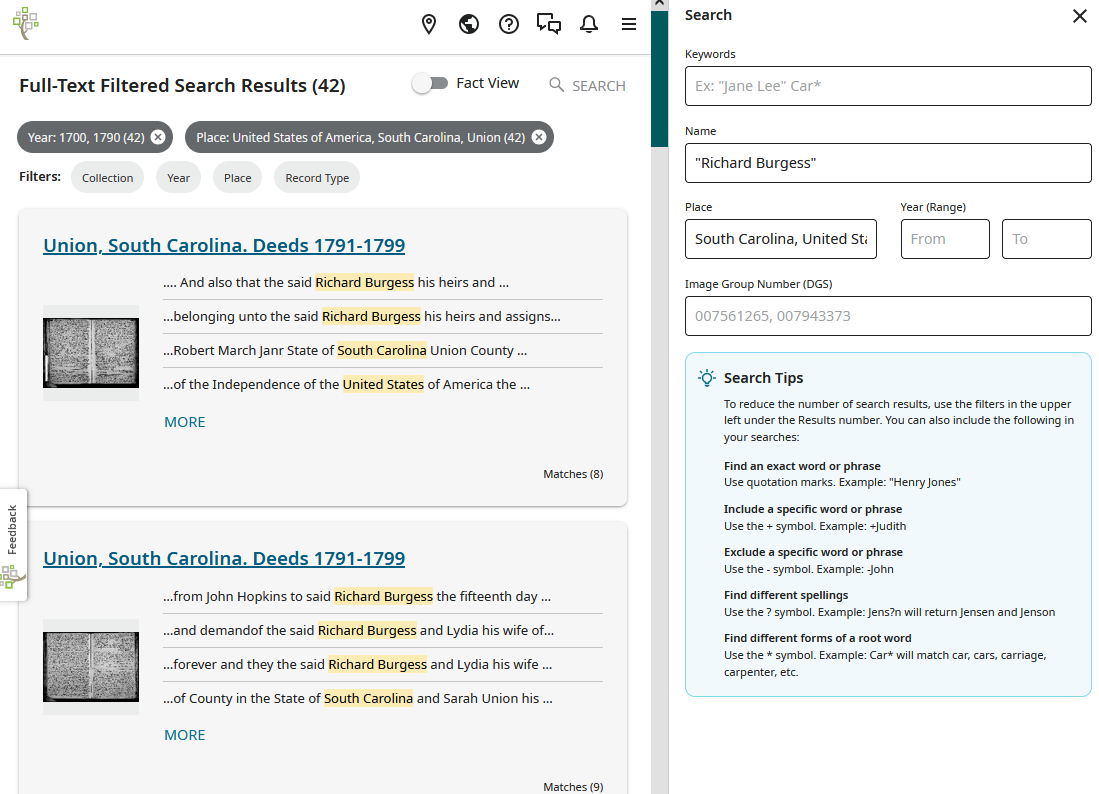 0
0 -
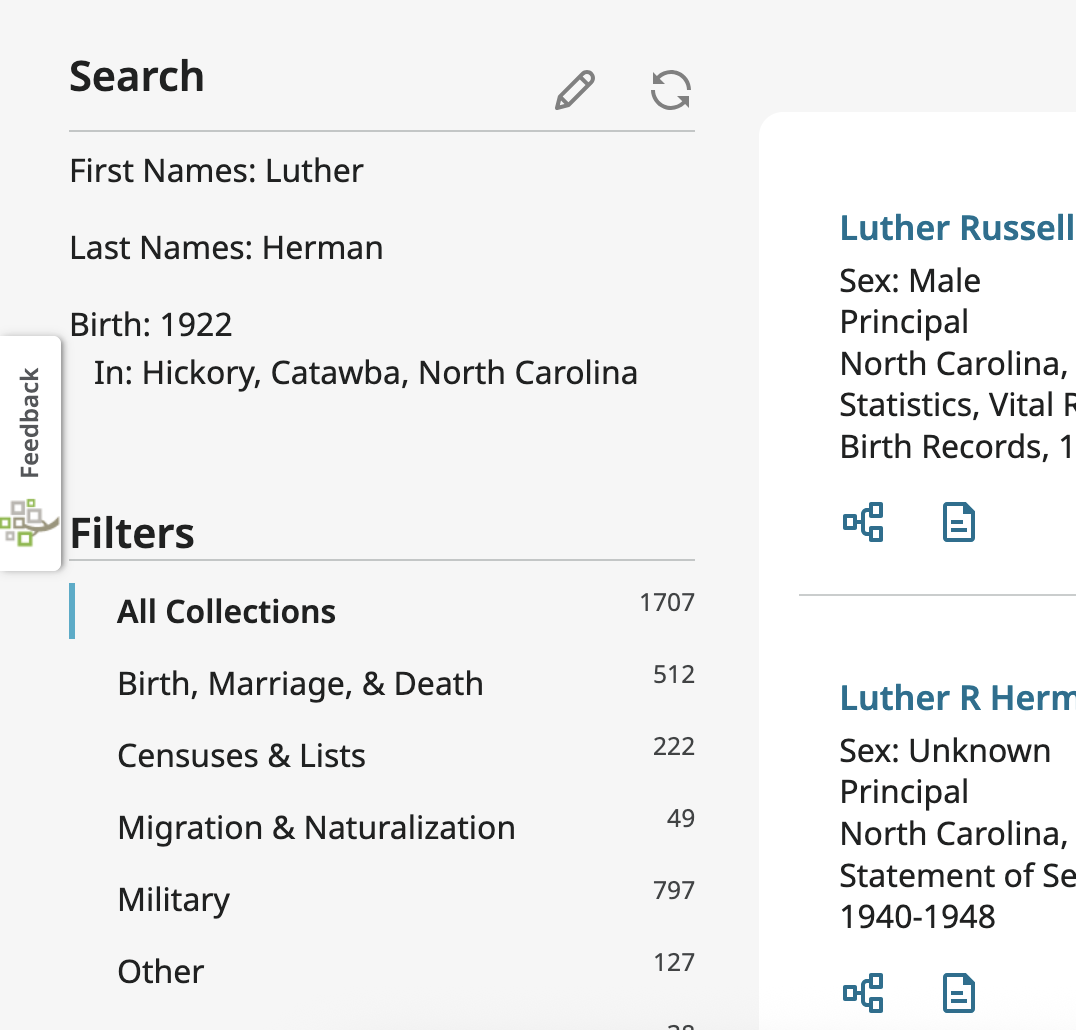
Ok, I'm talking about the "filters" part of thing. I entered my search as usual and a Filters sidebar appeared on the left (instead of the little buttons that were at the top until today). So I selected United states → Pennsylvania and that was as far as I could go. With the buttons, after I clicked PA it would give me a choice of county buttons to click. All the cool people are still on Win10. :-) Anyway, the Search part of things are as they were yesterday, its the Filters that changed for me. The buttons you show on your images, gone away for me. Maybe I'm a beta tester. I can try using Chrome to see if that changes things, after I dig out my FS password.
0 -
No idea if loading this image worked
1 -
@jambones I use Firefox on Windows 11 and the Filters appear 'normal' shown across the top in their respective 'chip'. I haven't seen the sidebar you mention. I understand they are in the process of making changes to the way Filters operate so you may indeed be seeing something 'in the works'
1 -
I can see your image. Yes, it seems your layout is different. I haven't seen that yet on Chrome or Firefox. Are you using Windows? 10 or 11?
I cleared FS cookies in Firefox and still see the same filter bubbles at the top as before.
1 -
I am seeing this “new” Search filters on the left of the screen on my iPad. I’m not a person against change and can usually adapt in time to various tech related updates. But this update leaves a lot to be desired. It looks fresh, new, slick, etc., but it requires a lot of extra steps to retrieve the content that was so easily accessed earlier today. And I’m not so sure I’m able to access the same volume of results due to limitations of the options. Perhaps the design team can bring back much of the previous easy-to-use function, within this new layout?
0 -
I'm envious that you guys still have the buttons! Oh well, maybe I'll let FTS rest for a day and when I come back it will have gone back the way it was.
0 -
My buttons are back!! :-)
0 -
I am now getting this new sideabar on the left. I don't like it and it's not coming up with a result that was there before.
0 -
Back to sidebar again. And its a bit flaky too. Sometimes a state will have a pull down so you can select a county and sometimes there in no pull down, randomly. And to change a setting you have to go thru a process whereas before you could click on a current choice of date or place and easily modify it.
0 -
Not a fan of the sidebar on the left. We read left to right. It is unnatural for a sidebar that big to be on the left. FIlters should be on the right for content heavy pages.
0 -
@B_1500 Can you take a screenshot of the sidebar you are seeing? I don't see one that isn't on most pages in FS.
0 -
@jambones I believe that the search you are using that shows filters on the left is not the Full Text Search that this forum is focused on. The search that shows filters on the left is the one you access from the home page of FamilySearch after you sign in. It has a heading of "Search for an Ancestor." This is not the best place to give feedback on that feature. After you do a search there, on the page showing your search results, you will find a Feedback button along the left edge of the screen. Click that to send feedback to the folks who are in charge of that search feature.
 0
0 -
@jambones Disregard my post above. Look at the Announcements for an explanation of the new filters for Full Text Search: https://community.familysearch.org/en/discussion/181526/changes-to-full-text-search-filtering#latest
0