Out in full production now for everyone?

Does this mean that all users now have the new merge and it no longer needs to be turned on in Labs?
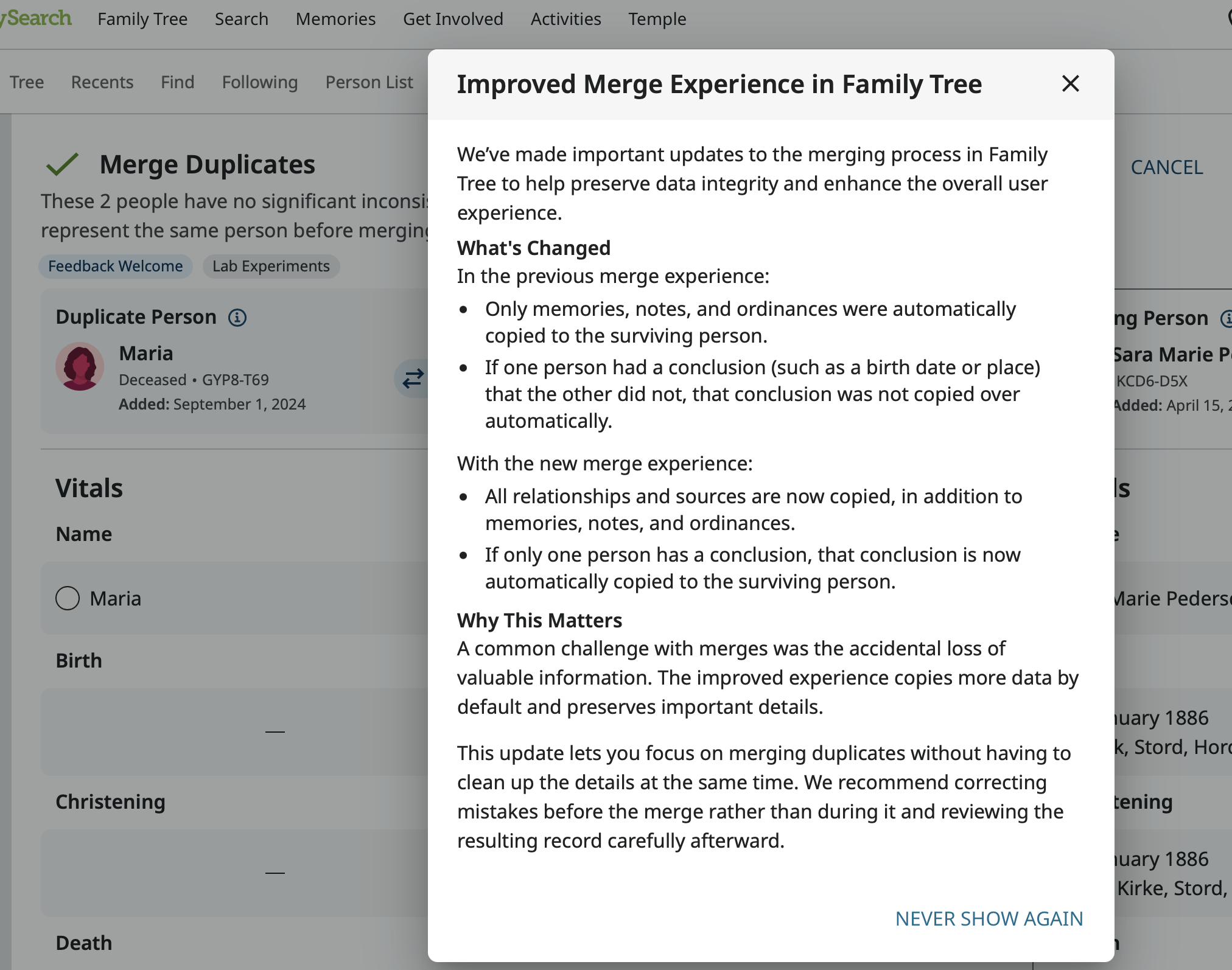
And that you are ready for more feedback that you ever got here?
Comments
-
I still get the older merge version.
0 -
So maybe just a new feature added in preparation for it's full release.
0 -
@Gordon Collett We have turned on an opt in banner for 25% of users.
We are doing a phased release as we gather more information.
Thanks!0 -
@Mary Anna Ebert How do I opt out of this improved experience? Counter to the stated goals of the lab (preventing "active loss of valuable information" by specifically "[now copying] all relationships"), it's doing the opposite, which is actively causing information loss. I posted about one recent instance here: https://community.familysearch.org/en/discussion/179728/why-is-merging-two-people-dropping-relationships
I'm happy to provide any feedback on how to fix this, but until this issue is resolved I do not want to be subject to risk of data loss.1 -
@JD Cowell to turn off the experiment, go to the FS Home page, scroll down to FamilySearch Labs, click view experiments. When the Available Experiments page opens, go to the Improved Merge Experience and click Turn off. Let me know if this doesn't work.
0 -
This doesn't work, because, as I said in the linked post that I made to Ask A Question, I opted in once ages ago but turned it off not long after. When I go to the "Labs" page, I am offered the chance to "try it" for the new merge. Despite not having it enabled, I'm still getting the unexpected behavior, namely, merge is causing relationships to drop silently. I assume this has something to do with the "phased release" for "25% of users" @Mary Anna Ebert mentioned a few posts up.
Here's another example of the problem behavior: I'm trying to merge L1H6-CMT into LHWK-8C4. The duplicate has no spouse, the destination does. The merge confirm page doesn't list the spouse—of the original!—at all, and has no green "changes were made" indicator.
This is a really, really big problem on its own, but PARTICULARLY so because it's affecting users who have not opted into the experiment and would otherwise have no idea that something is wrong.
2 -
@Rhonda Budvarson and @JD Cowell This is definitely a new problem in the old merge. I wonder if needed adjustments in the old merge as part of preparation for rolling out the new merge wrecked the way marriages are handled in the old merge.
JD, I did go ahead and test this out by reversing the merge you did and looking at various configurations. Then completed the merge again, making sure I didn't actually change anything. Here is what I found. (Margaret is the wife of my 9th cousin so it seemed fine to tinker.)
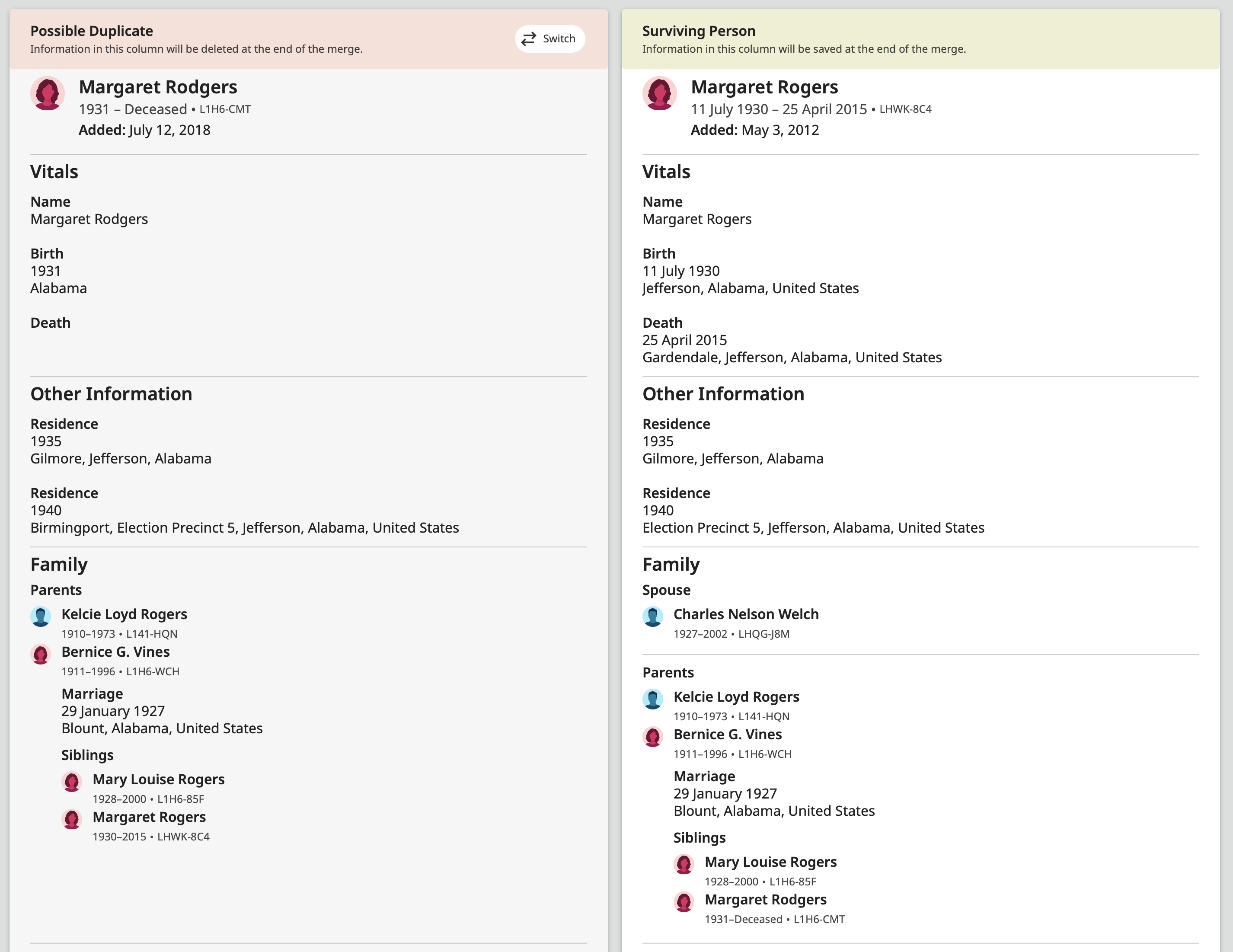
Using the old merge, you have the three page process. First the initial overview:
The the page where you can choose which information to use:
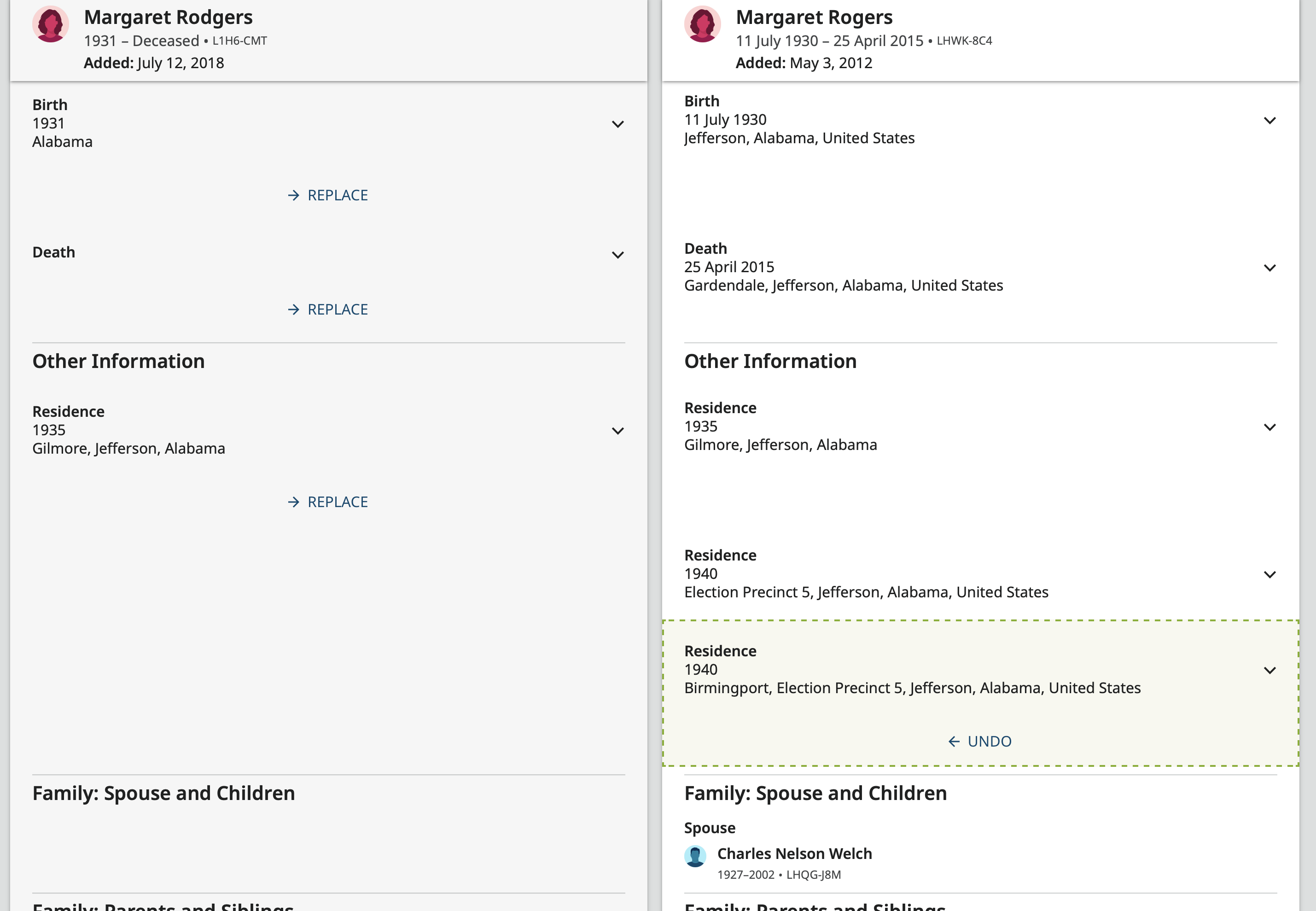
Since the one Margaret has no couple events, there is nothing to even consider moving over. However, when you go to the next page to see the effects of the merge:
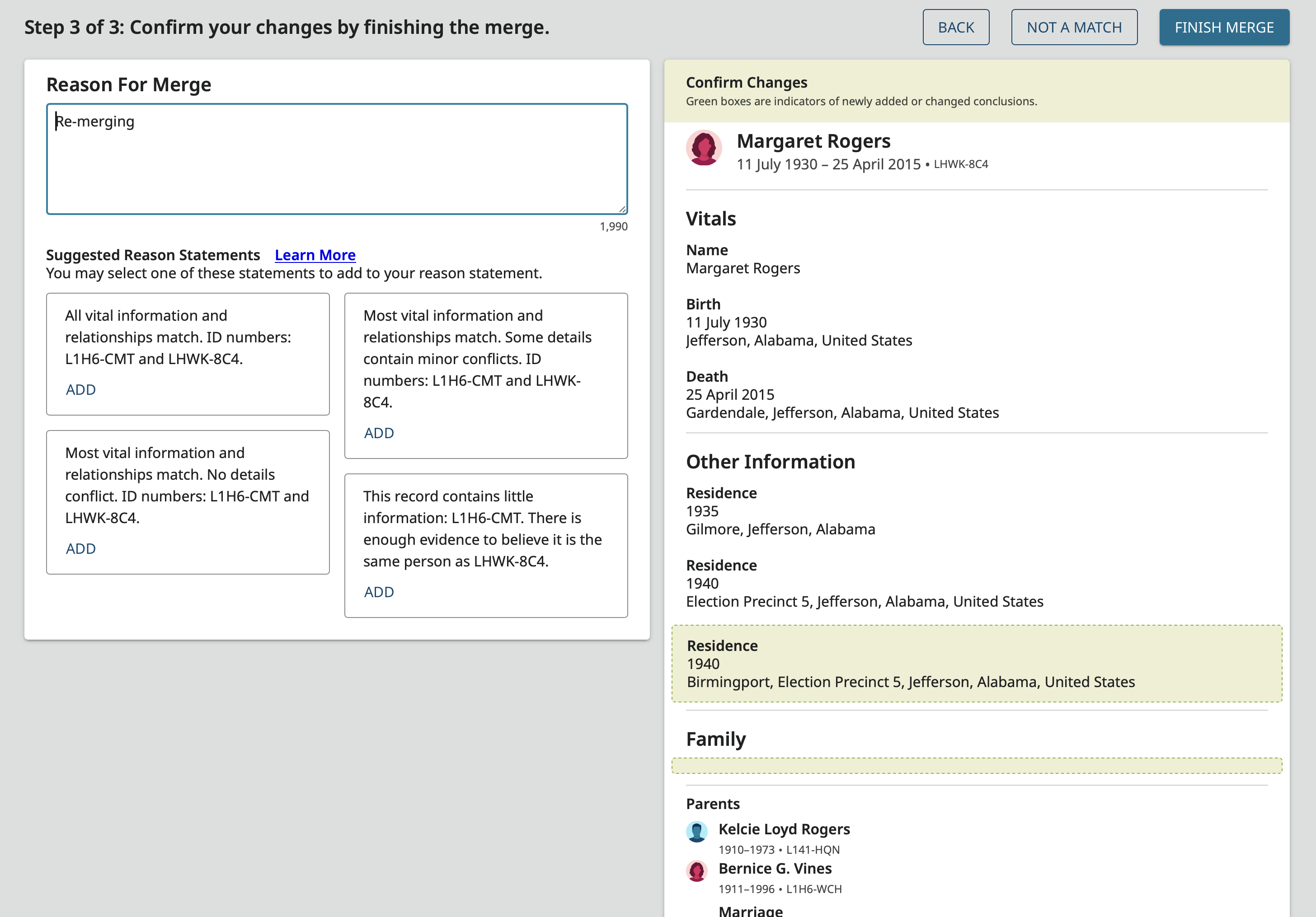
you can see that the "no couple event" was automatically moved over, erasing the relationship to Charles. This should not be happening.
You can see in Merge View for the original merge JD completed that the same thing happened and Charles vanished during the merge:
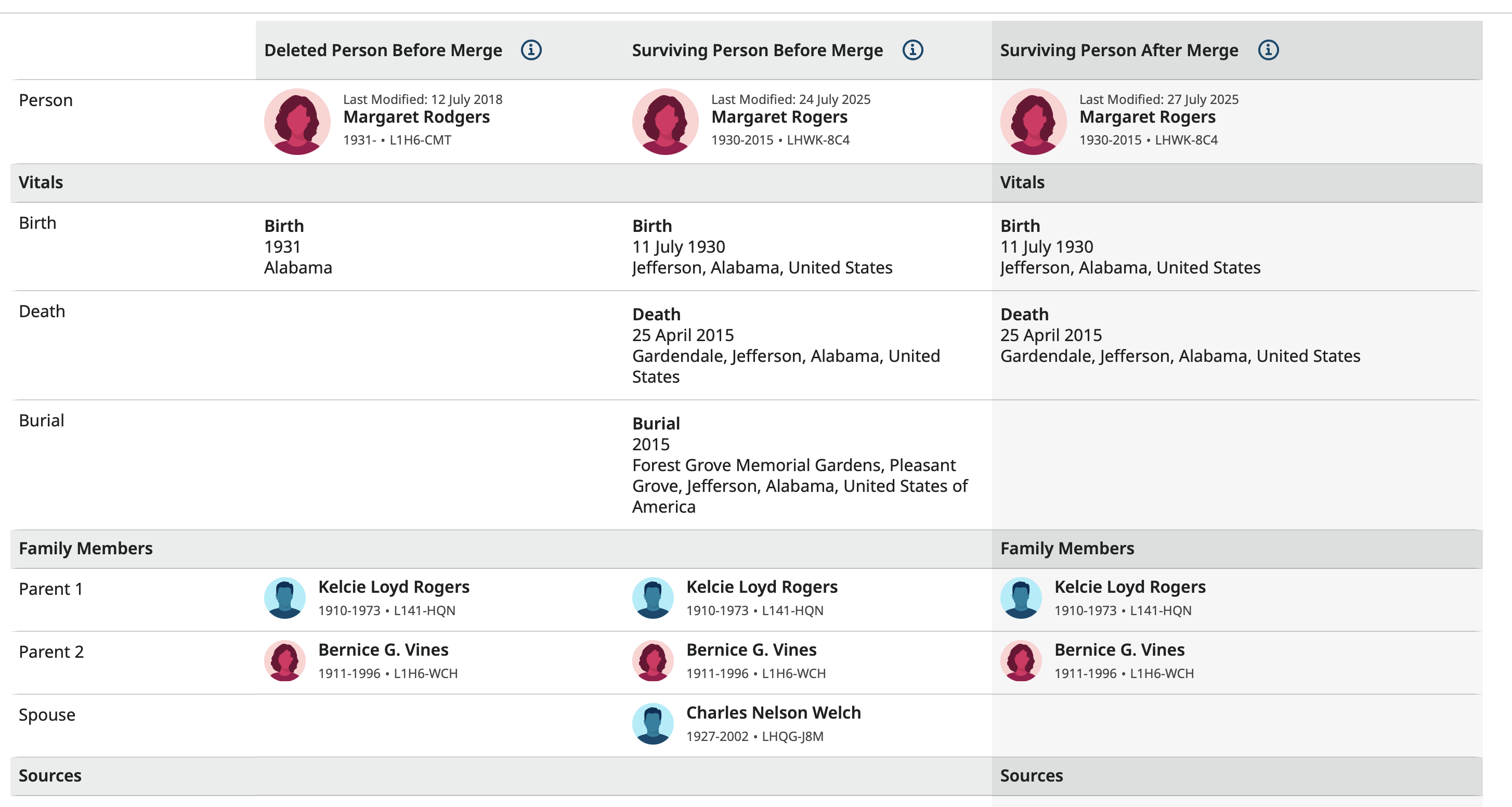
Before completing the merge, I went back to the second page and reversed positions:
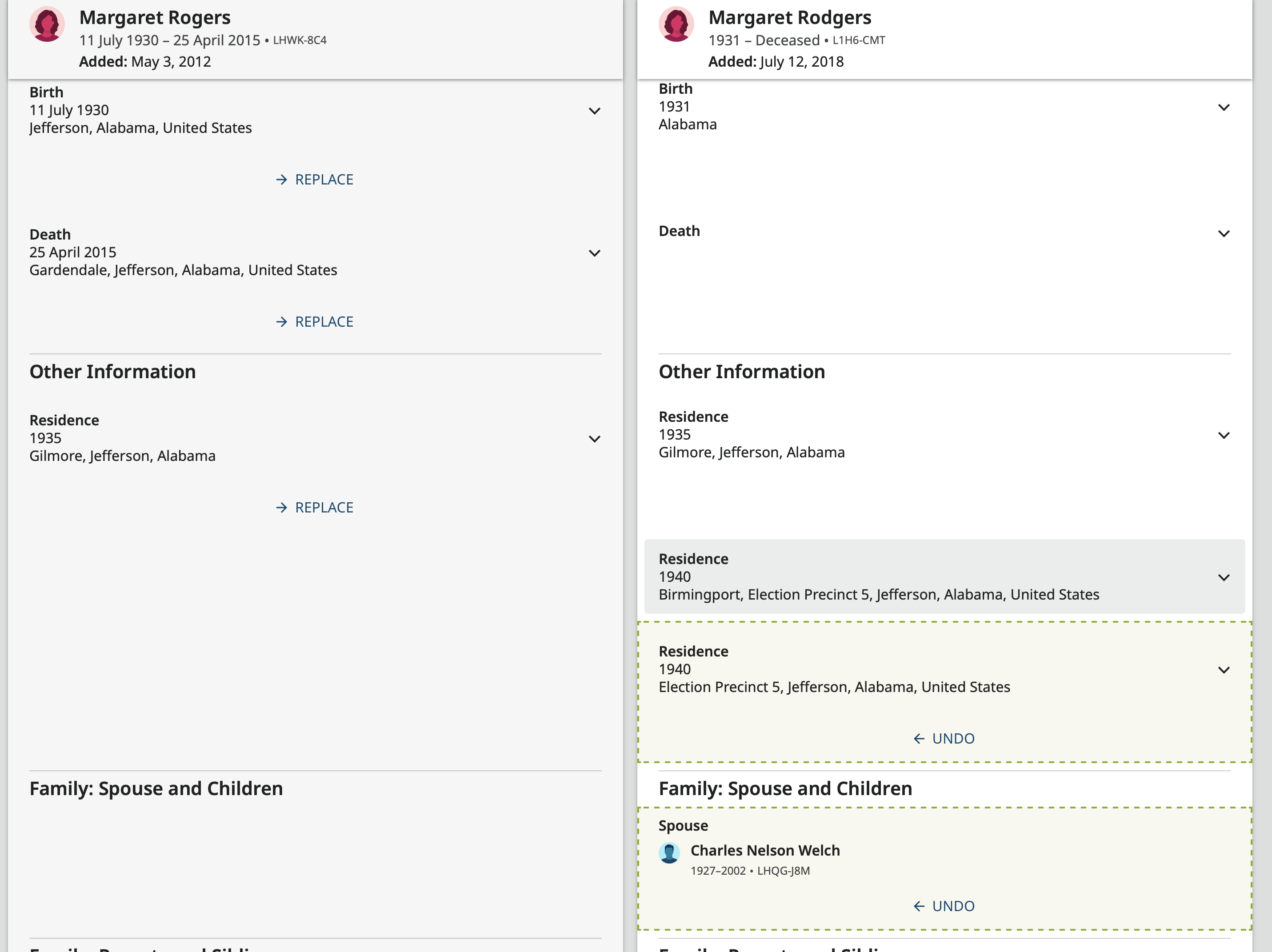
This time, Charles was automatically moved over and the third confirmation screen shows this:
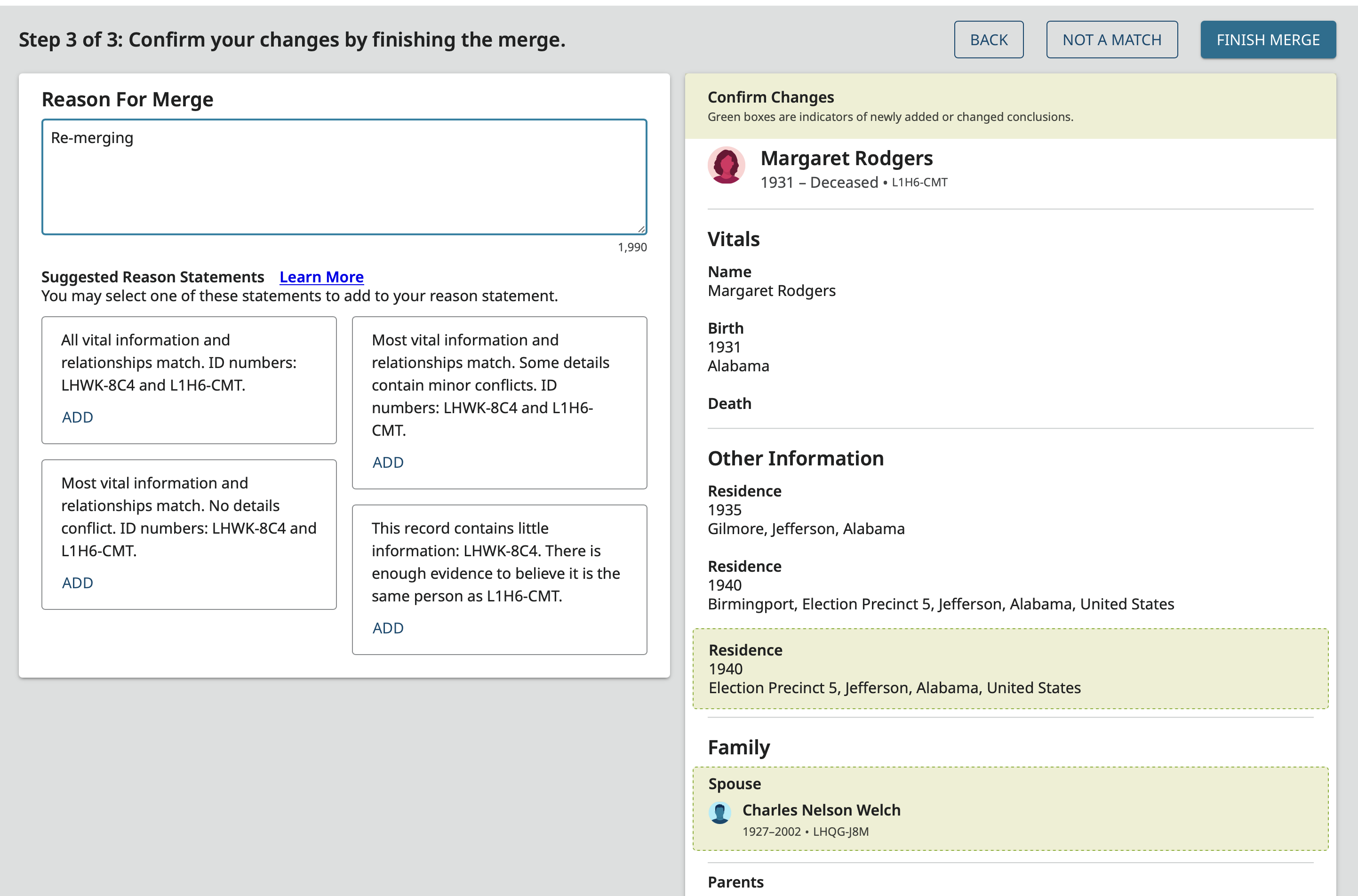
Ironically, the new merge which has had it's own problems managing couple events (I haven't had the opportunity to have a merge and see if there has been progress with those yet), handles this situation just fine. Here is the merge in one direction:
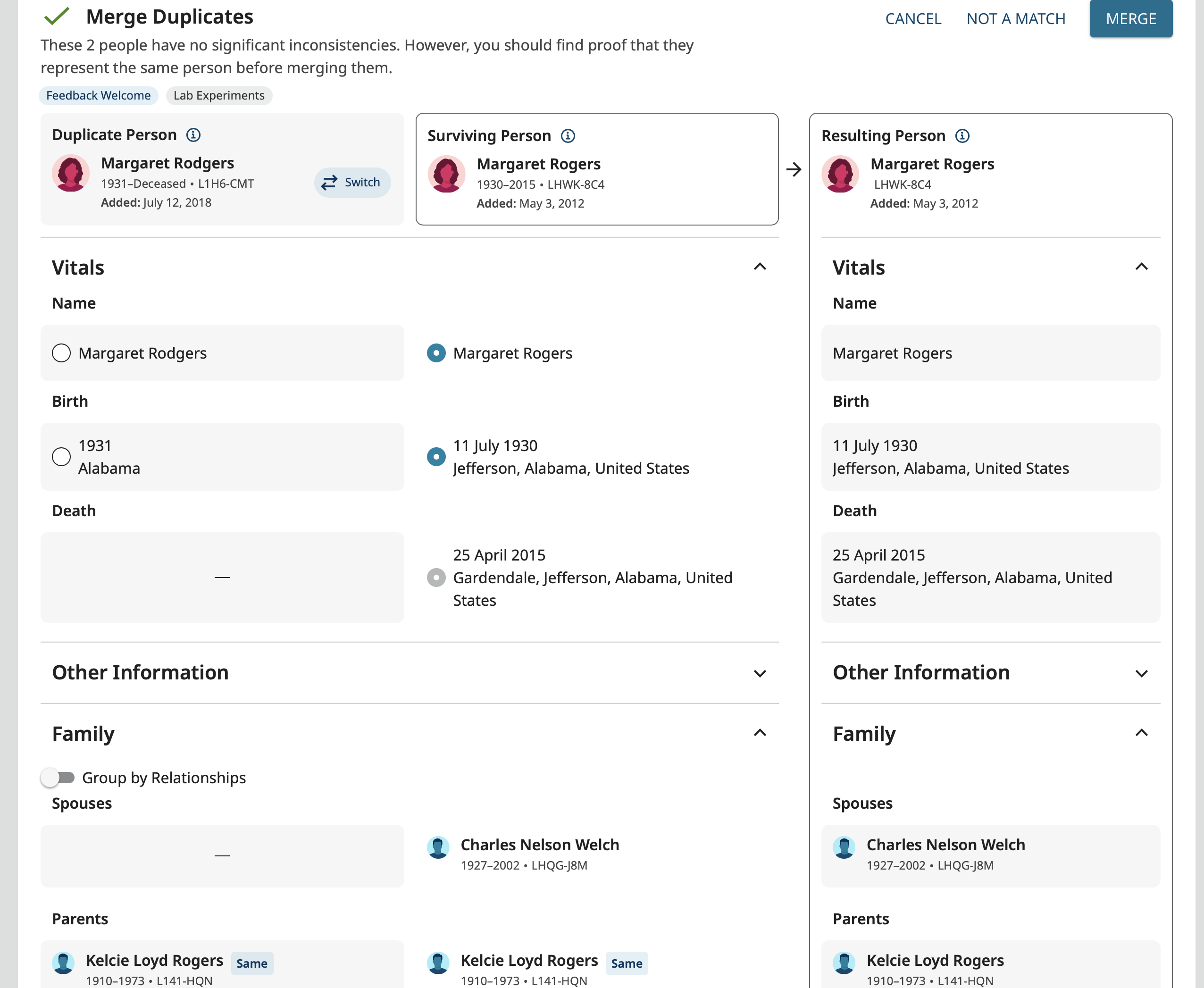
And in the other:
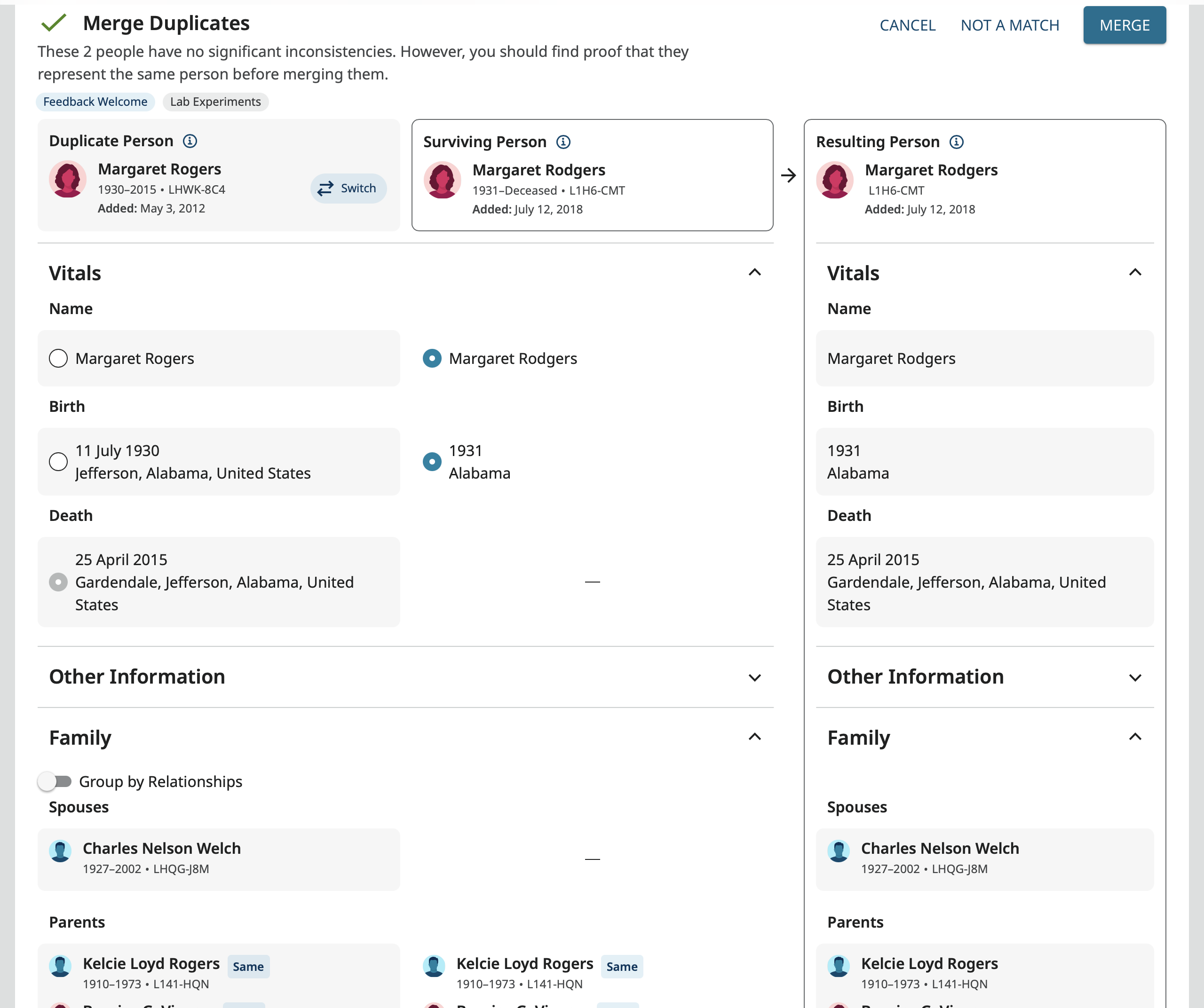
In both of these Charles comes over without any problem. I used the first version to complete the merge which is the direction in the old merge that lost Charles and the merge when just fine.
This problem really needs to be fixed in the old merge so couple relationships are not lost all over the place during the trial and roll out phase for the new merge.
2 -
@JD Cowell and @Gordon Collett thanks for letting us know about this bug, we will get it fixed shortly.
Thanks again!1 -
@JD Cowell @Gordon Collett thank you for you help. This bug should now be fixed :)
0