Privacy Protection for Personal Info on This Public Screen

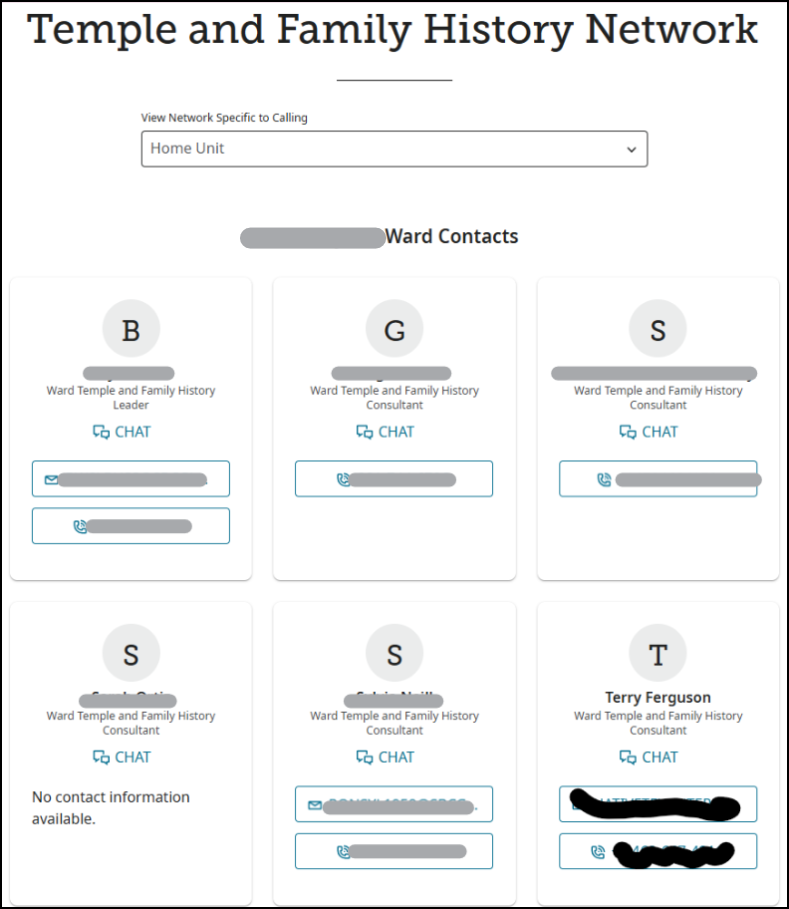
I cannot make any changes in Settings so that my personal info is NOT shown to the public & as a single woman & widow, this is NOT smart. I'm OK with my name showing but not my email & phone # & anyone in my Ward or Stake can look me up in LDS Tools. We should be able to make these changes without having to go to the Ward or Stake Clerk for revisions. Please advise- thanks.
Answers
-
@Terry Ferguson Mod note: Community is a public online forum. Your image was edited to protect the privacy of living people. Please see the Community Code of Conduct for more details.
0 -
My comment done exactly as advised via phone call for assistance & told only those in this FamilySearch group would be able to view.
0 -
@Terry Ferguson I had not seen that particular screen before so I went to find it and there it was under Helper Resources:
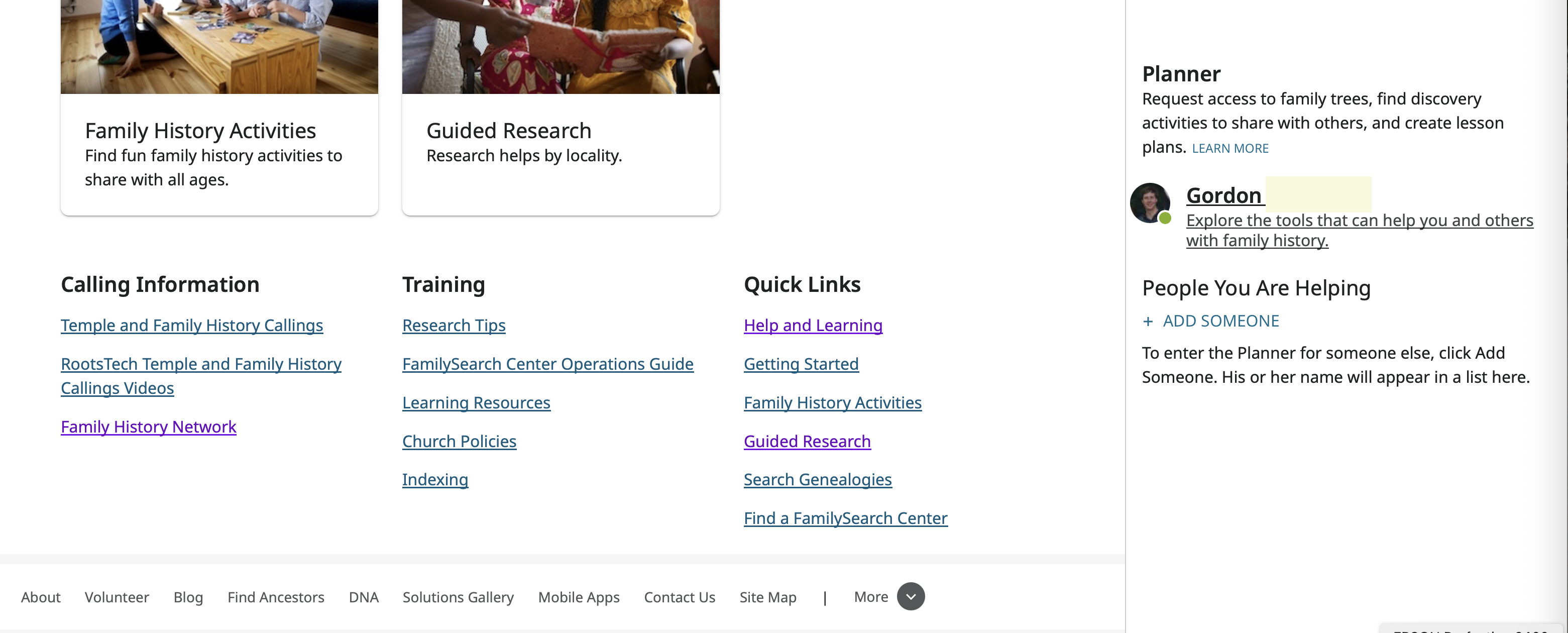
Be aware that what you can see and what others can see is very account and calling specific. For example, people who are not members of the church cannot even access Helper Resources.
Here is what I see when I go to the Family History Network:
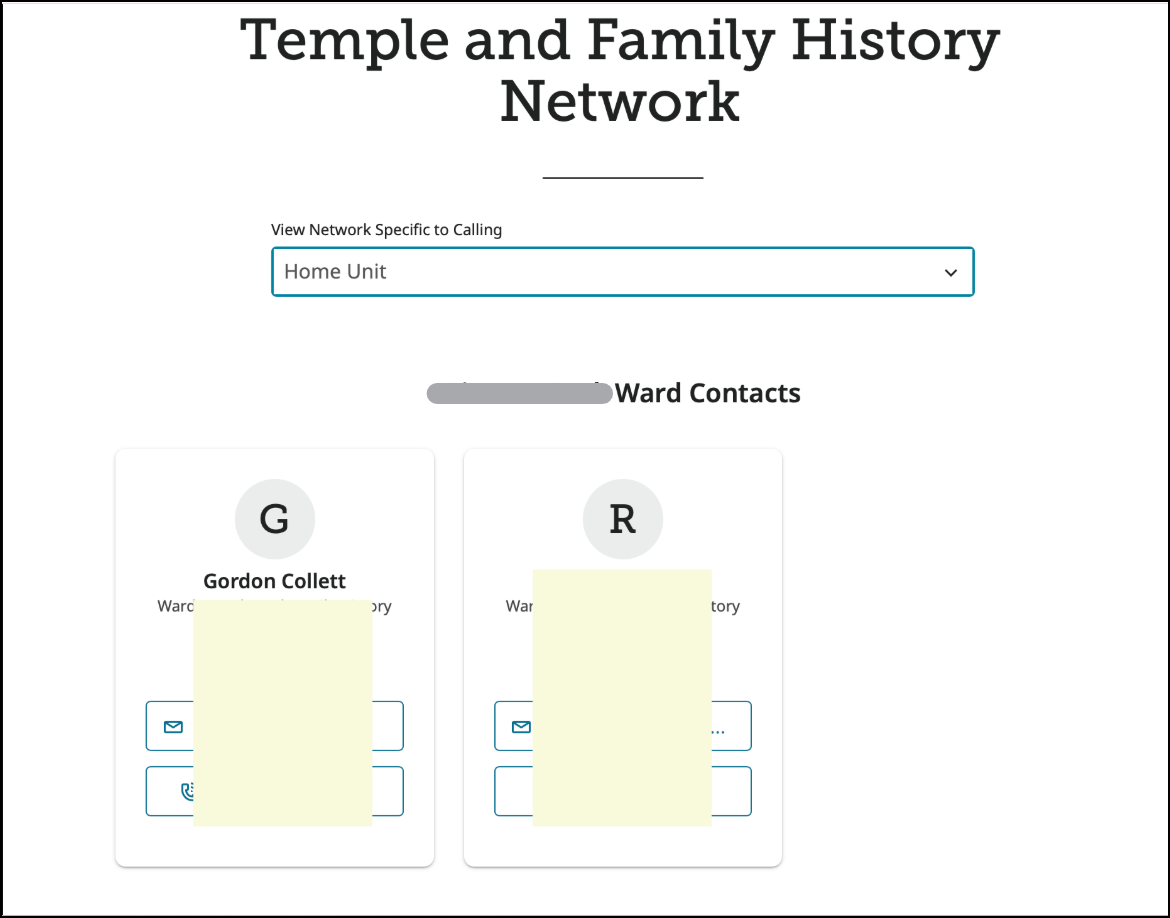
You can see that it is completely different than yours. This screen is completely ward/stake dependent. It is just pulling from Tools and only people in your ward can see your information. It just an alternate place where they can get to it.
If you try to change the drop down menu at the top, the only choice I get besides Home Unit is my ward. Changing to that does give a tab for my ward and a tab for my stake to see the Stake Family History consultants.
In summary, as far as I can see, this is not public information and the only people that can see it are the same people that can see it in Tools or in the online directory on the Church website.
0 -
Poking around more, I see that you can access this same information by going to the Help and Learning Center and going to the One-on-One Help section.
However, the entry to there specifically states:
Local Church Member Help
Talk to a Local Consultant
There may be someone in your stake, ward, or branch that can help. It doesn't matter if you are just getting started or if you are a little more experienced. Check to see who is available in your area.
Then it has the link that lists the consultants. Clearly since this specifically says "your stake, ward, or branch" this section of the web page will not appear if the signed in user's account does not have a church membership number on it. And the information that appears when the link is clicked is for that user's stake, ward, or branch and none other. So again, your information is kept private except from your own ward members.
This feature of FamilySearch to modify the website for each user, to select what a user has access to, and to protect privacy by making adjustments based on all the information linked to a user's account, including what ward they belong to, is a feature throughout the website. It can lead to a bit of confusion when two users are trying to discuss a page on the site, think they are looking at the same page, but are actually seeing two different versions of that page.
0 -
This information comes from your ward. If you don't want your ward members to see this information for you, you can lock it within your own Church account.
0 -
Sister Ferguson
Further to what Brother Collett and Sister Archibald have provided.
I was advised by a Temple & Family History Consultant in my Ward of the following:
- The full name of a Temple & Family History Consultant always appears in the Temple and Family History Network of FamilySearch for those in your, Ward; &/or, Stake.
- If you Set all your Details (ie. Name, Birthday & Age; Phone; Email; &, Address) in LDS Tools (or, Church Account) to that of Stake & Ward Presidencies (ie.not, Ward members; or, Stake members), then your Email Address & Phone number will not appear the Temple and Family History Network of FamilySearch for your, Ward; or, Stake.
- Whereas, if you Set all your Details (ie. Name, Birthday & Age; Phone; Email; &, Address) in LDS Tools (or Church Account) to either, Ward Members; or, Stake members, then your Email Address & Phone Number will appear in the Temple and Family History Network of FamilySearch for your, Ward; or, Stake (ie. depending on which one of the two is set.)
Hope this also Helps.0 -
But the question, of course, is why would you want to hide your telephone and e-mail from all of your ward members in Tools, the online directory, and on FamilySearch if you are a Family History Consultant and want your ward members to contact you? The information is not accessible to the general public in any of those three places. It is only accessible to your ward members.
You can test this out yourself. Ask a friend who is not in your ward to try to find the information page you posted above. That person won't be able to.
Speaking of privacy, @Ashlee C. , could you please cross out the wards Terry and I are in? I overlooked that or I would have blocked it out in my image and It's too late for me to do that now.
2 -
@Gordon Collett Thank you for pointing that out. The two images have been edited to remove your ward information.
1

