ERROR REPORT - Search Malfunction

In my normal workflow, I work from top to bottom.
I enter a name to Search, then click More Options.
About 50% of the time, the name I just entered disappears, so I have to start over. Sometimes, it stays, but then disappears once I enter more details to narrow my search.
It happens both if I start from the Main Search or from a specific record set. It happened 3 times in a row just now while trying to search the 1900 US Census.
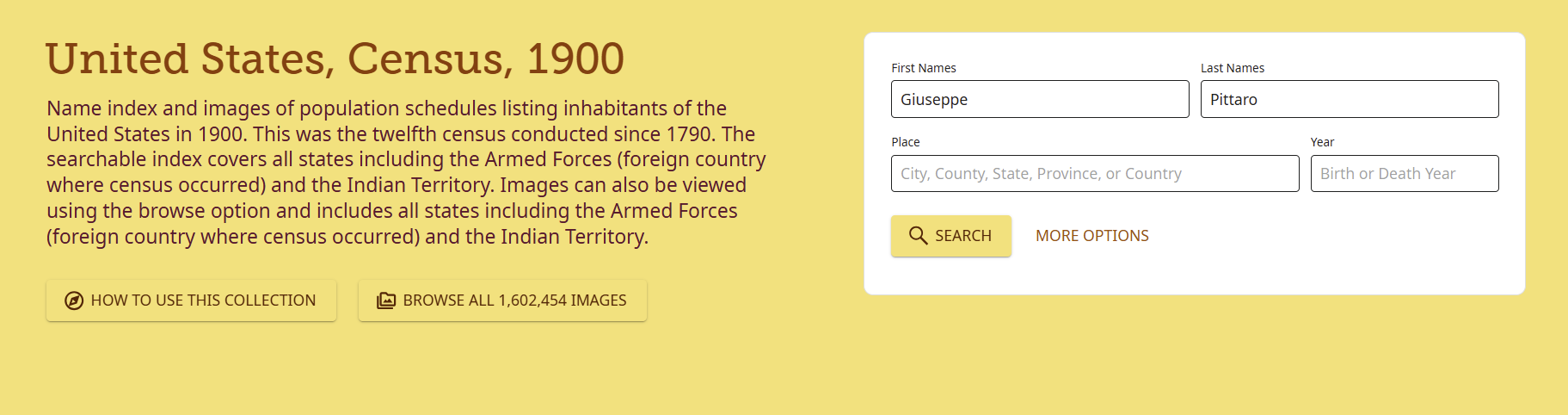
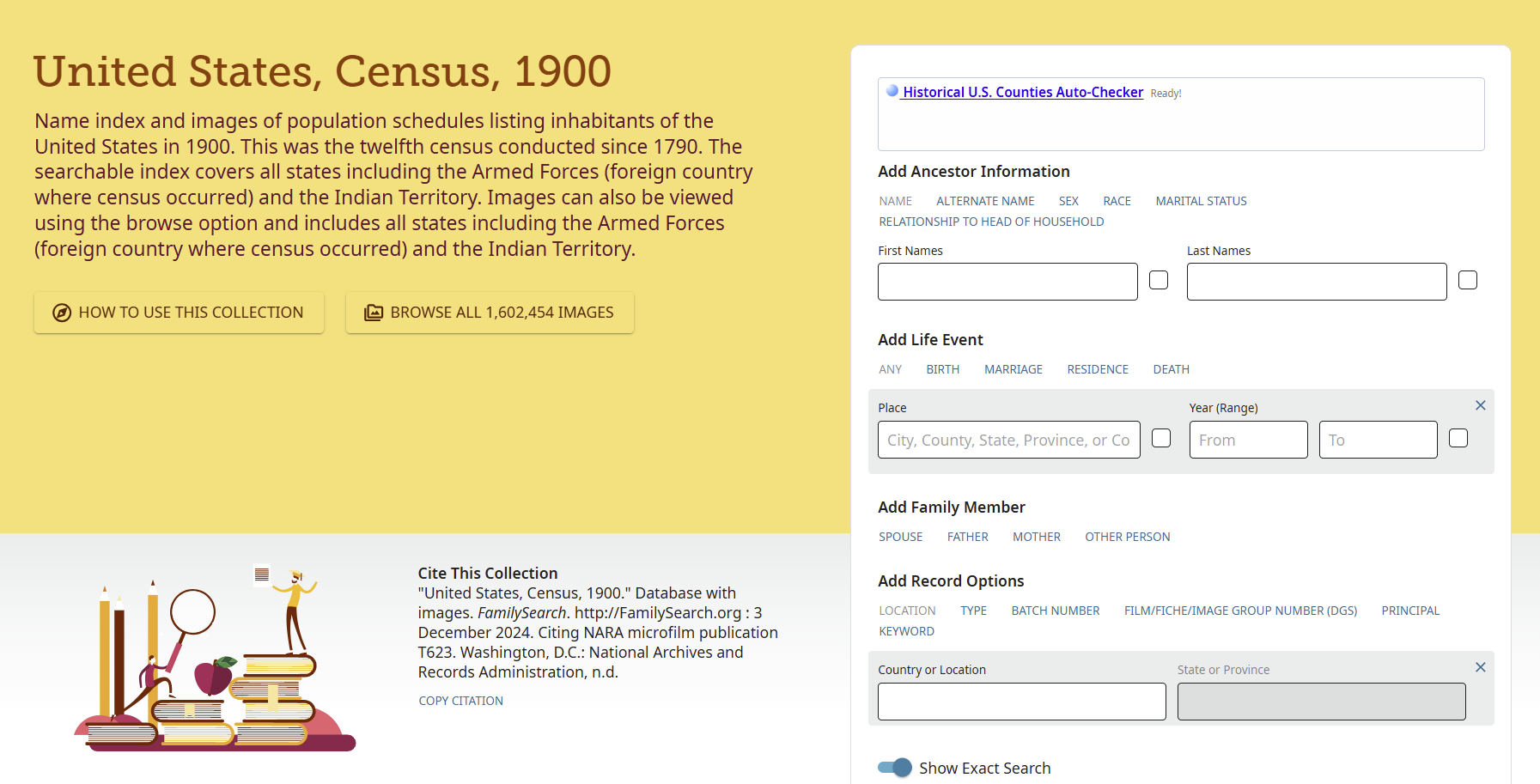
Oh, please, can someone fix this? It's driving me a little crazier. It doesn't happen every time, but it is happening more frequently.
@SerraNola please. Thanks.
Windows 10 and Chrome, both fully updated.
Answers
-
I have not been able to duplicate this error. I thought perhaps it was the extension for historical counties you are using but even after attaching it, and searching dozens of times there were no problems with names disappearing. I also tried with an incognito window and public account. Nada. Can you think of anything you are doing differently from when this started to happen? Also, if anyone else has experienced this, please post. If I took this to engineers, they would question if the error is peculiar to just your computer.
1 -
Thanks for replying.
I waited until it happened to me many times before reporting. It has also happened in Firefox, where I do not have the Historical Counties extension. It has been intermittent. Several times, I've started writing up the report, ready to take screenshots, but it doesn't occur. I think "great, it's fixed." Then, the next day, it happens again.
0 -
So I had to try this… (Firefox 140, Windows 10).
I first tried the England and Wales Census 1901 - it behaved exactly as @Áine Ní Donnghaile described. I typed the search name, clicked More Options and … phut … the search name vanished.
Then I searched the equivalent 1901 census for Ireland and Canada and both behaved sensibly, leaving the search name in place after clicking More Options.
The only thing I noticed @SerraNola was that the screens for each collection behaved consistently. The Canada and Ireland censuses were consistently correct. The England & Wales census consistently vanish the search name during several consecutive uses. It's as if something is awry with the set-up of that form on its first use and it stays that way because the form hasn't been reloaded. (Though I don't know what constitutes a reload because I closed down Firefox, then reopened it, went to the England & Wales 1901 census and it resumed its vanishing on the choice of More Options.)
(I'm writing this in Chrome - I just tried the 1901 England & Wales in Chrome and it works correctly. I went back to Firefox and it works incorrectly again. This suggests that the bit that goes wrong on loading - if I'm right - is going wrong by chance.)
1 -
As an incidental, I've never noticed this before today but I suspect that's because I would always hit the More Options first before entering any search criteria. That's just the way I work….
1 -
@Adrian Bruce1 Thank you for testing to show I'm not completely nuts!
Maybe the "More Options" button could be at the top instead of at the bottom? I have tried hitting it first before I enter a name, but that means changing a habit of many years, working from top to bottom.
Also, I disabled the Historical Counties extension yesterday, and I still had the disappearing act today.
0 -
@Adrian Bruce1 I still could not get the error, in Firefox or Chrome after multiple tries. There has to be some kind of trigger. I would like to get more feedback from other users to look for the common factor.
0 -
I have tried several different searches in several different collections using both Chrome & Firefox. I am also using Windows 10 and cannot duplicate the error.
0 -
I'm with Adrian, in that I would rarely - if ever - use these pages to input data, but click immediately on "More Options" before completing any field. My way of working nearly always starts by checking "Exact" fields, which are not found on these "opening" pages.
I'm not downplaying what appears to be a genuine problem (I get exasperated when I want to make a search on the same individual in Find My Past and always have to retype the full detail when switching, say, for a search in one census collection to another), but really can't see why these "quick search" pages were ever introduced, given their very limited ability to produce useful results, given the limited options.
I believe many of us would never have been affected by this issue as we just never see the need to use these pages!
Here's an example of why it's not helpful to conduct a search from the "opening" search page:
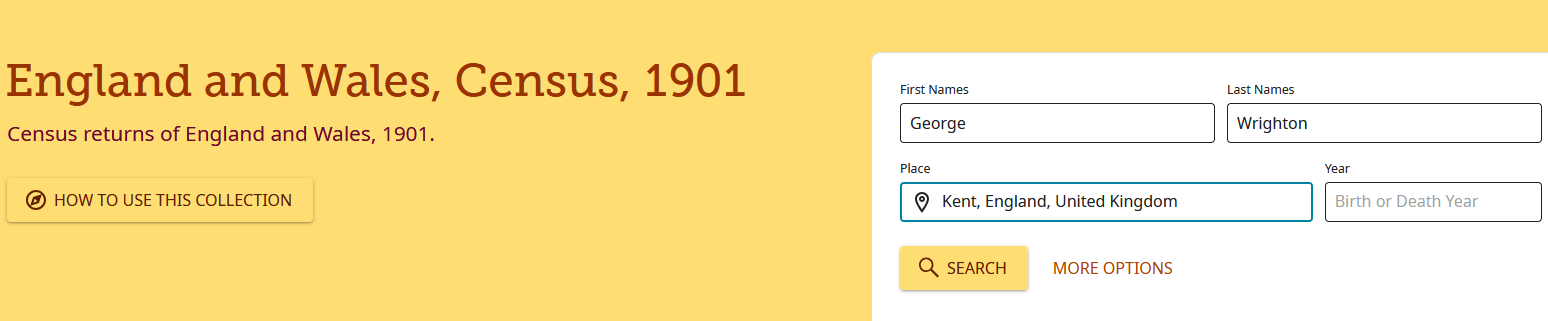
Results page (including all counties and the most-odd name variants, the further you scroll through):
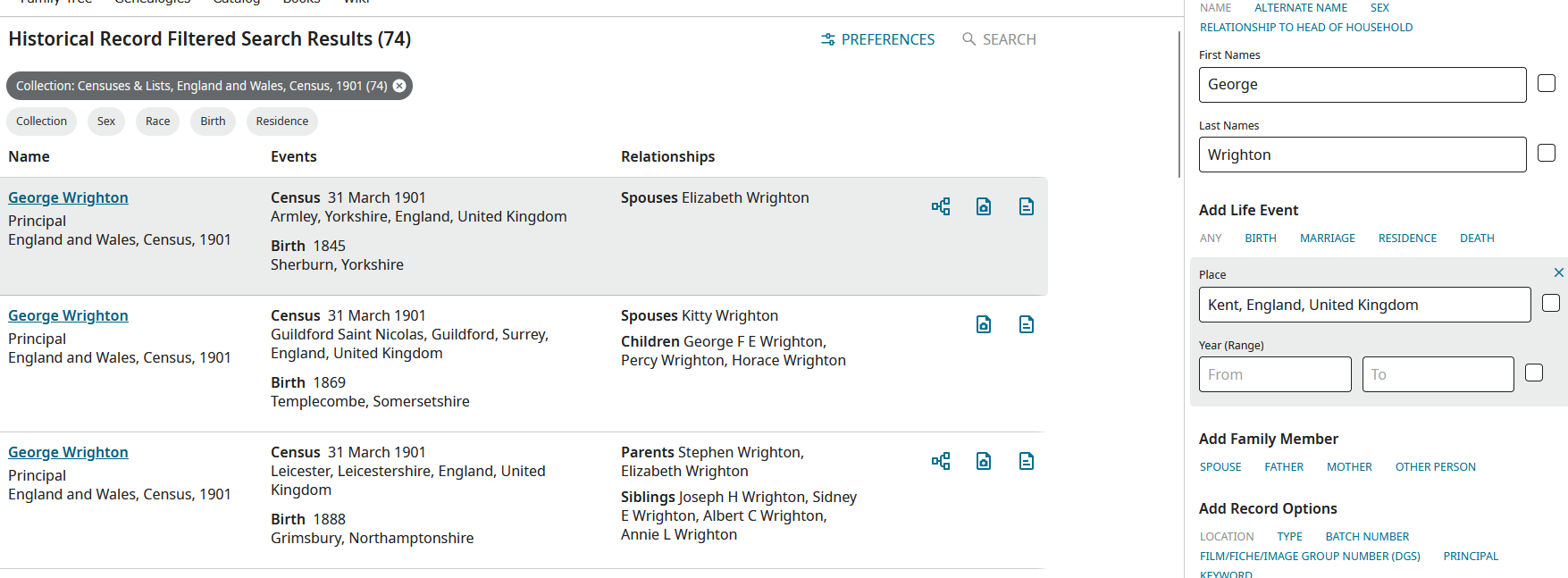
Bypassing the page completely, you end up with far more focussed results - and can then open your search (using wildcards, etc.) if you don't find your "George Wrighton" first time round:
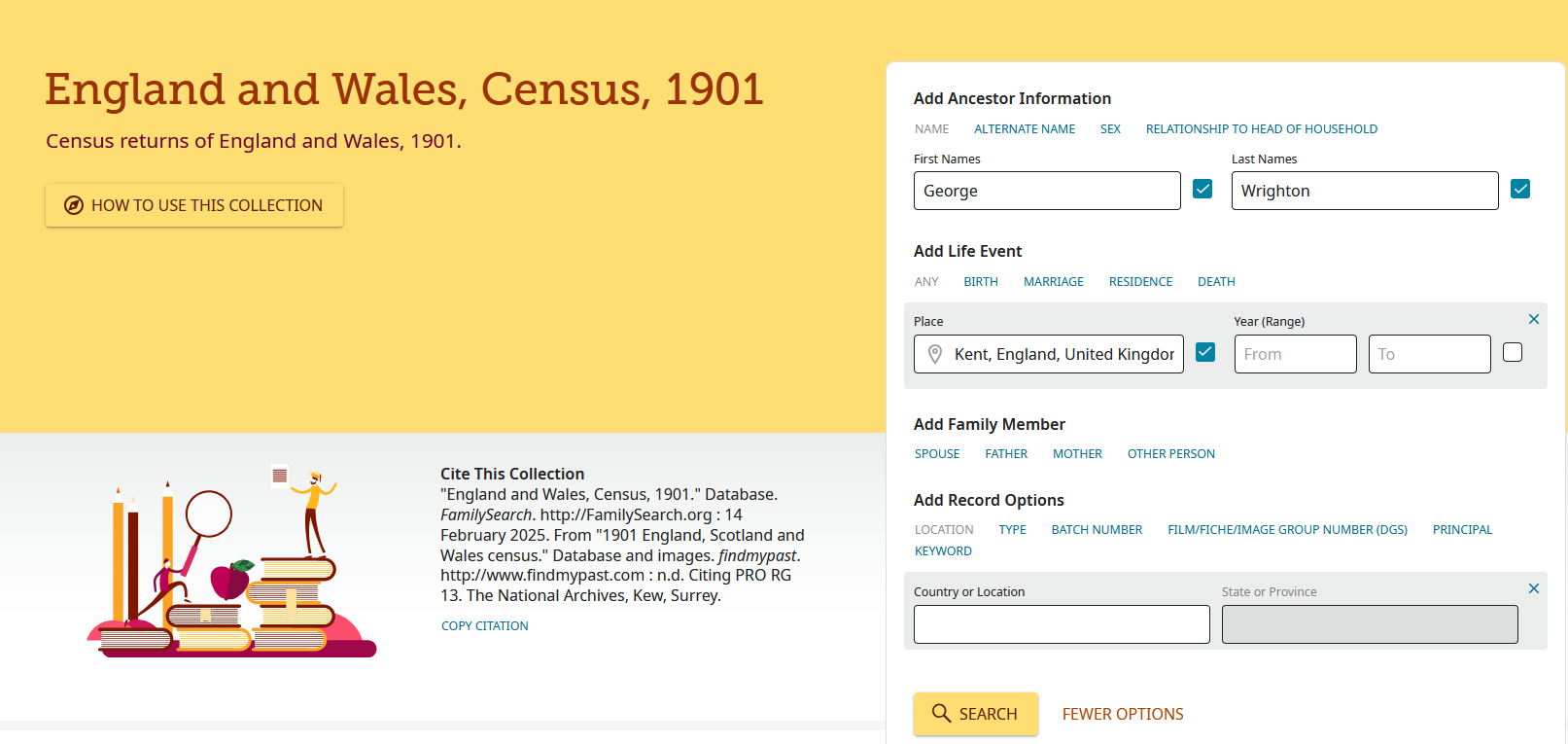
Results page for above:
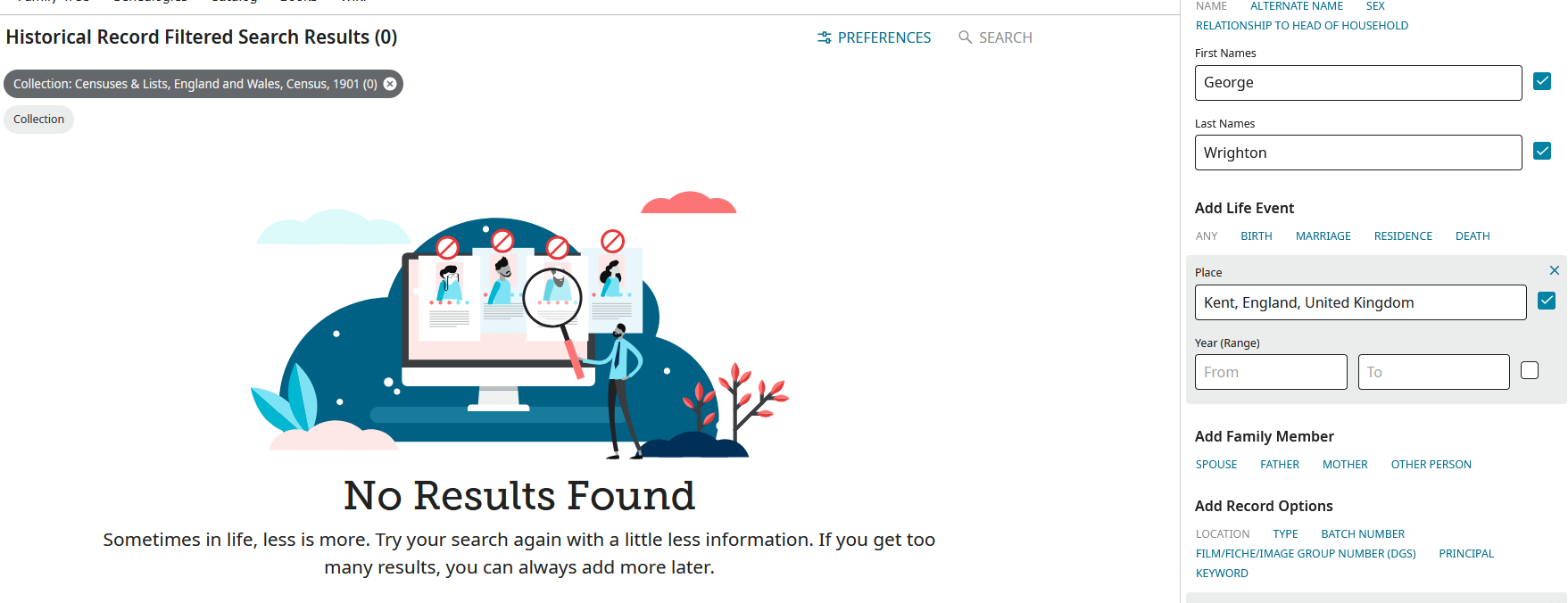
In summary, why would I want to even use that first page, when by going to the "More Options" one I can immediately see there was apparently not one George Wrighton living in Kent at the time of the 1901 census?
Áine - sorry if I seem to be "hijacking" your valid post on the technical issue you have discovered, but my vote would be to remove these unhelpful pages altogether and be presented immediately with the one currently reached via the "More Options" link.
1 -
Paul - I understand your point, but it's not a different page that could be removed. It's the same page, just not fully opened.
I know it's not always simple, but moving the "More Options" button to the top should stop anyone from encountering the disappearing entry just made.
And, this problem has only started happening, for me, in the last couple of weeks. I haven't changed my system or my workflow.
Yes, I grumble at FMP on a regular basis when I tweak a surname spelling and have to re-enter the location filters.
0 -
Hmmm - I have just rechecked my trials. The England & Wales 1901 Census still vanishes the search name when I hit More Options in Firefox. And it wasn't the first search form that I opened either this time. All the others work correctly.
Between last night and now, my PC has been closed down. I don't do a full cache clear down as I would lose all my cookies that keep me logged in to Ancestry etc.
Conversely, the same England & Wales 1901 Census still works fine in Chrome…
Ah… I just cleared the cookies and site data from FamilySearch in Firefox and after restarting, the 1901 now works fine. What does that mean? Presumably as a minimum it means my Firefox reloaded the 1901 census form software - was it a different download from a different server? Or was it corrupted somehow the first time and has now been replaced?
Sorry @SerraNola - that's the best I can do to investigate. I understand very well that if the techies can't make it go wrong, it's difficult to fix and test… 🤔
0 -
Luckily, @Ashlee C. was able to not only reproduce the error, but capture it on video. I sent to engineers and of course, they also could not reproduce. I will generate a bug report but not sure how much traction it will get.
4 -
Thanks @SerraNola and @Ashlee C.
0 -
@SerraNola
The problem is getting worse, I'm sorry to report.I've noticed this new behavior a few times, but today it's persistently bad.
Starting from the 1880 US Census https://www.familysearch.org/en/search/collection/1417683
I selected More Options immediately, before entering any details.
I entered the name and approximate date of birth of a child in the household. When I tabbed to enter the name of the father, the child's name and year range of birth disappeared.
I tried again, and the same thing happened again. Took screenshots that time.
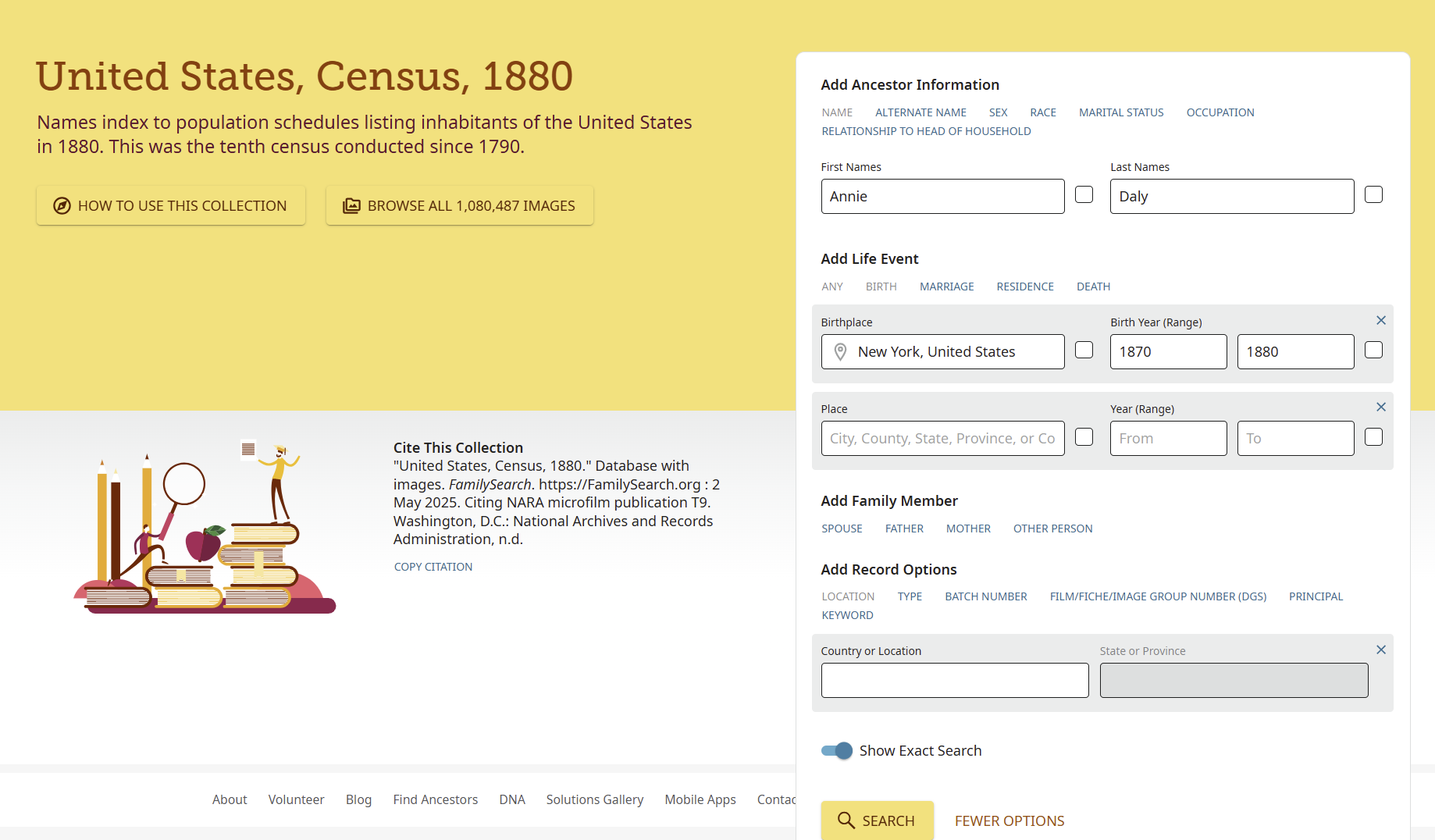
And then poof
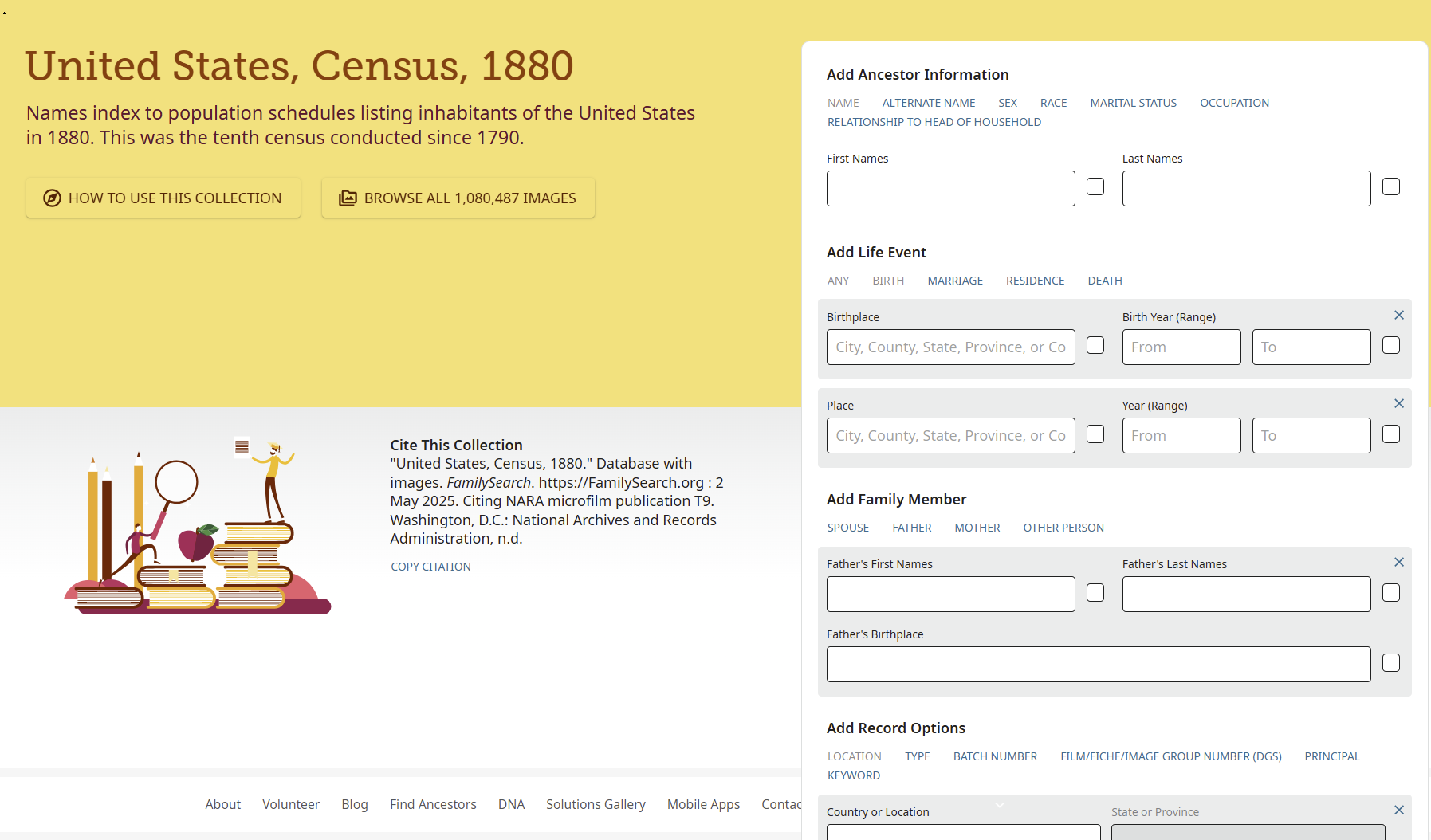
Please and thank you.
Windows 10 and Chrome 183.0.7204.1852 -
Assuming I correctly followed same steps, I could not replicate on Windows 11 and Firefox
0 -
Mark, it happened to me 5 times this morning before I wrote it up. It was persistent, consistent, and extremely annoying.
I've had to stop using Firefox for research on FamilySearch because of other conflicts between Firefox and FamilySearch.0 -
@Mark McKenzie_1 - I'm not surprised… If you plough through the earlier part of this thread (and you may have done already) it's a bug that's difficult to reproduce. I found one collection that consistently behaved as Áine described but the others didn't. Then when I cleared cookies etc etc, that one collection became well behaved. It's as if my one collection had a corruption or mismatch or something in the version of the software that I was first using. Murphy's Law says I can't find a failing collection this time…
1 -
@Adrian Bruce1 Thanks for trying.
I just cleared FS cookies on Chrome. Logged out, closed, and reopened Chrome. Tried the same search in the same fashion, and Poof again. Everything I had entered before I tried to enter a name for the father vanished.
Oh - and between my attempts earlier and now, I had also updated Chrome. I had updated just a few days ago, but when I went to retrieve the version for my first comment, I found an update waiting to install.
Now Chrome 139.0.7258.67
0 -
Just had the same annoying experience using the 1915 New York Census. https://www.familysearch.org/en/search/collection/1937454
0