How to retrieve info that has been changed by others.

I am beyond frustrated with the ability others have to destroy my family tree. I have over 70 individuals in my line that have had their names changed, been reported as dead (when they are not) and even had their names completely changed (my own Mother). I cannot keep up with the garbage that needs to be fixed. I don't have the time and in many cases how do I get back to the original information that I have sourced and know is correct????? My family history is becoming useless and full of bad information. I have spent many years researching and now I feel I need to start over to clean up this mess. HELP, what do I do???
Best Answers
-
Number one is keep a copy of your tree in a place where no one else can edit it. Other websites and/or family tree programs are available - some of these are free.
Records of living people on your tree cannot be marked deceased by other people as they are only viewable by you. What you may find are duplicate records of what you know are living people have been created by others and marked deceased (otherwise you would not see them).
You should be able to find the previous information by looking at the Track Changes section on the right side of the person page.
4 -
The Solutions Gallery (at the foot of almost every page on the main FamilySearch site) includes several tree management programs that can be used to keep an offline tree. You'll need one of those programs to download your branch of the collective FamilySearch tree.
I use Family Tree Maker; other good programs are Legacy and RootsMagic.1

Answers
-
What other programs can I use and do you know if I can download my tree and add it into a program so I don't have to input everything again? I have thousands of names. It would be full time work to keep up with changing records back to original on family search.
Name changes have been on deceased family ( my Mother). But I have people changing the spelling and adding or changing family relationships.
I had everything on PAF but that was discontinued forever ago and I haven't found anything that I could upload and convert to a new program.
Any suggestions on where to go from here would be amazing. Thank you
0 -
Another product available is Ancestral Quest. It is software that was written by the same person as who wrote PAF, so the transition is essentially "seamless". In fact, Ancestral File is capable to read data in the PAF format. Ancestral Quest has a "Basics" option which is free and satisfies almost every basic function for everyone. I would strongly recommend this as a solution to your situation. Simply google "Ancestral Quest" for more details. Good luck. DL Melville
1 -
Ancestral Quest is also listed in the Solutions Gallery. No need to do an internet search.
 1
1 -
Having 70 people to clean up and keep an eye on is a very doable project. About once every two years I go through the seven generation fan chart for my wife and will do this for mine this summer and check every person on the chart and all of their children and children's spouses for any changes. If I work a couple of hours a day on most days, it takes about a month. The hard part about it is that gets so boring because FamilyTree when used properly can be very stable. Doing all that clicking and finding nothing to fix gets tiring.
I would encourage you to not give up on Family Tree yet but give it one more try with the whole goal of stabilizing your family.
First principle to keep in mind is the fact that Family Tree is not your database. It is FamilySearche's and all users have equal rights to work to improve any profile.
Second principle is that the only people who are going to have any interest in working on profiles for your deceased relatives are your living relatives or people who have gotten really confused and think your relatives are their relatives. Be kind to both groups.
So, yes, get a database of your own to keep as your gold standard which will vanish and be inaccessible to anyone else when you die, but repair your information in FamilyTree and work to get it so well done that it will stay stable and be accessible to everyone for generations to come.
The key to working on repairing profiles is to get very familiar with the Change Log. For now I would use the current version and not the experimental FamilySearch Labs version. The new version has some very nice changes that help with some of the confusing aspects of the current one but it also has a couple of flaws that will make what you need to do more difficult.
You get to the Change Log by clicking on Show All in the Recent Changes box on a person's profile page:

In the Change Log you can see every edit ever done on the profile. Scrolling to the very bottom of it, you will see the initial information entered when the profile was first imported into Family Tree in 2012 or when it was first created by a user after that You can use the filters to see changes to a specific item such as the name:

You can click on Restore to return a piece of data to its previous value. However, and this is very important, before restoring anything, you need to thoroughly think through why the change was made in the first place! For everything that has happened to any of your relatives, always be thinking, Why? Why? Why? Why!
Only if you can determine why, can you take measures to prevent it from happening again by adding additional information, additional sources, and additional documentation to the profile, and, in those cases where two people were confused, creating or restoring the other person who got mixed in and fixing that profile.
One of the first filters to check is the Merge filter:
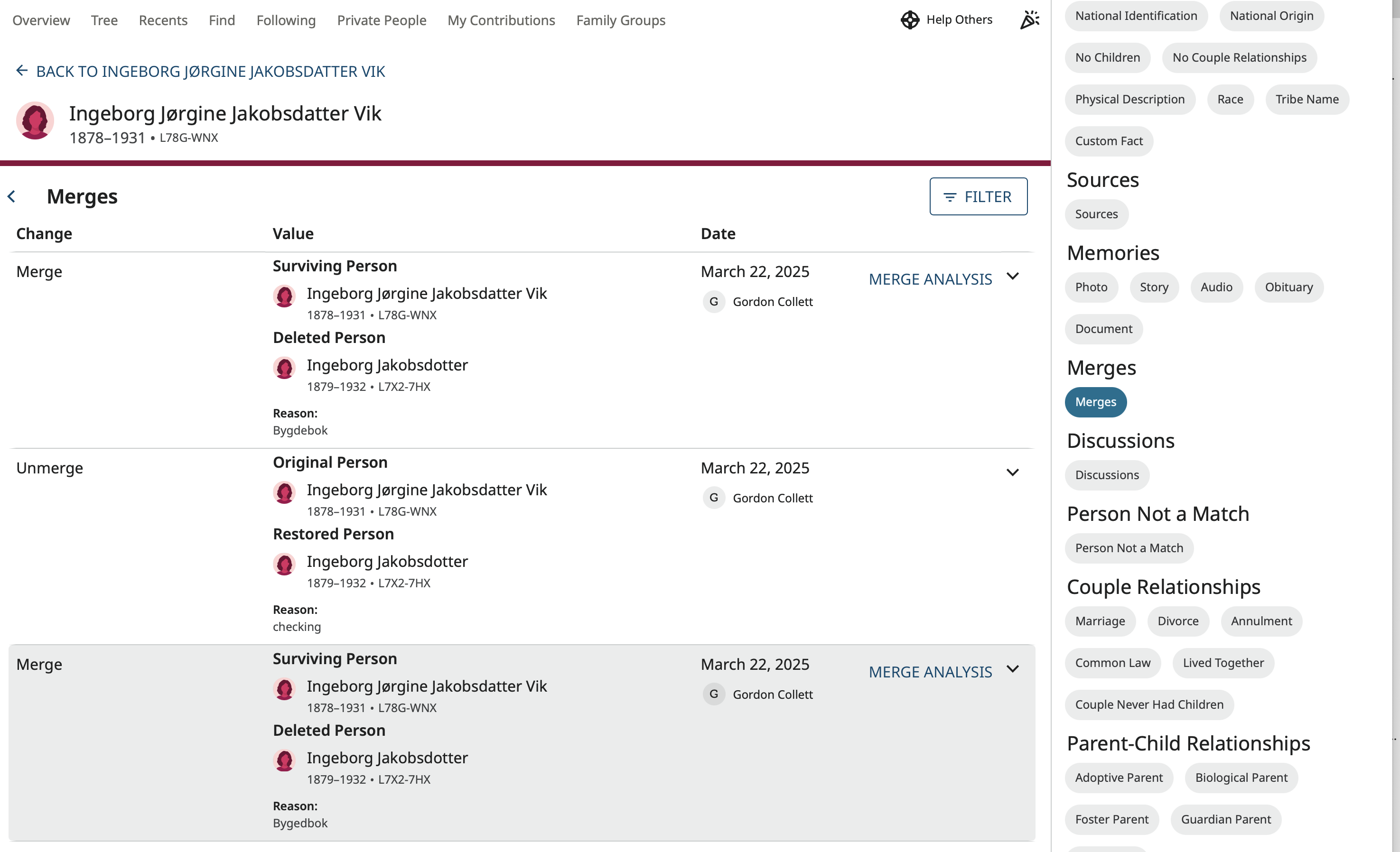
Bad merges can mess up a profile very quickly and it can be very important to reverse merges and untangle two confused profiles before correcting the existing information.
The procedure I like to follow is to print out the fan chart and in a very organized manner start with the first set of parents checking for any changes since the last time I was there and evaluating them for appropriateness. I see if any new hints have shown up and get them properly attached or dismissed. I take care of duplicates by either merging if correct or marking as not -a-match if not. Then I do the same for all their children and children's spouses. Working one profile at a time with a set routine makes this a very doable project. It will be very worth the small amount of time you will find it actually takes you once you get the flow of it.
Regarding your people that have been reported dead but are living, just change those profile to living by clicking the edit pencil next to that section, clicking Living, and filling out the form that will pop up. In a few days those profiles will completely vanish from your view and will only be viewable to the person who created that profile.
If you would like specific ideas about how to fix a profile and keep it fixed, feel free to post the ID number of one of your people who has been badly changed. You'll get plenty of ideas for what to do.
6 -
Thank you for your thorough explanation on how to reverse incorrect or improperly added information. It will be very helpful! I have been researching for over 40 years and therefore have thousands of names to monitor and manage. At least 3 times a year I have someone change and mess things up for a big portion of my family names because they do not know how to add additional or alternate info. They just start editing everything. It's a bit overwhelming . Hopefully some solution ( like being able to add to, but not change someone else's original information (especially when it is well sourced) would be a great improvement). I would much rather spend my time researching and adding additional sources than constantly cleaning up.
0 -
No, you won't be able to manage thousands of names of very distant relatives who are also the relatives of thousands of FamilySearch users. You will get very frustrated if you get into the crowd that is making dozens of changes per day on people like Charlemagne. I just checked. His profile has had 72 changes just this month. His name has been changed 7 times in March. He is being followed by 4,260 people and 2,053 people have contributed to his profile. Arguments abound.
What you can do, however, is decide what core of your family you are going to keep in the best shape possible. As I mentioned, my personal goal is the seven generation fan chart.
0 -
MY file only changed a week or 2 ago- and I am stunned and heartbroken.. Is this not new to anyone else? Why did it change so suddenly? I am finding a ton of errors without going past my grandparents… sloppy sources, as if never thought to read them! Live relatives have been entered! years of work down the tubes- I have gone back to the mayflower,,, How can I possibly review what 100 other people have entered??
0 -
@Anne Renaud Sorry to hear you have run into a set of bad changes in Family Tree that affect your relatives. (Your file did not change because you do not have a file. We are all working in FamilySearch's file which doesn't belong to any of us.)
With sudden, major changes, the most common single event to cause this is a bad merge. One bad merge can look like a cascade of dozens of changes. So to start with, go to the first person you see new errors on and look at the profile's Change Log and evaluate what happened over the past two weeks. There is a good chance that a couple of quick repairs will solve all the problems you now see. If you would like direct advice you could post a couple of IDs of deceased individual where you see changes and others might be able to give clear directions on how to fix things.
Sometimes the changes are not a simple error with a merge but a full blown kidnapping. Unfortunately too many users of Family Tree still don't understand that Family Tree is a joint, wiki-style, universal tree that all users have in common. They run across a Mary Smith born in New York 1920 and think this must be their grandmother Mary Smith who was born in New York in 1920, don't understand why there are so many errors on the profile such as wrong full birth date, wrong death date, wrong husband and wrong children and so they just take that profile and "repair" it not realizing they have just highjacked someone else's grandmother. Correcting such problems does take a bit more work but still involves just putting back the correct information on that one profile with that correct information easily being restored from the Change Log. Again, if you need specific advice, post the ID with the worst problems.
There will be no changes on living individual by others because no one can see any living individuals that you have entered. Only you can.
1 -
@Anne Renaud As the FamilyTree is a collaborative tree it has its pros/cons. Some great additions/corrections can be made by others to your line that you may not discover on your own. But that said, often unintended 'bad' changes can also be made and quite quickly thru the use of merges. One of those things we all deal with. FamilySearch is well aware and is making merges less prone to errors, but still that does occur.
Be aware that FamilySearch is presently exploring a 'personal tree' structure that each of us can 'control' but still make use of the FamilySearch resources, to include the FamilyTree.
It has an 'odd' name for the moment [CET] and is considered an 'experiment' making it subject to changes going forward. You can find out more in the CET group
1 -
Anyone know what CET stands for? Community Edited Tree? And where they will reside? In the Family Tree space? Or in Genealogies next to the PRF trees which are kind of the same but cannot be edited?
0 -
@Gordon Collett As to where/how CETs will be incorporated into FamilySearch I think @Robert Kehrer might have some insights. I know it is being actively 'worked'. My hope is that CETs will not be 'hidden'. Private/Personal, yes, but let everyone view…
0 -
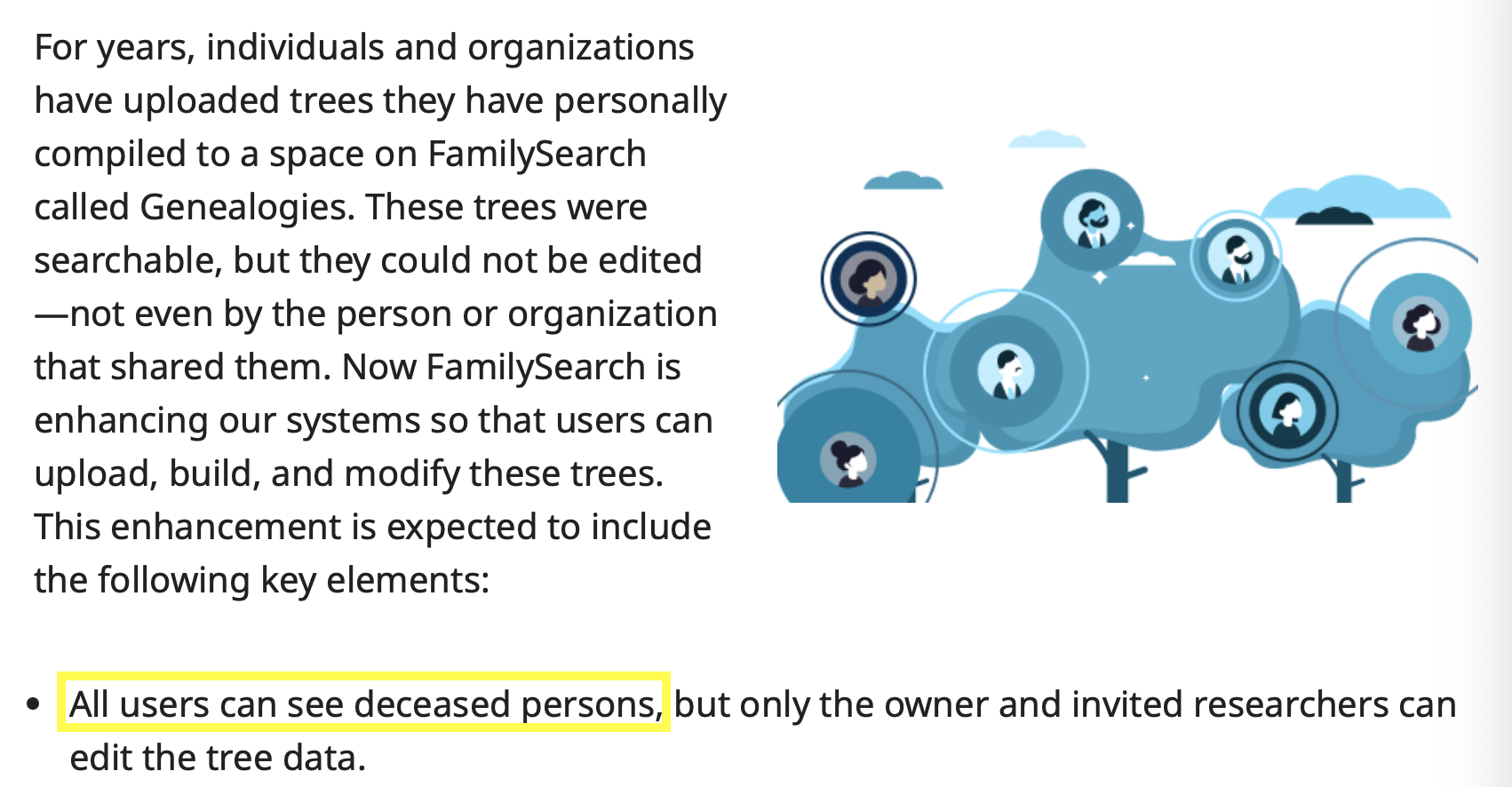
As far as being open for all to view, the explanatory page says:
 1
1
