how can i copy family search hints

how can i copy family search hints
0
Answers
-
Good morning. If I am understanding your question correctly, when you open the FamilySearch Hint you may see the following
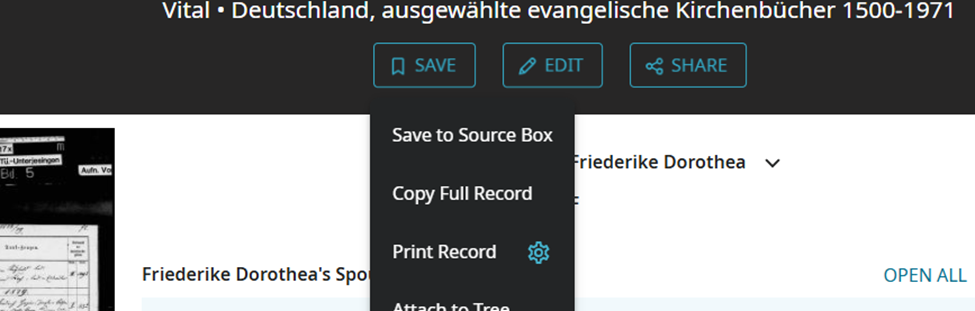
You can see that you can copy the full record from the drop down box.
If you just want to copy the hint follow the instructions at FamilySearch Use Record Hints
Click or tap the blue icon to open a dialogue box. This box displays links to one or more indexed records that FamilySearch thinks may be associated with the person in the Family Tree.
Review the details and compare them to what you already know about your ancestor. You might ask the following kinds of questions:
- Is this person the same person as your family member?
- Are the ages or dates correct or more correct?
- Does the record show the right family relationships?
- Are place-names what you would expect?
- If the new source refers to your ancestor, you attach the record to the person page. The record source becomes a citation on the person page for the individual in the tree. If the record refers to multiple family members, you can attach the record to the other family members as well.
Hope this is what you were looking for if not please feel free to explain further.
1

Clear
No Groups Found