Is it possible to restore tags attached to a photo after that photo was accidentally deleted?

We recently found a military photo of our father with his Airforce squadron from the 1940s. Our father numbered each person in the photo and then wrote their names (and some addresses) of these individuals on the back of the photo. We spent hours tagging each person and then began researching their names, hoping to make connections with other families. One of the tagged persons from the photo was attached to a person with the same name in FamilySearch, but he turned out to be the wrong person. We deleted the photo from that account and soon discovered that every individual tagged also had the photo deleted from their accounts, including our father's account. I was able to recall the photo from my gallery, but all of the tags were gone. Is it possible to restore tags attached to a photo after that photo was accidentally deleted, and if so, who would I contact? Thank you in advance for any help that anyone may provide!
Answers
-
I can help….kind of…..
First, just for teaching, if you uploaded the Memory, then you have the ability to delete. If you didn't upload the Memory, you can only "Detach this tag."
So, since you uploaded the Memory, you can (and did) delete it.
If you choose to delete a Memory, you will be given this message:

So, unfortunately, all the tags WERE deleted. I'm so sorry!
The second sentence explains why you were able to get the Memory back, but the tags remain deleted.
0 -
There is one solution that might help, but I think it will take as much time as re-tagging.
You can go to a Person's Page—anyone who needs this Memory re-tagged to them.
On the Right side of the page, you will find the Change Log:

Click "Show All."
From there, you will see that the photo was "Detached." Like in this example:
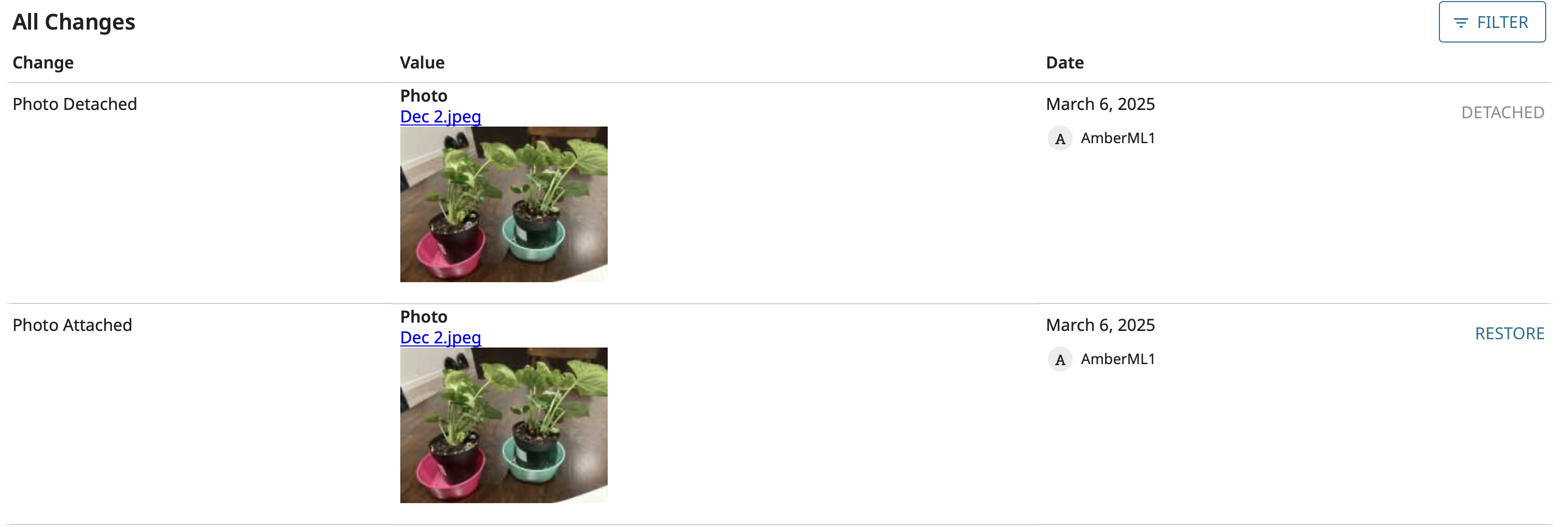
Click "Restore."
However, this can't bring back the deleted tag. (If you go to the Memories tab for that person, you will NOT see the photo, because it is no longer tagged to that person.) BUT, if you go back to the Change Log or stay in the Change Log (see next image) it will appear at the top as "Current." You can click on the Image, and you can add the tag there.
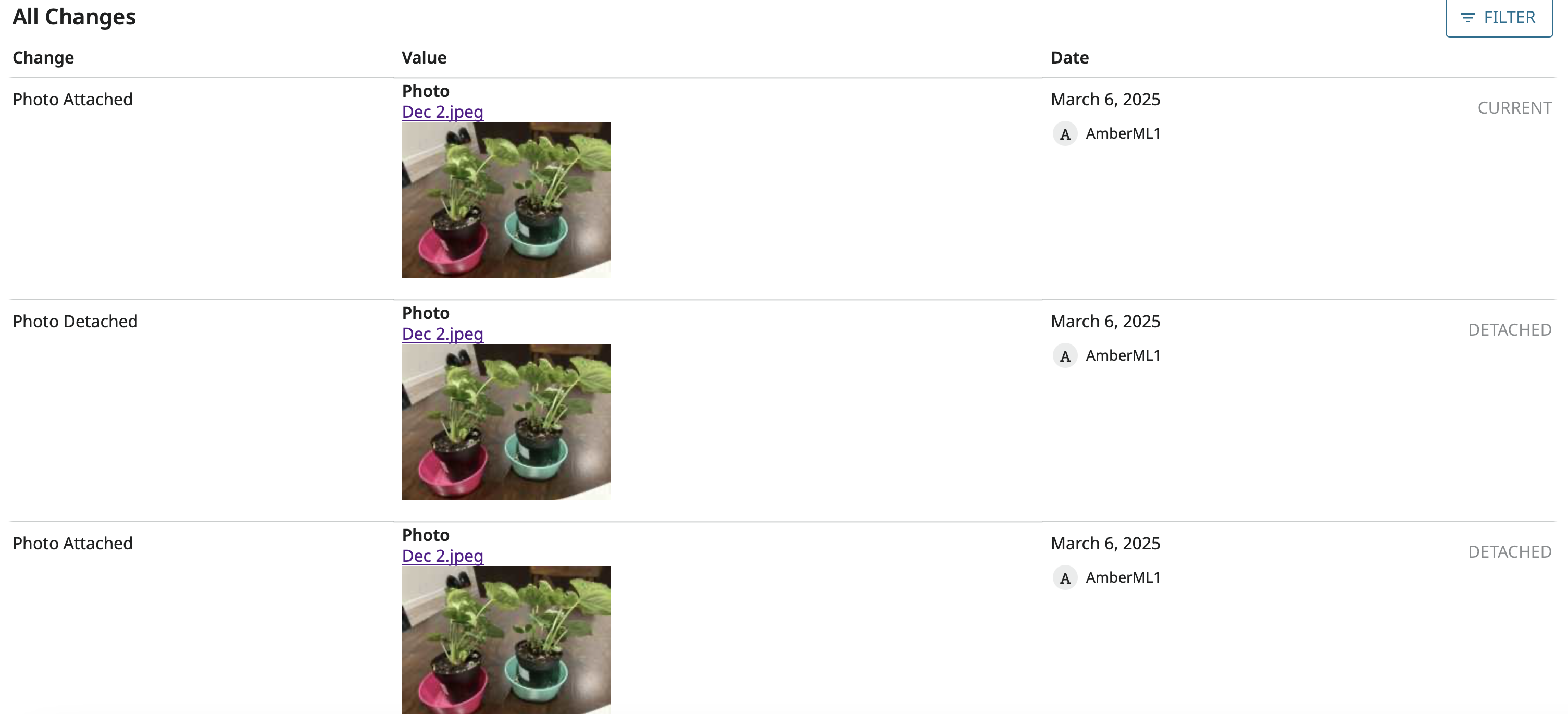
Again, I'm sorry. I wish it was a quick fix. But all the tags need to be re-added.
1 -
Thank you Amber! I was hopeful, but there are worse things to do than retagging a photo. I appreciate your efforts to help! 🙂
0
