When I select the camera icon to view results is shows no results

Steps
1 Go to https://www.familysearch.org/search/catalog/182495?availability=Family%20History%20Library
2 Select any of the camera icons for Versmold
filmNumber=102625061
Is this a defect? It is not browser/cache related
thanks
Answers
-
Most of the camera icons have keys above them.

When you click on an icon, what you should see is

Whilst the transcripts are available on FamilySearch (use the magnifying glass), the actual images can only be accessed by visiting a FamilySearch Centre or Affiliate Library. To find the nearest one to you, go to Find a FamilySearch Center. If you are unable to do this, you can request copies of specific pages by using the FamilySearch Library Lookup Service.
1 -
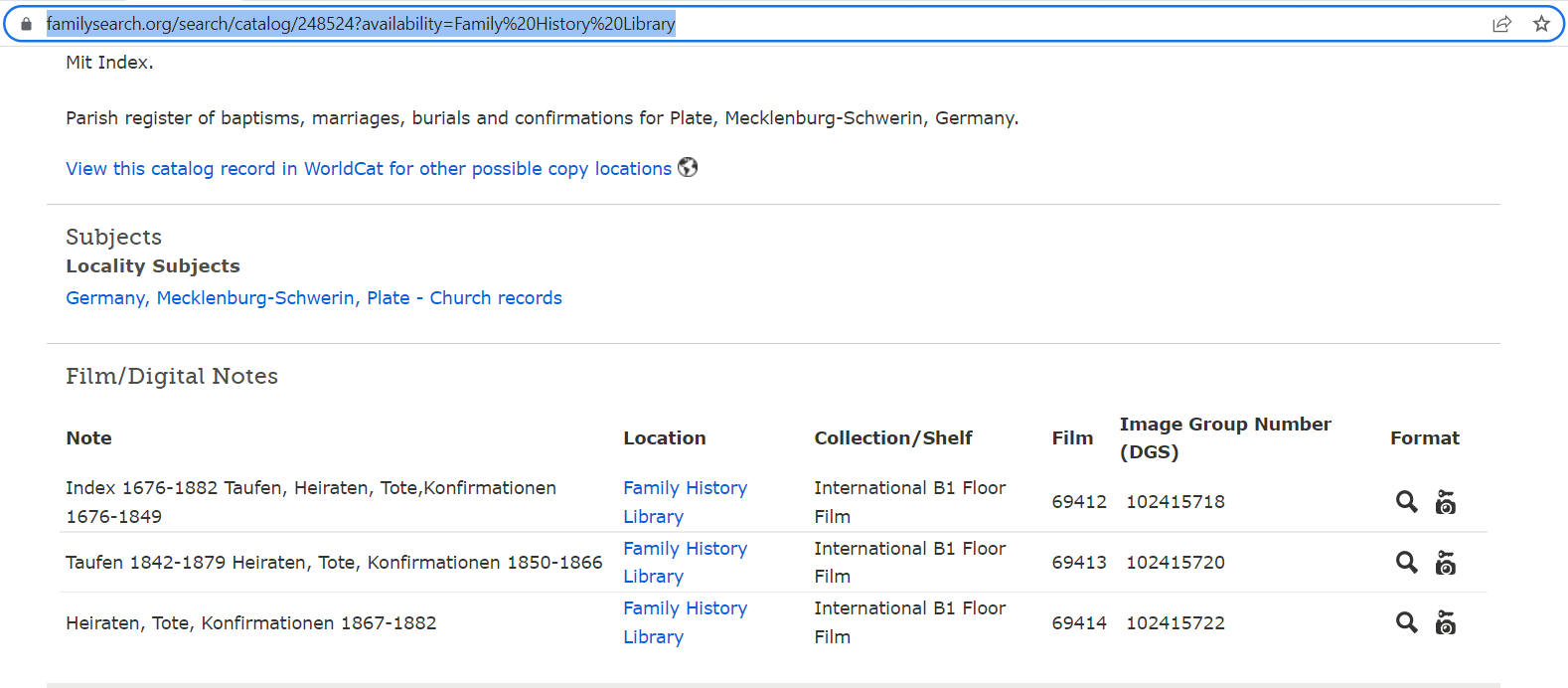
Thanks Graham. So for the search (magnifying glass) on other records such as here https://www.familysearch.org/search/catalog/248524?availability=Family%20History%20Library for Plate, Mecklenburg it is locked but it gives search results.
But the Plate records do not have a note about it being accessible in certain locations.
So the User interface is a bit confusing. I do not know if you can pass that on.
0 -
Clicking on the new link you give, I get the same results as for the earlier one you gave
 0
0 -
Hi Graham, So when I go to https://www.familysearch.org/search/catalog/248524?availability=Family%20History%20Library it goes here https://www.familysearch.org/search/record/results?q.filmNumber=102415718 I get results. It shows it is locked but I can search results.
 0
0 -
Cannot see your images unfortunately. But, yes, you can search the transcripts just not see the original images at home. As mentioned, if visiting a FamilySearch centre is not practical, you can search the transcripts to find records you are interested in and then use the LookUp service.
1 -
Thanks for looking at my problem. Seems to be a geo location block.
I will the service until I can access it remotely.
thanks again
0 -
if the message for the restriction is , as quoted above
"To view these images do one of the following:You may be able to view this image by visiting one of our partners' sites or the legal record custodian (fees may apply)"
this means what it says. It means the images cannot be viewed on FamilySearch.
It does NOT mean that the records are available at a FamilySearch Centre or Affiliate Library. If the records were available at these places, it would say so in the message.
I have also seen a comment that for copyright reasons, the Look Up service does not supply records where such a restriction applies, but you could always try.
0 -
Thanks for explaining a bit more and taking the time. It would be great if the restrictions could be listed out for each record. Otherwise the researcher will always wonder why it is restricted. Maybe something to pass on for consideration.
thanks again.
0