
Miss the RESTORE button

I myself, made a change and tried to find the restore button and no longer see it.
Comments
-
Thank you for bringing this up again. I have complained about it in the past and hope they are working on something to address this.
In the following example, I have filtered on just christening to simplify things.
First, I do want to point out the the Restore button is still there and is still where it has always been with just a single exception:
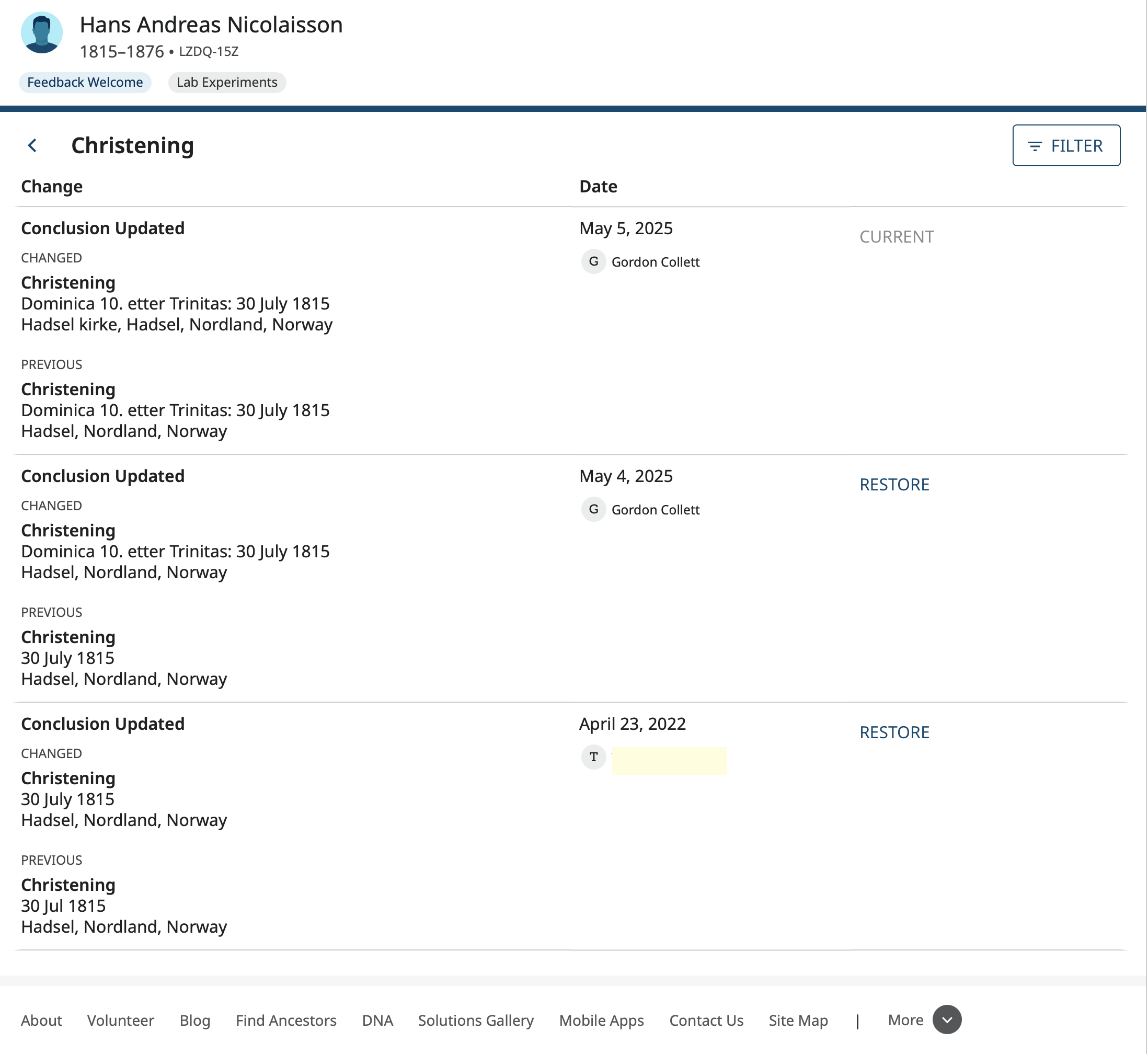
In this image, you can see that just like it has always been, the restore button is next to the old value and you have to find it there. To reverse the edit made on May 5, I have to find the previous value entered on May 4 or the one on April 23 depending on which one I want to restore it back to.
The one exception where the restore button is missing is against any value entered when the profile was first created. Notice that the last line in the image are a christening of 30 Jul 1815, Hadsel, Nordland, Norway. There are no earlier christening entries and no way to restore that very first value. This is because the designers have chosen to collapse the creation of the profile into a single line in the change log:

This is hiding the original Vitals information entered in that initial creation and none of it can be restored if changed. As shown in the first image, if it was changed, it will appear in the change log as a previous value, but you have to type it back in by hand.
I requested that they expand that original creation line in the change log back to the old form that shows each item like it used to as seen here:
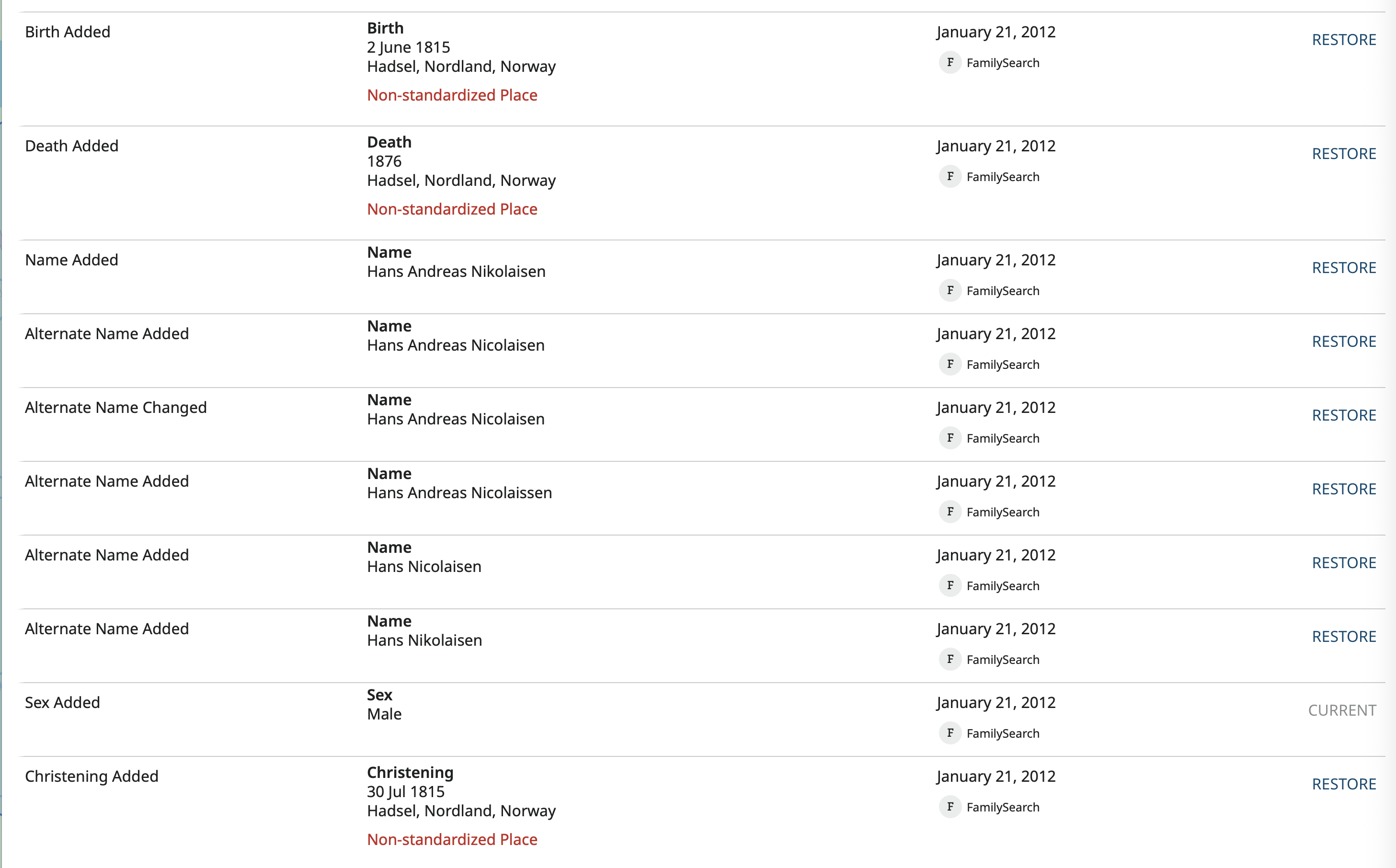
Yes, all these ten lines are now hiding in the new, single line.
1