
Private people

I have just uploaded a Gedcom to my CET. Currently I am the only member of the group and the whole tree is private. Many of the people in the tree are marked as private and are inaccessible to me. How do I "un-private" them
Comments
-
@RobertHunter123 Thank you for testing early access CET and offering feedback. Do the "private" PIDs have a death date? From where did you create your GEDCOM file? Which OS and browser are you using?
0 -
@RobertHunter123 To make your tree public, please go to tree settings on your CET's home page and mark the tree "public".
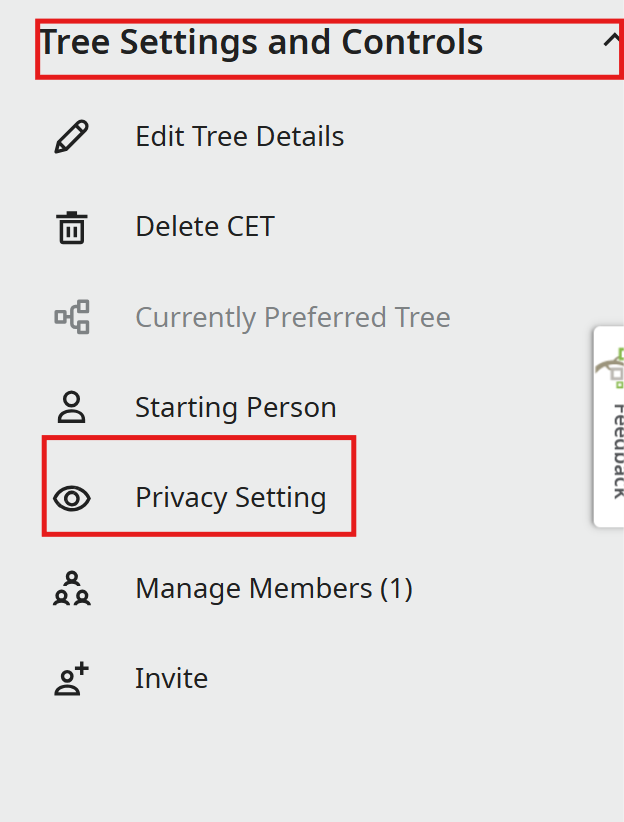
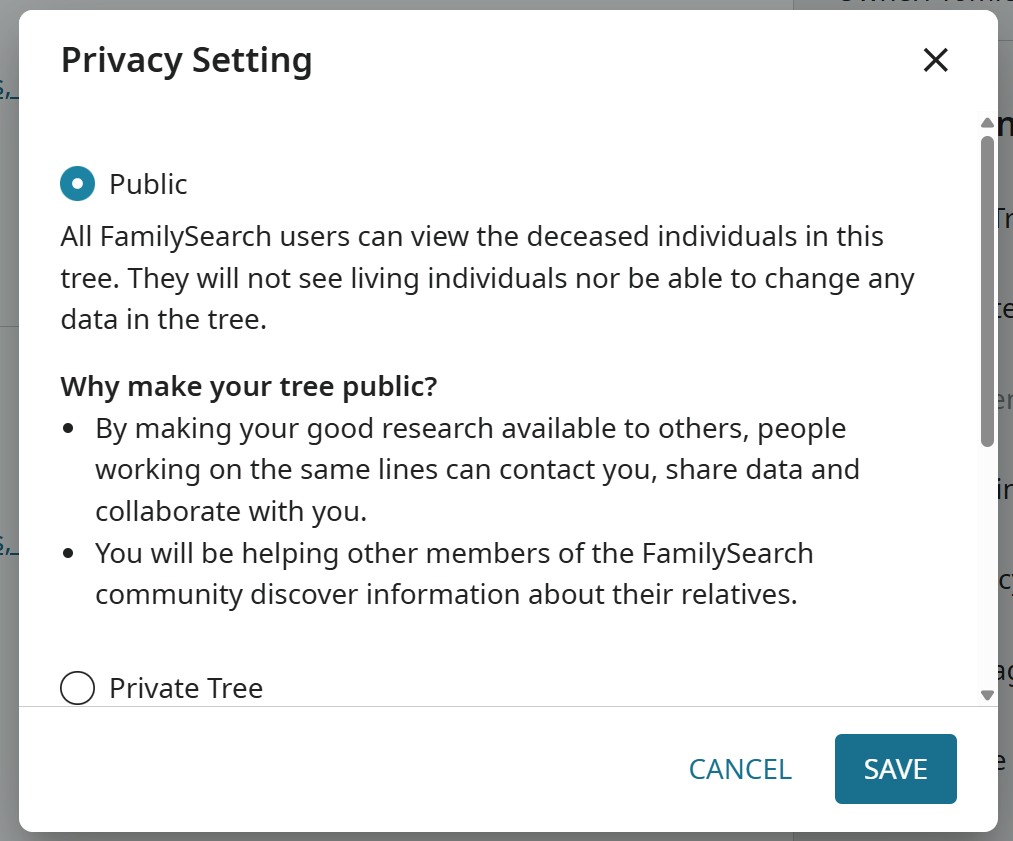
A cursory review of your GEDCOM shows many persons as "Private" and living persons. Please review the product from which you created the GEDCOM. Is that what you are seeing in your other software product? Please respond to help the engineering team isolate any error in the GEDCOM creation. Please advice which 3d party software you are using. Thank you, again.
0 -
Robert can you clarify what you mean when you say the private people are "inaccessible to you". If you created the tree, you would be the owner of the tree and you should therefore be able to see and edit all of the people in the tree (living or dead, private or public).
Also, do you remember going to the setting referenced by mynameistk and changing the entire tree to Private, or are you just referring to people marked private because they are living. The system should not mark an entire tree as private, that is something the owner can do. The system will mark any tree person uploaded as living (and they will therefore be private to the members of the tree) if there is no death or burial data and no evidence that the person must have been born more than 110 yrs ago.0 -
@RobertHunter123 is this issue still persisting? Have you tried changing your settings? You should be able to access all persons on a CET that you created, thus you are the owner.
0 -
@RobertHunter123 Thank you for bringing this to our attention. We’re committed to resolving as many issues as possible, but unfortunately, the report did not include enough information for us to investigate further. Since no additional details were provided, we’re closing this discussion for now. If you or others encounter this issue again, please start a new discussion and include relevant information such as your operating system, browser, URLs, and screenshots if available.
We appreciate your support and engagement. Please don’t hesitate to reach out with any future questions or concerns.
Thank you for using CET.
0
