
Can private memories be shared within a family group tree?

First, feedback/idea: The Family Group Tree Guide could really benefit from some short tutorial videos!
Second, my question: Can a memory that I have set as "private" be viewed by my family group members and if so, how do I set this up?
Answers
-
@knittykristi asked: "Can a memory that I have set as "private" be viewed by my family group members and if so, how do I set this up?"
The answer is yes, but with some important qualifications:
- It is only viewable by family group members if the family group in question has an associated Family Group Tree (meaning when an administrator edits the group, the "Allow this group to work together in a family group tree." option is switched on).
- The visibility of a Memory can be be simply Private; in this case, no one besides you as the creator will be able to see it. But if you are participating in a Family Group Tree, then you can adjust that basic Private visibility to be visible to one or more Family Groups. In the details for the Memory, in the Visibility section, you'll see a button for CHOOSE GROUP; that will allow you to search for and select a Family Group (but only a Family Group with an associated family group tree). Then other members of that family group will be able to see the memory.
A common use-case for this capability is something like this: you have a photo of you (who are obviously living) with great-grandma Josephine (who is deceased). You want to make that photo Private, since you don't want the whole world to see a photo of you, but you want to share it with your siblings who participate in a Family Group Tree with you. You qualify the visibility of that Private photo to be visible to your group. Then you tag it for great-grandma Josephine and for you (using your FGT person). Then it will be visible to your FGT on both Josephine's Memories list, and on the list of memories for your FGT person.
0 -
I hope you don't mind me piggybacking on above discussion. I am attempting to make memories visible to Family Group I created. I set visibility to the Family Group and tagged each photo with individual's name in the photo. But when other member of the Family Group logs in, there are no memories displayed on the memory page. I must be missing something. Appreciate the help.
0 -
@P7181 What do you mean when you say "there are no memories displayed on the memory page"? Which "memory page" are you referring to?
- If you are talking about the Gallery under the Memories menu item, then that is to be expected — that only shows the memories that the signed-in user has contributed.
- If you talking about the Memories tab for a particular person, then there are multiple issues to check:
- Did you tag the photo for the copy of the person in the Family Group Tree (FGT)? You may very well have one copy in your private tree, and one copy in the FGT. You can tag a memory for either or bother copies of that person, but for someone else in your Family Group to see it, you must tag the photo for the person in the FGT.
- Does the other member of your Family Group have the FGT selected? That will make sure that they are looking at the correct copy of the person — the one in the FGT. To double check this, you might insure that you are both looking at the same person by verifying that you are both seeing the same Person ID.
0 -
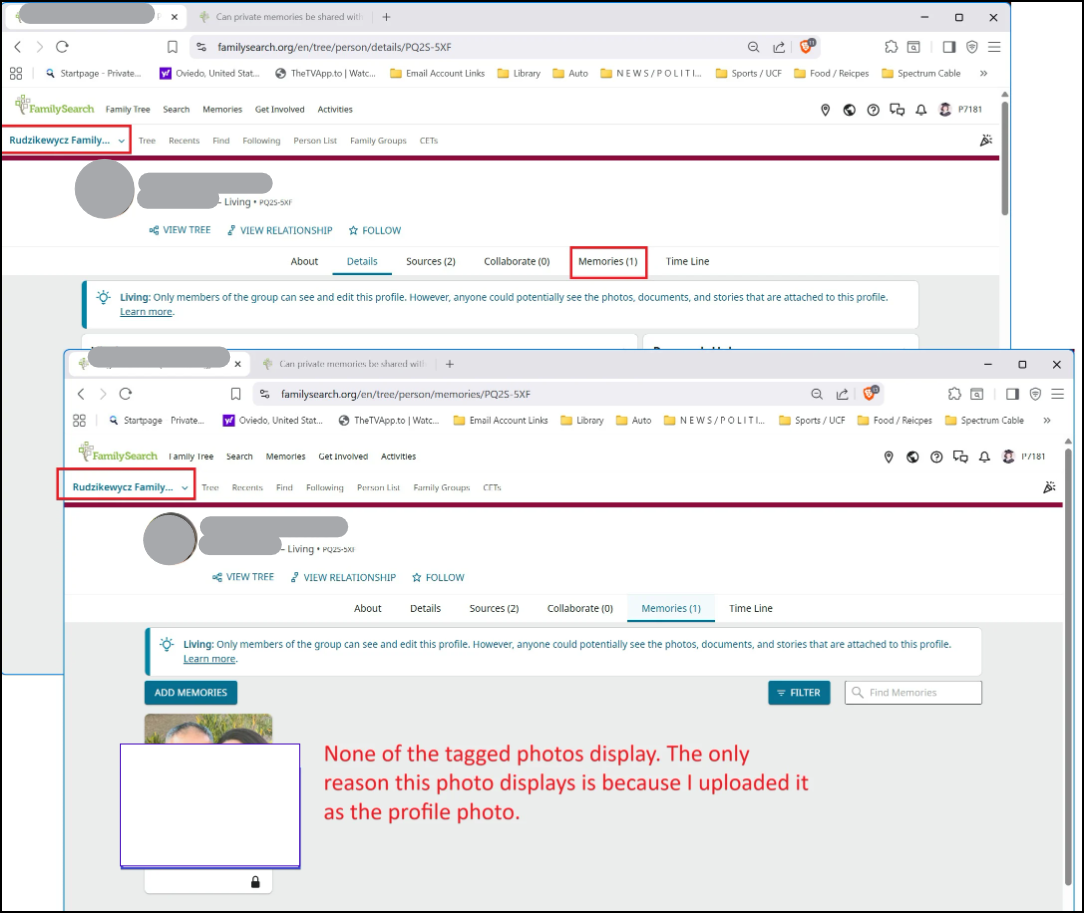
I have several test photos tagged as follows:
- Three tagged to the FGT PID PQ2S-5XF
- Two tagged to the Private Tree PID GB4P-D3K
- One tagged to both
There are 6 total photos tagged.
Results: Cannot see any of the tagged photos
 0
0 -
See discussion … Memories/Gallery items not showing in Family Group for resolution
0 -
@P7181 Mod note: Community is a public online forum. Your image was edited to protect the privacy of a living person. Please see the Community Code of Conduct for more details.
0 -
Thank you
0 -
@P7181 I understand how frustrating it is when systems don't work as expected. However, I just tested this and had no trouble viewing the images I uploaded and tagged.
Did you upload and tag the images or was it someone else who uploaded and tagged them?
If you are the person who uploaded and tagged, can you tell me the steps that you are taking to upload the pictures and tag them to the individual profiles? Please also tell us what operating system and browser you are using.
0 -
It is working based on information provided under discussion … "Memories/Gallery items not showing in Family Group"
Thanks
0 -
Oh good. Glad that you found a resolution.
0

